

How to Annotate Images on Google Jamboard
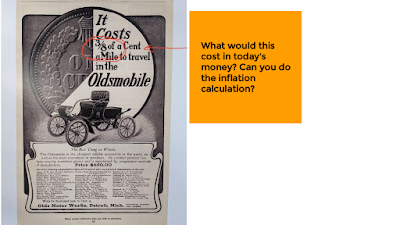
Even though it’s not as popular as it was a couple of years ago, Google Jamboard is still a great tool for conducting a variety of online activities including collaborative brainstorming sessions, creating word mover activities, and annotating images. It’s the annotating images use case that I demonstrate in this new video. Annotating images in […]
Getting Started With Jamboard – And Ideas for Using It In Your Classroom

This morning I received an email from a reader who wanted to know if I had a video about the basics of using Google Jamboard. While I’ve made a bunch about various uses of Jamboard, I didn’t have a current one about just the basics of Jamboard (my previous one is a little outdated). So […]
Three Registration-free Drawing Tools for Students

Tools like Google Jamboard and Explain Everything can be great for creating drawings to illustrate concepts. They can also be good tools for students to use to illustrate stories. But sometime you just need a quick and easy tool for students to use to create a drawing or simple animation without having to jump through […]
Five Ways to Create Online Drag-and-Drop Activities

Last week I wrote about Classwork’s new drag-and-drop online activity creation tool. It’s a nice tool for turning documents into online sorting and matching activities for your students. Of course, there are other ways to create online drag-and-drop activities for your students to complete. I’ve written about a handful of them over the last couple […]
How to Annotate Historical Images on Jamboard
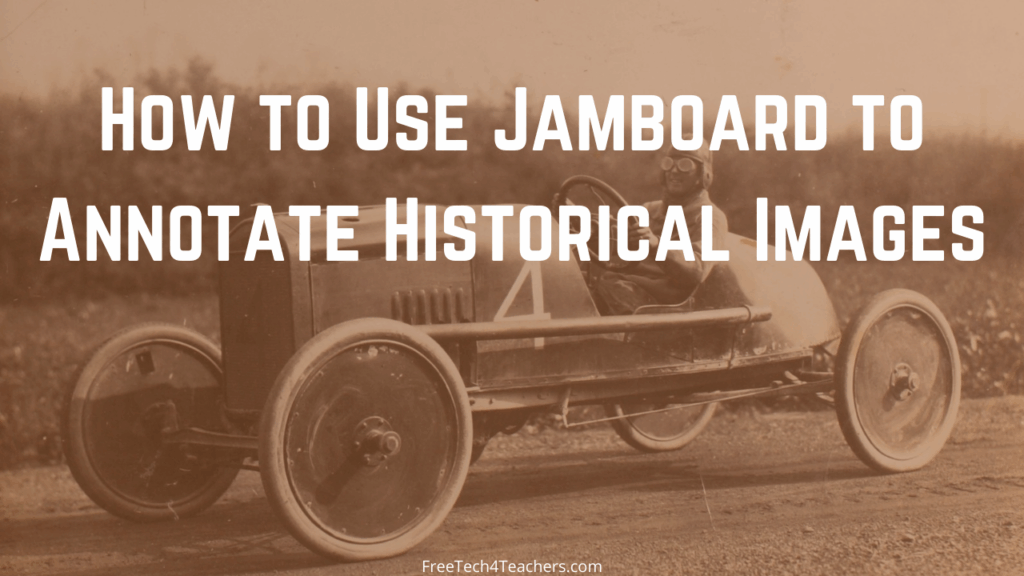
From magnetic poetry to collaborative brainstorming sessions to mapping activities, there are lots of ways to use Google’s Jamboard in online and in-person classes. One way that I like to use Jamboard is to have students annotate images that I share with them. In particular, I like to do this to have them add commentary […]
Fish, Moose, Jam, and Drawings – The Week in Review
Good morning from Maine where we’re getting ready for a day of outdoor fun. My youngest daughter wants to go catch a fish and my oldest daughter wants to see a moose. Fortunately, a little time in the boat on Mooselookmeguntic Lake provides a great opportunity to make both of my daughters happy. I hope […]
Five Ideas for Using Google Jamboard This Fall

A couple of weeks ago I published an excerpt from The Practical Ed Tech Handbook. That excerpt mentioned a couple of ways to use Google Jamboard in online and in-person classroom settings. This morning I had a reader reach out to me to ask if I had any other suggestions that she could pass along […]
Fifteen Tools for Creating Mind Maps and Flowcharts

Earlier this year I published some reviews and videos about a few new mind mapping tools. As the new school year begins I think it’s time that I add those new tools my list of mind mapping creation tools for students and teachers. Here’s my updated list of mind mapping and flowchart creation tools. Gitmind […]
Poetry, Maps, and Templates – Google Jamboard Activities to Try

This is an excerpt from the 2021-22 version of The Practical Ed Tech Handbook which will be released on Sunday evening (Eastern Time). If you’re subscribed to my Practical Ed Tech Newsletter, a copy of the handbook will be sent to you on Sunday. Google’s Jamboard became wildly popular during the 2020-21 school year and […]
Where I’d Like to Go – An Icebreaker With Google Drawings

As the new school year starts many you may find yourself looking for some new ideas to break the ice and get to know your new students while they also get to know each other. One thing that I’ve always asked my students is “where in the world would you go if you could go […]
How to Quickly Duplicate and Sort Jamboard Pages

Jamboard has a lot of handy features and neat uses for in-person and online instruction. I recently outlined a bunch of them in this blog post. This afternoon someone emailed me looking for help with duplicating pages within a Jamboard. Like a lot of things, it’s easier to show how to do it than it […]
A Handful of Jamboard Tutorial Videos
Last week I posted a video that contained a quick overview of five Jamboard features that are helpful to teachers and students. That was just the latest in a series of videos that I have made about Jamboard over the last couple of years. To learn more about Jamboard and how you might use it […]
Five Jamboard Features You Should Know How to Use

In the last year Jamboard has become one of my favorite tools for online and hybrid instruction. I often use it in place of Zoom’s whiteboard function because I can create multiple page whiteboards that I then share with my students via Google Classroom. My students can then take notes on their own copies of […]
Jamboard Now Offers Version History
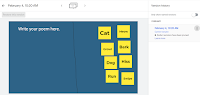
This school year Google’s Jamboard has become one of my go-to tools for hybrid instruction. Yesterday, Google added a feature to Jamboard that I’m excited to finally see. That feature is version history. Version history in Jamboard works just like version history in Google Docs and Google Slides. To access it simply open the little […]
Magnetic Poetry With Google Jamboard and Google Classroom

Earlier this week a reader emailed me looking for an alternative to Read Write Think’s old Word Mover activity which is no longer available because of the deprecation of Flash. Word Mover was essentially an online version of the old refrigerator word magnets that were popular in the 90’s. While the producers of Magnetic Poetry […]
How to Use Jamboard in Google Classroom

Earlier this week I answered a question from a reader who wanted to know if it was possible to share Google Jamboard drawings through Google Classroom. The answer is yes. Just about anything in your Google Drive can be shared through Google Classroom. The bigger question is, “can it be shared with copies made for […]
Create an Online Philosophical Chairs Activity With Jamboard

Last week I got an interesting question from a reader named Chuck. I’m not sure that my answer or the question has broad appeal, but I found it interesting so I made a video about it. Chuck’s question was as follows: I have been struggling to find a tool that I can use to do […]
Jamboard + Screencastify = Whiteboard Video

Yesterday morning someone on Twitter asked me for a recommendation for making a whiteboard video in a web browser without using Seesaw. (By the way, here’s how to do it Seesaw). My suggestion was to try using Screencastify to record over the free drawing space provided by Google’s online version of Jamboard. The online version […]
Another Whiteboard Option for Google Meet Users
A couple of weeks ago I wrote about how to use a whiteboard in Google Meet without screensharing. That method featured using a neat tool called Whiteboard Fi. Some people have had great success using that method and others have asked me for other options. That’s what this post will address. Google’s Jamboard is available […]
A Map Coloring Challenge

Last week Maps Mania shared a collection of online and printable map activities for kids and adults. At the bottom of that collection was a link to Mathigon’s map coloring challenge. The challenge is to use as few colors as possible to color in all 50 U.S. states without the same color touching two states […]
How to Use Jamboard Without Owning a Jamboard

In Wednesday’s Practical Ed Tech Live episode I suggested having students use Google’s Jamboard to collaboratively create drawings. A couple people have emailed me to ask how that is done if you don’t own one of Google’s physical interactive whiteboards called Jamboards. The answer is that you can simply go to jamboard.google.com in your web browser, […]