
Let’s Be Honest: AI and the "Invisible Work" of Teaching
At first, AI for teachers felt like magic. But then the concern about student “laziness” set in. While you and your PLC figure out the best classroom policies, you can still use this technology to solve your biggest hurdle: planning fatigue. By automating the administrative “heavy lifting,” you can reclaim hours of your week for what matters most.
- The teachers winning with AI right now aren’t adding it to instruction just yet…
- They’re embedding it into what they already do: their workflow.
That’s how time is saved. That’s where AI can work—safely. By automating the administrative and preparatory “heavy lifting,” educators can reclaim hours of their week to focus on what matters most: connecting with students. So, how do you leverage AI to make your workload lighter? Read on for 12 strategies that will improve your day—today.

1. Turn Existing Content Into Ready-to-Use Activities
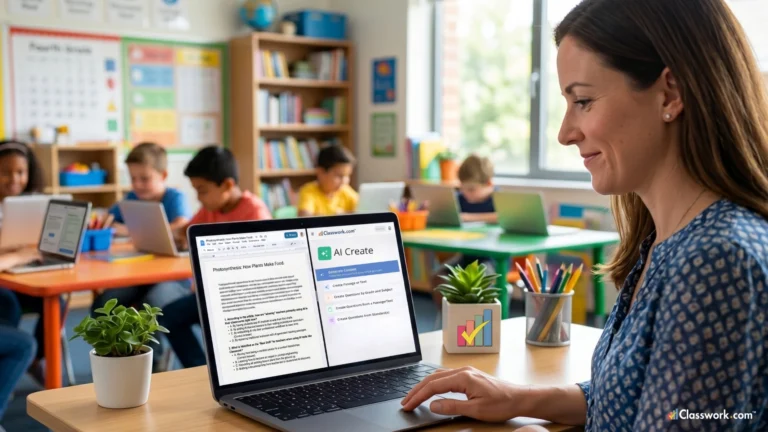
Most teachers are sitting on a goldmine of digital assets—years of curated Slides, PDFs, and reading passages. Traditionally, turning a static PDF into an interactive lesson required manual formatting or expensive software subscriptions.
- You already have: Slides, PDFs, Passages, and Questions.
- Now instead of rebuilding: AI can ingest these files and identify the core learning objectives, turning them into an interactive, auto-graded activity in seconds.
- The Result: No formatting. No retyping. No starting over. You are simply taking the high-quality content you already trust and giving it a digital “glow-up” that makes it functional for the modern classroom.
2. Generate Activities Instantly (When You Need Them Most)
We’ve all been there: a lesson ends ten minutes early, or a scheduled guest speaker cancels at the last minute. In the past, this meant a frantic search through Pinterest or Teachers Pay Teachers.
- Instead of searching or creating from scratch: You can use AI as a high-speed teaching assistant. By typing a simple prompt—such as “Create a five-question check for understanding based on this article about photosynthesis”—you bypass the “search fatigue” that plagues many educators.
- The Workflow: Type a prompt, paste your content, and select your preferred activity type (multiple choice, drag-and-drop, or short answer).
- The Result: You have a complete, standards-aligned activity ready for students immediately, ensuring that every minute of instructional time remains purposeful.
3. Differentiate Without Doubling Your Workload
Differentiating instruction is arguably the most important—and most exhausting—part of teaching. Creating three different versions of a reading passage to accommodate various Lexile levels used to mean three times the prep work.
- The Old Way: More planning, more formatting, and three different answer keys to manage during grading.
- The AI Way: AI can take a single piece of content and adjust the linguistic complexity, vocabulary, or scaffolding levels instantly.
- The Result: You can provide a “High, Mid, and Low” version of the same assignment in under sixty seconds. Best of all, because the underlying data structure remains the same, everything is still auto-graded against a single set of benchmarks. This is a game-changer in using AI for teachers, as it ensures every student stays in their ‘Zone of Proximal Development’ without extra hours of prep.
4. Turn “Assignments” Into Engagement
The word “worksheet” is often synonymous with “boredom” for students. AI allows teachers to gamify existing curriculum without needing a degree in game design.
- Transformation: AI helps transform what you already use into something students actually want to solve. It can take a set of math problems and reframe them as a “Digital Escape Room” or a series of puzzles.
- Key Drivers: By adding elements like immediate feedback and interactive “challenge” tiers, you move from passive consumption to active participation.
- The Result: Students engage more deeply because the medium feels modern and responsive, rather than static and repetitive.
5. Use AI to Elevate Question Rigor and DOK Levels
Writing high-quality, rigorous questions is a specialized skill that takes time. When we are tired, we often default to “Recall” level questions rather than “Analysis” or “Synthesis.”
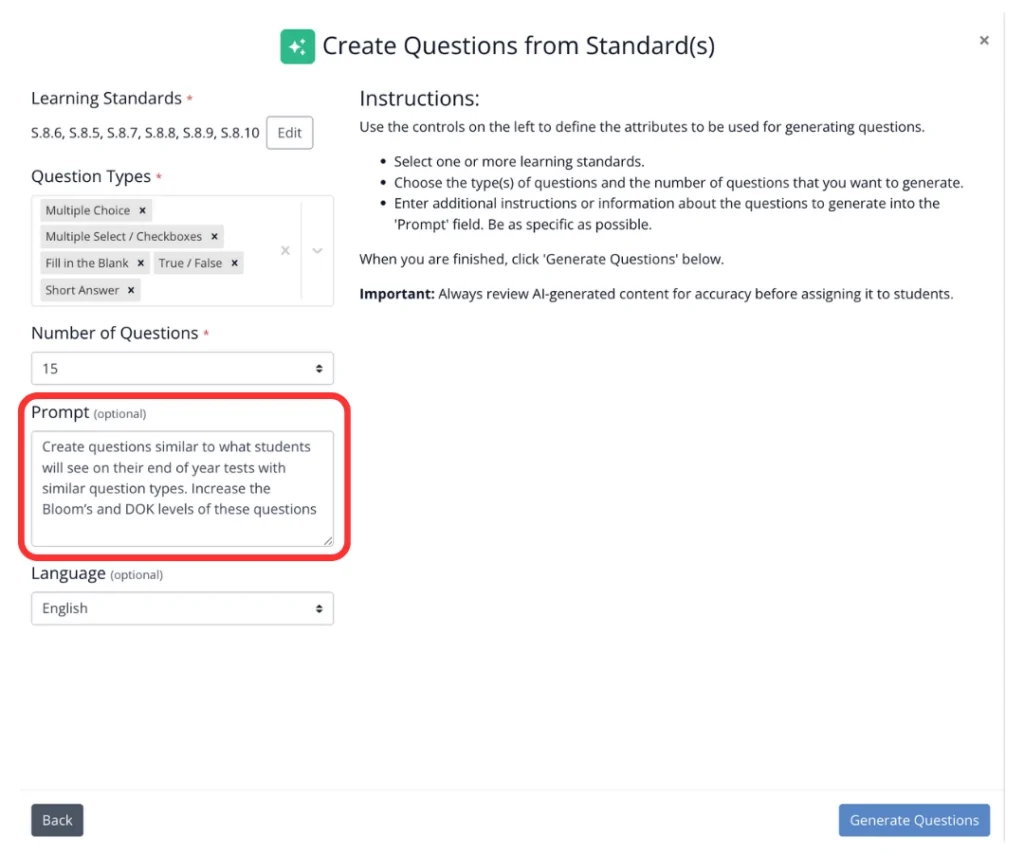
- AI as a Critical Friend: Instead of rewriting questions manually, AI can act as an editor. You can prompt it to “Increase the DOK or Bloom’s level of these three questions” or “Align these questions to specific state standards.”
- Iterative Design: AI can generate ten variations of a single question, allowing you to choose the one that best fits your students’ needs.
- The Result: You improve rigor and add depth to your assessments without the mental drain of starting from a blank page.
6. Get Instant Feedback—Without Staying Late
Grading is the primary reason for teacher burnout. The feedback loop is often broken: students turn in work on Monday, and by the time they get it back on Friday, the “teachable moment” has passed.
- Closing the Loop: AI-powered activities can be auto-graded the moment a student hits “submit.”
- Immediate Impact: Students get immediate feedback on why an answer was wrong, allowing them to self-correct in real-time.
- The Result: Teachers see results in a live dashboard, eliminating the need to take a crate of papers home over the weekend.
7. Spot Gaps Before It’s Too Late
Data-driven instruction often feels like performing an autopsy; you see what went wrong long after the unit is over. AI shifts this from autopsy to “biopsy”—a live look at what’s happening.
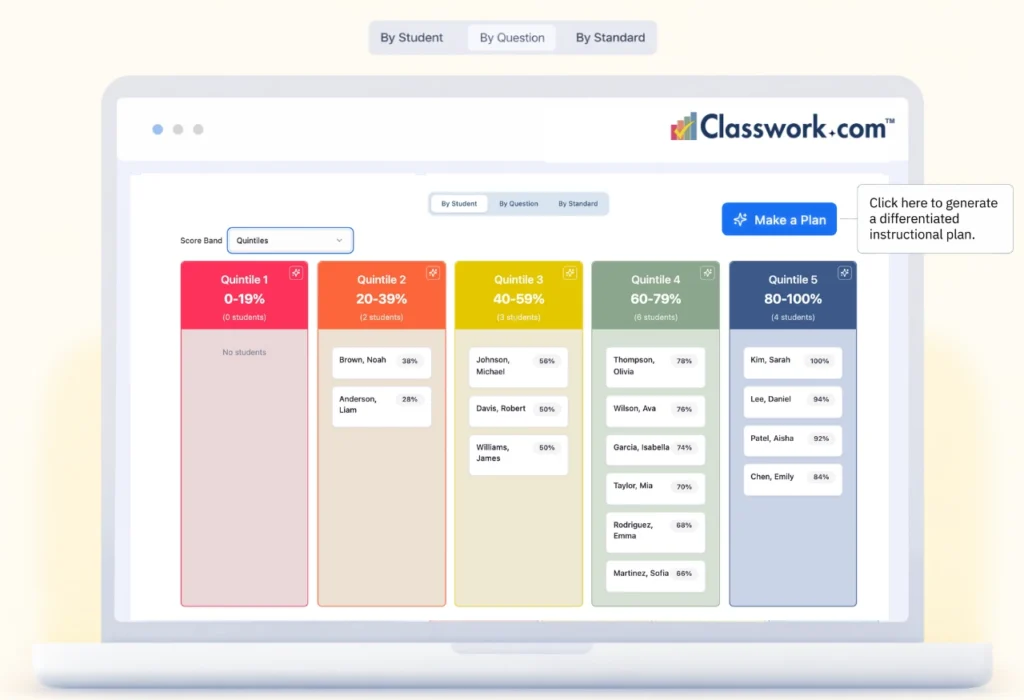
- Visibility: Because AI processes student responses instantly, it can flag specific trends. It might alert you that 80% of the class missed Question 4, indicating a conceptual misunderstanding.
- Adaptive Response: You can see what students understand and what needs to be retaught while there is still time to adjust your lesson plan for the next day.
- The Result: You stop guessing where the gaps are and start addressing them with surgical precision.
8. Support Students Who Need It—Faster
Modifying assignments for students with IEPs or 504 plans is a legal and moral necessity, but it is incredibly time-consuming.
- Efficient Scaffolding: Instead of manually rewriting or highlighting text for specific students, AI can provide instant supports like “sentence starters,” “vocabulary definitions,” or “simplified syntax.”
- Seamless Integration: These modifications can be applied to the same digital activity the rest of the class is using, ensuring that students requiring support aren’t singled out with “different looking” paperwork.
- The Result: You provide high-quality accommodations without creating entirely separate workflows or manual modifications.
9. Build From What You Already Have
One of the biggest misconceptions about AI is that it requires a “rip and replace” of your current curriculum. The most effective use of AI is additive, not subtractive.
- The Time Saver: This is where teachers save the most time. You don’t need new materials, and you certainly don’t need to learn a complex new system.
- Transformation: You just need a way to transform the high-quality materials you’ve been using for years.
- The Result: By using AI to “re-package” your existing content, you maintain the integrity of your curriculum while modernizing the delivery. Effective AI for educators shouldn’t ask you to start over; it should amplify the curriculum you’ve already perfected.
10. Reduce Planning Fatigue
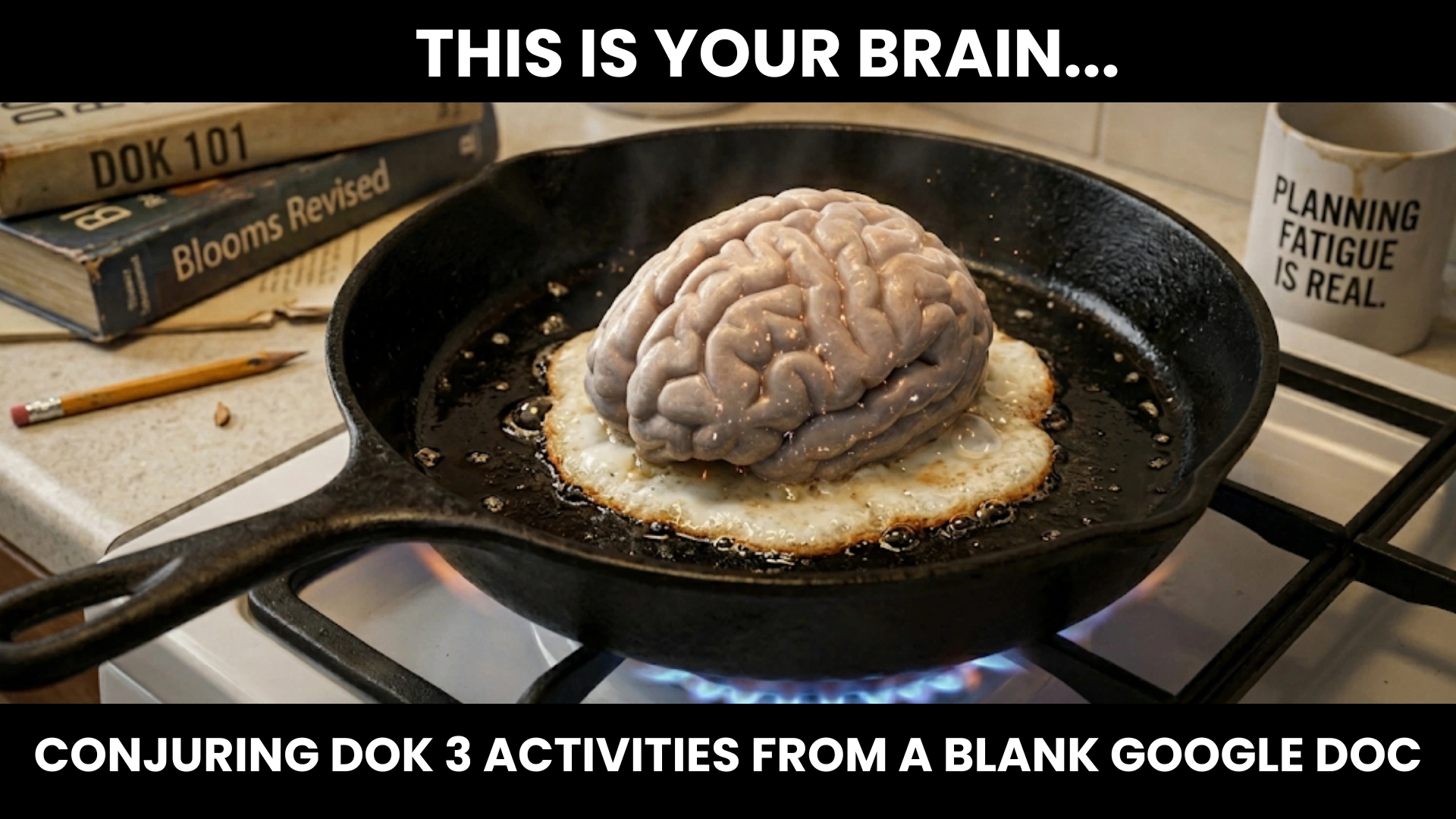
If teaching is a five-course meal, why are you the one stuck doing the dishes and prepping the vegetables before the guests even arrive? Planning fatigue isn't caused by the teaching itself; it’s the administrative 'prep' that weighs you down. AI acts as your digital sous-chef, clearing the counter so you can actually do the high-level cooking. Save your heat for the classroom.
Teachers make roughly 1,500 decisions every school day. By the time the final bell rings, decision fatigue makes it nearly impossible to plan creatively for the next day.
- Breaking the Block: AI helps by generating starting points. If you’re stuck on how to introduce a unit on the Industrial Revolution, AI can provide five different “hook” ideas in seconds.
- The Power of Choice: It is much easier to edit an existing list of options than it is to generate one from scratch.
- The Result: Reducing “blank-page stress” allows you to spend your energy on teaching rather than staring at a cursor.
11. Keep Students Moving (Without Waiting on You)
In a traditional classroom, the teacher is often the bottleneck. Students finish a task and then sit idle while waiting for the teacher to check their work or provide the next instruction.
- Pacing: With AI-enabled activities, students don’t have to wait for grading or clarification. If they get a question wrong, the AI can provide a hint or a redirect immediately.
- Engagement: This keeps the “momentum” of learning high. Students can move through content at their own pace, and those who finish early can be automatically served an enrichment task.
- The Result: This changes the entire pacing of the classroom, moving the teacher from a “gatekeeper” of information to a facilitator of learning.
12. Actually Save Time (Not Just Shift It Around)
Many “educational technology” tools actually increase a teacher’s workload by requiring extensive setup, account management, and troubleshooting.
- The Difference: True AI integration is about net-time savings. It reduces the time spent on prep, eliminates the time spent on manual grading, and removes the need for rework.
- The Goal: Less prep. Less grading. Less rework.
- The Result: More teaching. By automating the repetitive tasks, you are left with the energy to do the human work that AI can’t do: inspiring, mentoring, and connecting with your students.
The Real Shift: From Creation to Transformation
You don’t need to become an AI expert or a prompt engineer to succeed. You don’t need to rebuild your lessons from the ground up.
- You already have the content.
- AI just helps you use it better.
The shift is moving away from being a “content creator” (which is exhausting) to a “content transformer.” You take your expertise and use AI as the engine to deliver it more effectively.
Where Classwork Fits In
This is where everything comes together. You shouldn’t have to jump between five different tabs to make this work. With Classwork, you can:
- Generate activities with built-in AI tailored to your curriculum.
- Turn existing materials (PowerPoints, PDFs) into interactive work instantly.
- Auto-grade student responses so you can leave work at work.
- See real-time student understanding through live data dashboards.
- All in one place—without adding another tool to your “tech fatigue” pile.
Final Thought
AI for teachers isn’t about doing more work; it’s about finally making your current workflow smarter. You don’t have to choose between high academic rigor and your own mental health. Use these tools to reclaim your time, beat planning fatigue, and be the best version of yourself for your students.
Quick Summary and Common Questions
Q: How can AI help teachers save time on grading?
A: AI saves teachers time by providing auto-grading for digital activities and offering instant, constructive feedback to students. This allows teachers to see real-time data on student performance without the need to manually grade every assignment, effectively reclaiming hours spent on paperwork.
Q: Can I use AI to differentiate lessons for diverse learners?
A: Absolutely. AI tools can instantly adjust the complexity, Lexile level, or language of a reading passage to meet the needs of different students. This allows for a “High, Mid, Low” approach to differentiation without the teacher having to rewrite the lesson multiple times.
Q: Is it safe to use AI for classroom prep?
A: Using AI for teacher-facing workflows—like generating lesson “hooks,” drafting rubrics, or formatting existing content—is considered highly safe. It focuses on the teacher’s administrative efficiency rather than having students interact directly with the AI, ensuring the teacher maintains full pedagogical control.