
How to Create Annotated Screen Capture Images

This morning I got an email from a reader who was looking for a screen capture tool that included tools for drawing straight lines, arrows, boxes, and generally making screen captures look a little more professional. One of the tools that I recommended was Nimbus Screenshot. Nimbus Screenshot is available to use as an extension […]
Zero Noise Classroom – A 2017 Favorite
For the last five days I have featured the most popular posts of 2017. On this last day of the year, I’m going to highlight my favorite posts of the year regardless of their popularity. This post features a convenient noise meter and timer. Zero Noise Classroom provides a countdown timer and a noise meter […]
Fun With Bitmoji
Bitmojis are everywhere! They are found in emails, text messages, Twitter, and Facebook as well as countless other places online. If you have ever experienced bitmoji envy because you weren’t quite sure how to create one, then today is your lucky day. There are a couple of ways you can start the process of creating […]
Book Creator is Now Live for All Chromebook Users
Earlier this summer Book Creator, a massively popular iPad app, was made available in a beta version for teachers to try on Chromebooks. As of this week the Chrome version of Book Creator is available to all teachers and students. You can access the new Chrome version of Book Creator at app.bookcreator.com. Book Creator’s Chrome […]
How to Create Stop Motion Videos on a Chromebook
Last night I published an article about the Stop Motion Animator Chrome app. To clarify some of the nuances of using that app, in particular the handling of .webm files, I created the following short video demonstration. Come to the Practical Ed Tech Chromebook Camp to learn more about making videos on Chromebooks.
How to Use Zero Noise Classroom
Last week I wrote a post about a neat timer and sound meter called Zero Noise Classroom. It’s a free Chrome App that lets you simultaneously display a countdown timer and a noise meter to your students. The directions about how to use Zero Noise Classroom are kind of hidden in the app so I […]
A Note About Toontastic 3D on Chromebooks
A couple of hours ago I received an email from a reader who seemed slightly annoyed with me because she couldn’t find Toontastic 3D for Chrome. It is available to use on Chromebooks, the video that I shared here was made on an Acer R11 Chromebook, but you need to be viewing the Google Play […]
First Steps With Shared Chromebooks

Earlier this week I received an email from a reader who had just received Chromebooks to use in his classroom, but not enough Chromebooks that every student has his or her own. He had some questions about how to get started using the Chromebooks in his classroom. Those questions and my answers appear below. What […]
An Easy Way to Create Mindmaps in Your Browser
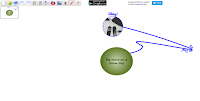
A lot of mind mapping tools lock you into using straight lines between elements, but Connected Mind is not one of them. Connected Mind allows you to create mind maps in any configuration that you like. It is a Chrome Web Store app which means that you save your work online using your Google Account […]
Connect Your Classroom Through SeeSaw Connected Blogs
On Tuesday morning at the ISTE 2016 conference I sat down with the founder of the popular digital portfolio tool, SeeSaw. He showed me some of updated features of SeeSaw’s free product as well as the new analytics options within SeeSaw Plus (a subscription service). One of the best features of SeeSaw’s free service is […]
Connected Mind – A Mind Mapping App in Chrome
Connected Mind is a free mind mapping tool that you can find in the Google Chrome Web Store. Using Connected Mind you can create free-form mind maps or use a template. A lot of mind mapping tools lock you into using straight lines between elements, but Connected Mind is not one of them. Connected Minds […]
How to Create Bookmarks & Reminders With the New Google Keep Extension
Google Keep is a handy tool to taking notes in your web browser, on your Android phone, or on your iPhone. I’ve previously featured ten ways that students can use Google Keep. This week Google announced some updates to Keep. The latest version of the Google Keep Chrome extension and the Google Keep Android app […]
Mic Note – Create Time-stamped Multimedia Notes
Mic Note is a free Chrome app that allows you to create voice recordings, text notes, and image-based notes on one concise notebook page. The notes that you record with your voice can be time-stamped by clicking on your Mic Note note page while you’re recording. You can also take notes without recording any audio. […]