
A Chrome Extension for Clutter-free Reading and Printing

Mercury Reader is a Chrome extension that removes sidebar content from articles that you view in your Chrome web browser. It will hide banner ads, suggested “related” articles, and anything else that is not a part of the primary article on the page you are viewing. When you use Mercury Reader to print an article, […]
13 Great Drawing Lessons for Students

ShowMe is a popular app for creating whiteboard style instructional videos on iPads, Android tablets, and Chromebooks. ShowMe users have the option to publish their videos for inclusion in a public gallery of instructional videos. It was in that gallery that I found thirteen videos published by an art teacher named Nikkie Milner. The topics […]
Built to Last – GeoGebra
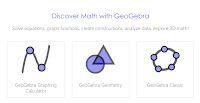
GeoGebra is the fifth entry into my Built to Last series. This is a series of blog posts celebrating the free resources that have been available to teachers and students over the ten years that I have been publishing Free Technology for Teachers. When I started writing Free Technology for Teachers GeoGebra was available to […]
Make Stop Motion Videos on Your Chromebook

On Monday I livestreamed a presentation about making videos with students. In one part of the presentation I was asked for a recommendation for a stop motion video creation tool that works on Chromebooks. My recommendation is to try Stop Motion Animator. Stop Motion Animator is a free Chrome app for creating stop motion videos. […]
How to Use Zero Noise Classroom

Last week I wrote a post about a neat timer and sound meter called Zero Noise Classroom. It’s a free Chrome App that lets you simultaneously display a countdown timer and a noise meter to your students. The directions about how to use Zero Noise Classroom are kind of hidden in the app so I […]
A Note About Toontastic 3D on Chromebooks
A couple of hours ago I received an email from a reader who seemed slightly annoyed with me because she couldn’t find Toontastic 3D for Chrome. It is available to use on Chromebooks, the video that I shared here was made on an Acer R11 Chromebook, but you need to be viewing the Google Play […]
SeeSaw Now Supports Text Labeling – 15 Lesson Plans for Using Labels
SeeSaw, a great digital portfolio platform, recently added a new text label feature. The labeling tool in SeeSaw lets your students add text labels to any picture or diagram that they have stored in their portfolios. There are eight pre-made labels that students can apply to their pictures and drawings within SeeSaw. Students can also […]
Toontastic 3D – Create 3D Cartoon Videos on iOS, Chrome, and Android
On Thursday Google released a new version of the popular animation creation app, Toontastic. The new version is called Toontastic 3D and it is available to download on the Android, iOS, and Chrome platforms. I installed on an Android phone and found it to be easy to use to create animated videos. To make a […]
Add Audio to Images In SeeSaw Digital Portfolios
SeeSaw is a great platform for creating digital portfolios. Whether students use the free SeeSaw iPad app, the Android app, the Chrome app, or just the website they can add all kinds of media to their digital portfolios. SeeSaw supports uploading videos, documents, slideshows, and audio recordings. Students can also include hyperlinks in their digital […]
Connected Mind – A Mind Mapping App in Chrome
Connected Mind is a free mind mapping tool that you can find in the Google Chrome Web Store. Using Connected Mind you can create free-form mind maps or use a template. A lot of mind mapping tools lock you into using straight lines between elements, but Connected Mind is not one of them. Connected Minds […]
Best of the Web – Spring 2016
This afternoon at the NCTIES 2016 conference I had the privilege to once again give my Best of the Web presentation to a packed room (conservative guess of 350 people). The presentation features short overviews of my favorite new and or updated ed tech resources of the last year. Almost all of today’s presentation featured […]
Mic Note – Create Time-stamped Multimedia Notes
Mic Note is a free Chrome app that allows you to create voice recordings, text notes, and image-based notes on one concise notebook page. The notes that you record with your voice can be time-stamped by clicking on your Mic Note note page while you’re recording. You can also take notes without recording any audio. […]