
Transno – Quickly Turn Outlines and Notes into Mind Maps
Transno is a new service that lets you write notes and outlines that can then be turned into mind maps and flowcharts with just one click. It reminds me a lot of the old Text2MindMap service that I used to use. Transno is better because it offers a variety of mind map and flowchart styles […]
Knowt – Quickly Turn Notes Into Practice Quizzes

Knowt is a free service that students can use to quickly turn their notes into practice quizzes. I recently learned about it from Larry Ferlazzo and I gave it a try right away because of his description of it. At its core Knowt is an online notebook. It has all of the text editing functions […]
Three Ways to Digitize Your Physical Sticky Notes

Last week Padlet added a new feature to their free iPad and iPhone apps. That feature is the ability to snap a picture of a set of physical sticky notes then have those notes appear on a Padlet wall that you can manipulate in the app and or in your web browser. If you haven’t […]
5 Features of OneNote That You Won’t Find in Google Keep

Earlier this year I shared that I have moved almost all of my online bookmarking and note-taking to OneNote. That’s not to say that don’t like Google Keep anymore, in fact, I still like and even have a whole lesson about it in my G Suite training course. In a side-by-side comparison for bookmarking and […]
How to Find & Make OneNote Templates
The more that I use it, the more I think that OneNote is a fantastic all-in-one product for note-taking, bookmarking, and general organization of your digital life. Like any robust product, OneNote has some features that you might overlook unless someone points them out. In my case, templates were a feature that I didn’t notice […]
NoteStreaming 101 – What You Need To Know To Get Started
Earlier today on Twitter I posted a question about notebooks. Specifically, I wanted to know who still uses physical notebooks and, if so, if there is a preference for lined or unlined paper. By the way, I use a notebook with unlined paper and I draw with a Uniball Signo 207. Do you have a […]
Zoho Notebook – Your Evernote and Google Keep Alternative
Zoho Notebook is the alternative to Evernote and Google Keep that I mentioned in last week’s edition of Practical Ed Tech Live. Zoho Notebook is a free and advertising-free tool for taking notes in typed, drawn, and spoken form. Zoho Notebook is available to use on Android, iOS, and Mac OS. There is a Zoho […]
Google Keep Is Now Part of G Suite’s Core Services

Google Keep is my favorite tool for bookmarking, taking notes, and setting reminders. I use it on my laptop, Chromebook, my phone, and my iPad. For a couple of years it has been my go-to recommendation for anyone looking for a bookmarking tool, a reminder app, or a note-taking app. But the one drawback to […]
How to Use Simplenote to Take Notes
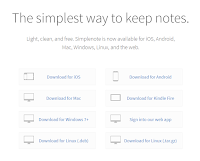
Simplenote is a free service for taking notes on just about any device. You can use it in your web browser, on an Android device, on a Kindle Fire, and on an iOS device. Simplenote also offers free desktop apps for Mac, Windows, and Linux. Simplenote is different from tools like Evernote and OneNote in that […]
Simplenote – A Simple Tool for Organizing Notes
Over the weekend I received an email from a reader who was looking for an alternative to Evernote that she could use to take notes during parent-teacher conferences. I’ve had a lot of questions along the same lines since Evernote changed their plans to essentially make their free plan almost worthless. In this case the […]
Evernote’s Free Plan Is Almost Worthless – Here Are Two Good Alternatives
At the end of June Evernote announced some significant changes to their subscription plans including the free service that they had offered for years. Last night I received a reminder email from Evernote prodding me to buy up to one of their premium plans. I deleted the email because I switched away from Evernote and […]
How to Create Bookmarks & Reminders With the New Google Keep Extension
Google Keep is a handy tool to taking notes in your web browser, on your Android phone, or on your iPhone. I’ve previously featured ten ways that students can use Google Keep. This week Google announced some updates to Keep. The latest version of the Google Keep Chrome extension and the Google Keep Android app […]
Three Free Tools Students Can Use to Dictate Notes

Food speech recognition software can be very pricey, but it doesn’t have to be. If you’re looking for some free speech to text options for your students consider trying the following three options. Mic Note is a free Chrome and Android app that allows you to create voice recordings, text notes, and image-based notes on […]
Mic Note – Create Time-stamped Multimedia Notes
Mic Note is a free Chrome app that allows you to create voice recordings, text notes, and image-based notes on one concise notebook page. The notes that you record with your voice can be time-stamped by clicking on your Mic Note note page while you’re recording. You can also take notes without recording any audio. […]