
How to Create a Timed Quiz in Microsoft Forms

Microsoft Forms recently got some new features that are helpful for teachers. One of those new features is the ability to set a time limit for completing a quiz once it has been started. This is different than the setting to automatically close a form at a given date and time. This new timed quiz […]
Quizdini is Shutting Down

Quizdini is shutting down after a decade of offering a good platform for teachers to create and give online quizzes. Its last day will be Thursday, June 23, 2022. In an email sent to users this morning, the founder of Quizdini said “All good things–even aging edtech platforms–must come to an end and it’s time […]
How to Use ClassPoint – Teacher and Student Views

Disclosure: ClassPoint is an advertiser on FreeTech4Teachers.com Earlier this week I published a written overview of a new-to-me PowerPoint tool called ClassPoint. It’s a great little tool that you can use to build interactive quizzes and polls into your PowerPoint presentations. You can also use it to annotate slides, create whiteboards on the fly, and […]
How to Use Videos in Microsoft Forms Quizzes

Microsoft Forms has improved a lot over the last few years. In fact, there are some things about it that I prefer over Google Forms. One of those things is the way in which you can use videos as question prompts. In Microsoft Forms you can include a video as a part of question instead […]
Some of my Favorites – Knowt!

This week is school vacation week here in Maine. I usually take this week off to go ice fishing on Moosehead Lake. Unfortunately, that’s not happening this year. Instead I’ll be “staycationing” and working on some projects around home. While on my staycation I’ll be sharing some of my personal favorite tools. Knowt is one […]
How to Give Self-grading Quizzes to Students Who Don’t Have Email Addresses

Yesterday afternoon a reader sent me an email to request help creating and distributing self-grading Google Forms quizzes to her students who don’t have email addresses. Specifically, she wanted to know if a Google Forms quiz could be put into Schoology and if her students could take the quiz without having to enter an email […]
How to Play Kahoot Games in Google Classroom

As I do every year, I’m taking this week off from writing new blog posts. This week I’ll be re-running a few of the most popular posts in 2020. This is the time of year when many of us are looking for fun ways to conduct end-of-year review sessions with our students. Playing Kahoot quiz […]
Knowt Will Turn Your Notes and Favorite Webpages Into Quizzes for You

Knowt is a great service for turning notes and documents into practice quizzes. When I wrote about last summer you could only use notes that you either wrote in Knowt itself or imported from Google Drive. I gave it another look this morning and saw that it now supports importing webpages. It also has more […]
How to Combine Multiple Google Forms Into One
Import questions is one of the many useful, yet often overlooked functions in Google Forms. The import questions function lets you draw questions from your existing forms to use in a new form. In the following video I demonstrate how you can use the import questions function to combine questions from multiple Google Forms to […]
Certify’em Has New Options for Automatically Issuing Certificates from Google Forms

Certify’em is one of my favorite Google Forms Add-ons. With Certify’em activated you can automatically issue certificates to students when they get a passing (or better) score on a quiz in Google Forms. You can see a demonstration of how it works right here. This week the developer of Certify’em, Dave Abouav, added some advanced […]
Quizalize Launches New Insights Features

Quizalize is one of my favorite tools for creating and hosting quiz games. One of the aspects of Quizalize that I have liked since it launched is the option to run quiz games as at-home activities instead of just in-class activities (Kahoot launched a similar option last fall). The other aspect of Quizalize that I […]
Three Things I Like About Microsoft Forms

I’ve been a devoted user of Google Docs, Forms, and all things G Suite for more than a decade. I’ve helped thousands of teachers get started with Google Forms. I tell you all that as a way of saying that it takes a lot for me to be happy with an alternative product. But that’s […]
Quizalize – Best of 2016

As I usually do during this week, I’m taking some time off to relax, ski, and work on some long-term projects for the next year. This week I will be re-publishing the most popular posts of 2016. There is certainly not a shortage of interactive quiz platforms available to teachers today. Platforms like Socrative and […]
Flubaroo Adds a New Feedback Option – Stickers & Badges
Back in June when Google added a scoring option to Google Forms many people wondered if Flubaroo was still a necessary Add-on. The answer to that is yes for anyone who wants to grade quizzes that have multiple correct responses, fill-in-the-blank questions, and for those who who want do more advanced grading tricks like case-sensitive […]
Upload Files As Responses To Google Forms – Coming Soon

Earlier today Google announced a handful of new features that are coming soon to G Suite for Education (formerly called Google Apps for Education). The most exciting of those new features is found in Google Forms. The latest update to Google Forms includes two new features. First, now when you begin to write quiz questions […]
3 Features of Flubaroo That Are Often Overlooked
The Flubaroo Add-on for Google Sheets is a powerful tool for quickly grading multiple choice and short answer quizzes created with Google Forms. Flubaroo has been around for years and almost every week people ask me questions about how to use it. During this past week I shared three video tutorials on Flubaroo features that […]
How to Accept Multiple Correct Responses on Google Forms Quizzes
The Flubaroo Add-on for Google Sheets is a powerful tool for quickly grading multiple choice and short answer quizzes created with Google Forms. Flubaroo has been around for years and almost every week people ask me questions about how to use it. One of the things that I’m frequently asked about is the possibility to […]
How to Include Video Feedback in Google Forms
Google Forms is a great platform for creating all kinds of simple quiz and review activities. One of the features of Google Forms that is often overlooked is the “go to section based on answer” setting. When you use that setting correctly you can send students to watch a review video when they answer a […]
4 Ways to Create Image-based Quizzes

Whether it is a graph for a math class, a diagram for a science class, or a map for a geography class there are plenty of times when an image provides a better question prompt than just words. Likewise, there are times when images provide better answer choices than words provide. Here are four free […]
How to Use Images as Answer Choices in Google Forms
In addition to the exciting updates to Google Classroom that were released yesterday, Google also released a great update to Google Forms. You can now use images as answer choices to questions created in Google Forms. You can also use images as question prompts in Google Forms. In the video embedded below I demonstrate how […]
How to Place an Image-based Quiz in Your Blog

A couple of weeks ago I published a tutorial on how to create an image-based quiz on Formative. The image-based quizzes that you create in Formative can be embedded into your classroom blog where your students can then answer the questions in the quiz. In my video embedded below I demonstrate how to create the […]
Mentimeter Adds a Quiz Option to Their Polling Service
Mentimeter is a nice service that allows you to pose a question to your audience and get instant feedback on that question through cell phones, tablets, and any other Internet-connected device. I reviewed the service a few years ago. Since then Mentimeter has added some more options for teachers. The latest option added to Mentimeter is […]
Quizzy Offers a Quick Way to Create Online Quizzes

Quizzy is a free service that enables you to quickly make and publish online quizzes. To get started simply register for a Quizzy account then title your quiz and start writing multiple choice questions. When you have finished writing your questions you can publish your quiz publicly or keep it private. Quizzes that you mark […]
Quizalize – Create Interactive Review Games to Play Synchronously or Asynchronously

There is certainly not a shortage of interactive quiz platforms available to teachers today. Platforms like Socrative and Kahoot have turned boring review activities into fun games that students want to play all the time. The trouble with those platforms is that to get the most out of them all of your students need to […]
How to Create Video-based Quizzes on Blubbr
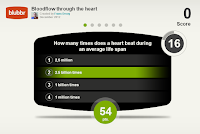
Blubbr is a neat quiz creation service that enables you to create interactive quizzes that are based on YouTube clips. Your quizzes can be about anything of your choosing. The structure of the quizzes has a viewer watch a short clip then answer a multiple choice question about the clip. Viewers know right away if […]