
See What’s Behind a Bitly Link Without Clicking On It
Bitly is a convenient tool for creating short URLs to share in place of long URLs. I’ve used it for years to create customized URLs that are easy for my students to type. Unfortunately, some people use Bitly to try to mask URLs to try to get you to click on nefarious links. Fortunately, there […]
Watch Out for This Sneaky Email Scam – And a Super-techy Lesson on Email

On Monday I wrote about an email scam that tries to trick people into thinking they have violated a photographer’s copyright and need to add a link to their websites to remedy the problem. Yesterday, I had another sneaky scam attempt land in my inbox. The scam attempt that landed in my inbox yesterday can […]
Online Safety Tip Sheets, Posters, and More

October is National Cybersecurity Awareness Month. Stop.Think.Connect. has a large collection of posters, tip sheets, and videos that you can use to promote good online safety practices in your school or office. You can find all of them in this gallery which can be sorted according to resource type (poster, tip sheet, video, meme). The Stop.Think.Connect. […]
Are You Being Phished? – A Lesson from Google

Phishing Quiz With Google is an online activity for testing your ability to identify phishing emails. The activity begins when you enter a fake name and fake email address of your choosing. You will then see a series of emails that are addressed to your fake email address. When you see the emails you have […]
18 Great Cartoons That Teach Cyber Safety Lessons

Planet Nutshell is a video production company that produces short, animated videos to explain products, services, and concepts. Within their education section you will find videos addressing topics in mathematics, physics, climate science, and cyber safety. Their series of videos about Internet safety consists of eighteen videos for K-12 students. The series is called NetSafe and it has eighteen episodes […]
Great Tips & Reminders for Securing Your Mobile Phone

Many students use their smartphones more often than their laptops to browse the web, shop, and access important files. That’s why we need to teach students to protect their mobile phones with the same level diligence used to protect their laptops. Common Craft recently published a good video about mobile phone safety and security. The […]
Tips for Creating Strong Passwords – And Don’t Forget to Change Them

This afternoon I was in a little knick-knack shop when I came across a little notebook that had a cover page titled “online organizer.” Inside the notebook there were pages for writing your passwords for the websites that you use. Looking at that notebook reminded me of some resources that I have saved regarding creating […]
Be Internet Awesome – Google’s New Internet Safety Curriculum

Be Internet Awesome is Google’s new Internet safety curriculum. I learned about it from Larry Ferlazzo and then spent some time exploring it myself. The Be Internet Awesome site features a game called Interland. The game is set in a virtual world that students navigate by correctly answering questions about Internet safety. The graphics of […]
Identity Theft and How to Prevent It – A New Common Craft Video

Not every attempt at identity theft is as obvious as the Nigerian Prince scam. Attempts at identity theft come in the forms of emails that look like they might be from your bank and phone calls from people asking you to give away “confirm” your account information. I once had someone attempt to get me […]
Reminder – Update Your Browser for Maximum Performance and Security
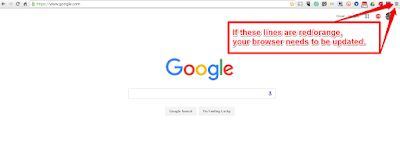
A couple of times this week I have had people contact me about web tools not working the same way on their computers as they did in one of my tutorial videos. I also had folks in a workshop this week run into the same problem. In all of those cases the problems were related […]
Mozilla Releases an Interactive Web Literacy Map
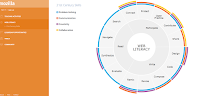
I was recently contacted by the Mozilla Foundation with news about their recently released interactive guide to teaching web literacy. Mozilla’s interactive web literacy map is based on three main components of web literacy; reading, writing, and participating. Each of those elements is linked to smaller, supporting components. Clicking on any component of Mozilla’s interactive […]