
Classwork Features
Everything Districts and Teachers Need,
in One Platform
Classwork features cover the whole instructional cycle. From interactive activities and AI tools to auto-scoring, academic integrity, and district dashboards, Classwork gives teachers a faster way to teach and gives leaders current evidence of learning.
Texas district? See what the Texas OER Edition adds ↓
CREATE
Build Interactive Activities in Minutes
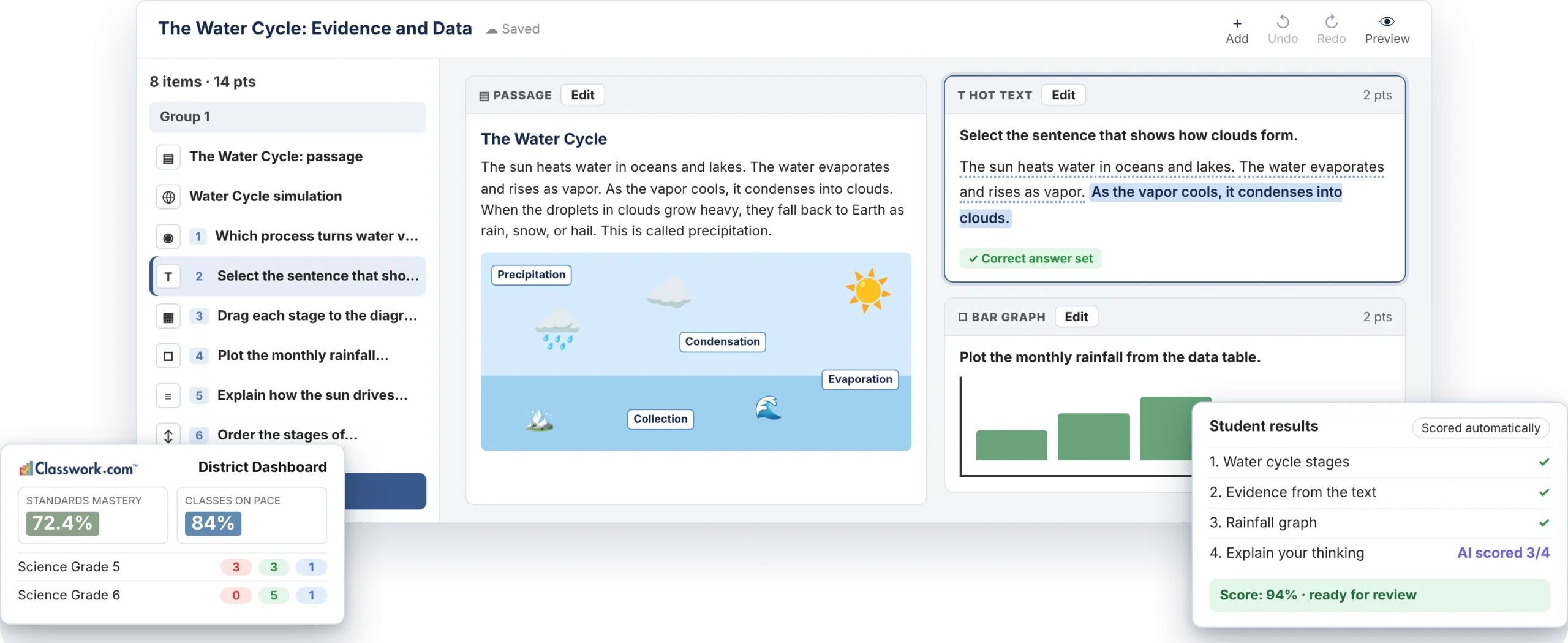
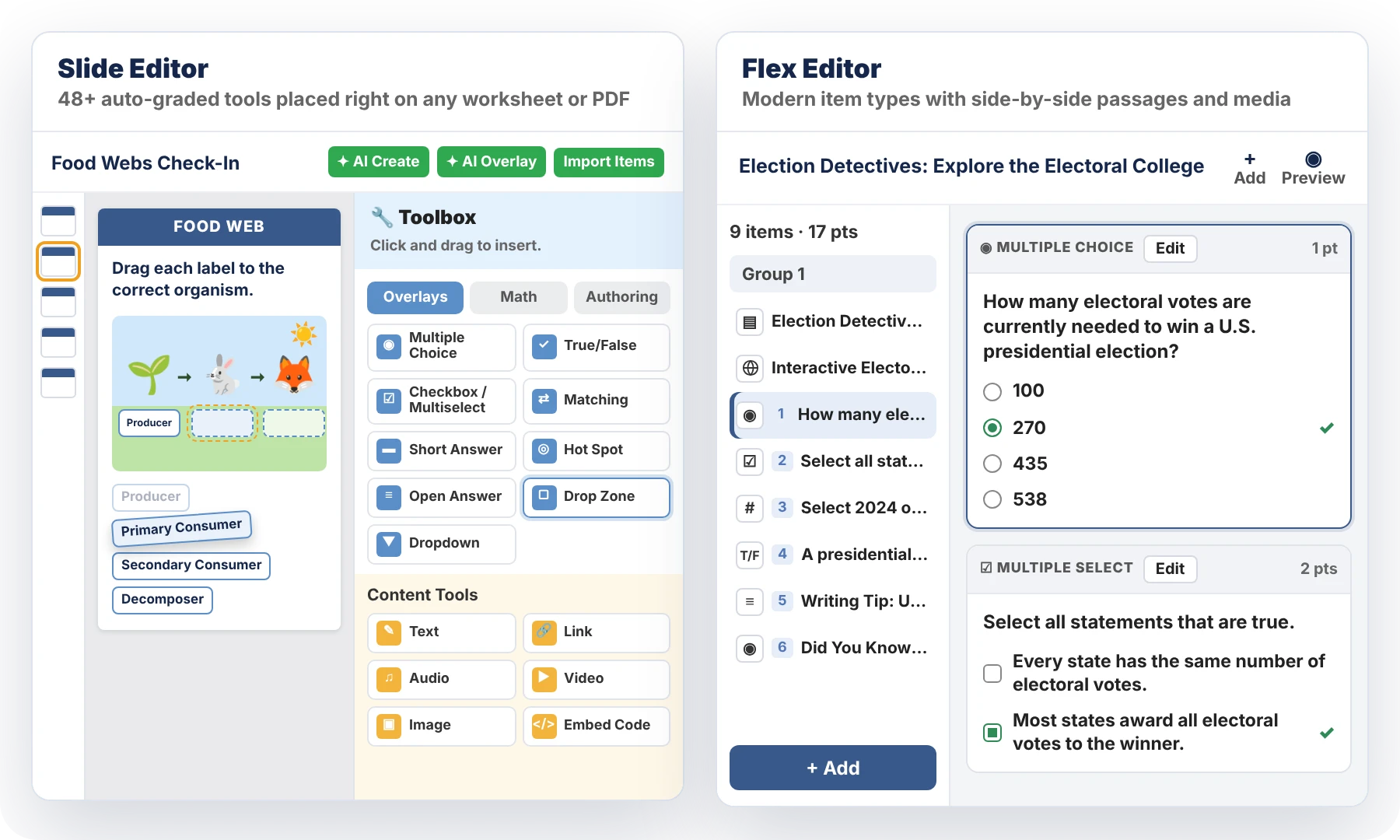
Build in the Flex or Slide Editor, create activities with AI, or convert the PDFs, documents, and slides you already use. The Slide Editor offers 48+ auto-graded tools, and the Flex Editor adds 17 modern item types.
- Hot text, inline drag and drop, Part A/Part B, match table grids, and more.
- Math tools for numeric, algebra expressions, graphing, number lines, and bar graphs.
- Embed websites, videos, calculators, and any tool you need in Slide or Flex activities.
- Import Google Docs, Slides, Word, PowerPoint, and PDFs.
- Tag questions with standards from any state.
STUDENT EXPERIENCE
Help Every Student Access the Work
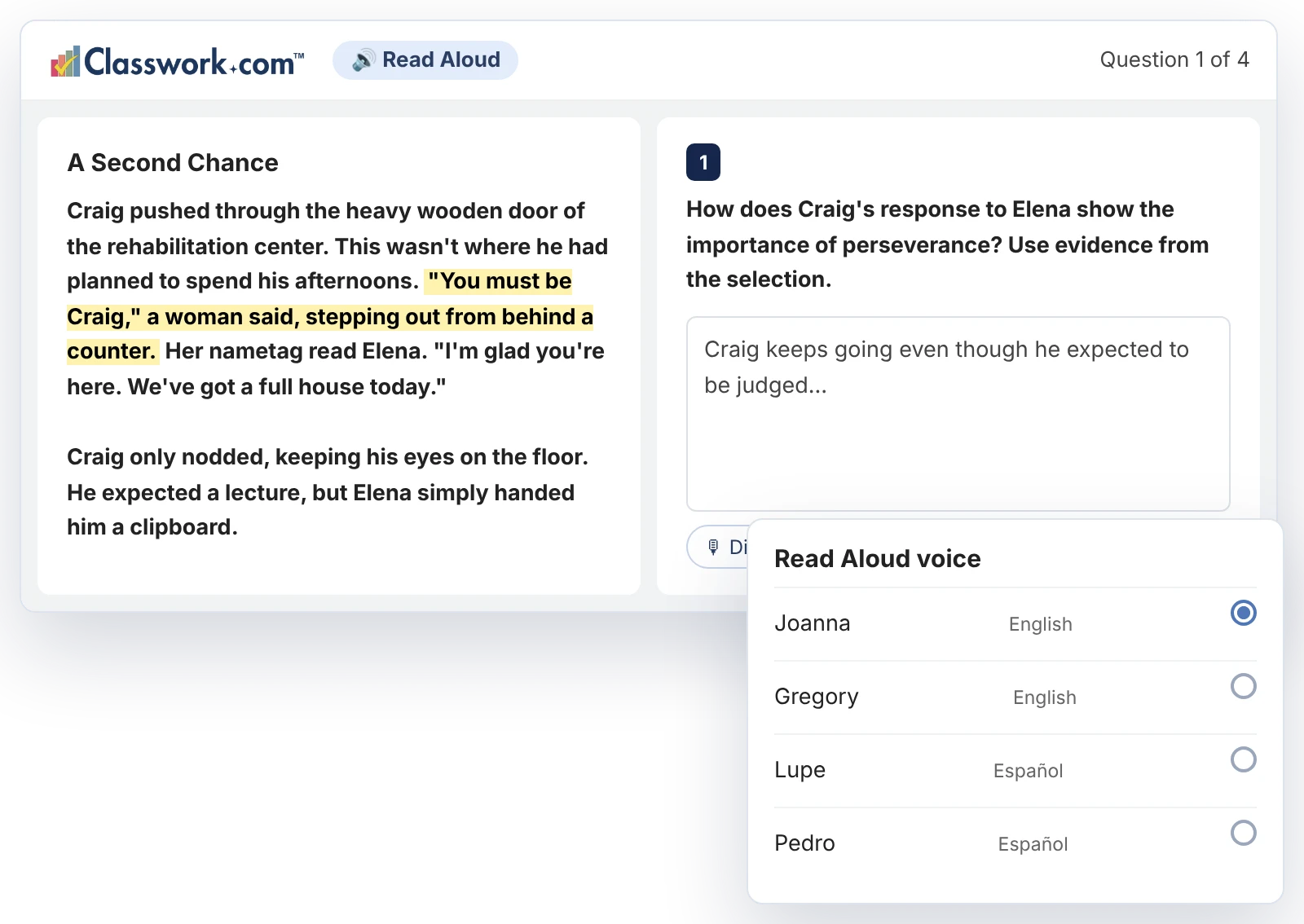
Students see passages and reference materials side by side with the questions, so they never need another browser tab. Built-in supports help every learner show what they know.
- Side-by-side passages, maps, and reference materials.
- Show all items in one scrolling view, or one at a time.
- Read Aloud with English and Spanish voices.
- Speech to Text so students can dictate answers.
- Students can add images and record audio.
- Check My Answers when you allow it.
SCORING AND FEEDBACK
Every Item Scored, With Feedback Students Can Use
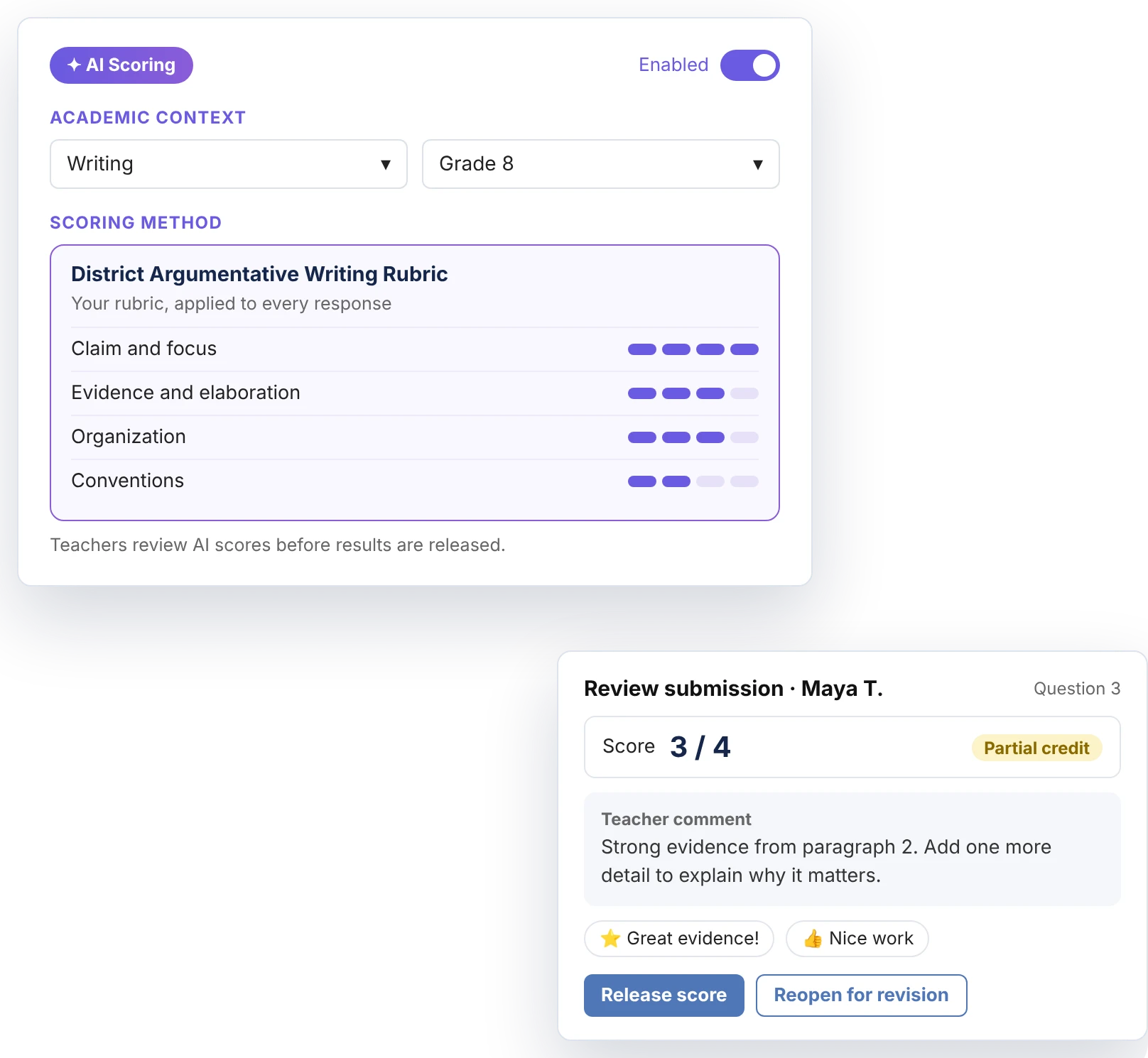
Classwork scores every item automatically. AI Scoring grades open responses against your rubric, and teachers review scores before releasing them.
- AI Scoring for open responses with any rubric.
- Teachers review and release scores.
- Partial credit, comments, stickers, and writing on student work.
- Edit the answer key even after assigning.
- Reopen assignments so students can fix mistakes.
ACADEMIC INTEGRITY
More Than a Lockdown Browser
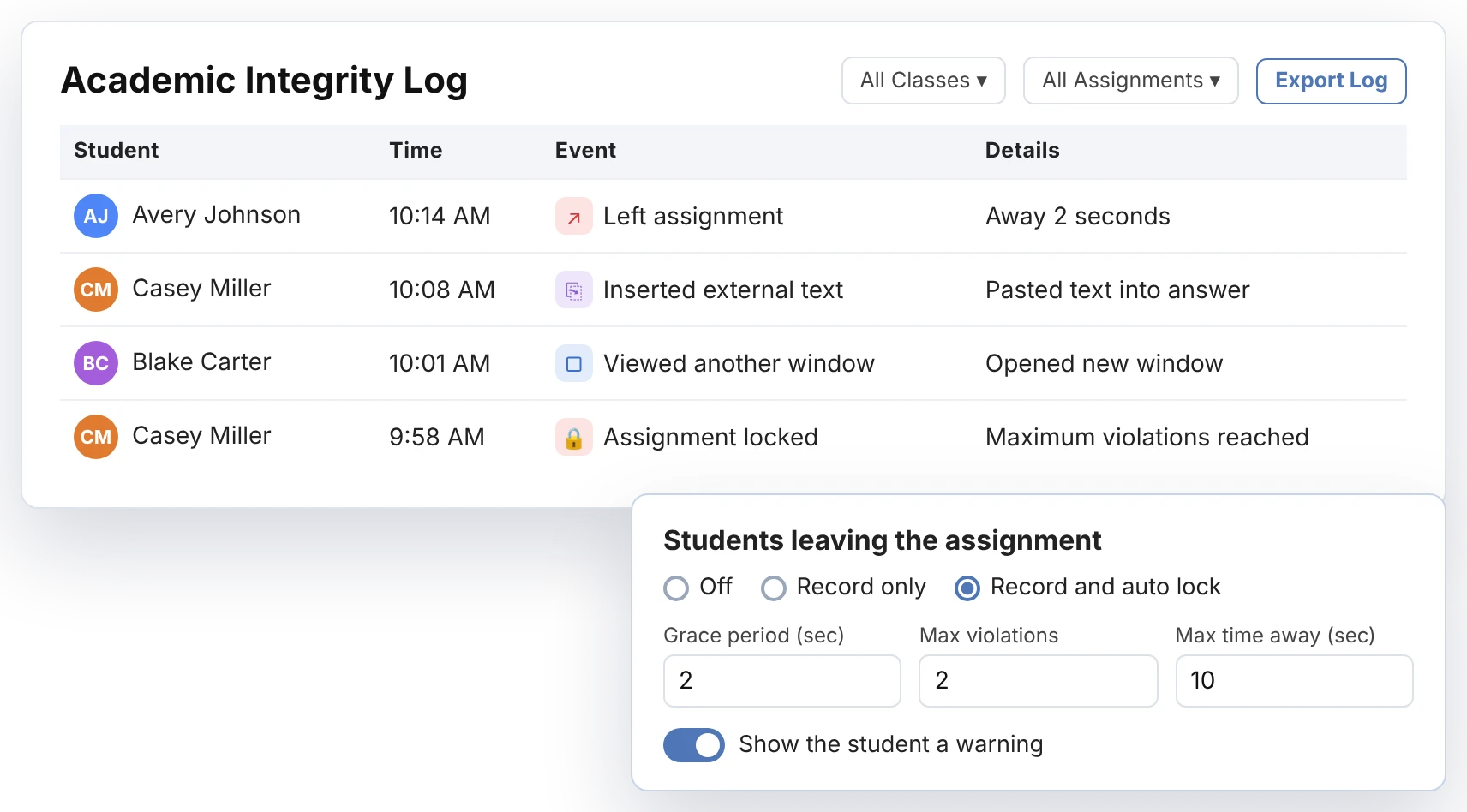
Classwork records when students leave an assignment, open another window, or paste in outside text. Teachers choose to record only or record and auto-lock, with grace periods and student warnings.
- Academic Integrity Log by class, assignment, and student.
- Record only, or record and auto-lock.
- Grace periods, violation limits, and time-away limits.
- Randomize questions or create different test versions.
- Time limits for timed assessments.
TEACHER REPORTS
See What Students Know, Question by Question
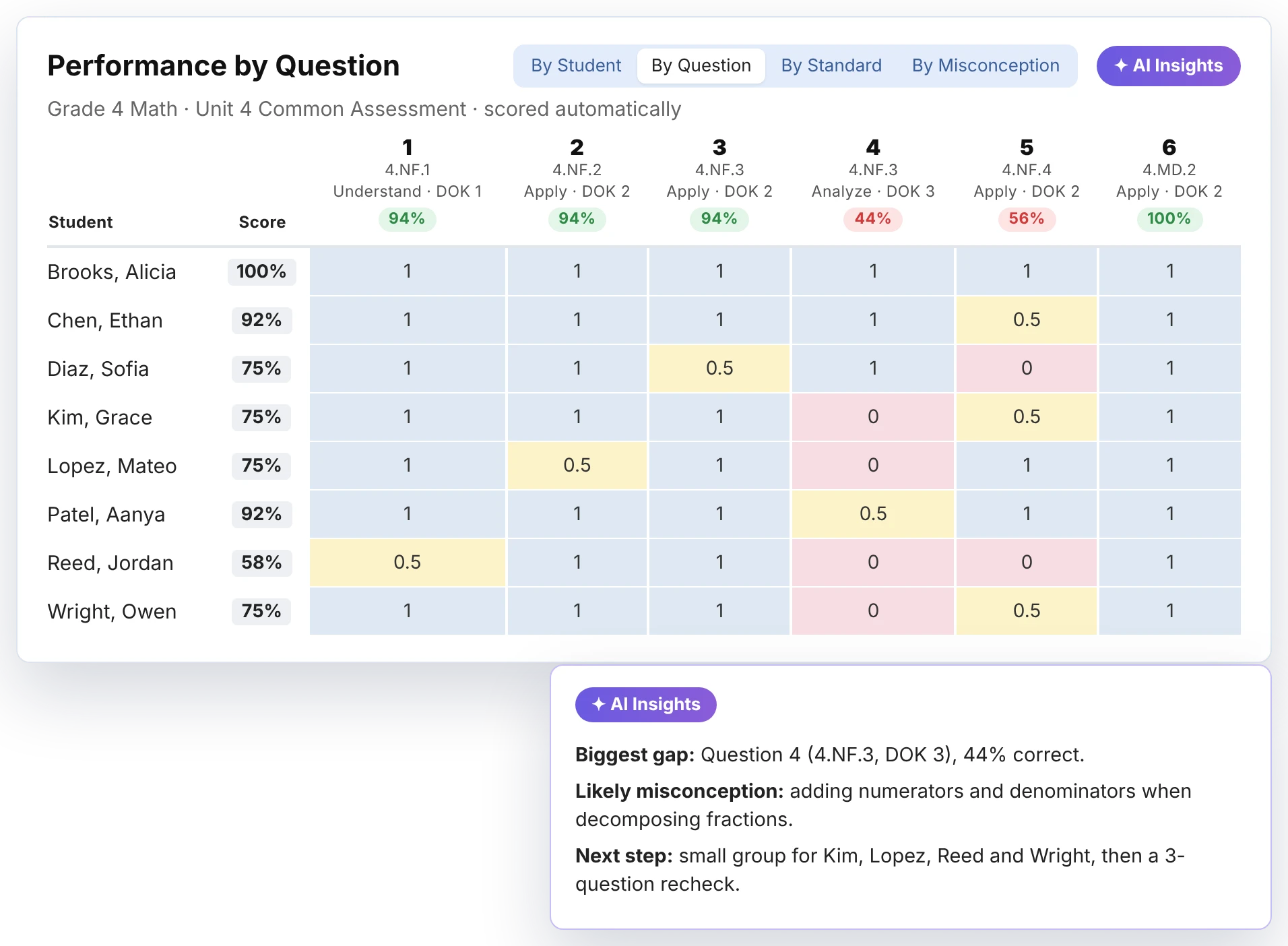
Activity reports update as students work. View results by student, question, standard, or misconception, and AI Insights suggests the next instructional step.
- Results by student, question, standard, and misconception.
- AI Insights names the biggest gap and a next step.
- Score bands group students for reteaching.
- Standards mastery tracked across the year.
DISTRICT TOOLS
Give Leaders a Current View of Every Campus
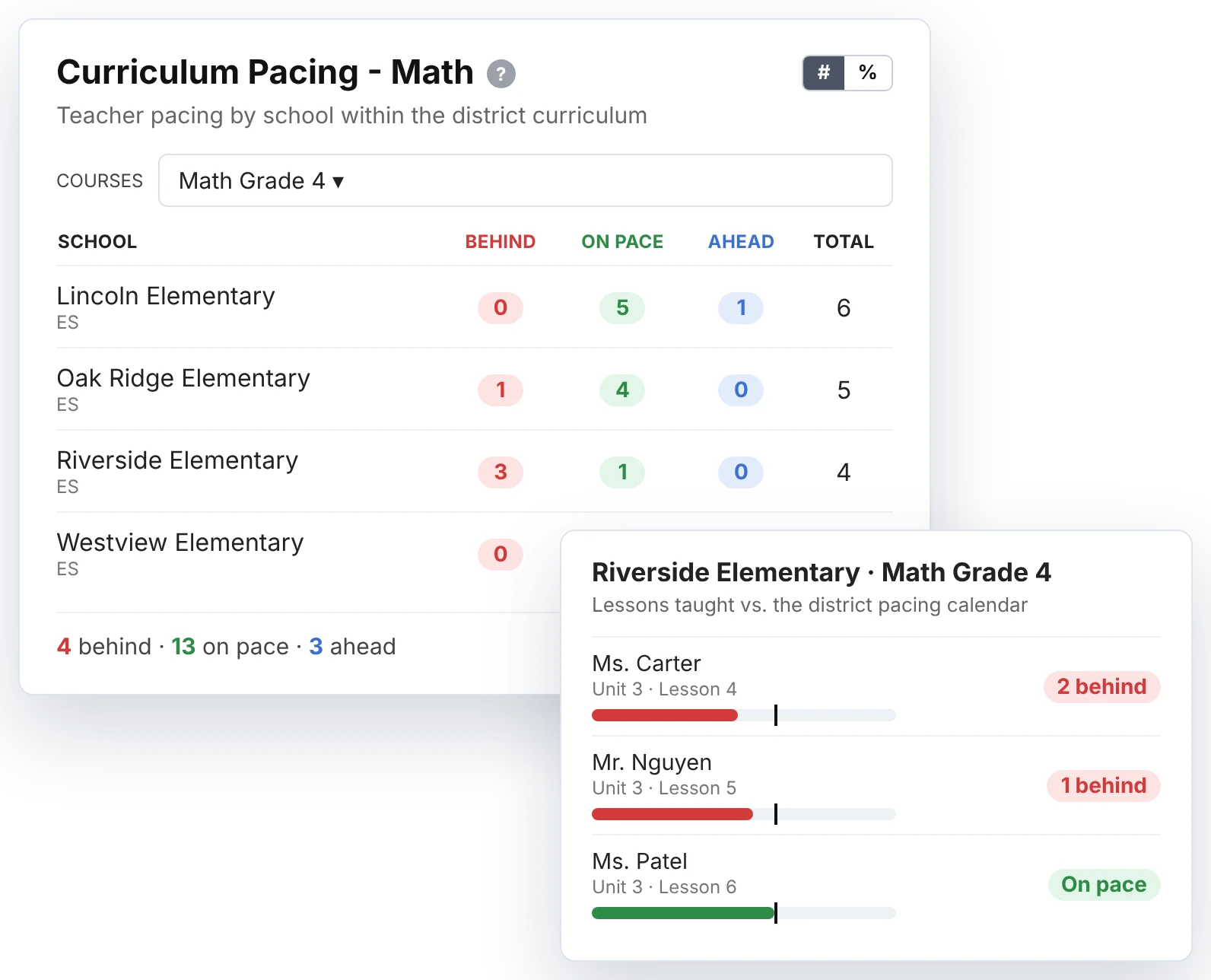
District and campus leaders see standards mastery, pacing, and curriculum use across schools. Curriculum teams publish protected District Resources, and roles control who sees what.
- District and campus dashboards.
- Curriculum pacing by school, course, and teacher.
- Protected District Resources teachers assign but cannot edit.
- Roles and permissions that fit each job.
- Shared school folders and a sharing library.
More Classwork Features
The everyday Classwork features teachers rely on to save time and keep work fair.
Time limits and Check My Answers
Run timed assessments or let students check their work as they go.
Randomized versions
Shuffle questions or create different versions of the same test.
Editable answer keys
Update an answer key even after students start working.
Write on student work
Grade with comments, stickers, partial credit, and handwriting.
Sharing library
Share activities with colleagues and in shared school folders.
Snipping tool
Clip any part of a page into an activity in seconds.
Grade anywhere
Review and score work from an iPad, tablet, or phone.
Late work controls
Restrict late submissions or change one student’s due date.
Submission history
See each student’s event history on every assignment.
TEXAS OER EDITION
More for Texas Districts
Texas districts get everything above, plus tools built for Bluebonnet Learning® and LIFT, from item banks and Readiness Checks™ to coaching and pacing reports.
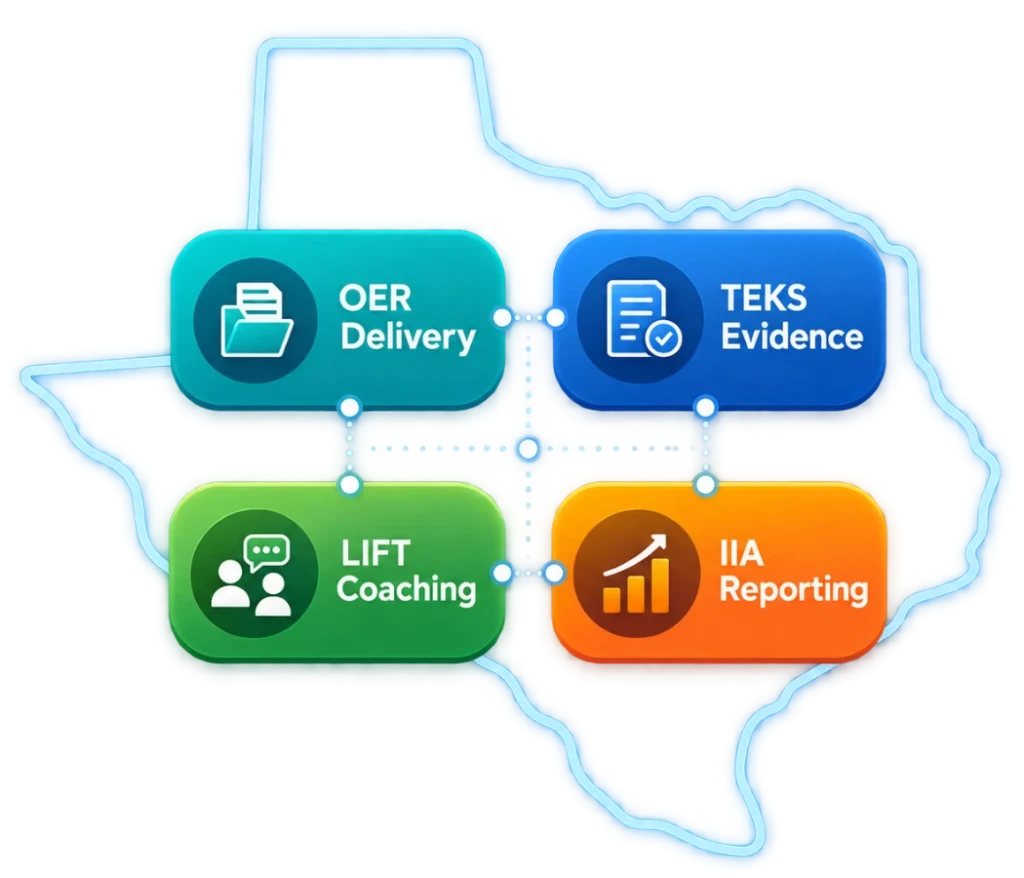
Everything above, plus
Bluebonnet Learning Item Banks
Math and RLA item banks aligned to Bluebonnet Learning, so teachers can build checks in minutes.
Readiness Checks™
Exit-ticket style checks built on TEKS readiness standards, given after instruction, with Think again and Try this hints for RLA grades 3–5.
AI Auto-Tagging
Items are tagged automatically to TEKS, DOK, and Bloom’s for clear evidence of what was taught.
LIFT Coaching and Lesson Logs
Coaches record observations and lesson logs and see coverage across every campus.
Bluebonnet Learning Pacing Reports
See where each campus and teacher is in Bluebonnet Learning units and lessons.
Instructional Insights App (IIA)
Classwork is on the Intent to Integrate list and is preparing its integration so required data can be transmitted when production access becomes available.
Classwork.com is an independent digital platform and is not affiliated with or endorsed by the Texas Education Agency. Bluebonnet Learning® is referenced descriptively.
FITS THE DISTRICT ECOSYSTEM
Work with the systems your district already uses.




Frequently Asked Questions
What is Classwork?
Classwork is a K-12 platform for creating interactive activities, scoring student work automatically, and giving teachers and district leaders current data on standards mastery, pacing, and curriculum use.
What item types does Classwork support?
The Slide Editor includes 48+ auto-graded tools, and the Flex Editor includes 17 item types such as hot text, inline drag and drop, Part A/Part B, match table grids, numeric, algebra expressions, graphing, number lines, and bar graphs, with more coming. See every item type in the Classwork Help Center.
Can Classwork score open responses?
Yes. AI Scoring grades open responses against any rubric your teachers use, and teachers review the scores before results are released to students.
How does Classwork support academic integrity?
The Academic Integrity Log records when students leave an assignment, open another window, or paste in outside text. Teachers can record only or record and auto-lock, with grace periods, violation limits, and student warnings.
Is Classwork aligned to state standards?
Yes. Teachers can tag questions with standards from any state and track mastery over time. Texas districts also get AI auto-tagging for TEKS, DOK, and Bloom’s.
Does Classwork work with our LMS and rostering?
Classwork works with Google Classroom, Canvas, Schoology, Microsoft Teams, D2L, and Moodle, with rostering and single sign-on through Clever and ClassLink. Students sign in through the systems they already use, and scores can pass back to the gradebook.
Are Read Aloud and Speech to Text included?
Yes. Read Aloud includes English and Spanish voices in Flex and Slide activities, and Speech to Text lets students dictate their answers.
How can we try Classwork?
Start a free 30-day trial with every Pro feature, no credit card required, or schedule a personalized district demo.
Looking for step-by-step guides on any Classwork feature? Visit the Classwork Help Center. Rostering and single sign-on run through Clever and ClassLink.
Try Every Feature Free for 30 Days
Start a free trial with every Pro feature, or schedule a personalized district demo.
No credit card required.
Trademark and Licensing Notice:
STAAR® and BLUEBONNET LEARNING® are registered trademarks owned by the Texas Education Agency. Classwork.com is an independent digital platform and is not sponsored by, endorsed by, affiliated with, or approved by the Texas Education Agency. Bluebonnet Learning® materials remain subject to applicable Texas OER ownership and licensing terms. See our Terms of Use for additional information.