TeacherMade evolved into Classwork to help educators create engaging interactive activities, assess student learning, provide meaningful feedback, and deliver actionable instructional insights—all from one easy-to-use platform built for teachers, schools, and districts.
From your first interactive activity to districtwide instructional insights, Classwork grows with you.
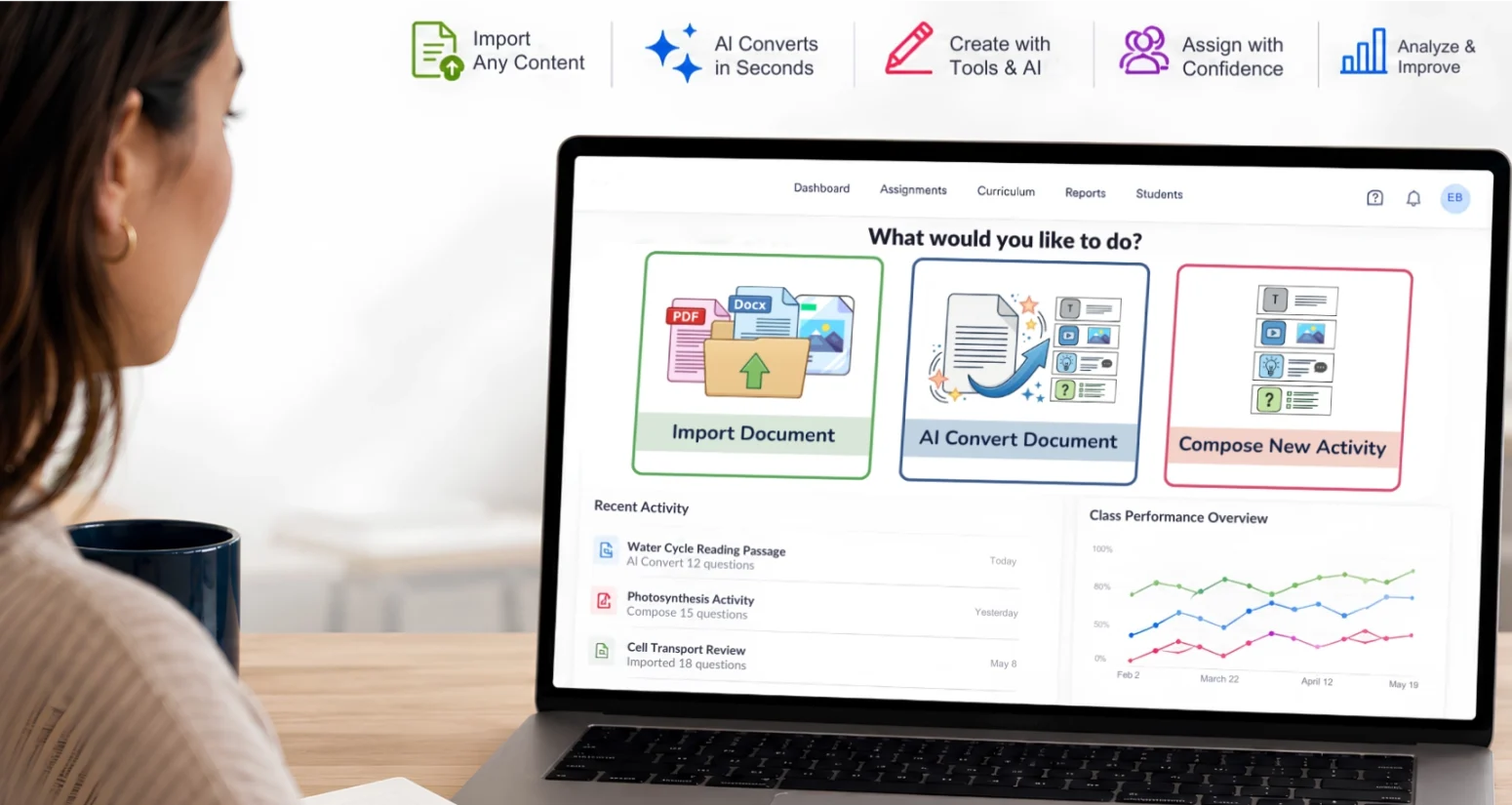
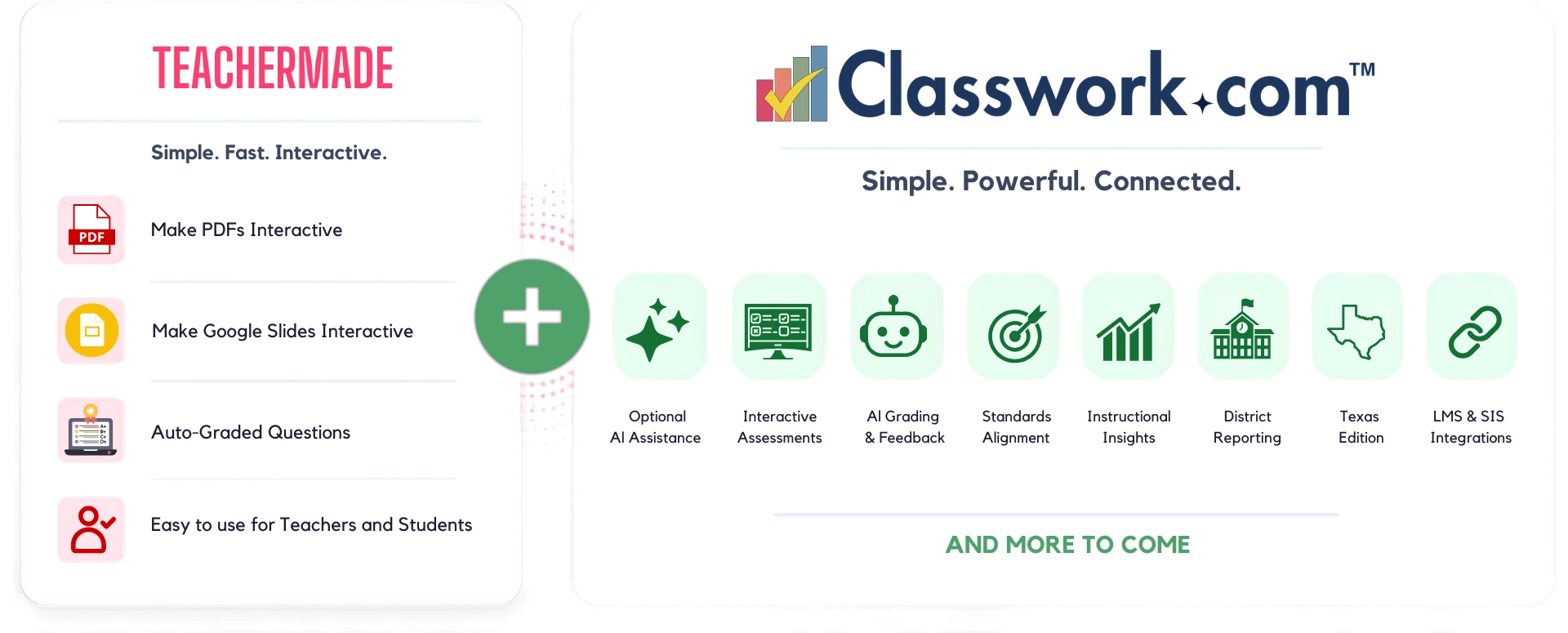
TeacherMade began with a simple mission: help teachers transform traditional worksheets into engaging digital learning experiences. When classrooms unexpectedly shifted to remote learning, educators discovered that many of the resources they had spent years creating were simply PDFs, Google Slides, Word documents, and other digital files. While those resources were easy to share, they weren’t designed for interaction, immediate feedback, or meaningful assessment. Teachers didn’t need to replace the lessons they had worked so hard to create—they needed a way to transform those trusted resources into engaging interactive lessons that supported learning wherever it happened.
That need inspired TeacherMade and continues to shape Classwork today. Built on the trusted foundation of TeacherMade, Classwork expands beyond interactive activity creation to support the entire instructional process. Teachers can create engaging interactive lessons, build standards-aligned assessments, provide meaningful feedback, and use optional AI tools to save time when they choose. Schools and districts gain greater visibility through instructional insights, reporting, curriculum management, and data that support informed instructional decisions—all while preserving the simplicity teachers have always loved.
The same ease of use remains at the heart of Classwork.
We've simply expanded what's possible.
These activities do more than replace paper—they transform the way students learn. They support every stage of instruction, from teacher modeling to guided practice and independent learning. Instead of simply completing a worksheet or viewing a presentation, students actively participate in the learning process through questions, writing, drawing, matching, labeling, audio, video, and other interactive experiences.
For teachers, interactive activities provide opportunities to check for understanding, deliver meaningful feedback, and identify misconceptions while learning is still happening. For students, they create more engaging experiences that encourage participation, build confidence, and support deeper learning.
Traditional digital resources often function like electronic paper. A PDF or Google Slides presentation may be easy to share, but by itself it doesn’t encourage interaction or provide insight into student understanding.
Interactive learning activities change that.
Students can respond directly within the lesson, receive immediate feedback when appropriate, and demonstrate their thinking in multiple ways. Teachers gain valuable evidence of learning without creating additional work, making these activities an ideal choice for daily instruction, independent practice, formative assessment, and review.
One of the greatest strengths of interactive classroom activities is their flexibility. Teachers can transform existing classroom resources into engaging digital learning experiences or create new activities from scratch.
These activities can be used for:
Whether you’re teaching elementary reading, middle school science, high school math, or district-created curriculum, interactive learning activities help make learning more engaging while providing teachers with meaningful instructional data.
No two teachers create lessons the same way, so Classwork doesn’t limit you to a single workflow. Whether you’re transforming resources you’ve already built, starting from scratch, or using AI to accelerate your work, Classwork gives you the flexibility to create engaging activities the way that works best for you.
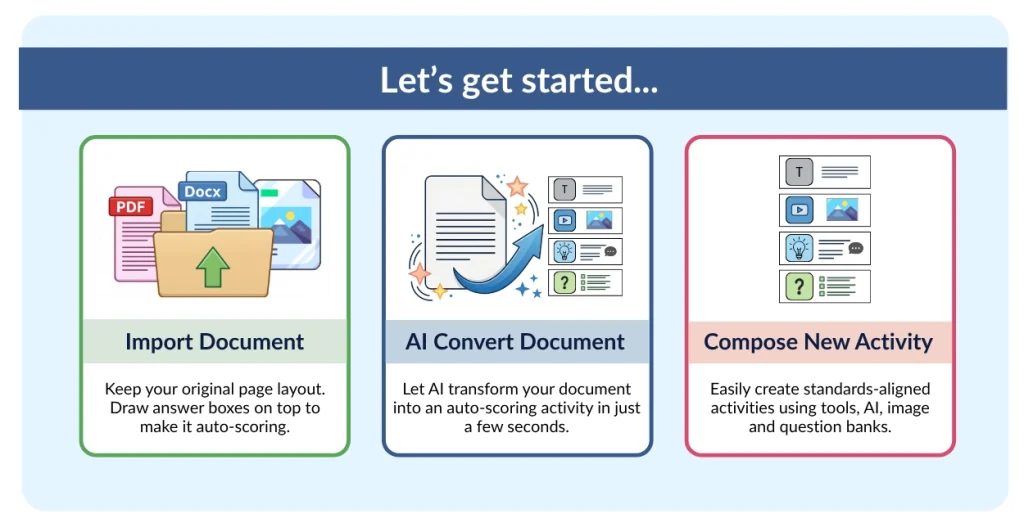
Every educator starts from a different place. Some have years of PDFs and Google Slides. Others want to build something entirely new. Whether you start with an existing PDF, build from scratch in the Flex Editor, or use AI to generate new content, Classwork helps you create interactive activities that fit the way you teach.
Start with what you have.
Create what you need.
Classwork meets you where you are.
Preserve the lessons you’ve already created.
Already have lessons you love? Don’t start over. Upload PDFs, Google Slides, Word documents, images, and other classroom resources, then transform them into engaging interactive digital activities while preserving the work you’ve already created. It’s a simple way to modernize instruction without rebuilding years of content.
Save time with optional AI assistance.
Need to save time? Use optional AI assistance to transform existing resources into interactive learning activities or generate new ones from a prompt. AI helps accelerate the creation process while keeping teachers in complete control of every question, activity, and assessment. Want to learn more about how educators are using AI responsibly? Read AI IS for Educators.
Build exactly what your students need from scratch.
Create completely custom activities using the Classwork Flex editor. Add text, multimedia, rich question types, and interactive elements to build learning experiences tailored to your students and instructional goals. Accelerate creation even further with standards-aligned item banks, AI tools, images, and flexible authoring options.
Creating engaging activities is only the beginning. The real impact comes from using those activities and assessments to understand what students know, where they’re struggling, and what they need next. Whether introducing new concepts, checking for understanding, providing meaningful practice, or measuring mastery, every learning experience becomes an opportunity to support student growth while gathering actionable insights that inform instruction.
With Classwork, interactive activities and assessments work together throughout the instructional process. Students actively engage with lessons, receive meaningful feedback, and demonstrate understanding in multiple ways. Teachers spend less time grading and organizing data and more time responding to student needs with confidence.
Interactive activities help students do more than simply consume information. Rich question types, multimedia, drawing, audio, video, and interactive responses encourage active participation while giving teachers meaningful evidence of learning throughout every lesson.
Learning doesn’t have to wait until the end of a unit to be measured. Use bell ringers, exit tickets, formative assessments, independent practice, and comprehensive assessments to identify misconceptions while learning is still happening. Immediate feedback supports students in the moment while giving teachers the information they need to adjust instruction with confidence.
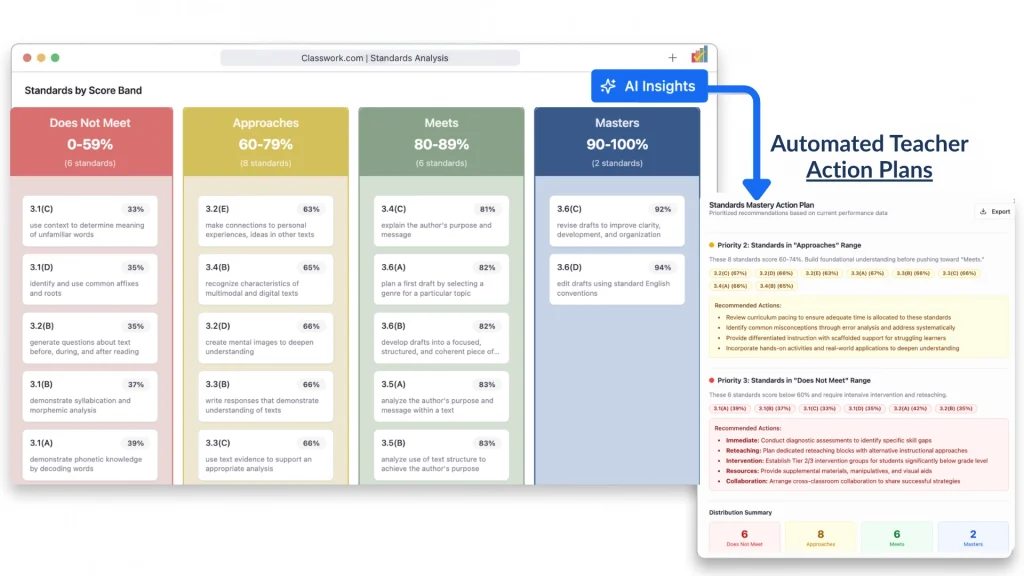
Every interactive activity and assessment contributes to a larger picture of student learning. Auto-grading, AI-assisted grading for open-ended responses, standards alignment, and real-time reporting help teachers quickly identify learning gaps, monitor progress, and make informed instructional decisions. School and district leaders gain the visibility they need to support teachers, strengthen instruction, and improve student outcomes.
The best instructional decisions aren’t based on a single assessment—they’re built from meaningful learning evidence collected over time. By connecting activities, assessments, feedback, standards, and reporting in one platform, Classwork helps transform everyday classroom work into opportunities for continuous improvement.
Every minute teachers spend recreating lessons, grading assignments, organizing data, or searching for resources is time taken away from students. Classwork was designed to reduce those everyday tasks so educators can focus on what matters most—teaching, supporting students, and creating meaningful learning experiences.
Whether you’re importing existing resources, creating activities, using optional AI assistance, providing feedback, or analyzing student learning, Classwork brings every part of the instructional process together in one intuitive platform.
You’ve already invested countless hours creating lessons and instructional materials. Classwork helps you build on that work—not replace it. Import existing resources, create new activities from scratch, or use optional AI tools whenever they fit your workflow.
Activities, assessments, standards, feedback, grading, and reporting all work together in one place. There’s no need to juggle multiple tools or manually organize data. Provide immediate feedback through auto-grading, review open-ended responses with AI-assisted grading, monitor standards mastery, and gain actionable insights—all within the same connected platform.
Whether you’re teaching a single classroom, supporting a campus, or leading instruction across an entire district, Classwork scales to meet your needs while keeping the teacher experience intuitive, flexible, and easy to use.
Less time managing technology.
More time making an impact.
These activities are digital learning experiences that encourage students to actively participate rather than simply view content. They can include writing, drawing, drag-and-drop, matching, multimedia, auto-graded questions, and other interactive elements that help teachers engage students while gathering meaningful evidence of learning.
Interactive worksheets typically digitize a paper worksheet. Interactive activities go further by incorporating multimedia, multiple question types, immediate feedback, interactive responses, and assessment features that support deeper learning and better instructional decision-making.
Yes. Classwork makes it easy to upload existing classroom resources and transform them into engaging interactive activities, helping you preserve the lessons you’ve already created while expanding what’s possible.
Absolutely. Teachers can build completely custom interactive activities using the Classwork Flex or Toolbox editor or use optional AI assistance to help generate new activities and questions when it saves time.
Yes—but only when you want it to.
Optional AI tools can help generate activities, convert existing resources, assist with grading open-ended responses, and save time during lesson creation. Teachers remain in complete control of every activity and assessment.
Yes. Classwork supports both interactive activities and interactive assessments using a variety of question types, multimedia, auto-grading, open-ended responses, and immediate feedback to support instruction throughout the learning process.
Yes. Activities and assessments can be aligned to state or local standards, making it easier for teachers and instructional leaders to monitor student progress, identify learning gaps, and support data-informed instruction.
Yes. Classwork integrates with popular learning management systems including Google Classroom, Canvas, Schoology, Microsoft Teams, ClassLink, Clever, and more, making it easy to assign activities using the tools schools already use.
No. While individual teachers can use Classwork to create engaging interactive activities, schools and districts also benefit from instructional insights, reporting, curriculum management, standards alignment, and tools that support collaboration across campuses.
TeacherMade evolved into Classwork as the platform expanded to meet the changing needs of educators. The simple activity creation teachers loved remains at the heart of the platform, while Classwork adds interactive assessments, optional AI tools, instructional insights, reporting, and district-level capabilities that support teaching and learning at every level.
Whether you’re building your first interactive activity or supporting instruction across an entire district, Classwork gives educators the tools they need to create engaging learning experiences, save time, and make confident instructional decisions.
