

Brush Ninja – Make Animated GIFs, Emoji Art, and More!
Brush Ninja is a tool that I’ve been using and recommending for a few years now. Brush Ninja makes it incredibly easy to draw a series of images and quickly turn them into animated GIFs. In the fall of 2018 I used Brush Ninja with some middle school students to create animations to illustrate their […]
Create Animated GIFs in PowerPoint

Years ago Common Craft made a fun little guide to understanding the World Cup. The guide featured a bunch of animated GIFs. It was a great example of using silent animations to explain a topic. In the years since then I’ve encouraged teachers to think about having students make animated GIFs to illustrate and explain […]
Unscreen – Remove and Replace Video Backgrounds With Just a Click

In the last few months I’ve shared a some good tools for quickly removing the background from images. I even made a video about how to use Canva to remove and replace the background in your images. But until this morning when I read this Tweet from Greg Kulowiec I didn’t know of any tools […]
7 Ways to Make Animated GIFs

Whiteboard-style videos and Common Craft-style videos can be a great for helping students understand big concepts in short, easy-to-follow videos. But for smaller concepts, an animated GIF can do the trick. In the last few months I’ve come across a lot of free tools for making animated GIFs. Here’s a run down of some of the […]
Brush Ninja – Make Animated GIFs on Your Desktop or Mobile Device

Brush Ninja is a free tool for creating animated GIFs. Unlike some similar tools, Brush Ninja works equally well in the web browser on a Chromebook, Windows or Mac laptop, iPads, Android tablets, and iOS and Android phones. To make an animated GIF on Brush Ninja simply go to the website and start drawing on […]
How to Create an Animated GIF

Animated GIFs can be handy for quickly showing a process or sequence of events. Check out Common Craft’s soccer guide for great examples of using animated GIFs to illustrate concepts. And, of course, GIFs are fun to use to make a point in a social media post. If you want to make your own animated […]
An Easy Way to Create a GIF from Google Slides

A simple animated GIF can be useful for things like showing how a simple system works, illustrating the steps to solving a math problem, or showing a sequence of before and after pictures. A few months ago I shared three easy ways to create animated GIFs. This morning I discovered another easy way to create […]
How to Create Animations With ABCya Animate
ABCya Animate is a free tool that students can use to create animations. It can be a great tool for elementary school and middle school students to use to create animations to use to tell a short story. For example, in my demonstration video the animation I started to make could be used as part […]
Three Good Ways to Create Instructional Animations
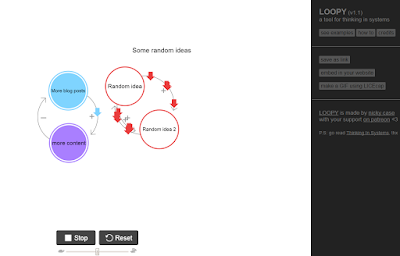
Earlier this week I shared five ways to create animated movies on Chromebooks. Creating animated movies can be a lot of fun for you and your students. But sometimes you just need a short animation to get your point across or to remind students about an important point. That’s when the following three tools are […]
How to Create Animated GIFs
Last week I wrote about a free animation tool called Flip Anim. In that post I mentioned using animated GIFs of math problems or to animate simple scenes from a story. A reader sent me a follow-up question asking about how to keep track of each part of the animation. So to answer that question, […]
Flip Anim – Quickly Create Animated GIFs
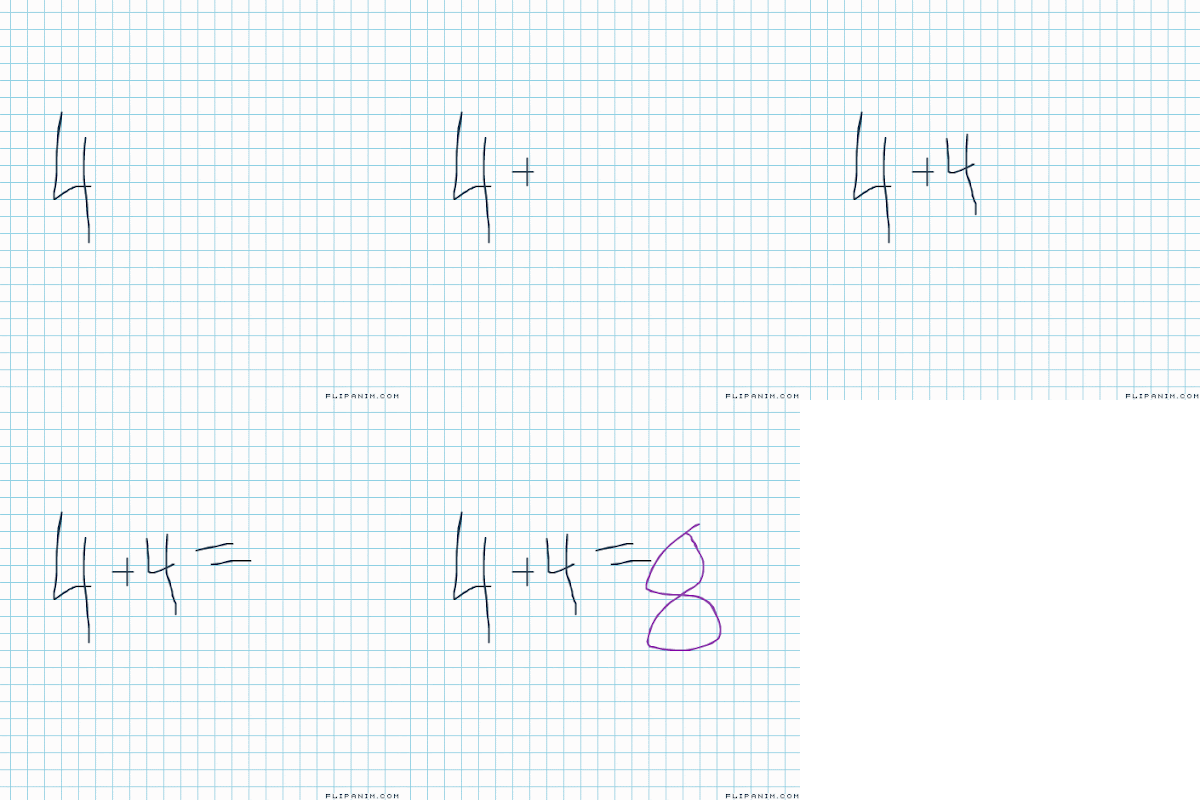
Flip Anim provides possibly the easiest way draw and create an animated GIF. Within minutes of learning about Flip Anim on Larry Ferlazzo’s blog I had created a couple of animated GIFs illustrating basic addition problems. One of those is included below. To create an animation on Flip Anim simply go to the site and […]
A Guide to Creating Explanatory Animated GIFs
In yesterday’s episode of Practical Ed Tech Live I answered this question: Is there anything that pieces the snapshots back together in a single frame? So you see the same object in one picture at different positions? My suggestion was to create an animated GIF by following the guide that Common Craft published a couple […]