
Bring the Joy Back to School With Book Creator
Disclosure: Book Creator is an advertiser on FreeTech4Teachers.com Book Creator has been one of my go-to multimedia creation tools for nearly a decade. For back-to-school season they’ve created a hub of resources arranged around the theme of bringing joy back to school. Amongst many excellent resources in that hub you’ll find registration links for a […]
How to Embed Videos Into Book Creator Pages
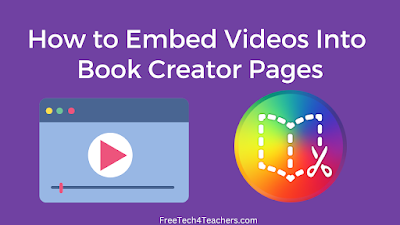
Book Creator is a tool that I’ve been using and recommending for many years. It provides a great way for you and your students to create all kinds of multimedia books. In the pages of Book Creator books you can include text, comics, pictures, audio, maps, and videos. The process of including YouTube videos in […]
How to Import PDFs Into Book Creator Projects

About a week ago Book Creator rolled-out the third or fourth new feature of this school year. That feature is the ability to import PDFs to use in your Book Creator projects. I had a cold and couldn’t speak well last week so I had to wait until this week to give Book Creator’s new […]
Now You Can Import PDFs Into Book Creator

Earlier this fall Book Creator added some helpful new features in the form of audio, video, and text commenting. This week the folks at Book Creator rolled-out another new and helpful feature. That feature is the ability to import PDFs to use in your Book Creator multimedia books. Here’s a thirty second demo of the […]
Book Creator Now Offers Audio, Video, and Text Commenting

Last week Book Creator introduced a great new feature just in time for the start of the new school year. That feature is the option to add video, audio, text, and emoji comments to students’ books. The new feature is still in beta, but you can try it right now. You can add comments to […]
A Short Explanation of Book Creator in the Classroom

Just in time for the annual ISTE conference the folks at Book Creator have released a new video highlighting how their multimedia ebook tool can be used in classrooms. If you’re a regular user of Book Creator, the video won’t reveal to you anything you don’t already know (I think some new things will be […]
Image Search and Autodraw – My Favorite Book Creator Design Tools

Disclosure: Book Creator is currently an advertiser on FreeTech4Teachers.com. This post was written by me, Richard Byrne. In yesterday’s post about Book Creator’s back-to-school resources I mentioned the integrated image search and the autodraw feature that students can use on every page of their books. Those are probably my favorite design tools incorporated into Book […]
Great Book Creator Resources to Start the New School Year

Disclosure: Book Creator is an advertiser on FreeTech4Teachers.com. This blog post was written by me, Richard Byrne. Book Creator is a versatile digital publishing tool that I’ve been using and recommending for years. And every school year it seems to get better. This year is not an exception to that pattern as they’ve just launched […]
Book Creator Offers New Digital Citizenship eBooks
Book Creator recently announced the launch of a series of digital citizenship ebooks developed by Common Sense Education. The new ebooks contain activities for students to learn how to become responsible digital citizens. The books are designed for elementary school students between the ages of five and eleven. All three of the books are free […]
Book Creator Now Offers More Templates and Themes
At the end of last year Book Creator introduced a new couple of new features (new fonts and new color options) and hinted that something bigger was on the way. That new thing is here! Book Creator has just introduced eighteen new templates and themes for all teachers and students. Book Creator now offers templates […]
Book Creator Has a New Color Selection Tool

A couple of weeks ago Book Creator introduced some new shapes and fonts to use in the creation of multimedia ebooks. This week Book Creator added a new color selection tool that will help you apply the exact color you want to use on those shapes and other page elements. Book Creator now offers the […]
New Shapes and Fonts in Book Creator

Book Creator is one of my favorite tools for creating ebooks. It’s a versatile tool that can be used to publish multimedia fiction and non-fiction stories. I’ve also recommended using it to have students create portfolios of their best work. Last week Book Creator introduced a few new features. Two of those are available to […]
Book Creator Adds New Options for Copying and Re-using Pages

Book Creator is one of my go-to tools for making ebooks and digital portfolios. In fact, I like it so much that it’s one of the featured tools in my Practical Ed Tech Virtual Summer Camp. And now there is a new feature that makes Book Creator better than ever. That new feature is the […]
Book Creator Adds New Accessibility Features

Book Creator is a tool that I have been using and recommending for years for making multimedia ebooks. You can use it as an iPad app or in your web browser. This week Book Creator announced that it now works in Microsoft Edge as well as Chrome and Safari. That’s not the only product enhancement […]
Win Chromebooks and ISTE Registration in Book Creator’s “A Better Future” Contest

Book Creator is a popular tool for creating multimedia ebooks on an iPad or in the Chrome web browser. Students can use Book Creator to create ebooks that include pictures, text, voice, video, maps, and drawings. I have a couple of tutorials on it here. Earlier this week Book Creator announced a contest through which […]
Book Creator’s Autodraw Feature Now Works on iPads

Back in June Book Creator added an autodraw feature to the Chrome version of their popular multimedia ebook creation service. Autodraw enables you to attempt to draw something and have Book Creator try to interpret what that drawing is. As you draw Book Creator will display a menu of completed drawings based on what you’re […]
How to Use Book Creator’s New Autodraw Feature

At the beginning of this week Book Creator announced the launch of a new set of drawing tools that students can use in the creation of multimedia ebooks. Among those tools is a new feature Book Creator is calling autodraw. Autodraw allows people like me who don’t have much drawing ability to attempt to draw […]
Book Creator Adds New “Magic Ink” and Autodraw Tools for Making eBooks

Book Creator, the massively popular ebook creation tool, has added a new set of drawing tools. A couple of the highlights of the new drawing tools are Magic Ink and Autodraw. Magic Ink is a feature that will enable students to fill the pages of their Book Creator with chalk-like drawings as well as fill […]
You Can Now Publish Entire Book Creator Libraries

Book Creator, one of my favorite tools for creating multimedia ebooks, has announced a new publishing option that many teachers have requested. Book Creator now lets teachers publish entire libraries of their students’ books. This library publishing option is in addition to the option to publish individual books. Publishing an entire library of student-created Book […]
Getting Started with G Suite – Mysteries Solved with This New eBook
This is a guest post from Avra Robinson (@AvraRachel), Director of Online Learning for EdTechTeacher. When teachers or students begin to explore new digital environments, they often become confused and frustrated because they lack the basic building blocks needed to feel comfortable and proficient – whether it is the vocabulary of the app, toolbars that […]
Add Adobe Spark Creations Into Book Creator eBooks

Adobe Spark and Book Creator are two of my favorite multimedia production tools. And now you can combine the two! Earlier this week Book Creator announced that you can now embed videos made with Adobe Spark into the pages of Book Creator ebooks. But it’s not just Adobe Spark videos that you can embed into […]
How to Collaboratively Create Documents on Canva

Last week Clint Heitz asked me for a suggestion for tools that students can use to make magazines online. He has used Lucid Press and was looking for other options to try. There were two tools that I suggested. One suggestion was to try Book Creator and the other was to try Canva. In the following video […]
How to Create an eBook on Book Creator

On Tuesday I shared five ideas for making ebooks with your students. Book Creator is a great tool for making those ebooks. With Book Creator your students can make ebooks that include text, images, audio recordings, videos, and even maps. Students can insert media that they’ve created or embed content from sites like YouTube and […]
5 Ideas for Making Multimedia eBooks With Students

For many years Book Creator was my go-to recommendation for teachers who wanted to have their students create multimedia ebooks on iPads. So when the folks at Book Creator launched an online version to use Google Chrome I quickly added it to my list of recommended web tools too. Book Creator can be used by […]
Emojis, Citations, and Tech Fails – The Week in Review

Good evening from Maine where a few more red leaves are appearing every day. As the summer winds down I’ve take a couple of afternoons off to go fly fishing and to spend more time with daughters before my schedule gets busy with fall commitments to schools and conferences all over the U.S. If you […]
More Ways to Add Content to Book Creator Projects – Coming Soon!
Thanks to Amy Burns I just learned about a great, new feature that is soon to be available in Book Creator. The new feature will let you embed content from third-party sites into your Book Creator books. Some of the many third-party sites that will be supported in this new feature include Desmos (an online […]
Book Creator Now Offers “Read To Me” Mode Online
Last summer the Book Creator team launched a web-based version of their popular iPad app. The web-based version, called Book Creator for Chrome, has been a hit with teachers and students. The latest update to Book Creator for Chrome includes a feature called “Read To Me.” Read To Me is a text-to-speech function that reads the […]
5 Tools for Creating Multimedia Books – Comparison Chart

Developing a multimedia ebook or magazine can be a to get kids excited about writing. Incorporating pictures, videos, and audio can be a good way for students to illustrate and or further explain portions of fiction and non-fiction stories that they write. The five tools featured in the chart embedded below enable students to create […]
5 Ed Tech Tools to Try in 2018

Earlier today I went on live on my YouTube channel to share five ed tech tools that I recommend trying in 2018 if you didn’t try them in 2017. Watch the video for my explanations of my recommendations then jump to the list to find tutorial videos for my recommended tools. 1. Flippity.net 2. Toontastic […]
Harnessing Technology to Unleash Student Creativity

This is a guest post from Beth Holland, Doctoral Candidate at Johns Hopkins School of Education and educational advisor at Book Creator Over the past several years, the idea of using technology to unleash student creativity has appeared in blog posts and conference sessions more times than I can count. For this reason, imagine my […]
Book Creator is Now Live for All Chromebook Users
Earlier this summer Book Creator, a massively popular iPad app, was made available in a beta version for teachers to try on Chromebooks. As of this week the Chrome version of Book Creator is available to all teachers and students. You can access the new Chrome version of Book Creator at app.bookcreator.com. Book Creator’s Chrome […]
Try Book Creator In Chrome to Create Multimedia Books
Book Creator is a one of the most popular iPad apps in schools. It’s a fantastic app for creating multimedia stories. Now that platform is available in a web version too. The Book Creator web version is currently in beta and open for teachers to use. Book Creator’s web version supports creating multimedia books containing […]
Free Webinar – Protecting Students While Empowering Them to Publish
Red Jumper, the producers of the popular Book Creator app, is hosting a free webinar about protecting students when they publish online. The webinar is being conducted by my friend Beth Holland and Bill Fitzgerald. The webinar starts today at 11:30am. The webinar is being conducted through YouTube Live where you’ll be able to chat while […]