

Best of 2022 – Screencasting on Chromebooks
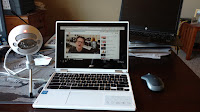
As I do at this time every year, I’m taking the week off to ski and play with my kids, shovel snow, and generally not think about work. I have some of the most popular posts of the year scheduled to republish this week. New posts will resume in the new year. Back in June […]
Best of 2022 – My Favorite Chrome Extensions

As I do at this time every year, I’m taking the week off to ski and play with my kids, shovel snow, and generally not think about work. I have some of the most popular posts of the year scheduled to republish this week. New posts will resume in the new year. After seeing my […]
Updated – Screencasting on Chromebooks – Built-in Tool vs. Third-party Tools

Back in June Google introduced a new screencasting tool for Chromebooks. Back then I wrote a comparison of the Chrome OS screencast tool and some others that are available to use on Chromebooks. Since then Screencastify has changed their free plan and Flipgrid has been renamed as Microsoft Flip. So I think it’s time that I […]
Five Things I Like About the New Chromebook Screencast Recorder

Last week Google introduced a new way to record screencasts on your Chromebook. You can watch my tutorial about how to use it right here or as embedded at the end of this blog post. After a week of using it, here are five things that I like about it and I think will be […]
Screencasting on Chromebooks – Built-in Tool vs. Third-party Tools

Last week Google introduced a new screencasting tool for Chromebooks. Besides being a built-in part of Chrome OS the screencasting tool has some nice features for teachers and students. Those features include automatic transcription creation and ease of sharing with students and colleagues. So that might make you wonder why you would want to use […]
How to Record Screencasts on Chromebooks Without Extensions

A couple of days ago Google announced some new Chromebook features for teachers and students. One of those features is a new screencast recording tool that is built into the latest version of Chrome OS. The new screencast recording tool built into Chromebook OS removes the need to use third-party extensions like Screencastify or Loom […]
Twisted Wave – Create and Edit Audio on Chromebooks

When it comes to recording and editing audio Mac users have Garage Band and Windows users have Audacity (it’s available for Mac too). Chromebook users have Twisted Wave. Through TwistedWave you can create and edit spoken audio recordings from scratch. Your completed tracks can be exported to Google Drive and SoundCloud. If you have existing […]
Sign-up Now for Google Forms Locked Mode

Back in June Google teased us with an announcement about a locked mode for Google Forms. All summer and fall I got questions about when it would be available. Today, Google announced that G Suite for Education users can now sign-up for early access to Google Forms locked mode. Sign-up here. Locked mode will allow […]
Updated List of Chromebooks That Support Android Apps
Thursday’s post about the Google Science Journal app prompted a lot of people to ask me, in email and on Facebook, if the app would work on Chromebooks. The answer is that it will work on some Chromebooks. To run the Google Science Journal app on a Chromebook you have to have a Chromebook that […]
Running Android Apps on Your Chromebook
Chromebooks and the Chrome OS are constantly improving and offering more features to more students and teachers. An example of this is found when you consider that earlier this summer Google started supporting the use of some Android apps on some Chromebooks. Initially, the list of supported Chromebooks was small. That list has steadily grown […]