

Three Good Ways to Map Spreadsheet Data
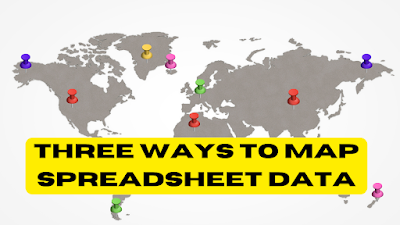
In my previous post about how to create a story map I featured a tool called StoryMap JS. That tool is great for making story maps that have no more than about twenty scenes. Any more than that and the process becomes a bit cumbersome and tedious. Fortunately, there are tools that you can use […]
Three Ideas for Telling Stories With Pictures

This is an excerpt from this week’s Practical Ed Tech Tip of the Week newsletter. This week, subscribers to the newsletter received a PDF that outlined ten ideas and tools for telling stories with pictures. Create Picture Books WriteReader is a good tool for elementary school students to use to create image-based stories. WriteReader has […]
When You Give a Kid a Camera

Last year we gave our daughters (four and five years old) a couple of kid-friendly digital cameras. My daughters love taking pictures with their little cameras and take them on almost every hike, trip to the wildlife park, and just about every new place that we visit. My daughters little cameras store roughly 800 pictures […]
Ten Good Tools for Telling Stories With Pictures

This is an update to a blog post that I published six years ago on this topic. Some of the tools in the original post are either no longer available or have implemented a subscription-based business model. Composing a story from scratch comes naturally to some people. For the rest of us, it can be […]
Story Spheres – Create Immersive Audio Tours of Interesting Places

Story Spheres is a neat tool for adding audio recordings to 360 imagery. Story Spheres lets you upload short audio recordings in which you describe to viewers what they’re seeing, the history of what they’re seeing, and the significance of what’s in the scene they’re seeing. It’s possible to upload multiple recordings. When you’re done […]
Ten Tools for Telling Stories With Pictures – Updated for 2019-20

Four years ago I published a PDF that outlined ten tools and how students can use them to tell stories with pictures. On Monday I received an email from a reader who had recently stumbled upon that PDF. She rightly pointed out that a couple of the tools featured in that document were no longer […]
An Interactive Map of English Myths and Legends

Thanks to the Maps Mania blog I just learned about English Heritage’s Map of Myth, Legend, & Folklore. The interactive map feature a couple of dozen historical sites that under the care of English Heritage. As the name of the map implies, each of the sites on the map is basis for a myth or […]
5 Ways to Tell Stories With Maps
Maps can be great tools for supporting nonfiction and fiction stories. Being able to see the greater context of a location can go a long way toward helping students see the complete overview of a story. This can be helpful for learning about historical events, for supporting biographies, or for seeing the settings of fiction […]
How to Create a Map-based Story With StoryMap JS
StoryMap JS is a free tool that comes from the same people that offer the popular multimedia timeline tool called Timeline JS. On StoryMap JS you can create map-based stories. You create the story by matching slides to locations on a map. In the following video I demonstrate how to use StoryMap JS. Applications for […]
How to Remove the Background from Your Pictures

Thanks to the ever-clever Tony Vincent this week I learned about a neat tool called Remove.bg. Remove.bg is a free tool that will remove the background from your images. The catch is that it will only work with pictures that have people in them. I tried to use it with pictures of my dogs and […]
How to Use QR Codes to Share Animated Videos

Earlier this week I answered an email from a reader who had heard someone talk about using QR codes so that people could watch animations made by students. Not having heard that person speak or seen the actual presentation my guess was that the process went like this; students wrote stories, students then made videos […]
Add Custom Covers to Podcasts You Make on Anchor

Anchor has become my favorite tool for creating podcasts. In a matter of minutes you can have your first podcast episode recorded, edited, and published (watch this video to see how). You can do that on your laptop, on your phone (Android or iOS), or on your iPad. All summer long Anchor rolled-out new features. […]
The Stillmotion Method for Storytelling
Stillmotion is an award-winning video production company. According to their website they focus on telling stories to which people have an emotional response. How they do that is revealed in a five part series that they published on Vimeo. The series takes you through the planning, shooting, and editing of a video. Storytelling the Stillmotion […]
Book Creator Now Offers “Read To Me” Mode Online
Last summer the Book Creator team launched a web-based version of their popular iPad app. The web-based version, called Book Creator for Chrome, has been a hit with teachers and students. The latest update to Book Creator for Chrome includes a feature called “Read To Me.” Read To Me is a text-to-speech function that reads the […]
Storyline JS – Turn Your Spreadsheets Into Stories

In yesterday’s Practical Ed Tech Tip of the Week I featured the storytelling tools produced by Knight Lab at Northwestern University. One of those tools is called Storyline JS. Storyline JS lets you create an interactive, annotated line chart. The purpose of Storyline JS is to enable you to add detailed annotations to the data […]
How to Create Animations With ABCya Animate
ABCya Animate is a free tool that students can use to create animations. It can be a great tool for elementary school and middle school students to use to create animations to use to tell a short story. For example, in my demonstration video the animation I started to make could be used as part […]
PuppetMaster – A Great App for Creating Animated Movies
PuppetMaster is a free iPad app that kids can use to create animated movies. The app is designed for elementary school students and therefore doesn’t require students to create accounts in order to use it. All movies made with the PuppetMaster app are saved to the camera roll on a student’s iPad. To create an […]
Google Tour Builder
Google Tour Builder allows users to tell stories using Google maps, images, videos, and text. It is a fantastic tool for students to use to show what they know about different topics. Maybe students are summarizing the chapters of a book and each placemark represents a different chapter. Or perhaps students create a tour to share […]
Digital Storytelling With Comics – Free Ebook
Disclosure: Storyboard That is a long-running advertiser on Free Technology for Teachers. A few years ago I put together a PDF of five projects that your students can complete with Storyboard That. The projects outlined include creative storytelling, retelling of history, using comics in videos, crafting book reviews with comics, and creating multimedia ebooks. While […]
Create Simple Animations With ParaPara Animation
Parapara Animation is a free animation creation tool developed and hosted by Mozilla. The tool is easy to use and it does not require registration in order to use it. In the video embedded below I demonstrate how to create an animation with ParaPara Animation. Applications for Education I first learned about ParaPara Animation when Kevin Hodgson […]
How to Create Webpages In Canva
Canva is known for its great graphic design tools. You’ve always been able to download your Canva graphics and upload them to your website. A few months ago Canva introduced the option to publish your graphics as webpages and or embed them into existing webpages. As I wrote earlier this week, using the publishing option […]
Creating and Telling Stories With Maps

For as long as I can remember I have loved to look at maps. I distinctly remember looking at the maps in my third grade social studies book and wondering what people in the middle of the Soviet Union were like. And as I got older I would look at maps of northern Canada and […]
Use Google Maps to Tell a Story Within a Story
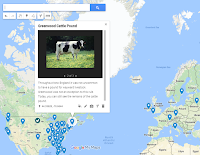
Google’s My Maps platform lets anyone who has a Google Account create their own multimedia maps. One of my favorite features within the My Maps platform is the option to create a slideshow of images and videos within a placemark. By using that feature you can tell a story within a story. In My Maps […]
Toontastic 3D – Create 3D Cartoon Videos on iOS, Chrome, and Android
On Thursday Google released a new version of the popular animation creation app, Toontastic. The new version is called Toontastic 3D and it is available to download on the Android, iOS, and Chrome platforms. I installed on an Android phone and found it to be easy to use to create animated videos. To make a […]
Telegraph – Super Simple Blogging
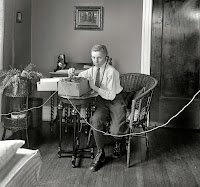
Alan Levine’s Cog Dog Blog is one of my absolute favorite blogs. I skip over many others in my Feedly list to read his posts first. I almost always learn something new when I read his blog. Yesterday, I learned about super simple publishing tool called Telegra.ph Telegra.ph gives you a simple place to publish […]
HSTRY is Now Sutori

Over the last couple of years HSTRY has become a popular multimedia timeline creation tool. One of its best features is the option to include quiz questions in the timelines that you share with your students. Over the weekend HSTRY rebranded itself as Sutori. Other than the name, nothing else has changed on the platform. […]
Use Storyboards to Create Halloween Lessons & Cards
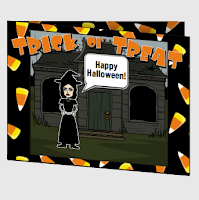
Now that we’re into October you might be thinking about Halloween-themed lessons for your students. Storyboard That offers a series of activities about Halloween. In the series you will find guides to using storyboards to teach Halloween safety and ideas for using storyboards as Halloween story starters. If the Halloween story starters or safety guides aren’t for you, you […]
Telling Stories and Solving Problems With Storyboards
Last night I hosted a free webinar about using storyboards to tell stories, illustrate problems and solutions, and to summarize favorite books. The webinar was hosted by Storyboard That. The recording of the webinar is embedded below. Storyboard That also owns the popular Photos for Class and Quick Rubric websites. At the end of the […]
Pixton Offers a Great Way to Create Engaging Writing Lessons
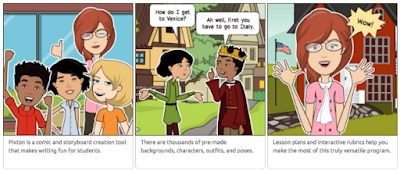
For years I’ve advocated for using comics as a way to get students engaged in the writing process. To many students, creating a comic seems a lot less intimidating and a lot more fun than simply writing a story on a blank sheet of paper. One of my favorite ways to have students use comics […]
Free Webinar – Digital Storytelling With Storyboards
Next Tuesday evening (September 13th) at 7pm Eastern Time I will be hosting a free webinar sponsored by Storyboard That. The webinar will focus on designing and delivering stories through the use of storyboards. In particular, we’ll be spending time looking at using storyboards to have students to tell stories about themselves, their interests in school, and favorite […]
Storyboard That Offers Four School Year Starter Projects
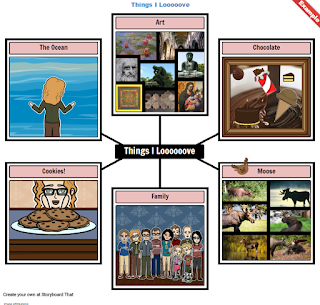
On Wednesday I published a post about using pictures to get students to tell stories about themselves to help you and their classmates get to know each other. Shortly after I published that post I received an email from Storyboard That about their back-to-school story ideas. Storyboard That published a blog post featuring four ways […]
Summer Stories – Back-to-School Activities
The new school year is here for many and will be here soon for the rest of us. The first days of school are always exciting as we meet new students, they meet their new classmates, and we all start to get to know each other. As we all know, some students will start chatting […]
My SimpleShow Offers a Good Way to Create Explanatory Videos

My Simpleshow is a free tool for creating Common Craft style explanatory videos. The best aspect of My Simpleshow is the emphasis that the developers have placed on storyline planing and development. My Simpleshow requires you to write a script for your video before you can start adding illustrations and sounds to it. In My […]
Digital Storytelling With the Latest Version of Buncee Edu Mobile
Buncee is a nice tool that makes it easy for young students to craft digital stories. Recently, Buncee updated their iOS app to optimize for iPad and iPhone displays. The latest version of Buncee’s iOS app brings the best content creation tools of the Buncee Edu web app to the iOS environment. Buncee Edu provides […]
How to Customize Background Scenes in Storyboard That Frames
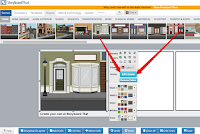
Earlier this week Storyboard That introduced customizable background scenes for all users. I’ve had a few emails this week about how to change the colors and other elements in Storyboard That scenes so this morning I created the following short demonstration video. Applications for Education Watch this recent webinar recording to learn more about the […]
Storyboard That Now Offers Customizable Scenes
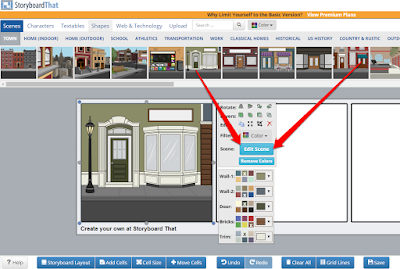
Storyboard That has become a popular digital storytelling tool over the last few years. That popularity is due in large part to their response to feature requests from teachers. One of the newest features added to Storyboard That is the option to customize the background scenes in each frame of a storyboard. Now when you […]
Buncee v. Google Slides – Which Offers Better Multimedia Options?
Anyone who has read this blog for more than a month or two has probably figured out that I love Google Apps including Google Slides. Sharing, collaborating, and publishing Google Slides is convenient and easy. But sometimes it feels like the ease of using Google Slides comes at the expense of not having as many […]
Telling Stories With Storyboards – Webinar Recording
Last night I hosted a webinar about using storyboards in the classroom. The webinar was sponsored by Storyboard That. Thanks to everyone who joined us live. If you couldn’t attend the live webinar, you can now watch the recording on my YouTube channel or as embedded below. The links shared in the webinar are included […]
Free Webinar – Summarizing the School Year Through Storyboards
This coming Monday evening (April 25) I will be hosting a free webinar sponsored by Storyboard That. The webinar will focus on using storyboards to tell stories. In particular, we’ll be spending time looking at using storyboards to have students show what they have learned in your classroom during the school year. These stories could […]