

How to Play GeoGeek AR

Last week I wrote a brief overview of a fun geography app called GeoGeek AR. The “AR” in the app’s name stands for augmented reality. The use of AR makes it possible to put a digital globe right into your classroom or anywhere else that your students are standing when holding an iPad or Android […]
How to Create a Custom Map on an iPad

Yesterday morning I answered an email from a reader who wanted to know if it was possible to create Google Earth projects on an iPad. Unfortunately, the iPad version of Google Earth allows you to view existing projects, but doesn’t allow you to create new projects. Fortunately, there are other ways to create custom maps […]
Two Easy Ways to Make Your Own Mobile App

On Monday morning I answered a question from a reader of my newsletter who wanted to know if there was a way for someone who wasn’t “techy” to create her own iPhone app. My immediate response was to say yes and suggest giving Glide Apps a try. I’ve been using Glide Apps for almost three […]
Catchy Words – A Fun Augmented Reality App for Spelling Practice

My daughters recently became very interested in a PBS Kids show called Word World. In each episode of the show the characters build a new word. As I was watching Word World with them this morning I was reminded of a fun augmented reality app called Catchy Words AR. Catchy Words AR is an augmented […]
Loom – Create Screencasts on Your iPad

Loom is a good screencasting that I’ve written about a handful of times over the last couple of years. Amongst it’s many features, Loom offers a Chrome extension that makes it easy to respond to an email with a video. Recently, Loom launched a new iPad app that you can use to create screencast videos. […]
A Time-saving Tip for Testing iPad and Android Apps
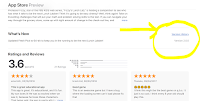
As you might expect, I test tons of apps every year. Some of those apps are brand new ones and others are older ones that people suggest that I try. And throughout the year I go back and look at some apps that I’ve previously reviewed to see if they’ve been update or are even […]
A New Look for Google Drive on iOS and Android

The Google Drive iOS and Android apps are getting a new look! As announced by Google earlier this afternoon, the apps are going to have a “material design” interface that is similar to the one used in the web browser version of Google Drive. The updated Google Drive iOS and Android apps will have a […]
How to Use Flipgrid on an iPad

Last week I published a detailed tutorial on how to get started using Flipgrid in your classroom. In that tutorial I focused on using Flipgrid in the web browser on Mac, Windows, and Chrome OS computers. Students can also use Flipgrid on iPads. The Flipgrid iPad app is intended for student use not for teacher […]
Three Types of Elementary School Video Projects to Complete on iPads

On Monday I shared free five apps that I recommend for making videos on iPads in elementary school classrooms. You might have looked at the list and wondered which one(s) you should try. If so, here’s my basic break-down of how these apps can be used by students and the ages that they are appropriate […]
TinyTap Introduces a New “Houdini” Mode for Educational Games
TinyTap is a great tool for creating your own educational games for students to play on their iPads or on their Android tablets. Earlier this year they added an option to create games that have voice response features. For the new school year TinyTap has added another new feature. The new feature is called Houdini […]
TinyTap Handbook – Tutorials for Making Interactive iPad Activities
TinyTap is a great tool for creating interactive, educational activities that your students can play on their iPads, on their Android tablets, or on their laptops. I have recommended TinyTap to at least five people in the last week. If you’re looking for a way to create iPad games, TinyTap is the first tool that […]
Pass the Past – A Review App for History Students
Pass the Past is a free iPad app designed to help students review U.S. and World History. The app was designed for students preparing for Virginia’s Standards of Learning exams, but it can be used by any student reviewing for a test on U.S. or World history. Pass the Past offers a large selection of […]
Free World and U.S. Map Puzzles for iPads & Android Tablets

Digital Gene offers a variety of educational apps for iPads and for Android tablets. Two of the Digital Gene apps that could be useful for elementary school geography review are Enjoy Learning World Map Puzzle and Enjoy Learning U.S. Map Puzzle. Both of these free iPad apps have the same basic types of puzzle activities. […]
Math Vocabulary Cards in English and Spanish
One of the challenges that some students face in learning math is just understanding the vocabulary used in mathematics. Math Vocabulary Cards can help students overcome that challenge. Math Vocabulary Cards is a free iPad app designed for elementary school students. The app offers exactly what its name implies, a series of flashcards of mathematics […]
A Fun App for Learning to Add Fractions
This post originally appeared on one of my other blogs, iPadApps4School.com. Fraction Mash is a free iPad app that provides a fun way for students to learn about fractions. The app lets students insert two pictures then divide those pictures into grids, columns, pie slices, triangles, or rows. Once their pictures have been divided students […]
Add Text Labels to Drawings & Pictures in SeeSaw Portfolios
In the two years since its initial launch SeeSaw has become one of my most frequently recommended digital portfolio tools. The team at SeeSaw is continuously developing new features to make it a better tool for students and teachers. The latest enhancement to SeeSaw comes in the form of a new labeling option in the […]
Three Ways That Students Can Create Talking Pictures
A couple of days ago on Twitter someone asked me for suggestions for tools that work like Blabberize to let people create talking pictures. Blabberize is a site on which you can upload a picture and record audio to turn it into a talking picture. To do this on Blabberize you first upload a picture […]
Draw and Tell: Create Animated Screencasts with Elementary Students
This is a guest post from Tom Daccord (@thomasdaccord) of EdTechTeacher, an advertiser on this site. Thanks to a recent partnership with Khan Academy, Duck Duck Moose has made its terrific Draw and Tell iOS app completely FREE. With Draw and Tell, young students can easily create an animated screencast complete with voice, drawings, images, and […]
Develop Mathematics Skills With Sushi Monster
Sushi Monster is a free iPad game from Scholastic that helps kids practice their addition and multiplication skills. This is the premise of Sushi Monster; students feed their Sushi Monsters by correctly choosing two numbers that when added or multiplied result in the number that the monster wants to eat. When the monster has been […]