
Best of 2022 – ViewPure Alternatives

As I do at this time every year, I’m taking the week off to ski and play with my kids, shovel snow, and generally not think about work. I have some of the most popular posts of the year scheduled to republish this week. New posts will resume in the new year. Earlier this week […]
Three Alternatives to ViewPure for Distraction-free YouTube Viewing

Earlier this week a reader reached out to me with a concern about ViewPure. For many years ViewPure has been a popular tool for teachers to use to hide distracting sidebar and “related” content when playing YouTube videos in their classrooms. There are other tools like it. If you find yourself looking for alternatives to […]
5 Ways to Display YouTube in Class Without “Related” Content

One of the questions that I’m frequently asked at the beginning of the school year goes something like this, “do you know how I can download videos from YouTube?” I do know how to do that, but I won’t teach you how to do that because it is a violation of YouTube’s terms of service. […]
Tube – A Distraction-free Way to Search and Watch YouTube
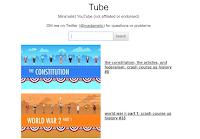
Tube is a new tool providing a minimalist view of YouTube. When you go to Tube all you will see is “Tube,” a disclaimer, a link to the developer’s Twitter account, and a search box. Enter your search terms into the Tube search box and a list of results appears below it without showing any […]
Use ViewPure to Share a Portion of a Video With Password Protection

Over the weekend I shared information about ViewPure’s curated playlists for teachers and students. Another feature of ViewPure that you should note is the option to share just a portion of a video and to password protect it when you share it. To share a portion of a YouTube video through ViewPure you first need […]
ViewPure Now Offers Curated Playlists

ViewPure, a great tool for distraction-free YouTube viewing, has relatively new collections of videos for teachers. The collections are organized according to grade level and topic. Start here by choosing either high school, middle school, upper elementary, or pre-K through lower elementary. After choosing the grade range you can choose a subject area and then […]
5 Ways to Show YouTube Videos Without Related Content
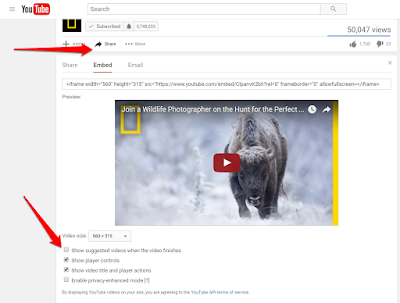
Anyone who has ever opened YouTube in front of a classroom knows the feeling of dread that comes with hoping that the “related” content in the sidebar really is related content. Likewise, you hope that the “related” videos at the end of the one you’re showing are appropriate for your classroom. Here are five ways […]
Displaying YouTube Without Distractions
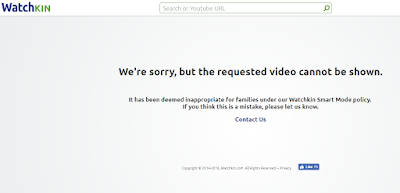
In my previous post I shared the idea of using extended display mode to choose what is and isn’t displayed on the projector in your classroom. If one of the things that you want to display is a YouTube video, you’ll want to make sure that you don’t accidentally display the “related” videos that appear […]