
A Neat Way for Students to See What Their Computers Are Connecting To

Knowing just a few commands to use in the command terminal can be quite helpful in diagnosing problems with your computer and or the network that your computer is using. (Bonus, it’s an easy way to make yourself look “super techy” in front of non-techy friends). One of those helpful commands is the Netstat command. […]
Introducing Arduino in a Pandemic

Watching my students design and build Arduino projects is one of the things that I enjoy the most about my job. We’ve just gotten to the part of the school year in which I introduce my students to using Arduino. This year, because of our hybrid model of some students in class and some online […]
Factitious – A Game That Tests Your Ability to Spot Fake News

Factitious is a game for testing your skill at identifying fake and misleading news stories. The game was developed by the American University Game Lab and the American University’s School of Communication. I learned about the game last month when Larry Ferlazzo featured it and I have since shared it in a couple of professional […]
TypingClub’s Typing Jungle Offers Hundreds of Typing Lessons
Disclosure: Typing Club is an advertiser on FreeTech4Teachers.com TypingClub has been providing excellent typing instruction for many years. I’ve watched as the service grew from a simple practice site to a complete system that teaches students proper typing technique. The latest version of TypingClub features a program called Typing Jungle that provides more than 600 […]
MOOO – Museum of Obsolete Objects

Do you remember using the end of a pencil to dial your rotary phone? Did you have an answering machines that used cassette tapes? Do you remember the annoyance of having your mouse connected to your computer? If you said yes to any of those questions, you should take a look at a YouTube channel […]
Grasshopper – Learn to Code on Your Phone

Grasshopper is a free app that teaches you to Javascript coding through a series of easy-to-follow tutorials. The free app, available for iOS and Android, starts off with an introduction to the basic vocabulary of coding before moving into the coding lessons. You have to pass the vocabulary quiz before your can jump into the […]
W3Schools – Your HTML Reference

W3Schools is my go-to reference for all questions regarding how to write any aspect of HTML code. In fact, when I was recently asked a question about writing HTML that I couldn’t immediately answer, I turned to W3Schools. W3Schools offers complete tutorials for learning to write HTML, CSS, Javascript, and PHP. If you’re just getting […]
Simple, Effective Search Challenge Lessons

One of my favorite ways to reinforce the use of good search strategies to students is to show interesting pictures and have students try to make a long list of questions about what they see. Then I let the students try to find the answers to those questions. When they get stuck, I intervene to […]
5 Tips for New Chromebook Users

The new school year isn’t too far away now. For some teachers that could mean it’s time to start getting accustomed to using a Chromebook for the first time. If your school has decided to start using Chromebooks and you’re using one for the first time, check out my video embedded below to learn the […]
Great Tools for Creating Screencasts – A PDF Handout
Over the last few weeks I have shared my favorite tools for creating screencast videos on Chromebooks, on Windows and Mac computers, on iPads, and on Android tablets. Many people who read this blog work in BYOD environments or otherwise need tools for creating screencasts on a variety of devices. Therefore, this morning I put […]
Three Good Places to Learn HTML & CSS Skills

Visual editors in blog and website platforms like Blogger, WordPress, and Weebly make it easy for anyone to create a webpage in relatively little time. The appeal of those tools is that you don’t have to learn code in order to make a blog or website. The downside to relying on visual editing tools is […]
Mozilla Releases an Interactive Web Literacy Map
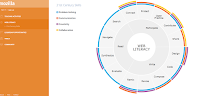
I was recently contacted by the Mozilla Foundation with news about their recently released interactive guide to teaching web literacy. Mozilla’s interactive web literacy map is based on three main components of web literacy; reading, writing, and participating. Each of those elements is linked to smaller, supporting components. Clicking on any component of Mozilla’s interactive […]
Snapchat Explained by Students to Teachers

Jenn Scheffer and her students at Burlington Public High School run a great tech help desk blog for teachers and students. This week they tackled an app that is still a mystery to many educators, Snapchat. I encourage any teacher, administrator, librarian, or parent who doesn’t understand Snapchat to take some time to read the […]
Comparing Textbooks to Wikipedia – A Student & Teacher Lesson

Last week during NCTIES I shared an activity that I have done with students and teachers to help them identify the similarities and differences between information presented in their textbooks and information presented in Wikipedia articles on the same topics. An outline of the activity is available here. The activity is one that I developed […]
200+ Practical Ed Tech Tutorial Videos

Over the last fourteen months I’ve steadily created screencast videos for my Practical Ed Tech Tips playlist. That playlist now contains more than 200 tutorial videos. In the playlist you will find videos about tools for flipping your classroom, videos on managing workflow, social media tips, search strategies, and media production. The playlist also contains videos about […]
Learn HTML & CSS Through a Free 12 Part Guide
Learn to Code HTML & CSS is a free resource developed by Shay Howe whose resume reveals that he has worked on the user interface for Groupon among other projects. There are twelve text-based lessons for beginners in Learn to Code HTML & CSS. Once you’ve mastered the beginner lessons you can try your hand at […]
82 Google Tools Tutorial Videos
I offer online and in-person workshops on Google Apps for Education, but I’m aware that sometimes all a person needs is just a two or three minute demonstration on a particular tool in order to get understand it. That’s why a few years ago I started to create short tutorials on a variety of tools […]