
Loom Adds New Features That Will Be Helpful to Teachers and Students

Loom is one of the tools that I regularly recommend when I’m asked to recommend a video tool for creating instructional videos. This week Loom announced two new features that could prove to be quite helpful to teachers and students. The first new feature to note is a floating speaker notes tool in the Loom […]
Significant Changes to Screencastify’s Free Plan Take Effect on Monday

Those of us who are using Screencastify’s free plan will have some choices to make on Monday when the changes that Screencastify announced back in August take effect. What’s Changing? Starting on Monday, October 3rd Screencastify’s free plan will limit you to having just ten videos in your account at a time. Previously, you could […]
How to Use Virtual Backgrounds in Microsoft Flip

Virtual backgrounds and background blurring are features of Microsoft Flip that can be helpful to you and your students in a few ways. First, virtual backgrounds and blurring are useful in protecting student privacy when they are recording at home or anywhere else outside of your classroom. Second, you can use virtual backgrounds as a […]
Tools for Asynchronously Collecting Stories
Nearly fifteen years ago I used VoiceThread to have my students collect stories from their parents about changes in the community since their time in high school. VoiceThread is still available today although it costs a lot more than it did when I used it (it was free back then). There are other free tools […]
How to Add Narration to Canva Presentations

Earlier this week I published a video titled What’s the Best Way to Share Tech Tips With Staff? That video was based on my blog post about newsletters, blogs, and social media for tech coaches. One astute viewer noticed that I used a slightly different format for that video than I usually use. That’s because […]
How to Record Screencasts on Chromebooks Without Extensions

A couple of days ago Google announced some new Chromebook features for teachers and students. One of those features is a new screencast recording tool that is built into the latest version of Chrome OS. The new screencast recording tool built into Chromebook OS removes the need to use third-party extensions like Screencastify or Loom […]
WeVideo and Vimeo Offer Great Tips for Recording and Editing Videos

Thanks to mobile devices and wealth of video editing tools we can all be video producers today. But creating a good video requires more than just having access to the tools of production. Creating good videos begins with some basic steps like holding your phone or camera the right way and knowing when to zoom […]
A New PowerPoint Recording Option

For a couple of years now I’ve been using and recommending Canva’s presentation recording tool because it has a built-in teleprompter. That feature lets you record your video while viewing your speaker notes, but the speaker notes don’t appear in the final recording. The latest version of PowerPoint now includes that same capability. Mike Tholfsen […]
My Five Favorite Flipgrid Video Features

Over the last few years Flipgrid has added so many great features that it has evolved beyond being just a platform for teachers to ask questions and have students record selfie videos in response. Now you can use it to create video lessons, to create audio-only conversations, and much more. In this new video I […]
How to Suppress Background Noise in Loom Recordings
If you use Loom to create screencast videos, there’s a new feature that you should be aware of. That feature is an option to have background noise automatically suppressed when you publish your videos. You’ll find this option under “video preferences” after you have finished recording your video. In this short video I demonstrate where […]
How to Record Videos in Canva – New Feature!
Earlier this week Canva introduced a couple of new features for adding media into your slides and graphics. One of those features is a new video recording option. You can now record using your webcam and instantly insert that video into your slides and graphics. The video can be cropped in Canva. You can also […]
Record Annotated Video Presentations With PresentationTube’s Chrome Extension

PresentationTube is a non-profit that has provided a free service to teachers for many years. That service is the ability to record video presentations based on PowerPoint files and PDFs. Recently, PresentationTube released a Chrome extension that lets you create video lessons in your web browser. PresentationTube’s Chrome extension will let you record while talking […]
How to Record a Video in PowerPoint (Windows Desktop Version)

A couple of weeks ago I published directions for simultaneously captioning and translating PowerPoint presentations. That’s one of many handy, occasionally overlooked, features that is built into PowerPoint. Video recording is another helpful feature built into PowerPoint. The built-in video recording tool in PowerPoint let’s you record yourself talking over any and all of your […]
How to Record a Screencast With Flipgrid

We’re halfway through 2020. This week I’m taking some time off from the blog to work on some other projects. The rest of this week I’m going to re-run some of the most popular posts and videos of the year so far. Flipgrid continues to evolve with new features seemingly appearing every quarter. Screencast recording […]
TechSmith Capture Replaces Jing

TechSmith’s Jing was the first tool that I used to make screencast videos more than a decade ago. It was amazing to be able to quickly record a short video to explain things to colleagues and students. Since then other and better tools have come along including tools like Snagit made by TechSmith. Last spring […]
A Great Update to Screencastify

Screencastify is a tremendously popular screencast recording tool. A large part of its popularity comes from being easy to use on Chromebooks. In fact, last fall I helped eighth grade students use Screencastify in conjunction with Brush Ninja on their Chromebooks to make simple animated videos. As great as it was Screencastify wasn’t without limitations. […]
My Primary Tools for Making Tutorial Videos

I’m often asked what I use for making the tutorial videos that I publish on my YouTube channel. With the exception of a handful that I published a few years ago, all of the tutorial videos on my YouTube channel are recorded in the same way using two primary tools. Those tools are Screencast-o-matic and […]
How to Use Flipgrid’s Android App

Based on the number of videos that I have made about it in the last month, it is not a secret that I think Flipgrid is a fantastic tool for gathering feedback from students. One of the reasons that I like it so much is that it works equally well and is equally easy for […]
Three Ways to Collect Video Reflections from Students

As the 2017-18 school year winds down for many of us, it’s a good time to have students reflect on what they learned throughout the year. You could have students write these reflections and post them on a classroom blog. Another option is to have them record one-take videos to share their reflections with you […]
How to Use Flipgrid – A 2017 Favorite

For the last five days I have featured the most popular posts of 2017. On this last day of the year, I’m going to highlight my favorite posts of the year regardless of their popularity. This post features my guide to using Flipgrid. Flipgrid is a fantastic service for collecting video responses to prompts that […]
4 Ways to Use Flipgrid in 4th Grade

This is a guest post from Caroline Schaab. As a 4th grade teacher, I’m always looking for creative ways spark curiosity, promote student voice, and keeps students engaged and to want to continue learning outside of school. Last year, with a few weeks left in the school year, I was introduced to Flipgrid. Fligrid is […]
Loom – Screencast on Chromebooks, Macs, and PCs
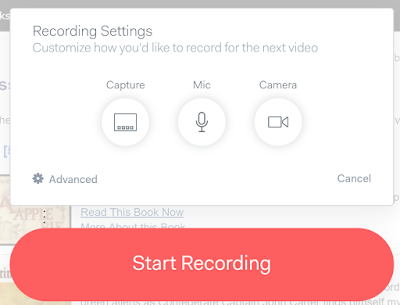
Loom is a free screencasting tool that works on Chromebooks, Macs, and Windows computers. Loom is a Chrome extension. With Loom installed you can record your desktop, an individual tab, and or your webcam. That means that you could use Loom to just record a webcam video on a Chromebook. Of course, this also means […]
How to Use Pixiclip to Create Instructional Videos
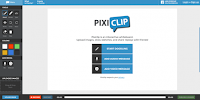
Pixiclip is a free tool for creating simple instructional videos. I featured it in the Practical Ed Tech newsletter a couple of weeks ago and a handful of people replied to me with questions about it. To answer those questions I recorded the video that is embedded below. A few things to note about Pixiclip […]
How to Record a Webcam Video on Your Chromebook
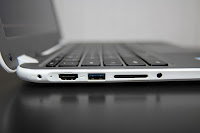
Recording a video with the webcam on your Chromebook can be accomplished through the use of a free Chrome app called CaptureCast. CaptureCast, produced by Cattura Video, allows you to record the screen on your Chromebook as well as input from your webcam. To record a video with the webcam on your Chromebook open CaptureCast […]