

Two Resources to Help Make Virtual & Hybrid Learning More Equitable & Effective

This is a guest post from Dr. Beth Holland (@brholland), Research & Measurement Partner at The Learning Accelerator (TLA) – a national nonprofit. As the school year ramps up again, teachers and leaders have to confront the same challenge that has been plaguing schools since the start of the pandemic: how to develop more effective, […]
Focusable Looks Like a Promising New Approach to Online Instruction

Focusable is a new service from the same people that brought us Swivl and Synth. Focusable is currently in a private beta (public beta to launch in August) so there isn’t a lot of information available about it. That said, what I’ve seen so far makes Focusable look like a promising new approach to online […]
How to Create an Online Course With ConvertKit

A couple of weeks ago I published a video and blog post about how to create a professional development series in Gmail. The method that I outlined in that post works well if you use Gmail, use Google Forms, and aren’t particularly interested in the aesthetics of what you publish. But if you don’t use […]
How to Create a Professional Development Series in Gmail

As we head into the last part of the school year some of us are starting to think about and plan professional development activities for the summer and the following school year. It’s nice to be able to offer in-person PD sessions again and I’m looking forward to facilitating a few of those this summer. […]
Creating and Marketing Online Courses With TinyTap
Disclosure: TinyTap is currently an advertiser on FreeTech4Teachers.com In last week’s post about using TinyTap to create your own online courses I mentioned that there is an option to sell your courses for use beyond your classroom. That’s what today’s post is all about. In this post I’ll outline why you would want to create […]
Old School Meets New School in Volley for Education
Last week I wrote a lengthy blog post and shared a few videos about an exciting new messaging platform called Volley. Even though I spent a long time dabling in Volley and setting up some spaces in it, I never really settled on a great, quick description of it. Then on Friday afternoon as I […]
Q&A in Microsoft Teams Meetings

I’m not a regular Microsoft Teams user (the schools and clients I work with all use Zoom or Meet) which is why I rely on Mike Tholfsen’s great YouTube channel to keep me updated about the latest and greatest in Microsoft Teams. It’s through Mike’s channel that I learned about the relatively new and updated […]
Six Reasons to Try Tract for Remote & Hybrid Learning
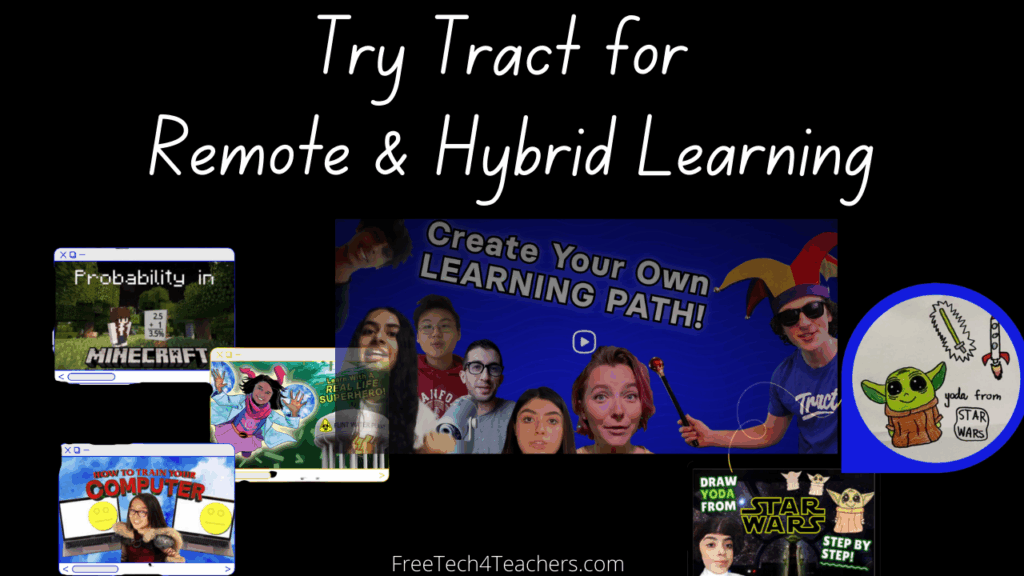
Disclosure: Tract is an advertiser on FreeTech4Teachers.com As we head into winter (in the northern hemisphere) there may be more opportunities to try new approaches to online and hybrid learning. One of those new approaches to try is using Tract. Tract is a service that I wish I had access to last year when my […]
Google Adds More Audio and Video Controls to Google Meet

This week Google announced a new feature that will be welcomed by any teacher who regularly uses Google Meet to host online classes. That feature is the ability to selectively mute participant audio and video. For quite a while you’ve been able to mute all participants and turn off their webcams. The new feature prevents […]
An Update to Google Meet Call Quality

One of the most annoying things to start any video call is the process of resolving sound quality issues like a persistent echo. Google recently announced an update to Google Meet to address that problem. Google Meet will now notify you when your audio is causing an echo for others. In other words, even though […]
Annotate Meet – One of My New Favorites in 2021

I’m taking this week to recharge and get ready for the next session of the Practical Ed Tech Virtual Summer Camp. For the next few days I’m going to highlight some of my favorite new and new-to-me tools so far this year. Annotate Meet is a Chrome extension that lets you draw on your screen during […]
More Virtual Background Options in Google Meet

Last fall Google added options for blurring your background in Google Meet and using your own pictures as backgrounds in Google Meet. This week another background option was added to Google Meet. You can now use videos as virtual backgrounds in Google Meet. Right now the options are limited to just videos provided by Google. […]
Zoom Now Offers a Cool Immersive View
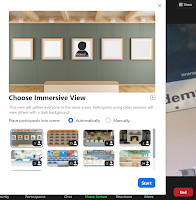
Are you tired of looking at the same old view in your Zoom meetings? You’re not alone! It appears that even the people who work at Zoom are tired of the same old views. To remedy that problem, on Monday Zoom introduced a new immersive view option for Mac and Windows users. Zoom’s immersive view […]
How to Quickly Duplicate and Sort Jamboard Pages

Jamboard has a lot of handy features and neat uses for in-person and online instruction. I recently outlined a bunch of them in this blog post. This afternoon someone emailed me looking for help with duplicating pages within a Jamboard. Like a lot of things, it’s easier to show how to do it than it […]
Five Jamboard Features You Should Know How to Use

In the last year Jamboard has become one of my favorite tools for online and hybrid instruction. I often use it in place of Zoom’s whiteboard function because I can create multiple page whiteboards that I then share with my students via Google Classroom. My students can then take notes on their own copies of […]
Five Ways to Get Students to be More Active in Remote Learning

This is a guest post from Hali Larkins (@HaliLarkins), communications intern at The Learning Accelerator and Master’s student at Columbia Teachers’ College. In remote environments, sustaining engagement is a challenging task even for adults, but with school continuing to take place virtually, the question of “How to motivate and keep students engaged in remote learning?” […]
Three Areas That Can Help Teachers Improve Hybrid Learning for All Students

This is a guest post from Hali Larkins (@HaliLarkins), communications intern at The Learning Accelerator and Master’s student at Columbia Teachers’ College. Across the country, teachers, students, and families have been engaging in simultaneous learning (often referred to as hybrid learning, or “Zoom and Room”) for quite some time. A year into these practices, we […]
Three Ways Teachers Can Improve Remote Learning
This is a guest post from Hali Larkins (@HaliLarkins), communications intern at The Learning Accelerator and Master’s student at Columbia Teachers’ College. Right now, many students are still trying to navigate major changes to their environments, learning formats, and wellbeing —all factors that can impact their ability to do well in remote learning. Teachers can […]
Jamboard Now Offers Version History
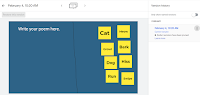
This school year Google’s Jamboard has become one of my go-to tools for hybrid instruction. Yesterday, Google added a feature to Jamboard that I’m excited to finally see. That feature is version history. Version history in Jamboard works just like version history in Google Docs and Google Slides. To access it simply open the little […]
Some of my Favorites – Create Labeling Activities in Google Drawings

This week is school vacation week here in Maine. I usually take this week off to go ice fishing on Moosehead Lake. Unfortunately, that’s not happening this year. Instead I’ll be “staycationing” and working on some projects around home. While on my staycation I’ll be sharing some of my personal favorite tools and blog posts. […]
Some of my Favorites – Jamboard in Google Meet

This week is school vacation week here in Maine. I usually take this week off to go ice fishing on Moosehead Lake. Unfortunately, that’s not happening this year. Instead I’ll be “staycationing” and working on some projects around home. While on my staycation I’ll be sharing some of my personal favorite tools. The integration of […]
Whiteboard.chat – Create Online Whiteboards You Can Share and Monitor

Back in September I wrote a review of a new online whiteboard tool called Whiteboard.chat. I like it because it allows teachers to create whiteboards for their students. Teachers can then remotely monitor the whiteboards to see what their students are doing on those whiteboards. It’s great for doing things like asking students to solve […]
Filters, Captions, and Other Zoom Features You Might Have Missed

A few weeks ago I published an article in which I mentioned that Zoom didn’t have a native transcription or captioning feature. Within minutes of hitting publish on that article, people emailed me to point out that I was wrong. I’m thankful for that because it opened my eyes to a feature that I was […]
How to Save Your Zoom Meeting Annotations

Last week a colleague asked me if there was a way she could save the sketches that she made for students during her Zoom calls. Since we work in the same building I just walked to her room and showed her how to save the annotations. But I’m sure that there are other teachers who […]
Muted Notifications During Google Meet Calls

There’s a new Google Meet feature that those who utilize pop-up notifications will probably like. Now when you’re sharing your screen in a Google Meet call, Chrome will automatically mute and hide pop-up notifications from things like Gmail, Google Calendar, and Google Keep. It will also mute notifications from non-Google services like Slack and Intercom. […]
See Video, Chat, and Notes at the Same Time in Microsoft Teams

Mike Tholfsen has released a new video that teachers using Microsoft Teams for online instruction should be excited to see. In this new video Mike demonstrates how to use the new presenter view in Microsoft Teams Meetings. As you’ll see in the video, the new presenter view is similar to the presenter view you’re probably […]
Draw on Your Screen in Google Meet

Annotate Meet is a Chrome extension that lets you draw on your screen during a Google Meet call. A reader named Eli mentioned it to me a couple of weeks ago so I gave it a try. Annotate Meet provides you with a small set of tools that you can use to draw or type […]
My Current Hybrid Classroom Arrangement and Equipment

Last Friday I posted this picture on Instagram. It prompted a few questions on Instagram and in my inbox. The picture is of my current hybrid classroom equipment arrangement. Back in August I published a rundown of my hybrid classroom arrangement. It’s changed a bit since then to meet my changing needs and those of […]
Five Ideas for Online Breakout Room Activities

Breakout rooms in Zoom, Microsoft Teams, or Google Meet provide a good way to get students talking and working in small groups. For some students, talking to a couple of classmates in a small breakout room is a lot less intimidating that talking to you “in front” of the whole class. Small breakout rooms give […]
How to Reduce Noise in Microsoft Teams Meetings

Good microphones like Blue Snowball microphones can help you sound better in a virtual meeting. But you can also use a new feature in Microsoft Teams to reduce the background noise that comes through your calls. In this new video Mike Tholfsen demonstrates how to reduce background noise in Microsoft Teams calls. It’s an impressive […]
Ten Google Meet Features for Teachers – Fall 2020 Update

Back in the late winter/ early spring of this year I published an overview of Google Meet features you should know how to use for teaching online classes. Since then Google has updated old features and introduced new ones. To reflect the updates made since the spring I created this new video overview of ten […]
How to Use and Adjust Grid View in Google Meet

In my unofficial tech support role at my school I get asked a lot of questions. Now that we’re back to 100% online teaching and learning those questions are coming as emails instead of as “hey Richard” questions in the hallway. One of the questions I got this morning was about viewing all students in […]
Stanford Offers a Free Workshop About Online Instruction

This coming weekend Stanford Continuing Studies is hosting a free workshop about online instruction. The workshop, Teaching Your Class Online, will be facilitated by three instructors from Stanford Online High School. The workshop is intended for middle school and high school teachers who would like to learn more about strategies for supporting online students, effective […]
A New Google Meet Feature That Brings Order to Class Meetings

Does it ever feel like conducing an online class meeting is an exercise akin to herding cats? Between making sure that every kid can hear you and then making sure that they don’t talk over each other or you, managing an online class meeting is challenging. Fortunately, Google has just announced a new feature that […]
Lucidspark – A New Collaborative Online Whiteboard Option

Lucidspark is a new collaborative whiteboard tool from the makers of the popular Lucidchart service. Lucidspark has all of the features that we’ve come to expect in an online whiteboard tool. It contains tools for placing pre-made shapes, drawing with a pen tool, and adding text to the screen. There is a wide array of […]
Use a Zoom Virtual Background for Lesson Outlines

One of the many challenges of teaching in a hybrid classroom setting this fall is giving the kids who are attending virtually a similar experience to those who are attending class in-person. To that end, one of the things that I’m trying this week is using virtual background in Zoom that lists the bullet points […]
Create and Conduct Polls in Google Slides

Poll Everywhere is a polling tool that I’ve used off and on throughout the past decade. It’s a great tool for gathering questions from an audience, polling an audience, and seeing word clouds of sentiment from an audience. People can respond to your poll questions from their laptops, tablets, and phones. You can use Poll […]
The Easiest Way to Use Jamboard in Google Meet

A few weeks ago Google announced that Jamboard would be integrated into Google Meet. Earlier this week that finally happened in all of my Google accounts. This makes it easier than ever to use Jamboard in Google Meet. The old method that I used was fine, but the new integration is so much easier. In […]
Jamboard is Now Integrated Into Google Meet

Back in June Google started teasing the possibility of Jamboard being integrated into Google Meet. The possibility has come to fruition as yesterday afternoon Google announced that Jamboard is now integrated into Google Meet. Jamboard can be launched inside of Google Meet by opening the small sandwich menu (the three little dots in the […]
How to Protect Privacy When Publishing Recordings of Virtual Meetings

During yesterday’s episode of Two Ed Tech Guys Take Questions & Share Cool Stuff someone asked for a suggestion on how to blur or mask students’ faces when publishing the recording of a Zoom class meeting. My suggestion was to upload the recording to YouTube and then use the automatic blurring tool built into YouTube’s […]
Blurred Backgrounds and Custom Grids in Google Meet

Yesterday, I shared news about a new teacher control in Google Meet. Today, there are two more new Google Meet features to note. The latest announcements from Google about Meet carried the news that you’re now able to customize the grid view in your meetings and you can now blur your background in Meet. Both […]
Google Adds Another Control for Teachers Using Google Meet

Eleven days ago Google announced the launch of new Google Meet controls for teachers. Those new controls were the ability to specify who can or cannot share screens in a Google Meet meeting. This week Google announced the launch of another meeting control for teachers using Google Meet. The latest update to Google Meet introduces a […]
How to Use Classwork to Create & Share Online Assessments

Disclosure: Classwork is an advertiser on FreeTech4Teachers.com Earlier this week I wrote an overview of a great new service called Classwork. Classwork lets you quickly convert your favorite PDFs, Word documents, and images into online activities and assessments. Last night I created a short video that walks you through the process of creating an activity […]
How to Use Nicknames in Google Meet – And Why You Should Try It

One of the best features of Google Meet is one that is front and center at meet.google.com but is often overlooked or misunderstood. That feature is the option to give your meeting a nickname. Using a meeting nickname in G Suite for Education is an excellent alternative to displaying and using the Google Meet link […]
Five Tips for Live Online Instruction

Whether you use Zoom, Google Meet, or Microsoft Teams for online class meetings there are some universal things that you can do to make the experience better for you and your students. The following five tips for live online instruction are an excerpt from my recently published 2020-21 Practical Ed Tech Handbook. Elevate your camera […]
Five Current Google Meet Features to Note

Last week Google announced a bunch of additional features that will be coming to Google Meet later this fall. Before those appear in your Google account, here are five other features of Google Meet that you should how to use. Meeting Nicknames: This feature allows you to choose a nickname for your meeting in place […]
Seven Zoom Tutorials to Watch Before School Starts

As the new school year approaches I’ve been getting a lot questions about Zoom. I have published some tutorials on my YouTube channel that address most of those questions. Until this morning I haven’t put them all together in one place. Here are my Zoom tutorial videos. The Basics of Hosting a Zoom Meeting Zoom […]
All About Zoom Breakout Rooms

Breakout rooms is one of the best features of Zoom. If you’re anticipating using Zoom this fall and you haven’t tried the breakout rooms function, you need to try it. Breakout rooms will let you create small group work environments within your Zoom meeting. Breakout rooms let you start your meeting will all students in […]
Zoom from Teacher and Student Perspectives

As the new school year gets closer I’m getting a lot of requests for help with Zoom. I have published a few video tutorials about Zoom including this one that covers the basics of setting up a meeting with students. I’ve also published this one about how students see Zoom meetings on Android phones. But […]
Using DocsTeach to Create Online Lessons – Free Webinar Next Week

DocsTeach is a favorite resource of mine for U.S. History teachers and students. I used it and it’s predecessor fairly regularly when I was teaching U.S. History. DocsTeach provides an online space where you can create primary source based lessons for your students to complete online or offline. Last fall I published a detailed tutorial […]
7 New Google Meet Features for Teachers

In a move that clearly is an attempt to match the functionality of Zoom and Microsoft Teams, Google has announced some new features that will soon be coming to Google Meet for G Suite for Education users. All of the new features that were announced address the many concerns about Google Meet that teachers have […]
Another Whiteboard Option for Google Meet Users

A couple of weeks ago I wrote about how to use a whiteboard in Google Meet without screensharing. That method featured using a neat tool called Whiteboard Fi. Some people have had great success using that method and others have asked me for other options. That’s what this post will address. Google’s Jamboard is available […]
How to Quickly Incorporate Google Meet Into Google Classroom
Thanks to a Tweet from Chris Pirkl yesterday evening I learned that Google has now made it easier to post Google Meet links in Google Classroom. In fact, now you can now have a Google Meet link permanently assigned to each of your classrooms with Google Classroom. This means that you can have the same […]
Three More Free Webinars About Online Learning

Last week Rushton Hurley hosted three webinars about transitioning to online teaching and learning. Those webinars addressed a lot of questions about planning. You can watch the recording of his webinar from last week here. Rushton is hosting three more free webinars this week. Here’s how Rushton describes the webinars that he’s hosting this week: […]
Webinar Recording – Three Things We Can Do To Quickly Transition to Teaching Online

Last night I hosted a free webinar in which I shared what I’m doing to transition to quickly transition to teaching my high school classes online. I also shared some advice from my colleague Dr. Wendy Robichaud on how to prepare students for online learning and what to focus on in the first week or […]
How to Schedule and Host Google Hangouts Meet Events – Video

Last week I published a series of screenshots illustrating how to schedule and host Google Hangouts Meet events. For those who would like to see the whole process in a video format, I recorded the following tutorial video. In How to Create Google Hangouts Meet Events you’ll see two methods for creating events and inviting […]
Cisco Makes Webex Free and Publishes Guides for Teachers and Students

In amongst a wave of email related to COVID-19 I found a message from my local Cisco contact (my school licenses their NetAcad program) that Webex is now free to any school that needs it to conduct classes online. To support a quick transition to using Webex for classes, Cisco has published some short guides […]
Three Free Webinars About Transitioning to Teaching Online

In my previous post I mentioned Rushton Hurley’s Emergencies and Switching to Online Learning. Later this week Rushton is going to host three free webinars on the topic. The webinars are Wednesday at 4pm ET and 7pm ET and then again on Friday at 4pm ET. You can register for the webinars here. In describing […]
Two More Guides to Transitioning to Online Instruction

Last week and again this morning I published my top tips and tools for teaching remotely if your school closes due to COVID-19 outbreak. And as I mentioned on my podcast, Larry Ferlazzo has a good list of resources going too. Now there are two more guides that I’d like to draw your attention to. […]
How to Host an Online Meeting With Zoom

In my recent post titled Tips and Tools for Teaching Remotely I mentioned using Zoom to host online classes if Google Hangouts Meet or Microsoft Teams aren’t available to you. I’ve used Zoom’s free plan for about five years and it has been more than adequate for one-on-one and small group meetings. Zoom’s free plan lets […]
The Practical Ed Tech Podcast Episode 36 – Teaching Online and More

This episode of The Practical Ed Tech Podcast is a bit longer than the usual weekly episodes. The first ten minutes of this episode is spent explaining some strategies and tools for teaching online. I did this in response to all of the emails and Tweets I’ve received in the last week regarding teaching online […]
How to Schedule, Host, and Customize Google Hangouts Meet Events

Last night I published Tips and Tools for Teaching Remotely. This morning I had an email from someone who read that and wanted to know if I had any tutorials on using Google Hangouts Meet. I didn’t so I quickly made the following set of screenshots before my own class starts today. I’ll try to […]
Tips and Tools for Teaching Remotely

Over the last week I’ve received a bunch of emails and Tweets from people looking for my suggestions on tools and tactics for teaching online if schools are closed due to COVID-19. I’m going to start this post with some tips for giving online instruction then get into some recommended tools. Tips for Giving Live […]
How to Use Know Lounge to Host Online Tutoring Sessions

Know Lounge is a free service for hosting online tutoring sessions. A bunch of new options were added to Know Lounge this week so I made a new video to demonstrate how to use it. In addition what is demonstrated in the video above, Know Lounge now includes a quiz function. You can create a […]
Know Lounge Adds New Features for Teaching Online

Know Lounge is a free service for hosting online instructional sessions in the web browser on your computer or on your iPad. I initially reviewed the service in February and found it easy to use although a bit lacking of features. Today, Know Lounge announced the addition of new features that teachers will like. Know […]
Know Lounge – Host Online Tutoring Sessions for Free

Know Lounge is a complementary service to the Know Recorder app that I reviewed yesterday. Know Lounge lets you create an online room in which you can host tutoring sessions and record videos. In the video embedded below I demonstrate how to use Know Lounge as teacher. Applications for Education Know Lounge could be a […]