

New eBook – Teaching Search Strategies to History Students
Earlier this week I listed the educational technology topics that I’m still passionate about after all these years. One of those topics is search strategies and discovery tools for students. To that end, I’ve recently updated my e-book on Teaching Search Strategies to History Students. In my updated e-book Teaching Search Strategies to History Students […]
Using Google Slides to Organize Research
Like many of you, when I was in middle school and high school I was taught to create index cards to organize our research. After creating the cards we sorted them into an order to support writing our research papers. That same concept can be applied to organizing research with Google Slides. In the video […]
Try Using Vocabulary Lists to Help Your Students Conduct Better Searches

This is an excerpt from this week’s Practical Ed Tech Newsletter. I’m in the process of updating my Search Strategies Students Need to Know online course. In the process of doing so I revisited a good article that I read a few years ago. That article is Characterizing the Influence of Domain Expertise on Web Search […]
A Short Overview of the Internet Archive’s Wayback Machine – And How I Use It

The Internet Archive can be a great place to find all kinds of old videos, audio recordings (there’s a huge collection of Grateful Dead show recordings), pictures, and books. The Internet Archive also offers a tool called the Wayback Machine that you can use to see what a website looked like on a previous date. […]
Searching is a Thinking Skill

Have you ever had a conversation with a student that went like this? Student: “Mr. Byrne, Google has nothing on my topic.” Mr. Byrne: “What is your topic?” Student: “The Civil War.” Mr. Byrne: “Are you sure that Google has nothing about the Civil War?” Student: “Well I looked at a bunch of links, but […]
Spot the Differences – Another Founder’s Day Lesson

As I mentioned in a blog post yesterday, I’m spending today helping with one of our community’s Founder’s Day events. The event that I’m helping with is the car show. I’m doing it because I’m friends with care-taker of the collection and because it gives me a chance to look at the cars up close. […]
Thank Your School Librarians! And Ask Them for Help!

While looking at the Kikori SEL calendar I noticed that today is National School Librarian Day! Many of you who read this blog are school librarians, thank you! Thank you for the work that you do in schools to help students (and staff) become better researchers, discover new and exciting books, and generally just being […]
A Short Overview of the Wayback Machine

In yesterday’s blog post about unraveling an email scam I mentioned that I used the Internet Archive’s Wayback Machine as a part of that process. The Wayback Machine is a useful tool for finding out what a website looked like a given point in time over the last 25 years. The Wayback Machine can be […]
Five Helpful Google Keep Features for Students

Google Keep is a great tool for middle school and high school students to use to create assignment reminders, bookmark important research findings, organize information, save images, and re-use notes in their research documents. All of those features and more are demonstrated in my new video, Five Google Keep Features for Students. Five features of […]
Add Google’s Ngram Viewer to Your List of Research Tools

Google’s Ngram Viewer is a search tool that students can use to explore the use of words and names in books published between 1800 and 2019. The Ngram Viewer shows users a graph illustrating the first appearance of a word or name in literature and the frequency with which that word or name appears in […]
Five Things Students Should Know About Google Books

Last week I wrote an explanation of why Google Books can be a helpful research tool for history students. In short, it helps students locate and search inside books without having to track down a physical copy of each book that they are interested in reading. If students do want a physical copy of a […]
Using Google Books in History Classes

As the name implies, Google Books is a search engine for locating books. Through Google Books you’ll find books that you can read in their entirety for free and books that you can preview for free. Most importantly, Google Books lets you search for keywords within books. Searches on Google Books can be refined according […]
How Excluding Words Helps Narrow the Scope of a Search

One of the options in Google’s Advanced Search menu is to exclude specific words from search results. At first, excluding words from search results might seem counterintuitive to learning as much as possible about a chosen research topic. After all, reading extensively about a topic is the best way to learn about it. However, there […]
Primary vs. Secondary Sources

A couple of times this week I have written about using primary sources in history lessons and or research lessons. That has reminded me of a couple of good videos that can help students understand the differences between primary and secondary sources. The Minnesota Historical Society offers a fantastic video on the topic of primary v. […]
Challenge – Introduce Students to Academic Search Engines and Databases

In the minds of many students yelling “Hey Siri, tell me about Martin Luther King, Jr.” or “Hey Google, when did the Soviet Union collapse?” is conducting research. As teachers we know that research is a process that goes far beyond telling a machine to give us some information. The challenge is to get students […]
Seven Free Tools That Help Students Format Bibliographies

Back when I was in high school we had to learn how to create bibliographies by working from a template that my history teacher, Mr. Diggs, provided to us. When I went to college, I referred to that template and an early version of The Student Writer to make bibliographies. Today, students have a wealth […]
Five Uses for Wakelet in Your Classroom

Disclosure: Wakelet is a new advertiser on Free Technology for Teachers. Over the last few years I’ve watched Wakelet grow from something that looked like “another bookmarking” tool into a full-fledged platform for creation and sharing of educational resources. Wakelet can be used for creating instructional videos, building portfolios, making online art galleries, bookmarking, and much […]
Research Starters from the National WWII Museum

Last week at the end of one of my classes we were talking about how everyone was adjusting to wearing masks all day and social distancing in school. A couple of my students grumbled about it. That grumbling was met by a reply from another student who said, “Guys, it’s not that big a deal! […]
How to Search for Open-Access Datasets

Last spring I had a chance to see Dan Russell give a presentation of a new Google search tool called Dataset Search. It spent 2019 in beta. Last week it lost beta label and is now widely available to anyone who wants to use it. In a recent blog post Dan Russell explained a couple […]
How to Use WorldCat to Locate Books in Libraries Near You

Over the last couple of days I’ve seen a lot of summer reading lists floating around on Twitter. If you’re starting to acquire your summer reading books, before you hit “buy now” on Amazon, search on WorldCat to see if a library in your area has a copy of the book that you want to […]
An Update to Five Directions for AR in Education
Lately, I have been spending quite a bit of time digging into research and academic writing about the development and evolution of many of the educational technologies that are common in schools today. Last week I read through Augmented Reality: An Overview and Five Directions for AR in Education authored by Steve Chi-Yin Yuen, Gallayanee […]
How to Use Google’s Dataset Search Tool

Yesterday, I wrote an overview of Google’s relatively new Dataset Search tool. It is a tool that is designed to help users locate publicly available datasets. As I explain in the following video, datasets aren’t limited to CSV or Excel files. Through the Dataset Search tool you will find datasets in the forms of Google […]
Ten Search Strategies Students Should Try

Students often think that because they can type a phrase into Google or saying something aloud to Siri they know how to search. Of course, any teacher who has heard a student say “Google has nothing on this” or “there’s no information about my topic” knows that students don’t inherently know how to search despite […]
Find & Read Old Newspapers Through the Google Newspaper Archive
Yesterday’s blog post about the Chronicling America collection of digitized newspapers prompted Daniel Bassill to ask me about options for newspapers printed after 1963. My suggestion was to try the Google Newspaper Archive. In that archive you will find hundreds of digitized copies of newspapers printed around the world. In the archive you fill find […]
Tutorials on Organizing OneNote
To most outside observers my notebooks, both digital and physical, are a hot mess. That’s because I rarely employ tags, folders, or any of the other traditional methods used to organize a notebook. The only time I do use tags and folders is when I am working on specific research project. The rest of the […]
How to Compare Information on Wolfram Alpha
As I mentioned in a blog post published over the weekend, Wolfram Alpha is useful for more than just solving math and science problems. In fact, it can be a great resource for students who need to quickly find and compare background information on two or more people, places, or things. In the following video […]
This Chrome Extension Helps You Find Books to Borrow

Library Extension is a free Chrome extension that will show you local library listings for the books that you viewing on Amazon, Google Books, Barnes & Noble, and other popular book retailer websites. Library Extension currently shows listings from more than 4,000 public library databases in the United States, Canada, UK, New Zealand and Australia. […]
Beyond Words – A Library of Congress Lab Experiment

The Library of Congress Labs is a website that hosts online experiments based on collections of digital artifacts housed by the Library of Congress. One of the experiments that should be of interest to US History teachers is the Beyond Words project. Beyond Words is an online project designed to identify illustrations in WWI-era newspapers. […]
Learn Anything (Almost) Through These Interactive Mind Maps
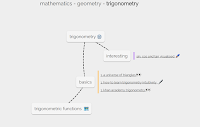
Learn Anything is a neat website that is essentially a giant mind map. Enter a topic into the search box on Learn Anything and a mind map of related topics will appear. Each node of the mind map that appears is hyperlinked to either another mind map, to a video, or to text-based resources for […]
Fact Fragment Frenzy
Fact Fragment Frenzy is a free iPad and Android app from Read Write Think. The purpose of the app is to help students learn how to pull facts out of a passage of text. The app includes a demonstration video in which the narrator explains which words in a text represent facts and which words […]
Classtools Offers a Handy Source Analysis Tool for Students
Classtools.net offers dozens of neat tools for students and teachers. Over the years I have featured many of those tools in blog posts and videos. One Classtools tool that I haven’t previously featured is the Source Analyser. The Classtools Source Analyser provides students with a simple template that can help them analyze the resources that […]
Formatically Helps Students Properly Format Essays
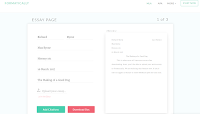
Formatically is a free service that helps students properly format their papers in MLA style. Students can use Formatically without creating an account on the site. To get started students simply need to fill in requested information on the Formatically MLA template. Once the template is completed students will have a new document that they […]
Hexagon Learning Template

Earlier this week I Tweeted Terri Eichholz’s blog posts about hexagonal learning. In those posts she outlined how hexagonal learning worked in her classroom. It’s notable that Terri also shared the mistakes she made when trying to use visual hexagonal learning lessons with her students. Terri works with elementary school students. Hexagonal learning can also […]
How to Use Google Scholar to Track Product Developments
Last week I wrote about how students can use Google Scholar to track product developments and innovations over time. In the video embedded below I provide more details on how students can use Google Scholar and Google Patents to trace the history of a product’s development. We’ll cover topics like this one and many more […]
A Guide to Google Books for Students & Teachers – Best of 2015-16 School Year
All of this week I am on the road working with teachers in Texas, Kansas, and Arizona. Rather than scrambling to write blog posts at the end of each day, I’m taking this time to feature some of the most popular posts and new tools of the 2015-2016 school year. Google Books is one of […]
Use the Crowd to Go Beyond Google

Whenever I have the opportunity to speak about personal/ professional learning networks (PLNs) one of points that I stress to the skeptical members of the audience is the idea of going beyond Google. By that I mean using social networks to discover ideas and information that you might not find if you were simply Googling […]
Comparing Textbooks to Wikipedia – A Student & Teacher Lesson

Last week during NCTIES I shared an activity that I have done with students and teachers to help them identify the similarities and differences between information presented in their textbooks and information presented in Wikipedia articles on the same topics. An outline of the activity is available here. The activity is one that I developed […]
Google Books for Teachers and Students – A Guide
Google Books is one of my favorite research tools that students and teachers often overlook. In a post earlier today I embedded a book that I found through a Google Books search. Google Books allows you to do that with books that are in the public domain. I have done that a lot over the […]