
Quizalize Games – Turn Any Quiz Into an Epic Game
Disclosure: Quizalize is an advertiser on FreeTech4Teachers.com. Quizalize is a great teaching tool that I’ve used and written about since 2015 when it differentiated itself from the market by being the first classroom quiz game tool that offered an option to have your students play your quiz game as an in-classroom group activity or at-home […]
How to Make a Connecto Game – Great for Review Activities
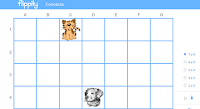
Connecto is the latest game template published by Flippity. The template lets you use Google Sheets to create a digital version of Connect Four in which students shave to correctly answer a series of questions to connect a line of grid spaces. I wrote about the game and how it’s played last week. Since then […]
A New Flippity Game Template – Connecto!

Flippity recently published a new game template for Google Sheets users. The new template is called Connecto. Connecto is probably best described as a digital version of the classic Connect Four game. Connecto lets you create a game board as large as forty-two cells (7×6) and as small as nine cells (3×3). The game template […]
Twelve Good Tools for End-of-Year Review and Practice

The end of the school year is quickly approaching. At this time of the year I start to get a lot of requests for suggestions for tools to create review activities. I shared some ideas in this week’s Practical Ed Tech Newsletter including what I’m doing in my classes. If you’re looking for some more […]
Fling the Teacher! – A Fun Review Game
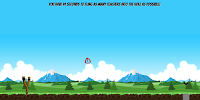
Fling the Teacher is a game that I mentioned briefly in this week’s Practical Ed Tech newsletter. If you’re not subscribed, here’s a recap of what Fling the Teacher is. Fling the Teacher lets students fling or slingshot their teachers across the screen for up to sixty seconds after they correctly answer fifteen consecutive multiple choice […]
How to Create Your Own Online Board Game

Those of you who have followed my blog for a while probably know that Flippity is one of my go-to recommendations for anyone looking to make games, flashcards, and timelines with Google Sheets. Recently, Flippity introduced a new template for making your own online board game through Google Sheets. With Flippity’s new board game template […]
How to Use Kahoot in Google Classroom

This is the time of year when many of us are looking for fun ways to conduct end-of-year review sessions with our students. Playing Kahoot quiz games is one of the most popular means of doing that. Kahoot games are fun to play in a classroom and you can also use them for remote learning […]
Two Ways to Create Your Own Online Memory Games

Last week I was asked if it’s possible to use the MIT App Inventor to create a matching game. It certainly is. In fact, I have a student who is working on doing that right now. It’s a great exercise through which she’s learning about all of the variables and parts of the app that […]
Create a Sorting Game With a Free ClassTools Template
In last week’s episode of The Practical Ed Tech Podcast I answered a question about tools for creating sorting games. The Dust Bin game template from ClassTools was one of the tools that I suggested using for creating a sorting game. The template lets you create a review game in which students sort answer choices into […]
Fling the Teacher! – A Fun Review Game from Classtools

Russel Tarr recently added a new game template to the toolbox available on Classtools.net. The new game is called Fling the Teacher. Fling the Teacher lets students fling or slingshot their teachers across the screen for up to sixty seconds after they correctly answer fifteen consecutive multiple choice questions. Try it for yourself with this […]
How to Create Vocabulary Games on Educandy
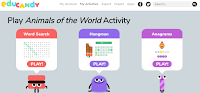
Educandy is a new service for creating simple vocabulary games and multiple choice trivia games. A convenient aspect of the service is that once you’ve created a list of vocabulary words it will automatically be applied to multiple game formats for you. In other words, write one word list and you’ll get three games that […]
How to Find and Edit Thousands of Halloween Games for Your Classroom

As I write this there are two mini pumpkins on my desk courtesy of my daughters. If you’re an elementary school teacher, I bet that there are plenty of visual reminders of fall and or anticipation of Halloween around your school. As Halloween gets closer and you think about reviewing trick o’ treating safety or […]
How to Use Kahoot’s New Question Bank to Create a Game
Earlier this summer Kahoot gave a preview of some new features including a question bank for making quiz games. Today, Kahoot made that question bank available to all users. Along with making the new question bank available to all users Kahoot unveiled a slightly new user interface for making quiz games. I tried it out […]
Kahoot Adds a Smart Practice Mode

Kahoot has added a new way for students to use the free Kahoot iOS and Android apps. The new way to use the apps is to play games in what Kahoot is calling Smart Practice mode. Kahoot’s new Smart Practice mode gives students an opportunity to focus on the questions that they answered incorrectly during […]
An Educational Game About Animal Habitats
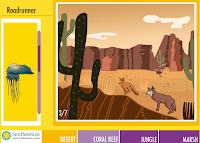
Habitats is an educational game from the Smithsonian Science Education Center. The online game challenges elementary school to match animals to their habitats. In the Habitats game students are shown images representative of four habitats; desert, coral reef, jungle, and marsh. To play the games students have to drag pictures of animals from a list […]
Best of 2018 – Create Jeopardy Games in Google Slides

This week is a vacation week for the vast majority of readers of this blog. As I do at this time every year, I’m going to republish some of the most popular posts of 2018. Here’s one from August. I think I was in the second grade the first time that I played Jeopardy-style review […]
Best of 2018 – How to Create a Bingo Board With Google Sheets

This week is a vacation week for the vast majority of readers of this blog. As I do at this time every year, I’m going to republish some of the most popular posts of 2018. Here’s one from February. Flippity is one of my favorite Google Sheets Add-ons because it gives you direct access to […]
Create Digital Scavenger Hunts With Flippity’s New Google Sheets Template

Flippity is a site that offers great Google Sheets templates that you can use to make flashcards, timelines, and games. The latest game template added to Flippity is a scavenger hunt template. Flippity calls it a scavenger hunt but it is more like a series of trivia questions that students answer to open digital locks. […]
A Great Example of a Teacher and Student Working Together
A couple of years ago I was contacted by a teacher just down the road from me in Portland, Maine who had developed an online geography game with the help of one of his students. That game was called GameOn World and it is still going strong today. In fact, they continued to work on […]
Blended Play – A Blend of Online and Offline Review Games

Blended Play is a service for creating educational games to use in your classroom. Unlike the game creation tools featured in my previous post, all of the games on Blended Play have to be played in your classroom. They have to be played in your classroom because Blended Play games are designed to be projected […]
Quizalize Introduces New Differentiation Tools

Quizalize is an excellent platform through which you can create and distribute online quiz games. Your students can play the games as a group in your classroom much like Socrative or Kahoot. You can also have your students play the games at home. In fact, Quizalize offered the “play at home” option long before Kahoot […]
Twelve Tools for Building End-of-year Review Activities (That Aren’t Kahoot Games)

The end of the school year is quickly approaching. At this time of the year I start to get a lot of requests for suggestions for tools to create review activities. Here are twelve good options for creating review activities. Video-based review activities: Vizia is a free tool for creating video-based quizzes. On Vizia you an […]
What’s Going On With Flippity? – I Found Out for You

A few weeks ago I was giving a presentation that included a demonstration of Flippity’s Google Sheets Add-on. A few minutes after the presentation a bunch of people told me that they received a security warning when they tried to install the Add-on. (I hadn’t seen the message because it was a new development since […]
Kahoot Now Lets You Share Games Through Remind

Last fall Kahoot released a new feature called “Challenges” that are review games your students can play at home or anytime they are outside of your classroom. That feature has proven to be popular. Today, Kahoot announced a new integration with Remind that will make it easier than ever to send Kahoot Challenges to your […]
Quizalize Announces a Game Design Competition for Students

Quizalize is one of my favorite services for creating and running review games for your students to play in your classroom or at home. Now they want students to get in on the game design fun. For the next five weeks Quizalize is accepting submissions to their Design-A-Game competition. The Design-A-Game competition asks students to […]
Quizalize Launches New Insights Features

Quizalize is one of my favorite tools for creating and hosting quiz games. One of the aspects of Quizalize that I have liked since it launched is the option to run quiz games as at-home activities instead of just in-class activities (Kahoot launched a similar option last fall). The other aspect of Quizalize that I […]
Outline Maps – Simple Geography Games for All
Update: February, 2020: This resource is no longer available. Outline Maps offers a free set of geography games. The site contains games about Africa, South America, Europe, the United States, and the world. There are two basic types of games on the site. The first type, “find by name,” displays a state, country, or city name […]
Blended Play: New Website for Creating Online Games

Blended Play is a free online portal where teachers of any subject and grade level can create games to review material. There are currently four games that teachers can select from including Mountain Climber, Viking Fleet, Sushi Takeover, and Space Sale. The games are played by teams of students and no devices are needed. The game […]
Create Interactive Diagrams on Quizlet

Earlier this month Quizlet, a popular flashcard service, added a new interactive diagram feature. This new feature can be used by students and teachers to create review activities that are based upon pictures and charts. Clicking on a point on an interactive Quizlet image will reveal the name or term clicked. You can then “flip” […]
Kahoot Launches a New Mobile App – Play Games in Classroom or at Home

Kahoot released a new mobile app this morning. The new app, available for Android and iOS, contains all of the features that were promised back in June at the ISTE Conference. The new mobile app will let students participate in Kahoot games both in the classroom and at home. The Kahoot mobile app offers a […]
Kahoot Launches a New Collection of Math Games
Kahoot, the immensely popular review game platform, has launched a new component for teachers. The new component is called Kahoot Studio. Kahoot Studio offers curated collections of pre-made Kahoot quizzes. The collections will contain quiz games created by Kahoot staff and Kahoot’s “expert” educators. As of right now the only curated collection in the new […]
Collaborate With Students to Create Quiz Games
Triventy is a free quiz game platform that earlier today I introduced to a great group of teachers in New Hampshire. The concept behind Triventy will feel familiar to anyone who has used Kahoot or Quizizz. Triventy differentiates itself from Kahoot and Quizziz by allowing you to accept question suggestions from students. In the video embedded […]
Three Ways to Create Jeopardy-style Games
On Friday I shared a video about how to create and play Jeopardy-style game on the Factile platform. There are other good options for creating and playing Jeopardy review games in your classroom. On eQuizShow you can build and display your quiz completely online. To build your quiz just enter a title, an administrative password, […]
An Easy Way to Create and Play Jeopardy-style Games
Earlier this week I shared news about the updated Jeopardy Rocks platform that is now called Factile. Factile lets you create Jeopardy-style game boards to use in your classroom. Factile also has a gallery of games that you can use if you don’t have the time to build a game from scratch. In the following […]
Jeopardy Rocks Now As Factile – Jeopardy & Flashcards

A couple of years ago I featured Jeopardy Rocks. Recently, Jeopardy Rocks changed its name to Factile and added some more features. At its core Factile is a free platform for creating Jeopardy-style game boards to use in your classroom. Factile lets you create games and save them in your account to use whenever you […]
Kupiter – Asteroids Meets Review Game
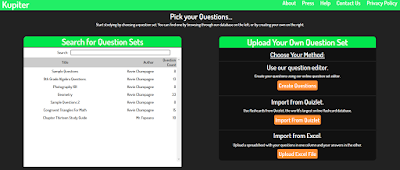
Readers of a certain age may be reminded of the Atari game called Asteroids when they look at a new review game called Kupiter. Kupiter is a game in which students answer questions by moving and shooting a laser at letters in order to spell the correct answers to quiz questions. Points are awarded for […]
Kahoot Adds a Team Mode – Best of 2016

As I usually do during this week, I’m taking some time off to relax, ski, and work on some long-term projects for the next year. This week I will be re-publishing the most popular posts of 2016. This week Kahoot, the wildly popular quiz game platform, released a new team mode. The new team mode […]
Two Options for Collecting Students’ Questions to Appear on Review Games
Earlier this week I received the following email from a reader, My desire is to create a database of questions in multiple choice, short answer and T/F . I guess a quiz, however I would like to “share” (like g docs) this database with my students so that they could add questions . What app […]
Jumble Mode Is a New Way to Play Kahoot Games
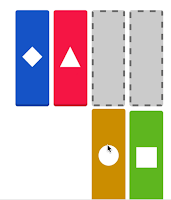
Earlier today while creating a chart to compare features of popular quiz game tools I noticed that Kahoot has a new formatting option called Jumble Mode. The jumble mode lets you create quiz games in which students sort answer choices instead of just picking one correct answer from a multiple choice or true/false question. The […]
Six Tools for Creating Classroom Quiz Games – A Comparison Chart

Twice in the last week I have given presentations about tools for creating fun formative assessment activities. The most popular part of that presentation is when we play a couple of quiz games in Kahoot and Socrative. Those are probably the best known quiz game platforms. They are not the only quiz game platforms. There […]
Try Quizalize to Run a “Quiz Night” for Students & Parents
Last week in Atlanta a teacher asked me about the possibility of running a “Kahoot night” in which her students and their parents would play Kahoot games at home together. There were two problems she was running into in organizing that idea. The first problem was timing the event so that everyone would sign-in at […]
Try Flippity’s Mix & Match Template to Generate Random Story Starters
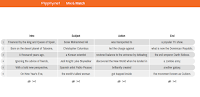
Flippity is a great website that provides templates for creating games, quizzes, and flashcards in Google Sheets. Recently, Flippity published a new template that could be great for creating random story starters. The latest Flippity template is called Mix & Match. Mix & Match lets you create an online grid that features random bits of […]
GameOn World – A Great, Multiplayer Geography Game

GameOn World is a new, multiplayer geography game developed by a high school teacher and his student in Portland, Maine. The game is similar in structure to that of Kahoot. In GameOn World the teacher selects a game category (cities, places, and timeline are three of the nine categories) and starts the game. The students […]
Great Review Games for the Classroom That Isn’t 1:1

A comment that I frequently hear during or after my workshop on backchannels and informal assessment goes something like this, “I would love to do these things, but not all of my students have computers to use.” Fortunately, there are some great review games that can be played in classrooms that only have a handful […]
Triventy – Collaboratively Create Online Games and Save the Results
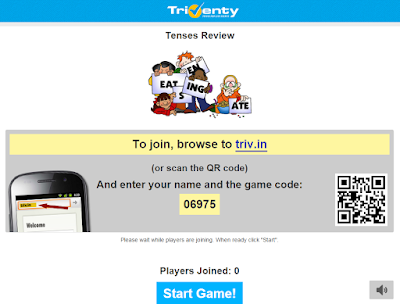
Triventy is a free online quiz game platform that is similar in concept to platforms like Kahoot and Socrative. Triventy differentiates itself from the crowd by allowing you to accept question suggestions from students. You can see an overview of Triventy in this video that I published in January. This week Triventy add a frequently […]
Mentimeter Adds a Quiz Option to Their Polling Service
Mentimeter is a nice service that allows you to pose a question to your audience and get instant feedback on that question through cell phones, tablets, and any other Internet-connected device. I reviewed the service a few years ago. Since then Mentimeter has added some more options for teachers. The latest option added to Mentimeter is […]
12 Tools for Creating End-of-Year Review Activities
This is the time of year that we think about activities that we can do to help students review the school year. At this time of the year I frequently receive requests for suggestions for tools to create review activities. The tools presented in the slides below can be used to create online games, iPad […]
Kahoot Adds a Team Mode

This week Kahoot, the wildly popular quiz game platform, released a new team mode. The new team mode is designed to be used with students who are sharing computers, tablets, or phones. In team mode students arrange themselves in teams around a shared computer or tablet. When you start a Kahoot game you’ll now choose […]
How to Create a Vocabulary Sorting Game on Classtools
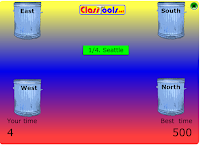
Classtools.net, developed and maintained by history teacher Russel Tarr, offers lots of great templates that you can use to create review activities for your students. Recently, I received an email from a reader who was having trouble with the Dustbin game template on Classtools.net. To help her out I created the video that you see […]
Quizalize – Create Interactive Review Games to Play Synchronously or Asynchronously

There is certainly not a shortage of interactive quiz platforms available to teachers today. Platforms like Socrative and Kahoot have turned boring review activities into fun games that students want to play all the time. The trouble with those platforms is that to get the most out of them all of your students need to […]
11 Backchannel & Informal Assessment Tools Compared in One Chart
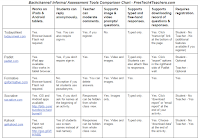
Last winter I made a series of charts in which I compared popular ed tech tools. I’m now going through those charts and removing some tools and adding some new ones. The chart embedded below is the updated version of my chart comparing 11 backchannel and informal assessment tools. At the bottom of the chart […]
4 Free Tools for Creating & Playing Interactive Quiz Games

Earlier this week I wrote about “ghost mode” being the talk of the Future of Educational Technology Conference in Orlando. That post prompted a few people to ask me about other quiz game platforms. I’ve used a bunch of them over the years. The following are interactive quiz game tools that I’ve used with great […]
Have You Tried Kahoot’s Ghost Mode?

The buzz coming out of the Tech Share Live session at FETC today was all about the “ghost mode” in Kahoot. Kahoot’s ghost mode essentially gives students the opportunity to play a Kahoot review game against themselves. In ghost mode students measure their progress against themselves. How ghost mode works: First, run a Kahoot game […]
16 Ways to Use TinyTap in Your Classroom
TinyTap is a fantastic free iPad app and Android app for building fun and interactive review games. With the app you can create games based on pictures, diagrams, videos, and icons. Students can play your games on their iPads, Android tablets, or in the web browser on their laptops. Speaking of playing games, TinyTap recently published […]
How to Create & Run Review Games on Triventy

Triventy is a free quiz game platform that I wrote about at the end of December. The concept behind Triventy will feel familiar to anyone who has tried Kahoot or Quizizz. In the video embedded below I demonstrate how to create and run review activities through Triventy. Applications for Education One of the best features of […]