

A New Answer to the Questions I’m Asked the Most

For many years now the question that I am asked more than any other is about the videos that appear on my YouTube channel. Specifically, people want to know how I’m highlighting my mouse pointer in my videos or how I’m creating the moving oval cut-out of my webcam. Sometimes they want to know the […]
Loom Adds New Features That Will Be Helpful to Teachers and Students

Loom is one of the tools that I regularly recommend when I’m asked to recommend a video tool for creating instructional videos. This week Loom announced two new features that could prove to be quite helpful to teachers and students. The first new feature to note is a floating speaker notes tool in the Loom […]
Updated – Screencasting on Chromebooks – Built-in Tool vs. Third-party Tools

Back in June Google introduced a new screencasting tool for Chromebooks. Back then I wrote a comparison of the Chrome OS screencast tool and some others that are available to use on Chromebooks. Since then Screencastify has changed their free plan and Flipgrid has been renamed as Microsoft Flip. So I think it’s time that I […]
Significant Changes to Screencastify’s Free Plan Take Effect on Monday

Those of us who are using Screencastify’s free plan will have some choices to make on Monday when the changes that Screencastify announced back in August take effect. What’s Changing? Starting on Monday, October 3rd Screencastify’s free plan will limit you to having just ten videos in your account at a time. Previously, you could […]
Five Interesting Ways to Use Screencastify in Your Classroom

A couple of days ago I wrote a short post about the changes to Screencastify’s free plan. At the end of that post I included some ideas for using Screencastify in your classroom. If you missed that short list, here are the ideas in more detail. Add Interactive Questions Into Your Videos Adding interactive questions […]
Significant Changes to Screencastify’s Free Plan

Screencastify is a versatile screencast recording tool that I’ve used over the years to create many kinds of instructional videos including Common Craft-style videos and virtual tours. As I write this blog post, I still prefer Screencastify to the new built-in recording option in Chromebooks. That said, it should be noted that Screencastify has just […]
25 Ideas for Whiteboard Videos

Years ago apps like ShowMe and Educreations helped to popularize creating whiteboard-style instructional videos. Today, screencasting tools like Screencastify and Google’s Chrome screencast tool along with Flipgrid’s whiteboard tool make it easy to create a whiteboard style video in your web browser. Regardless of the tool used, the basic premise is to draw on blank screen while talking at the […]
Five Things I Like About the New Chromebook Screencast Recorder

Last week Google introduced a new way to record screencasts on your Chromebook. You can watch my tutorial about how to use it right here or as embedded at the end of this blog post. After a week of using it, here are five things that I like about it and I think will be […]
Screencasting on Chromebooks – Built-in Tool vs. Third-party Tools

Last week Google introduced a new screencasting tool for Chromebooks. Besides being a built-in part of Chrome OS the screencasting tool has some nice features for teachers and students. Those features include automatic transcription creation and ease of sharing with students and colleagues. So that might make you wonder why you would want to use […]
How to Record Screencasts on Chromebooks Without Extensions

A couple of days ago Google announced some new Chromebook features for teachers and students. One of those features is a new screencast recording tool that is built into the latest version of Chrome OS. The new screencast recording tool built into Chromebook OS removes the need to use third-party extensions like Screencastify or Loom […]
DisplayNote – Broadcast Your Screen to Your Students’ Computers

DisplayNote Broadcast is a free tool for broadcasting whatever is on your screen to the screens on your students’ laptops, iPads, and phones. One of the best things about DisplayNote Broadcast is that it works on any computers and you don’t have to install any software in order to use it. Additionally, your students don’t […]
How to Suppress Background Noise in Loom Recordings
If you use Loom to create screencast videos, there’s a new feature that you should be aware of. That feature is an option to have background noise automatically suppressed when you publish your videos. You’ll find this option under “video preferences” after you have finished recording your video. In this short video I demonstrate where […]
The Question I’m Asked the Most

I get lots of questions sent to me every week. There is one that I get asked more frequently than any other. That is, “what are you using to make your videos.” Usually, people ask that because they want to know how I’m highlighting my mouse pointer in my videos or how I’m creating the […]
Loom Adds Transcriptions and Captions

Loom is one of my favorite Chrome extensions for making short tutorial videos. In the last year I’ve made a few tutorials about different ways to use Loom. Some of those include recording videos from your Gmail inbox and making whiteboard videos. Loom recently added two new features. Those are a transcription/ captions tool and […]
Two Ways to Create Videos in Your Gmail Inbox

Last week Google introduced a new video recording tool called Threadit. A Chrome extension is one aspect of what Threadit offers. With the Threadit Chrome extension installed you can record a video without leaving your Gmail inbox. Threadit is now the second tool that I can recommend for recording screencast videos directly from your inbox. […]
How to Record a Video in Gmail

Sometimes it is easier to reply to an email with a video than it is to write out a reply. For example, when a colleague asks me for help with Google Classroom I could write step-by-step directions or I could record a short screencast that would accomplish the same thing. Loom’s Chrome extension makes it […]
How to Use Vimeo Record to Create and Share Screencasts

Last week Vimeo released a new screen recording tool to use in Google Chrome. That tool is simply called Vimeo Record. While it didn’t do all that well in my comparison of similar screencasting tools, it is rather easy to use and does provide a nice alternative to using YouTube or Google Drive for sharing […]
Vimeo Record – Another Screencasting Tool

Vimeo is one of my top alternatives to using YouTube to host instructional videos. Now you can use it to record as well as host your videos. Today, Vimeo launched a new screen recording tool. The new tool is simply called Vimeo Record. Vimeo Record is available as a free Chrome extension that you can […]
How to Use Loom to Make a Whiteboard Video

This week I published a couple of videos about making whiteboard-style instructional videos with Screencastify (you can see those videos on my YouTube channel). Of course, Screencastify isn’t the only browser-based screencasting tool available to teachers. Loom is also an excellent and popular choice for making screencast videos right from your web browser. In the following […]
TechSmith Capture Replaces Jing

TechSmith’s Jing was the first tool that I used to make screencast videos more than a decade ago. It was amazing to be able to quickly record a short video to explain things to colleagues and students. Since then other and better tools have come along including tools like Snagit made by TechSmith. Last spring […]
Loom – Create Screencasts on Your iPad

Loom is a good screencasting that I’ve written about a handful of times over the last couple of years. Amongst it’s many features, Loom offers a Chrome extension that makes it easy to respond to an email with a video. Recently, Loom launched a new iPad app that you can use to create screencast videos. […]
A Great Update to Screencastify

Screencastify is a tremendously popular screencast recording tool. A large part of its popularity comes from being easy to use on Chromebooks. In fact, last fall I helped eighth grade students use Screencastify in conjunction with Brush Ninja on their Chromebooks to make simple animated videos. As great as it was Screencastify wasn’t without limitations. […]
Book Review Videos Made in the Common Craft Style

Years ago I came across a video in which someone reviewed The Art of Explanation by making a video in the Common Craft style. The Art of Explanation is a book that was written by Lee LeFever who is the voice behind all of the Common Craft videos. The producer of the video, Bruce Herwig, wrote a blog […]
The Answer to the Question I’m Asked More Than Any Other
I answer a lot of emails from readers who ask all kinds of questions about educational technology. One question that I answer more often than any other is about the screencast videos I post on my YouTube channel. People often want to know how I get the yellow circle to follow my cursor around the […]
Eight Options for Creating Screencasts on Chromebooks

Recording screencasts is one relatively easy way to get started making videos in your classroom. Today, I helped some middle school students make screencasts in which they explained the animations they made to represent forms of energy. Those students used Screencastify on their Chromebooks to make their videos. But Screencastify isn’t the only screencasting tool […]
Create a Screencast Within Padlet

Back in June I published a video that demonstrated ten types of notes that you can add to Padlet walls. Thanks to Dan Methven I recently learned that there is another new way to add notes to Padlet walls. The new type of note is a screencast video. If you install Padlet’s Chrome extension you […]
Loom is Introducing a Desktop Screencasting Tool

Loom is a screencast recording tool that I started to use earlier this year and have found to be excellent for making short videos directly from my inbox. This afternoon I received an email from Loom that announced their plans to introduce a desktop app this fall. There are not many details about it available […]
Three Tools That Can Help You Save Time on Routine Tasks

Time is the one thing that we want more of. We can’t create more time for ourselves but we can be more efficient on some routine tasks so that we have more time for the fun things we want to do. Here are three tools that you might want to try to use to save […]
NoteStreaming 101 – What You Need To Know To Get Started
Earlier today on Twitter I posted a question about notebooks. Specifically, I wanted to know who still uses physical notebooks and, if so, if there is a preference for lined or unlined paper. By the way, I use a notebook with unlined paper and I draw with a Uniball Signo 207. Do you have a […]
Loom Adds Options for Grouping and Sharing Videos

Loom is a free tool for creating screencast videos in your web browser. Loom even has an option to create screencasts directly from your inbox to use as responses to emails. Today, Loom announced two beta features. The first new feature allows you to organize your Loom screencast videos into groups. The second new feature […]
How to Create & Send Screencasts from Your Inbox

On Thursday morning I featured Loom 2.0 which offers a convenient way to create screencasts on a Chromebook, Mac, or Windows computer. One of the “hidden” features of Loom is that once you have connected it to your email account, you can launch Loom’s screen recorder directly from your inbox. Not only can you launch […]
Loom 2.0 – Create and Edit Screencasts

Loom is a free screencasting tool that works in the Chrome web browser. In addition to using it on a Chromebook, you can use Loom on a Mac or Windows computer as long as use the Chrome browser. Loom will let you create a recording of anything on your computer’s screen. There’s also an option […]
18 Tools for Making Videos on Chromebooks

In the first years of Chromebooks the options for making videos were rather limited. Today, while there still aren’t as many options as there are for Mac and Windows users, there are many more options available. In the document that is embedded below I have featured eighteen good options for making screencasts, animated movies, stop-motion […]
Comparison of Screencasting Tools
Screencasting is a fast and easy way to capture what is happening on your screen along with your voice or video of you speaking. Teachers can use screencasts to create self-paced lessons for students, tutorials, and supplements to sub plans. Students can use screencasting to tell stories or demonstrate their understanding of a topic or […]
Six Ways to Create Screencasts on Chromebooks

The number options for creating screencast videos on Chromebooks has increased every year since Chromebooks first hit the market. For a while there was only one option, last year there were four tools that I recommended, and today there are six free tools that I can recommend for creating screencast videos on Chromebooks. Loom is a […]
Loom – Screencast on Chromebooks, Macs, and PCs
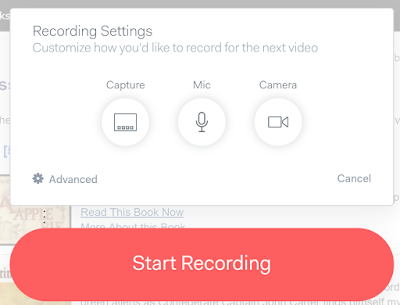
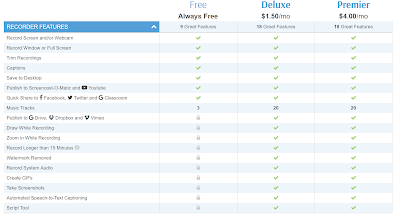
Loom is a free screencasting tool that works on Chromebooks, Macs, and Windows computers. Loom is a Chrome extension. With Loom installed you can record your desktop, an individual tab, and or your webcam. That means that you could use Loom to just record a webcam video on a Chromebook. Of course, this also means […]
Five Ways to Create Screencast Videos on Chromebooks
Creating a screencast video is a good way to show your students or colleagues how to use a new web tool. When Chromebooks first hit the market, the options for creating screencast videos were few and were tricky to use. Over time better options emerged. The following five tools are all easy to use to […]
Capture More Than Just a Visible Screen With Nimbus Screenshot
Recently, a reader asked me to suggest a tool for creating a screen capture image that would include more than just what was visible in the initial screen. In other words, the reader was looking for a way to capture both the top and bottom portions of a webpage that required scrolling. My suggestion was […]
Soapbox – A New Tool for Creating Screencast Videos on Chromebooks

Soapbox is a new tool from Wistia that makes it easy to create great screencast videos on a Chromebook or any computer that is using the Chrome web browser. With Soapbox installed in the Chrome web browser you can quickly record your screen and your webcam at the same time. Soapbox is a little different […]
Screencast-o-Matic Now Offers Background Music

Screencast-o-matic has long been my favorite tool for creating screencasts on Windows and Mac computers. This morning I logged into my account and noticed that Screencast-o-matic now offers the option to include background music in your screencast videos. Click here to watch a screencast about this new feature. Screencast-o-matic’s background music option provides a choice […]
ViewedIt – Quick and Easy Screencasting
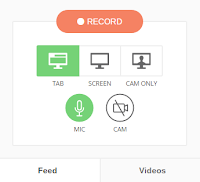
ViewedIt is a free Chrome extension that makes it quick and easy to create and share screencast videos. With the extension installed you can record your entire screen or just one window tab. ViewedIt will let you record yourself with your webcam too. The best part of ViewedIt is that you can track who watches […]
My Favorite Tools for Creating Screencast Videos – Updated
Creating a screencast video can be a great way to show your students and or colleagues how to do things on their computers, phones, and or tablets. Screencasting can also be a quick way to create a short, flipped video lesson. At least a couple of times a week I’m asked about the tools that […]
Reminder! TechSmith Is Ending Popular Free Products – Try These Alternatives

Back in May TechSmith announced that they are ending support for some popular tools that they had offered for free for years. This afternoon I received an email from TechSmith reminding me that on August 31st they will be ending support for ScreenChomp, Snagit for Chrome, and Knowmia. Here are some alternatives to Snagit for […]
Great Tools for Creating Screencasts – A PDF Handout
Over the last few weeks I have shared my favorite tools for creating screencast videos on Chromebooks, on Windows and Mac computers, on iPads, and on Android tablets. Many people who read this blog work in BYOD environments or otherwise need tools for creating screencasts on a variety of devices. Therefore, this morning I put […]
TechSmith is Ending Support for Popular Free Products

Eighteen months after acquiring the popular Knowmia Teach platform, TechSmith has announced that they are shutting it down this summer. It was a great iPad app and online platform for creating and sharing flipped video lessons. Knowmia isn’t the only product that TechSmith is shuttering. They are also ending support for Snagit for Chrome and […]
AZ Screen Recorder – Create Screencasts on Your Android Device

AZ Screen Recorder is a fantastic free app for creating screencasts on your Android phone or tablet. Unlike a lot of Android screencasting apps AZ Screen Recorder does not require you to have root access to your device nor does it require you to mirror to another device to record. To create a screencast with […]
Four Tools for Creating Screencasts on Chromebooks – A Comparison
In response to my latest Practical Ed Tech Tip of the Week I received a bunch of requests for comparisons of screencasting tools that work on Chromebooks. So yesterday I made three screencast videos using three different screencasting tools. Add that to the one that I made on Friday with another screencast tool and you […]