

5 Observations Students Can Record With Google’s Science Journal App
Google’s Science Journal app provides some neat tools for recording data and writing observations. Within the app students create notebooks for recording experiment data and observations. Students can also use those notebooks to simply organize observations by topic. There are sensors built into the app for recording sound, speed, light, direction, and magnetism. Here are […]
Three Good Sources of Fun and Interesting Math Challenges

“When are we ever going to use this?” Raise your hand if you have ever heard that question from a student in the middle of a math lesson or any other lesson. Giving students some clever math problems that tie-in a “real world” situation can go a long way toward helping them see how math […]
Four Things Students Need to Create Book Trailer Videos

This is an update of a blog post that I published about 16 months ago. The concepts are the same, but some of the resources have been updated. Creating book trailer videos is a great alternative to a traditional written book report assignment. In a book trailer video students highlight their favorite elements of a […]
ADA Project – An Open Multimedia Mathematics Textbook

Update: May 20, 2022 – This resource is now longer available. ADA Project is a great resource being developed by a mathematics teacher named Sam Powell. The ADA Project is an open multimedia mathematics textbook that covers everything from basic arithmetic through calculus. When you visit the ADA Project’s homescreen you can choose a category […]
Seven Ways to Create Screencasts on Chromebooks
With the addition of Screencast-O-Matic there are now seven tools that teachers and students can use to create screencast videos on their Chromebooks. If you missed yesterday’s news, Screencast-O-Matic is currently offering a public beta of their Chrome app. To use Screencast-O-Matic on your Chromebook you will need to go to this page while on your Chromebook, […]
Three Ways to Collaboratively Create Video Playlists

From cats doing tricks to documentaries about cats in Egyptian art, we watch more videos today than we ever have before. The challenge is weeding through all of the ridiculous cat videos to find the good stuff that you can share with your students. And once you find the good videos, you’ll want to organize […]
Screencast-O-Matic for Chromebooks

Screencast-O-Matic is my favorite screen recording tool to use on my Windows and Mac computers. Last night I discovered that it can now be used on Chromebooks too! Screencast-O-Matic is currently offering a public beta of their Chrome app. To use Screencast-O-Matic on your Chromebook you will need to go to this page while on […]
How to Embed Flipgrid Videos Into Your Blog
On Sunday I featured Flipgrid in my tip of the week. My video tutorial on getting started with Flipgrid included how to share your video prompts with students and how they can reply to your prompts. One method of sharing that I didn’t include in Sunday’s video was embedding Flipgrid videos into blog posts. You […]
A WordPress Plugin for Finding Public Domain Pictures

Pixabay is regularly featured as an alternative to Google Image search. Pixabay hosts thousands of high-resolution and high-quality images that are in the public domain. Today, through Product Hunt, I learned that Pixabay offers a WordPress plug-in. With the Pixabay WordPress plug-in installed on your blog, you can search for public domain images in the […]
About Hardware Recommendations…
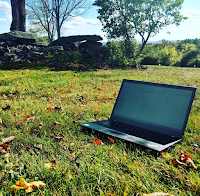
I love receiving questions from readers of my blogs and newsletters. There is one type of question that I generally refrain from answering. That type of question is about hardware. (Just to clarify, I do respond to emails with hardware recommendation requests, I just don’t make a recommendation). This afternoon I went live on Facebook […]
A Powerful Blogging Activity for Almost Any Classroom

A question that often comes up in my workshops about blogging is, “what should I have my students write about?” There are dozens, perhaps hundreds, of possible answers to this question. The suggestion that I often make is to start with a simple reflection activity. Set aside time in your Friday schedule to have your students sit […]
Paper Signals – Build Physical Objects to Control With Your Voice
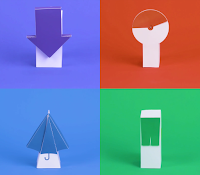
Paper Signals is a neat resource produced by Google that could prove to be a fun way to provide students with hands-on programming experience. Paper Signals is a set of templates that students can follow to program physical objects to respond to voice commands. There are some physical products that you will need to have […]
How to Apply Blurring to Faces in YouTube Videos
Face and object blurring is one of the overlooked features built into YouTube’s video editing tools. The blurring tool is great for selectively obscuring the faces of individuals in a video. You can use the blurring tool to block out sensitive information like a street address. Watch my video below to learn how easy it […]
Three Free iPad Apps for Creating Talking Animations
Creating videos with students is the topic of one of my most popular on-site workshops. I always customize the workshop depending upon the type of device that teachers are using and the grades that they teach. The following are three of my favorite iPad apps for elementary school students to use to create animations on […]
A Glossary of Blogging Vocabulary

Every December as the new year approaches I get a bunch of emails from folks who are looking for some guidance on starting a new blog. If you have never created a blog or it has been a while since you blogged, a quick overview of blogging terminology can be helpful. Here’s a little glossary […]
5 Good Alternatives to Google Image Search

Google Images tends to be the default image search tool of students and adults who haven’t been introduced to better options. Google Images is convenient, but it’s not the best place for students to find images that are in the public domain or images that have been labeled with a Creative Commons license. Here are […]
Animations, Organization, and Music – The Week in Review
Good morning from Maine where I’m preparing to undertake another DIY home improvement/ maintenance project. One of the perks of owning an old house is getting to develop all kinds of handyman skills that I never knew I had. For example, today I am going to attempt to put new insulation under my dining room […]
VR Hangar – A VR App from the Smithsonian Air and Space Museum

VR Hangar is a new virtual reality app produced by the Smithsonian National Air and Space Museum. This free virtual reality app is available to use on Android phones and on iPhones. VR Hangar contains three virtual reality tours that feature landmark moments in aviation history. Those moments are the Wright Brothers’ first flight, Chuck […]
How to Use Flipgrid – A Guide for Getting Started

Flipgrid is a fantastic service for collecting video responses to prompts that you pose to your students. It has been a hit whenever I have demonstrated it in a workshop or conference presentation during the last year. The basic idea behind Flipgrid is that it enables you to post a video prompt and then have […]
A Handful of Apps for Exploring the Potential of AR in Education
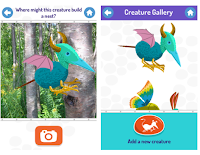
Earlier this week I shared a neat augmented reality app called SkyView that helps users identify constellations, planets, and satellites in the night sky. SkyView could be helpful in sparking students’ curiosity about space. SkyView shows some of the potential for augmented reality in education. There are other apps that I often share with people who […]
Upcoming Professional Development Opportunities With Me
As you may know, part of the funding to keep Free Technology for Teachers running comes from speaking fees and registration fees for my online courses. For 2018 I have some new online course offerings, new on-site workshops, and new keynotes. You can learn more about these offerings through the links and descriptions below. 2018 […]
One OneNote Feature I Wish Google Keep Had
As many readers know, I’m a long-time user of all things Google. That includes Google Keep which I have been using for all of my bookmarking and note-taking since Evernote gutted its free plan about two years ago. Recently, I’ve embarked on a quest to give other bookmarking and note-taking tools an honest try. So […]
Polar Training Scholarship

This post is a little bit out of the norm for this blog, but I’m sharing it because one of you might, like me, have dreams of adventures in very cold climates. World-renowned adventurer Eric Larsen is offering a “polar training scholarship.” This scholarship will be awarded to one aspiring polar explorer who would like to […]
Updated Menus and Toolbars Coming to Google Docs and Slides
If you take a break from using Google Docs and Google Slides during the upcoming holiday break, you might notice some changes when you open Docs after your vacation. That’s because on Wednesday Google announced some upcoming changes to the menus and toolbars in Docs and Slides. Starting in January (possibly sooner for some users) […]
A Tip for Unorganized Google Drive Users Like Me
There are some people who use folders with a strict system and order. This blog post is not for them. Then there are those of us who know we should use folders, use them when remember to use them, and then forget what went in the folders during our moments of “getting organized.” If that […]
Storyboard – Create Cartoons from Your Videos

Storyboard is a new Android app produced by Google. The app will let you select a video that you have recorded on your phone and then have a cartoon storyboard of the video automatically created for you. I tried Storyboard yesterday and found it easy to use. That ease of use is partly due to […]
Fun & Educational Activities In the Snow

We have just had our second snowstorm of the year here in Maine. It is around this time every year that I share some educational activities that you and your students can do in the snow. Some of these activities have connections with math and physics concepts. NOVA, as a part of their program on […]
The Differences Between Augmented Reality and Virtual Reality
This morning I received an email from a reader who was wondering what the terms AR and VR mean. I get that question on a fairly regular basis these days. That’s why earlier this year I recorded a video and posted a short slideshow that outlines the differences between augmented reality, virtual reality, and mixed […]
BandBlast – A Fun App for Learning to Play Music

BandBlast is a free app designed to help students learn to play music. There are many ways that students can use the BandBlast app. Whichever way that students end up using the app, they all have to start by selecting an instrument that they wish to play either virtually or physically. Students who want to […]
The Science of Snowflakes
Here in western Maine we’re expecting our second real snowstorm of the winter to arrive tonight. This has reminded me of a couple of educational videos that explain the science of snowflakes. The Science of Snowflakes is a TED-Ed video lesson that explains how snowflakes are formed, why they’re all different, and why seem to […]
Three Sites That Help Students Compare the Size of Countries and States
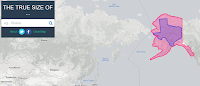
Over the weekend Open Culture featured one of my favorite websites to use in geography classes. That website is called The True Size Of… and it lets you quickly compare the size of two countries or two states within the United States. To compare two countries simply enter one into the search box then enter a […]
Five Tools for Creating Animations on Chromebooks
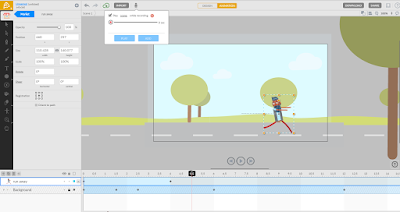
Yesterday’s post about the PuppetMaster app prompted a couple of people to ask me if there is anything similar available for Chromebook use. While I can’t think of anything that is free and exactly like PuppetMaster, here are some options for creating animated videos on Chromebooks. Animatron is a nice tool for creating animated videos and […]
A Multimedia Timeline of WWII in Europe
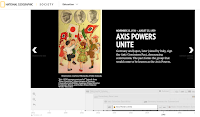
Last week I shared National Geographic’s excellent multimedia timeline of the Pacific Theater of WWII. National Geographic offers a similar timeline of the European Theater. While the title of the timeline is World War II in Europe, it does include include events that happened in Africa and some events in the United States. The timeline […]
Geography, eBooks, and Nature – The Week in Review

Good morning from Maine where we’re anticipating our first significant snowstorm of the year. As a skier, I cannot wait for the fresh snow. As a Dad, I’m excited to show my older daughter the joy of making snow angels. But as the owner of a long driveway, I’m not so excited about the snow. […]
How to Quickly Create a Virtual Conference Room
Whether it is to host an online tutoring session or to connect with colleagues to plan a school event, from time to time we all can use a free and easy way to create online conference rooms. You could use Google Hangouts, but more times than not at least one person has trouble signing into […]
My Favorite Resources In One Place
Last week during Practical Ed Tech Live I was asked if I had one place that people could go to see an organized collection of my favorite resources. I was happy to answer that I do have just such a collection. It’s found in my Practical Ed Tech Handbook. You can find it on my […]
Smithsonian Learning Lab Announces Most Popular Resources of 2017

The Smithsonian Learning Lab is a great tool for organizing collections of resources available through the Smithsonian. Through the Learning Lab you can search for and then gather together documents, images, videos, interactive animations, and lesson plans. This playlist of videos will show you everything that you need to know in order to use the […]
Zapier – Connect Your Favorite Tools

Zapier is a fantastic tool for improving your workflow between the services that you use the most. For example, let’s say that you’re a devoted Evernote user and a devoted Dropbox user. Zapier will let you connect the two so that you can send your Dropbox files to Evernote. Or maybe you use Twitter all […]
Canva for Education
Earlier this week I mentioned having students use Canva to create holiday greeting cards. I’ve since had some folks ask about how students can use it if they don’t have email accounts. The short answer is that Canva supports using G Suite single sign-on which means that students can use their school-issued Google accounts to […]
425 Ed Tech Tutorial Videos
A few years ago I started to make an effort to create more tutorial videos to include in blog posts here and to include in the Practical Ed Tech Newsletter. Yesterday’s video about making video playlists on Padlet was the 425th video added to my Practical Ed Tech playlist. Subscribe to my YouTube channel to […]
Take a Look at the Remodeled Padlet Apps

Padlet has long been one of the staples in my cabinet of ed tech tools. One of the reasons for that distinction is that the Padlet team is constantly working to keep their products updated and useful to as many teachers as possible. To that end, Padlet recently revamped their web tools and their mobile […]
Google Sites Now Supports HTML & Javascript Embed Codes

One my biggest complaints about Google Sites has always been that it doesn’t accept third party embed codes. This means that you couldn’t embed videos from great websites like Next Vista for Learning, embed Tweets, or embed any interactive elements like a Padlet wall. That will soon change. Google has announced that beginning in January […]
8 Good Resources for Learning About Pearl Harbor

Tomorrow is the 76th anniversary of the Japanese attack on Pearl Harbor. Of course, that wasn’t the first military action of the Japanese during WWII. It’s just the event that finally got the U.S. to declare war. The 1941 Project is an interactive map of Pearl Harbor. The map features the stories of survivors of the […]
A Multimedia Timeline of WWII in the Pacific
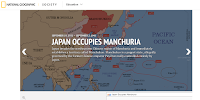
As any good student of history can tell you, the Pacific theater of World War II was just as complicated as the European theater. National Geographic has a multimedia timeline that can help students understand the sequence and significance of events in the Pacific theater. World War II in the Pacific is a timeline that […]
Another Neat Feature of Zoho Notebook
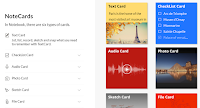
On Sunday I featured Zoho Notebook as an alternative to using Evernote or Google Keep. In that post I listed many of the features of Zoho Notebook including the options to draw notes and to record audio notes. One feature that I missed because I didn’t discover it until today is the option to save entire […]
Holiday Greeting Card Creators for Kids
It is the time of the year for sending greeting cards. This is a great opportunity to have students practice letter writing (yes, some people still like letters) and to practice design skills. Here are two good services that your students could use to design and print holiday greeting cards. One of the “hidden” features […]
But I Gave You Credit… Lessons About Copyright

The blog post that I published yesterday in which I listed people and organizations who have recently stolen my work has elicited quite a few responses already. A couple of those responses have included, “you were given credit at the end.” That comment shows a baseline misunderstanding of copyright. Copying and pasting entire blog posts […]
How to Livestream From the YouTube Android App
In a blog post that I published a couple of weeks ago I mentioned using the YouTube Android app to broadcast review sessions for your students. In the time since I published that blog post I have have had a handful of people ask me for more information about livestreaming on YouTube. The best way […]
How to Compare Information on Wolfram Alpha
As I mentioned in a blog post published over the weekend, Wolfram Alpha is useful for more than just solving math and science problems. In fact, it can be a great resource for students who need to quickly find and compare background information on two or more people, places, or things. In the following video […]
Two Good Tools That Help Students Learn to Program Games

Code Maven and Game Maven are interactive programming tutorials from Crunchzilla. Code Maven and Game Maven use the same style as the popular Code Monster javascript programming tutorial. That style is to present a piece of code with instructions on one side of the screen while providing a visual of the outcome on the other […]
Zoho Notebook – Your Evernote and Google Keep Alternative
Zoho Notebook is the alternative to Evernote and Google Keep that I mentioned in last week’s edition of Practical Ed Tech Live. Zoho Notebook is a free and advertising-free tool for taking notes in typed, drawn, and spoken form. Zoho Notebook is available to use on Android, iOS, and Mac OS. There is a Zoho […]
Rewordify – A Tool to Help Students Understand Complex Texts
Rewordify is a free site that can help students understand complex passages of text. At its most basic level Rewordify takes a complex passage and rephrases it in simpler terms. Students can adjust Rewordify’s settings to match their needs. For example, students can add words to a “skip list” and those words will not be changed […]
51 World Geography Games for Kids
World Geography Games is a free site that features 51 geography games. The games are simple identification games in which students are shown the name of a country, state, city, or geographic feature and then have to click on the correct locations. Students earn points for each correct answer. World Geography Games tracks how many attempts […]
Tools to Help Students Improve Their Writing

The spelling and grammar checkers built into word processors are fine for helping students catch basic mistakes in their writing. To get beyond the basics, students need tools that offer more than just spelling and grammar checking services. The following services can help students improve their writing. StoryToolz offers a collection of free tools for student […]
The Week in Review – Videos With YouTube Stars

Good morning from Maine where we’re getting ready to spend the day acquiring and decorating a Christmas tree. Finding and cutting the tree should be a fun challenge with a toddler and an infant in tow. Wherever you are this weekend, I hope that you get time to do something fun too. This week I […]
Create Your School Newspaper With Lucidpress
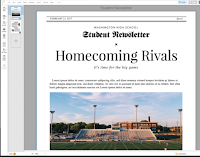
Lucidpress is a collaborative writing and publishing service that blends great collaboration tools with excellent design templates. That’s why this morning I recommended it to a reader who was looking for a free tool to use to create and publish her school’s newspaper. Through Lucidpress you and your students can collaboratively create documents that incorporate […]
The Month’s Most Popular Posts on Free Technology for Teachers
Good evening from Maine where the month of November is coming to a close with a few snow flurries in the air. I have to close this month by once again thanking Beth Still for doing an outstanding job of keeping the blog running for half of the month while I was taking some paternity […]
WriteReader – Honoring the Emergent Writing of Young Learners
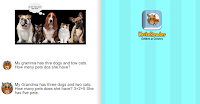
This is a guest post provided and sponsored by WriteReader. Last spring, I discovered WriteReader. Sign-up was easy and free, and the site is very user-friendly. I was pleased to find that it didn’t take hours of my time to figure it out before using it with my students. Most importantly, it’s “kid-friendly.” It’s designed […]
The Top Ten of the Last Ten

My little blog is now ten years old. Yesterday, I shared a list of the things that I’ve seen change over those ten years. One thing that hasn’t changed is that I like to share what you’re reading most. Here are the ten most read posts of the last ten years. 1. Google Forms Can […]
Mega Feedback – A Good Way to Organize Feedback

Mega Feedback is a new tool from the same person that developed Mega Seating Plan and Mega Name Picker. Both of those tools have been popular with readers of this blog and I think that Mega Feedback will become popular too. Mega Feedback is designed to help you quickly record, save, and distribute short bits […]
Teaching With Crossword Puzzles from Read Write Think
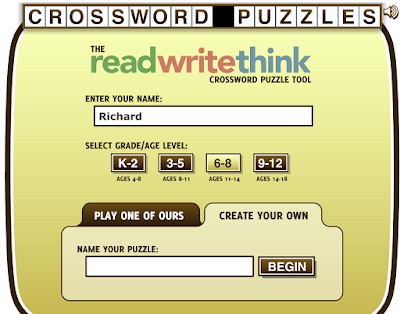
My grandmother taught Language Arts for decades and she loved crossword puzzles. I know that many other teachers still like to use them in one way or another too. If you would like to create your own crossword puzzles for your students or you want them to create crossword puzzles, take a look at Read Write […]
Three Puzzle Templates That Help Students See Content Connections
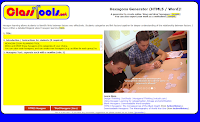
Russel Tarr publishes a lot of great educational games and instructional templates on ClassTools.net. Among those templates are three activities designed to help students see the connections between events, people, places, and ideas within a subject. The Class Tools Hexagons Generator lets you create an online hexagonal learning activity to share with your students. To use the […]
Create Great Video Lessons on iSL Collective

iSL Collective offers a huge gallery of video-based lessons designed to help students learn English. It also offers a fantastic tool for teachers to use to create their own video-based lessons. iSL Collective’s video lesson creator lets you build questions into videos found on YouTube and on Vimeo. The lesson creator allows you to add […]
GradeProof Helps Students Improve Their Papers
GradeProof is a service designed to help students improve their writing. GradeProof lets students either import documents or write documents within the GradeProof editor. Either way that the students use, the next step is the same. GradeProof identifies spelling, grammar, and phrasing errors within a student’s writing. GradeProof highlights and color codes the errors that […]
The Week in Review – Running With Christmas Trees

Good evening from Maine where we’re happy to be home after a great couple of days visiting family for Thanksgiving. For 30+ years on Thanksgiving I’ve gone to watch the road race in my hometown of Manchester, Connecticut. This year was no exception. The race is one of the only ones in the world where […]
Go To Sleep or Cram? – The Benefits of a Good Night’s Sleep

With two children under 16 months old, in my house we’re well aware of the value of a good night’s sleep. That’s why I favor getting up early before the kids to work on projects than to try work late after they go to bed. As this TED-Ed lesson explains, students could benefit from adopting […]
A Health and Science Lesson – What Is Fat?

Now that we’re into the holiday season, many of us may be concerned about our intake of fats through our favorite holiday treats. But, as students can learn in What is Fat? not all fats are the same. What is Fat? is a TED-Ed lesson that explores the differences between the types of fats that we find […]
Four Tools for Recording Time-stamped Notes While Watching Videos

This post was updated on December 10, 2021 to remove links to services that no longer exist. There are many tools for creating video-based lessons and quizzes in which students answer the questions that you create for them. There is nothing inherently wrong with that. I’ve done that myself. However, there are times when I […]
Three Ways to Broadcast Review Sessions for Students

Today, instead of having to stay after school or come back to school for an extra review session, students can tune-in to a broadcast that you host. Of course, you can still have students come to you after school for a review session, but you can help even more students if you broadcast that review […]
Mapping the Thanksgiving Harvest

Where Does Your Thanksgiving Dinner Come From? is the title of an Esri Storymap. The storymap displays where eight popular Thanksgiving foods are grown and harvested in the United States. The storymap includes a map for each ingredient. Each map shows the locations of commercial producers. Fun facts are included in the storymap too. For […]
7 Good Tools for Surveying Your Audience
Games like those you can make on Kahoot and Socrative are great for review activities. However, you don’t always need to play a full game to gauge your students’ understanding of a topic. And other times you just need a quick way to anonymously survey your class. Here are some tools that you can use […]
ReClipped – Take Notes and Share Notes on Educational Videos

ReClipped is a neat tool that lets you take notes, share notes, and share clips from educational videos. ReClipped blends the best aspects of TurboNote, VideoNot.es, and Pinterest into one slick system. With a ReClipped account you can clip sections of videos that you find on YouTube, Vimeo, DailyMotion, Coursera, and TED. In addition to […]
Three Thanksgiving Activities You Can Do Today!

It’s Thanksgiving Eve here in the U.S. If you have school today and you’re still looking for some Thanksgiving-themed activities to do today, I have three suggestions for you. 1. Build a thankfulness Padlet wall with your students. Create a Padlet wall and have students share text and picture notes in which they share the […]
Intro to U.S. Involvement in WWI – And What Kids Say About Tom Richey’s Videos

Tom Richey recently released a new video for students in U.S. history courses. The United States in World War I is a video in which Tom provides students with an overview of why the United States got involved in the war, why U.S. involvement was significant, and Woodrow Wilson’s Fourteen Points. It’s hard to provide […]
Practical Ed Tech Live – Episode #20
Yesterday, I hosted the twentieth episode of Practical Ed Tech Live. If you missed it, you can now watch the recording as embedded below. The questions that I answered in the video can be seen here. Information about the webinars that I mentioned in the video can be found here.
6,500 Vintage Travel Photos – Free To Use

The Library of Congress website is a great place to find historic images to use in presentations. The free images housed by the Library of Congress are organized into many collections. One of those collections, Photochrom Prints, was recently featured in a LOC blog post. The Photochrom Prints collection offers 6,500 vintage travel photographs of […]
Outline Maps – Simple Geography Games for All
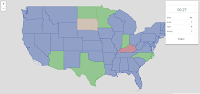
Update: February, 2020: This resource is no longer available. Outline Maps offers a free set of geography games. The site contains games about Africa, South America, Europe, the United States, and the world. There are two basic types of games on the site. The first type, “find by name,” displays a state, country, or city name […]
This Chrome Extension Helps You Find Books to Borrow

Library Extension is a free Chrome extension that will show you local library listings for the books that you viewing on Amazon, Google Books, Barnes & Noble, and other popular book retailer websites. Library Extension currently shows listings from more than 4,000 public library databases in the United States, Canada, UK, New Zealand and Australia. […]
Swift – Poll Your Audience Via SMS or Web

Swift is a new polling service that lets you collect responses through text messages or through a simple webpage. The free version of the service allows you to collect responses from up to 50 people per poll. That limit is adequate for most classroom settings. To get started on Swift you need to create an […]
5 FAQs About Whisper for Google Classroom

Whisper is a free Chrome extension that was featured in last week’s most popular post of the week. During the week I received a bunch of emails about the extension. Here’s a short run-down of the questions most frequently asked about Whisper. 1. What is Whisper? It is a free Chrome extension that lets you […]
The Week in Review – The Most Popular Posts

Good evening from Maine where the first snowflakes of the 2017-18 winter have started to fly. Whether they love the snow or they hate the snow, everyone around here has a comment about it. I’m in the “love snow” camp and I’m excited that the local ski resort opened this week. The snow reminds me […]
Recording – 7 Ways to Help Kids Discover & Analyze New Information
Last month I hosted a free webinar titled 7 Ways to Help Kids Discover & Analyze New Information. The recording of the webinar, sponsored by Kids Discover Online, can now be viewed on my YouTube channel or as embedded below. The seven points covered in the webinar: Developing search terms and phrases. Charting and tracking […]
10 Good Resources for Geography Awareness Week
This week is Geography Awareness Week. As academically-themed weeks go, this ons is my favorite. For as long as I can remember I have enjoyed looking at maps and wondering about far-off places. I hope that I’ve be able to pass on that fascination to some of my students. If you’re looking for some resources […]
The Week’s Most Popular Posts on Free Technology for Teachers
This week was another busy week in the world of Free Technology for Teachers. At the beginning of the week I had the pleasure of working with teachers in Albemarle County schools in Virginia. Then on Wednesday evening I hosted Intro to Teaching With Video with Keith Hughes and Tom Richey. If you missed it, […]
Two Good Tools for Creating Interactive Timelines

Earlier this week I received an email from a reader named Ashley who wrote, “My classes have been reading Girl in Hyacinth Blue, a reverse chronology of the history of an art work. I would like them to do an interactive timeline to show their understanding of the text. I have never done something like […]
Introduction to Teaching With Video

A couple of weeks ago I announced that Keith Hughes, Tom Richey, and I will be hosting an online course all about how to teach with video. That course will begin on November 27th. Since the course was announced I have fielded quite a few questions about it. To answer those questions and to share […]
Stupeflix is Closing – Try These Alternatives
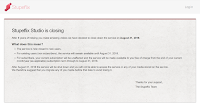
Stupeflix, one of my go-to video creation tools for the last eight years, is shutting down in 2018. In a message posted on their website, the Stupeflix team explains that the service is now closed to new users. Current Stupeflix users who have created accounts on the site will have until August 2018 to use […]
4 Ways to Use Flipgrid in 4th Grade
This is a guest post from Caroline Schaab. As a 4th grade teacher, I’m always looking for creative ways spark curiosity, promote student voice, and keeps students engaged and to want to continue learning outside of school. Last year, with a few weeks left in the school year, I was introduced to Flipgrid. Fligrid is […]
Silk Says Goodbye

A few years ago Silk.co was one of the best tools for creating robust data visualizations. I used it in a number of social studies lessons. Unfortunately, the service is shutting down. As announced in email sent to users, the Silk team was acquired by another firm. The Silk site will be online until December […]
Lesson Planning, Keyboarding, Breakouts – The Week in Review

Good evening from Maine where all of the leaves have changed to brown and we’re now just waiting for winter to begin. In my mind I’ve always thought that Halloween marked the end of beautiful part of fall and the transition to the browns of late fall before the snow arrives. This year fall out […]
Crowdsourcing Digital Breakouts – Get Paid for Your Contributions
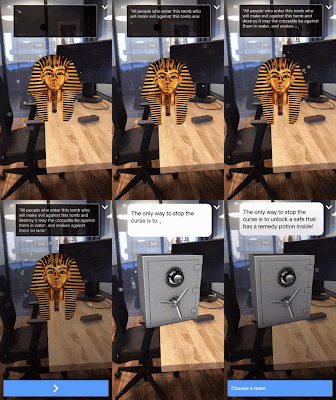
Earlier this week I shared Metaverse’s directions for creating digital breakout games. Yesterday, I had a conversation with Johnathan Miller, one of the founders of Metaverse, who was excited to share that they are now paying teachers for making digital breakout games. Use the free Metaverse platform to create a digital breakout game to use […]
Use the ClassTools Power Search to Find Educational Games
ClassTools.net is one of my favorite places to find free educational games and templates for creating educational games. Russel Tarr, a history teacher and developer of ClassTools, has made so many games that the site now needs a power search function. You can use this search function to find games and templates according to the […]
Getting Going With G Suite for Education
Last summer more than 100 people participated in my online course Getting Going With G Suite. Throughout the Fall I’ve fielded requests from folks who missed out on the summer course and would like to get into the next offering. I’m happy to announce that I have scheduled another offering of Getting Going With G […]
How to Create a Digital Breakout Game
Breakout EDU has been a breakout hit in classrooms over the last couple of years. The success of the physical Breakout EDU games has spurred the creation of many digital versions built on everything from Google Forms to full-fledged online game environments. Metaverse recently published a tutorial on how to make your own digital breakout […]
Last Minute Halloween Ideas

Halloween is tomorrow! You either love celebrating this day with students or you absolutely dread it. No matter which camp you are in, hopefully you have something planned to make tomorrow memorable. If you have procrastinated then keep reading! This is a collection of Halloween ideas that have been shared here on Free Technology for […]
Using Video to Improve Teaching Practice

This is a guest post from Harrison McCoy. Speaking transparently, I have to admit I don’t like the way I appear in videos. To be totally truthful, I dislike the way my voice sounds even more. Yet, I recognize the effectiveness of using video in teaching, coaching, and training, and one of my professional goals […]
Using Classcraft for Gamified Motivation and Formative Assessment
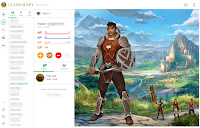
This is a guest post from Rachel Langenhorst. Rachel’s work has appeared here in the past and been quite well received. I was excited to get another guest post submission from her. Every teacher in this day and age must be able to juggle 3 to 45 things at any given moment. There are days […]
Teaching Coding With CS First
This is a guest post from Keith Kelley. Keith is the integrated technology instructor at Sebasticook and Somerset Valley Middle School in central Maine. “The limit to the system is the number of coders we have, our policy is to hire as many coders as we can.” Mark Zuckerberg Coding is important and MIT’s Scratch platform has […]
SpeakPipe Now Works on iPads
SpeakPipe is a neat tool that I have been recommending for years. It is a tool that you can add to your blog to collect voice messages from blog visitors. The messages are automatically recorded and transcribed for you to listen to and or read. Unfortunately, until now it didn’t work if your blog visitors […]
Padlet Now Has Voting and Grading Tools

Padlet has added a couple of new features that bring it even closer to being an all-in-one formative assessment tool. Padlet now lets you vote on the notes added to a wall and grade the notes added to a wall. This is all done through the new “reactions” setting in Padlet. Voting on Padlet notes […]
Solve for Tomorrow and Win for Your School

Disclosure: this is a sponsored blog post. Samsung’s Solve for Tomorrow competition is currently underway and there is still time to for you to enter. The contest is designed to get students in grades six through twelve interested in STEAM projects that can have an immediate impact on local and global communities. Some past contest finalists […]
The Week in Review – A New Addition

Good evening from Maine where we have had a busy few days welcoming our new daughter. Mother, baby, big sister, and dad are all doing well. Thanks to everyone who shared congratulatory messages on Instagram and Twitter over the last couple of days. The blog has kept chugging along over the last couple of weeks […]
Implied Powers – American Government Review
Keith Hughes recently published a new video for students of U.S. History and U.S. Government. The video is titled What Are Implied Powers? The video features an overview of the debate between Alexander Hamilton and Thomas Jefferson over the interpretation of the Elastic Clause and General Welfare Clause. Check out the video as embedded below. […]
Copyright for Teachers – Webinar Recording
Last night Beth Holland and I hosted a free webinar in which we talked about copyright concerns that frequently appear in schools. As you can see the video of the webinar (embedded below) it was a casual conversation during which we shared some stories, fielded some questions, and shed some light on common misconceptions about […]
What Parents Like About Digital Portfolios
Last week I had the opportunity to talk with the founder of SeeSaw, Carl Sjogreen, about digital portfolios. In our conversation, recorded in the video below, we talk about what parents like about digital portfolios, what to include in a portfolio, and the differences between a blog and a portfolio. Disclosure: SeeSaw is an advertiser […]
Google Classroom, Grants, and Feedback – The Week in Review

Good evening from Maine where it was a perfect autumn day for apple picking. Isla thoroughly enjoyed her first trip to the orchard. Wherever you are this weekend, I hope that you had time for outdoor fun too. This week I hosted a webinar on how to create a great classroom blog. If you missed […]
How to Create a Video on Typito
Typito is a new-to-me video creation tool about which I wrote a short review last weekend. Typito sits comfortably between the simplicity of tools like Animoto and the complexity of tools like WeVideo. I received a few questions about Typito during the week so I made the following video to demonstrate how it works.
Anchor – A Good Alternative to AudioBoom

Anchor.fm is a free podcasting service that I started using about ten months ago. It has steadily added features throughout the year. If you find yourself looking for a replacement for AudioBoom which this week announced the removal of all free accounts, Anchor.fm is a service that you should try. Here are some highlights of […]
Typito – Simple, But Not Too Simple, Video Editing
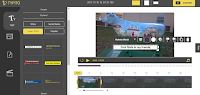
Typito is a good tool for creating simple videos. Typito is designed for making audio slideshows like those you might have made in the old YouTube photo slideshow tool or with Animoto. Typito offers a bit more control over the editing process than Animoto does. To get started on Typito you upload a picture or […]
Grids, Timelines, and Goals – The Week in Review
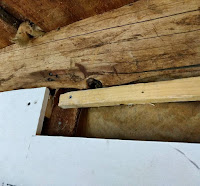
Good evening from Maine where I spent the majority of the day hanging drywall on walls that are far from square. Those of you who watch my Practical Ed Tech Live episodes have seen some of the space in my barn that I am trying to convert into office space. The project seemed simple enough, […]
How to Create a Conversational Poll
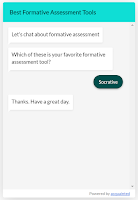
Acquainted is a neat polling service that I wrote about earlier this week. I described it as a conversational polling service because you can program responses to appear based on the response choices someone make on your poll. That description might have confused some folks as I have received a bunch of questions about how […]
Wanted! Guest Bloggers
It has been two years since I last hosted guest posts from teachers and principals so it’s time that I do it again. This time I am going to run guest posts in the last two weeks of the month. In the past I’ve had some awesome guest bloggers share their knowledge and experience with […]
Acquainted – Conversational Polling

Acquainted is a free tool for conducting online polls. Unlike other online polling tools, Acquainted is a conversational polling tool. What that means is that people who take your poll can get an instant response from your regarding their selections of poll options. Your responses are written into Acquainted and programmed to appear to poll […]
Lesson Plans for SMART Goal Setting
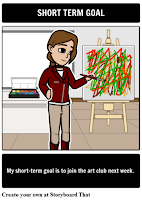
Storyboard That is a great tool that can be used for creating cartoons, flowcharts, timelines, and wireframes in addition to typical storyboards. Storyboard That also offers a huge library of lesson plans on everything from classic literature to history to cyber safety. One of the newest lesson plans added to the Storyboard That library is […]
Built to Last – GeoGebra
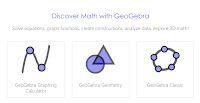
GeoGebra is the fifth entry into my Built to Last series. This is a series of blog posts celebrating the free resources that have been available to teachers and students over the ten years that I have been publishing Free Technology for Teachers. When I started writing Free Technology for Teachers GeoGebra was available to […]
X-Ray Goggles Help Students See How Webpages Are Made
Mozilla’s X-ray Goggles is a neat tool that helps students learn the code that powers much of what they see on the Web. X-ray Goggles is a free tool that lets you remix any page that you find on the Internet. You can install X-ray Goggles in your Chrome or Firefox bookmarks bar. Then you can launch […]
Kahoot, Copyright, Drive – September in Review

Good evening from Montgomery, Alabama where I am preparing to give a couple of presentations tomorrow at the Alabama Independent Schools Association conference. I’m looking forward to meeting many teachers tomorrow. That’s my favorite part of speaking at conferences. If you’d like to bring me to your conference, please click here for more information. The […]
How to Create a Timeline in Google Slides
Last week a bunch of new features were added to Google Slides. One of those features is a selection of diagram templates that you can insert and modify in your slides. As you can see in my video embedded below, it is possible to include pictures and videos in the timeline templates that you use […]
Grids, Timelines, and Notes in Google Slides
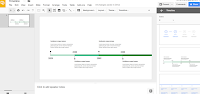
This week Google added a handful of new features to Google Slides. Some of them are features that teachers and students have been requesting for years. Please note that some of the following new features may not appear in your G Suite for Education account for a couple of weeks. All of these features are […]
Blogging, Math, and Character Scrapbooks – The Week in Review

Good evening from chilly Paris Hill, Maine. The falling leaves, shorter days, and cooler weather remind me of all the chores I need to do outside before the snow flies (the local ski resort made snow this week). One of those chores is touching up some paint around my window dormers. So that’s how it […]
Extreme Planet Makeover
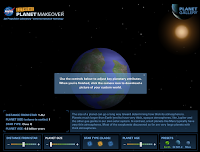
Extreme Planet Makeover is an interactive activity produced by NASA as a part of the Exoplanet Exploration website. Extreme Planet Makeover lets students choose the size of a planet, position relative to the largest and nearest star, and planet age. Students instantly get feedback on the characteristics of the planets they create. For example, if […]
Turn a Blog Into a Book
One of the reasons that I continue to encourage teachers to blog with students is that it helps to create a record of what your students have observed, learned, created, and shared throughout the school year. At the end of the year, you may want to take that blog and turn it into a physical […]
Historical Patterns Animated

Some of my favorite social studies lesson plans include having students use maps to analyze data and identify patterns in history. Over the years I’ve done this with paper maps and digital maps. Mapping History, produced by the University of Oregon, features lots of animated maps illustrating problems, patterns, and events throughout history. Mapping History […]
Character Scrapbook Helps Students Analyze Stories
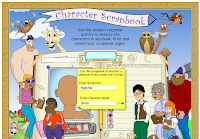
Scholastic’s Character Scrapbook is an online activity that could help your students analyze the characters in the books that they read. The Character Scrapbook asks students to create a digital drawing of what they think a character from a book looks like. The Character Scrapbook allows students to create digital drawings of people or animals. After creating […]
Avoid This Common Google Forms Mistake
New users of Google Forms often think that if students are in the same domain as the teacher, student information is automatically collected. That is not the case. Here’s how to make sure that you do collect student names and email addresses when giving a quiz through Google Forms. Learn more about Google Forms and […]
Copyright, AR, and Geography – The Week in Review

Good morning from Maine where it is a perfect first Saturday of the fall. Friends are visiting from out of state and we’re going to take advantage of the nice weather by spending the day outside on mountain bikes and then perhaps some time on the river. This week I hosted a Practical Ed Tech […]
5 Free Resources for Math Teachers Using Chromebooks
One of the many questions that I received in my email this week came from a reader who wanted to know what some of my favorite resources for teaching math are. She added the stipulation that they needed to work on Chromebooks because her district just replaced old Windows computers in a lab with a […]
XtraMath Now With Google Sign-on and Support for Another Language

XtraMath is a free service designed to help you help your students master the building blocks of solving mathematics problems. I’ve reviewed the service before and every time I do someone replies with a positive note about the service. One of the things that makes XtraMath popular is its support for multiple languages. Recently, XtraMath […]
WebRoom – Free Online Conferencing With Virtual Whiteboard

WebRoom is a free service for hosting online meetings. WebRoom doesn’t require you to download any software and you don’t need to register in order to use it. To launch a meeting on WebRoom you simply enter your name and email address. Your meeting room launches as soon as you finish entering your email address. […]
Stitcht – Make Videos With Friends
Stitcht is a free iOS app that lets you create a video from a combination of video clips captured by your friends. To make a video on Stitcht you simply start a project then invite others to add their video clips to the project. Stitcht will then combine the shared clips into one video that […]
Beyond Words – A Library of Congress Lab Experiment

The Library of Congress Labs is a website that hosts online experiments based on collections of digital artifacts housed by the Library of Congress. One of the experiments that should be of interest to US History teachers is the Beyond Words project. Beyond Words is an online project designed to identify illustrations in WWI-era newspapers. […]
Create Interactive Diagrams on Quizlet
Earlier this month Quizlet, a popular flashcard service, added a new interactive diagram feature. This new feature can be used by students and teachers to create review activities that are based upon pictures and charts. Clicking on a point on an interactive Quizlet image will reveal the name or term clicked. You can then “flip” […]
The Science of Autumn

This Friday is the Autumnal Equinox in the northern hemisphere. The changing leaves, the cooler air, and the earlier sunsets are just part of science of autumn. Here are some resources for teaching and learning about the sights and sounds of autumn. To help students understand why the leaves change colors in the fall, the […]
ClassClimate Updated to Remove Need for Student Email Addresses
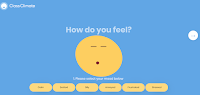
Last week I reviewed a new service called ClassClimate that lets your students record and share with your how they feel in your classroom. My one criticism of the service was that it required students to have email addresses. ClassClimate responded to me on Monday with an update that they have removed the requirement for […]
Reminder – YouTube Is Removing Its Photo Slideshow Tool
In June it was announced that YouTube was going to remove its Photo Slideshow tool in September. It’s now September and on Wednesday the Photo Slideshow tool will disappear. Additionally, some of the editing tools for cutting and splicing videos are being removed from the YouTube editor. Here are some alternative tools to consider using […]
Using Augmented Reality to Learn Nouns and Verbs

Metaverse is a great platform for creating your own augmented reality games and activities. Through the Metaverse Studio anyone can program an augmented reality experience without having any prior coding or programming knowledge. With Metaverse Studio you can build and publish an augmented reality game to accomplish many learning objectives. A great example of this […]
Play Your Dates Right – A Fun History Game

Play Your Dates Right is another great game template developed by Russel Tarr at ClassTools.net. The concept of Play Your Dates Right is that students have to pick the correct sequence of three historical events. The event in the middle of the game template is always the event that actually did come second. Students have […]
Built to Last – Bubbl.us Mind Mapping

Bubbl.us is the third entry into my Built to Last series. This is a weekly series featuring the educational technology products and concepts that have lasted as long as I have been writing Free Technology for Teachers which will be ten years in November. See the first two entries in the series here and here. […]
Kahoot, Fractions, Copyright – The Week in Review
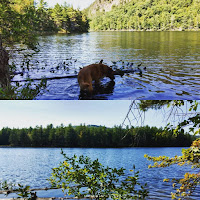
Good afternoon from Maine where it is a gorgeous late summer day. I started the day with a fun hike with my daughter and dogs. These days my hikes are little slower than they used to be, a 30lb child on your back will do that, but they are sweeter because I enjoy them with […]
Copyright Lessons for Students and Teachers

As many of you know, I spent much of my week dealing with a copyright infringement issue. As a result of that I have been doing more reading about DMCA (Digital Millennium Copyright Act) than ever before. One piece that I read was this article from attorney Sarah F. Hawkins. The article didn’t have much […]
A Fun Geography Game for All
Earlier this week Maps Mania published a list of ten geography games that are based on Google Street View imagery. Looking through the list reminded me of a geography game that is fun although it is not based on Street View imagery. That game is GameOn World. GameOn World is a multiplayer geography game developed by […]
5 Tutorials on Mapping Stories
In Wednesday’s broadcast of Practical Ed Tech Live I answered a question from a reader who was looking for advice on how to have students create maps based on stories that students read. The person had seen it done at a Google Apps Summit but couldn’t remember the name of the tool(s) that was used. […]
51 Resources for Constitution Day
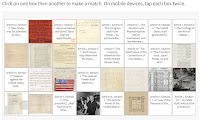
This coming Sunday is Constitution Day in the United States. That means that schools have to include some type of lesson related to the Constitution either today or Monday. Last week I shared a few resources for Constitution Day lessons. If you’re still looking for some Constitution Day resources, take a look at the collection […]
How to Create a QR Code for a Google Form
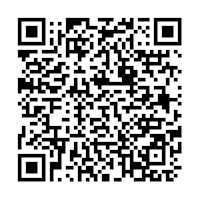
This afternoon I received an email from a reader who wanted to know how to make a QR code for quiz that she had made in Google Forms. The process is rather straight-forward as it requires just one simple tool outside of Google Forms. To create a QR code for a Google Form simply click […]
Kahoot Launches a New Mobile App – Play Games in Classroom or at Home
Kahoot released a new mobile app this morning. The new app, available for Android and iOS, contains all of the features that were promised back in June at the ISTE Conference. The new mobile app will let students participate in Kahoot games both in the classroom and at home. The Kahoot mobile app offers a […]
ClassClimate – Know How Your Students Feel During the Day

ClassClimate is a new service that is designed to help teachers keep track of how their students are feeling during the day, week, and month. The service is rather simple and easy to use. Students simply sign into ClassClimate and click the word(s) that describe how they are feeling. You can create a class or […]
Practical Ed Tech Live – Featuring Schrute Farms
Earlier today I hosted the latest installment of Practical Ed Tech Live. I started the broadcast by talking about the changes that I have had to make to the RSS feed and daily email from Free Technology for Teachers. After that I answered a handful of questions from readers. Those questions can be read in […]
YouTube Management Options for Schools

YouTube can be a great source of educational videos to share with your students. I recently read a blog post in which Chris Brogan claimed that his kids go to YouTube to search before they go to Google. The chances are good that you have students who do the same. But for all of the […]
XtraMath Helps Teachers Help Students Learn Math in Multiple Languages

XtraMath is a free service designed to help teachers and parents help their students learn basic mathematics. The service provides an online environment in which students complete practice activities that are recorded and shared with teachers and parents. Teachers can create classroom accounts in which each child has his or her own log-in credentials. Parents can […]
Join Me Tomorrow Afternoon for Practical Ed Tech Live
Tomorrow afternoon at 3pm EST I will be hosting episode 19 of Practical Ed Tech Live. During the broadcast I will answer the questions that were sent to me during the last week. I will also answer any questions that are submitted during the live broadcast. You can join the live broadcast on either the […]
How to Block an Instagram Account

Tweens and teens love Instagram. Common Sense Media recommends that teens and tweens use the privacy setting to restrict who can follow them on Instagram. I agree with that recommendation. But if you have teens who doesn’t listen to you (who hasn’t?) and lets anyone follow them, make sure that they and you know how […]
This Little Change Can Save Your Laptop’s Battery
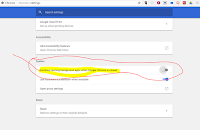
Earlier this morning in my post about customizing your Chrome settings I included the screenshot that you see in this post. That screenshot illustrates an advanced setting that you can use in Chrome if you are using a Windows or Linux computer. The setting stops Chrome apps/ extensions from running in the background when you […]
Customize Your Google Chrome Settings
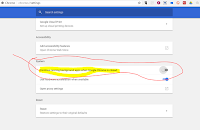
Google Chrome has many excellent features, provided you know where to find them. If your school has made you switch to a Chromebook, you may find yourself having to use Chrome exclusively now. I made the following video to help new Chrome users locate and customize their Chrome settings. Chrome, particularly when you have many […]
Constitution Day Virtual Field Trip to the U.S. Senate
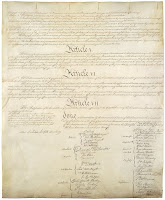
Constitution Day in the United States is this coming Sunday. On Friday, Discovery Education is hosting a virtual field trip to the U.S. Senate. The half hour event features a “behind the scenes” look at how the Senate works. The virtual event will include appearances from Senate Historian Dr. Betty Koed, U.S. Senate Judiciary Subcommittee […]
Built to Last – Scratch
This fall will mark the tenth anniversary of Free Technology for Teachers. Over those ten years I have reviewed thousands of free resources for teachers and students. Some of those free resources have come and gone in a blaze of glory (remember when Second Life and Nings were the cat’s meow?) while others have stood the […]
Six Ways to Create Screencasts on Chromebooks

The number options for creating screencast videos on Chromebooks has increased every year since Chromebooks first hit the market. For a while there was only one option, last year there were four tools that I recommended, and today there are six free tools that I can recommend for creating screencast videos on Chromebooks. Loom is a […]
A Chemistry Rap and Five Resources to Help Students Learn the Periodic Table
A few years ago my brother in-law Dr. Nathan Hnatiuk who teaches Organic Chemistry at Cedarville University shared this fun organic chemistry rap video on his Facebook page. It popped-up again in my “Facebook memories” so I thought it was worth passing along again. The video is embedded below. On a related note, here are five […]
The Week in Review – The Most Popular Posts

Good morning from Maine. By the time that many of you read this, I will be fly fishing for landlocked salmon on one of my favorite rivers, the Magalloway River. Wherever you are this weekend, I hope that you also get some time for a favorite hobby. And my sincerest thoughts and best wishes to […]
How to Install Backup and Sync for Google Drive
Contrary to what some poorly written headlines will tell you, Google Drive is not going away. What Google did announce this week is the deprecation of the Google Drive desktop app for Mac and PC. That is being replaced by the new Backup and Sync desktop client. I installed it this afternoon and made a […]
Print Dozens of NASA Infographics or Make Your Own

NASA’s Jet Propulsion Laboratory website contains a large library of infographics that you can download and print for free. The library contains infographics about spacecraft, exploration missions, planets, moons, the solar system, and comets. I downloaded the What is Comet Made Of? infographic that you see pictured below. Applications for Education If printed in color, […]
5 Simple Things That Can Improve Your Videos
Whether for it is for education or entertainment we are all watching more videos than ever before. YouTube states that more than one billion hours of videos are watched daily. We have more tools to record and share videos than ever before. With the tap of an app or click of a link, you and […]
Vocabulary Lists Could Help Your Students Conduct Better Searches

As I mentioned in a video posted earlier today, I have been doing some research about how students search. Specifically, they’re search habits and how those habits influence outcome of their searches. It’s quite fascinating even if much of what I’m reading is rather dry data crunching. One of the research reports that I read […]
How to Make a Blogger Blog Private
Recently, I received an email from a reader who had seen my comparison of classroom blogging tools and wanted to know more about how to make a Blogger blog private. I recorded the following video to illustrate how to set a Blogger blog as private. About once a week I’m asked what I use to […]
Hack the News With Mozilla’s X-ray Goggles
Mozilla offers some great tools that can help students understand how webpages are created. Thimble is one of those tools that I have featured in the past. It offers many great activities for students to complete to learn how to build webpages including webpages with animations. X-ray Goggles is another great tool that Mozilla makes […]
Read2Me – Free Text to Audio Conversion

Read2Me is a free service that will convert a webpage or an uploaded document into an audio file that you can listen to on the Read2Me website. To use Read2Me you simply have to paste a link to an article or upload a file and then be patient while it converts to audio. When the […]
The Practical Ed Tech Handbook for 2017-18

For the last couple of years I have published a free PDF titled The Practical Ed Tech Handbook. Over the weekend I updated it to include some new resources, remove some older ones, and edited it to reflect recent updates to some favorite tools. Subscribers to the Practical Ed Tech newsletter received a copy on […]
Built to Last – Purdue OWL

This fall will mark the tenth anniversary of Free Technology for Teachers. Over those ten years I have reviewed thousands of free resources for teachers and students. Some of those free resources have come and gone in a blaze of glory (remember when Second Life and Nings were the cat’s meow?) while others have stood […]
Great Writing Prompts for Elementary School Students

Last month Night Zookeeper launched a fantastic creative writing platform called Writing Sparks. Writing Sparks offers timed writing prompts to share with your elementary school students. Students can respond to the prompts by writing on paper, in a word processing document like MS Word, or by writing on the Writing Sparks website. The Writing Sparks […]
SeeSaw 101 – How to Get Started Making SeeSaw Digital Portfolios
For the last couple of years SeeSaw has been my first choice for a digital portfolio tool. It works well on all platforms and it’s equally easy to use on all platforms. But if you need a little help getting started on SeeSaw, SeeSaw 101 is there for you. SeeSaw 101 is a set of […]
The Week in Review – The Most Popular Posts

Good afternoon from sunny Paris Hill, Maine. It was a busy week here and I’m sure it was for you too. As I mentioned earlier in the week, autumn is in the air around here. I found myself grabbing a knit hat and putting on a fleece earlier this week. That just serves as a […]
Where to Find and How to Use the New Kahoot Math Games
Earlier this week Kahoot launched a new featured called Kahoot Studio. Studio is a curated collection of math games made by Kahoot and aligned to Common Core standards. In the future Kahoot will be adding games for other subjects. I received a couple of emails from readers looking for more information about Kahoot Studio. In […]
How to Find and Use YouTube Embed Codes
You might have noticed that YouTube made some layout changes. One of those changes included altering the sharing menu and moving the location of the embed codes for videos. Someone emailed me this morning asking for help on finding the location of the embed codes for YouTube videos. I made the following short screencast to […]
How to Share a Portion of a YouTube Video
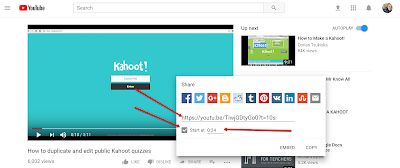
Over the years I have used videos to recap a lesson, to introduce a new concept, and to spark discussion amongst my students. When sharing videos with students I will often share just a portion of it. Usually, this means that I have them skip the first twenty or thirty seconds that has intro or […]
The Month in Review – A New Englander’s Favorite Season

The end of August is here and that means that this New Englander’s favorite season is just around the corner. From leaves starting to change color to Dunkin Donuts advertising pumpkin coffee to back-to-school pictures on Facebook, the signs of Fall are all around us. As I do at this time every month, I have […]
Getting Started With Weebly for Education
There are three services that I recommend more than any others when I am asked for a recommendation for a classroom blog or website tool. Those are Blogger, EduBlogs, and Weebly for Education. In the video that is embedded below I provide a short overview of how to get started using Weebly for Education.
Create Random Seating Assignments With Mega Seating Plan

On Sunday evening I shared the Mega Report Writer for streamlining the process of writing narrative reports. The same teacher who developed that tool also developed Mega Seating Plan. Mega Seating Plan is a free tool designed to help you create seating charts from a spreadsheet of names or from an imported Google Classroom roster. To […]
5 Tips for New Google Calendar Users
On Monday morning I shared a few tips for new Google Docs users. This morning I have tips for those who are new to using Google Calendar. If your school has made the switch to G Suite for Education, these tips are for you. In the above video you will learn: How to create an […]
The Library of Congress Puts Hamilton’s Papers Online
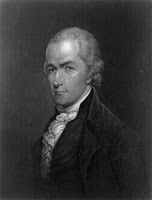
The Library of Congress has put their collection of Alexander Hamilton’s papers online for the public. The collection of papers includes some of Hamilton’s letters to family and friends, a draft of Washington’s farewell address, and documents from Hamilton’s law practice. Additionally, the Library of Congress has put together a simple timeline of Hamilton’s life. […]
Reminder – Searching is a Thinking Skill

Have you ever had a conversation with a student that went like this? Student: “Mr. Byrne, Google has nothing on my topic.” Mr. Byrne: “What is your topic?” Student: “The Civil War.” Mr. Byrne: “Are you sure that Google has nothing about the Civil War?” Student: “Well I looked at a bunch of links, but […]
Mega Report Writer – Streamline Narrative Report Writing
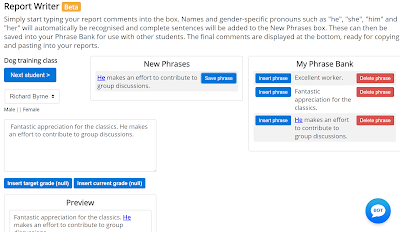
Mega Report Writer is a free tool designed by a teacher for the purpose of helping other teachers more efficiently write narrative reports. To get started with Mega Report Writer you import a class roster from either an Excel sheet or from Google Classroom. Once your roster is imported you can start writing comments and […]
The Week in Review – Isla Turns 1!
Good morning from Maine where we’re getting ready for friends and family to come celebrate Isla’s first birthday. We had a little cake on her actual birthday earlier this week. Today’s the big day for more cake and celebration. Many people have told me that the first birthday is more for the parents to recognize […]
Ask for Fascinating
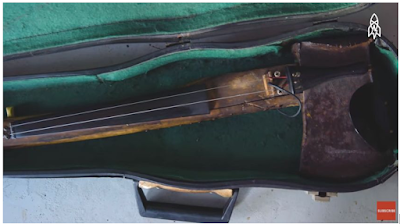
This is a guest post from Rushton Hurley. Rushton is the founder of my favorite educational video site, Next Vista for Learning. If your term is kicking into gear, then it’s likely that batches of assignments will soon be a part of your time. One way to quickly decide you need to thrust something sharp […]
Kids Discover Online Offers Great Concept Maps
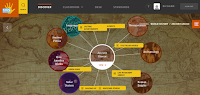
Kids Discover Online offers excellent reference articles for elementary school and middle school students. All of the articles are offered in multiple versions to match a range of Lexile scores. But that is not all that Kids Discover Online offers. My favorite feature of Kids Discover Online is the concept maps that students can explore. […]
12 Alternatives to Google Image Search – PDF Handout
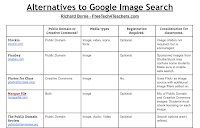
Google Images is the default search tool for many students when they need an image for a project. But Google Image search does have some problems associated with its use in classrooms. Google’s image search engine does include some filters for safe searching of images, but it doesn’t catch everything. Furthermore, Google Image search doesn’t […]
Telling Stories and Illustrating Concepts With Storyboards
Storyboard That is a great tool for creating storyboards, cartoons, and graphic organizers. Yesterday afternoon I hosted a webinar all about using Storyboard That in your classroom. If you couldn’t make it to the live webinar, the recording is now available to watch as embedded below. The slides from the webinar are available to view […]
Practical Ed Tech Live – Episode #16
Yesterday afternoon I hosted another episode of my weekly series called Practical Ed Tech Live. During each episode I answer a handful of questions that I have received during the week. I also answer any questions that appear in the YouTube and Facebook livestreams. The recording of yesterday’s episode is embedded below. The questions that […]
The Berlin Job – And the Rise and Fall of the Berlin Wall
The Rise and Fall of the Berlin Wall is a TED-Ed lesson that was released last week. It’s a fine primer on the basics of the Berlin Wall, but it is not anything that on its own is going to wow a history teacher. After watching the TED-Ed video I went back into my archives to […]
How to Collect Files Through Google Forms
One of the many updates that was made to Google Forms this summer was the option to accept file uploads from people who are not a part of your G Suite for Education domain. This means that you can now create a Google Form through which parents can submit files like a signed copy of […]
Free Webinar – Telling Stories & Illustrating Concepts With Storyboards

This Thursday afternoon at 4pm EST I am hosting a free webinar all about using storyboards to tell stories and illustrate concepts. In this webinar sponsored by Storyboard That you will learn how students can use storyboards to: Create comic strips. Design presentations. Illustrate processes and concepts. Analyze literature. Tell their personal stories in a […]
TimelinesTV – Good, Short History Lessons

I was recently looking through some of my older posts about timelines when I was reminded of TimelinesTV. TimelinesTV was originally built as a site that featured video lessons displayed on a timeline. Today, the timelines don’t function well (the site hasn’t been updated in a few years), but the videos are still available through […]
10 Good Options for Creating Digital Portfolios
Yesterday’s Practical Ed Tech weekly newsletter featured ten tools that your students can use this year to create digital portfolios. A copy of the handout that was included in the newsletter is embedded below.
Resources for Teaching Digital Citizenship – A PDF Handout
The new school year is when we think about all of the new apps and sites we want to use with students. As we do that it’s also important to think about teaching digital citizenship. Whether our students are in Kindergarten or are in high school, before we send them out on the web we […]
What Was There? – An Augmented Reality Activity
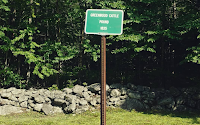
My bicycling club has a route that goes past some neat local history landmarks. One of those landmarks that most people miss is the site of the old cattle pound. Historically, most small towns in New England had cattle pounds or livestock pounds where wayward animals were held until their rightful owners claimed their animals […]
The Week in Review – Back to School Webinars
Good morning from Maine where we’re waiting for the sun to poke through the clouds so that we go enjoy a nice walk in the woods. But until that happens I’m going to work on some blog posts and work on some webinar materials. This week I hosted Google Forms & Sheets for Beginners. The […]
5 Updates to Google Docs to Note
Throughout the summer Google added many new features to Google Forms and Google Classroom. Now it’s time for Google Docs to get some updates. Yesterday, Google announced some updates to Google Documents. Those updates mostly center around how keeping track of revisions to documents. One update was made to the Google Docs Templates Gallery. 1. […]
How to Use Google Sheets to Create & Print Word Searches
Flippity is a service that I have been writing about for a few years now because they provide teachers with easy-to-use Google Sheets templates. The latest template released by Flippity enables you to quickly create a word search activity in Google Sheets. In the video embedded below I demonstrate how to use Google Sheets to […]
How to Use SeeSaw’s New Messaging Option
SeeSaw is a great digital portfolio tool that works on Chromebooks, iPads, Android tablets, and any computer with a modern web browser. Earlier this year at the ISTE conference SeeSaw announced some new features including a new messaging option. The new messaging option is now available to all teachers. In the video embedded below I […]
An Augmented Reality Hackathon for Teachers

Earlier this week I shared some ideas for creating and using your own augmented reality experiences in school. Metaverse is the free platform that makes it possible for teachers and students to create their own augmented reality experiences. If you haven’t tried it yet, I highly recommend taking a crack at making your own augmented […]
Book Creator is Now Live for All Chromebook Users
Earlier this summer Book Creator, a massively popular iPad app, was made available in a beta version for teachers to try on Chromebooks. As of this week the Chrome version of Book Creator is available to all teachers and students. You can access the new Chrome version of Book Creator at app.bookcreator.com. Book Creator’s Chrome […]
The History Project Has a New Name

The History Project is a great tool for creating multimedia timelines. This morning I went to use the service and noticed that it’s name has changed to Enwoven. I can still log-in using my credentials for The History Project. All of the tools for making and publishing multimedia timelines that were found in The History […]
Tools for Creating Stop Motion Movies
Kevin Hodgson recently updated his excellent Making Stop Motion Movies website on which he features examples of student projects and provides good information about the process of making stop motion movies. I particularly like the page about claymation movies. Looking at Kevin’s site got me to revisit some of my own posts about tools for […]
Three Good Resources for Learning About Careers

One of my favorite things about working and living in a small community is that I get to see what many of my former students are doing after high school and college. Some of my former students have joined the teaching profession themselves. Some of always knew that they wanted to become teachers and others […]
Writing Sparks – Writing Prompts for Students

Writing Sparks is a new writing platform developed by the same folks that created the popular Night Zookeeper platform. Writing Sparks provides you with timed writing prompts to share with your students. As a teacher you simply go to the Writing Sparks website then choose an age range and a type of writing prompt to […]
DIY Augmented Reality – 3 Ways To Use It In School

Disclosure: Metaverse is a new advertiser on FreeTech4Teachers.com Metaverse is an amazing platform that brings that for the first time enables anyone to create rich augmented reality experiences. In many ways the capabilities within Metaverse remind me of the early days of Minecraft (before it was sold to Microsoft) except that instead of creating games […]
Three Countdown Calendars For Your Classroom Blog

In my workshops about developing blogs and websites for classrooms I always make the point that you should add some content that will appeal to all students and parents when they visit the homepage. This content can include links to handouts, a calendar of due dates, and current announcements. Another item that you can add […]
If I Don’t Like It, I Don’t Write About It

Every morning I receive at least ten pitches from PR agents promising that a company offers something that is new, unique, revolutionary, or better than some other service that I have reviewed. 90% of these emails don’t get more than twenty seconds of my attention. Of the ten percent that I do consider, perhaps half […]
18 Updates to Google Tools That You Might Have Missed This Summer

The middle of August is almost here which means that many have returned for the start of the new school year. And those who haven’t started will be starting soon. During the summer Google added bunch of new features to Google Classroom, Google Forms, and other tools that teachers and students use throughout the year. […]
Stockio – Free Images, Icons, Fonts, and Videos

Atlantic Puffin Pair – Ray Hennessey via Stockio. Stockio is a website that offers free images, icons, fonts, and videos to download and re-use in your own projects. According to the notices that accompany each file on Stockio, attribution is not required but is appreciated. To download an image, an icon, or a font set […]
The Week in Review – Soaking Up Summer

Good morning from Maine where despite seeing a few maple leaves already turning from green to red, we’re still soaking up summer. Last weekend Isla and I hiked a local mountain and enjoyed the views from the top. This weekend, we’re doing the same. I hope as she gets older she enjoys the outdoors as […]
417 History and Civics Lessons In One Place
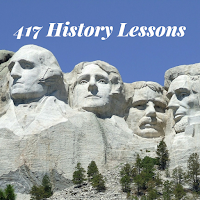
On Friday I featured Tom Richey’s YouTube channel which is full of great content for Advanced Placement U.S. and European History students. Today, I want to point out or remind you about the excellent videos that Keith Hughes produces. Keith has at least 417 video lessons about a wide range of topics in U.S. and […]
10 Things You Can Do With Google Sheets
As I mentioned yesterday in my run-down of ten ways to use Google Forms, Google Forms and Google Sheets is the part of G Suite for Education that I get most excited about teaching to others. My excitement comes from seeing how many applications for Google Forms and Google Sheets teachers develop once they understand […]
This Is Augmented Reality, This Is Virtual Reality
The difference between augmented reality and virtual reality is one of the things that I get asked to clarify on a fairly regular basis. This post has an example of each. Earlier this year I featured a fun app from PBS Kids called Plum’s Creaturizer. It’s a free augmented reality app that lets students create […]
The Imperial Presidents – And Other New Lessons from Tom Richey

After a little bit of a summer break it looks like Tom Richey is back to publishing some great videos for history students. His latest videos focus on the topic of American Imperialism. In particular, the most recent video is about the policies of Theodore Roosevelt, William Howard Taft, and Woodrow Wilson. Tom’s videos for […]
Student Stories Drawings in ClassDojo
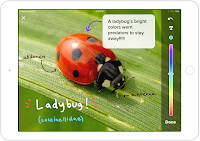
Student Stories is ClassDojo’s student portfolio tool that they launched around this time last year. A few weeks ago I gave a run-down of new features that are going to be added to ClassDojo’s Student Stories tool for the new school year. One of those features is an option for students to draw or annotate […]
Ten Things You Can Do With Google Forms
Google Forms and Google Sheets is the part of G Suite for Education that I get most excited about teaching to others. That is largely because once a person understands the basics of how Google Forms and Google Sheets work, the potential applications for school use are almost limitless. Here are ten ways that I […]
25,000 78 RPM Records for Your Listening Pleasure
A few years ago I spent time preparing my grandparents’ home to be sold. In the process my uncles and I came across many artifacts of a bygone era in American culture. Included in those artifacts were some 78RPM records. Unfortunately, lacking a record player we weren’t able to play the records. But today there […]
How to Print a Guest List From a Google Calendar Event
Google Calendar, like most products in G Suite, has lots of little features that are often overlooked. Just because those features are overlooked doesn’t mean that they’re not useful. For example, you can print a guest list from an event on any of your Google Calendars. In the video embedded below I demonstrate how to […]
Student Use of Adobe Spark – Your Questions Answered

My post about alternatives to YouTube’s video editor has sparked a lot of questions from readers in the last 24 hours. No question has been asked more than, “can my students who are under 13 use it?” Adobe addressed this question in their free Adobe Spark Edu Guide. You can get the guide here. Here’s […]
How to Create Virtual Reality Panoramas
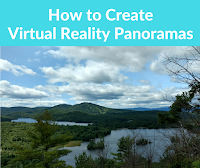
A couple of years ago Google launched the Cardboard Camera app for capturing your own virtual reality panoramas. At the time that it was launched it was only available on the Android platform and it didn’t include a mechanism for sharing your panoramas with others. Both of those things have since changed. You can now […]
How to Create Animated GIFs
Last week I wrote about a free animation tool called Flip Anim. In that post I mentioned using animated GIFs of math problems or to animate simple scenes from a story. A reader sent me a follow-up question asking about how to keep track of each part of the animation. So to answer that question, […]
How Do Glaciers Move?

Five years ago my old pal Morrison (RIP) and I traveled down the Columbia Icefields Parkway. It was a great way to experience part of the Canadian Rockies including seeing the glaciers that melt and feed tributaries of rivers that will eventually reach the Pacific, Atlantic, and Arctic oceans. That begged the questions of how […]
The Week in Review – It’s Only August

Good morning from Maine where the sun is shining on nice August morning. It’s only the first week of August, but I have already spotted a couple of leaves changing color. That’s always my visual reminder that my favorite season is just around the corner. I’m not sure if it is because my birthday is […]
Flip Anim – Quickly Create Animated GIFs

Flip Anim provides possibly the easiest way draw and create an animated GIF. Within minutes of learning about Flip Anim on Larry Ferlazzo’s blog I had created a couple of animated GIFs illustrating basic addition problems. One of those is included below. To create an animation on Flip Anim simply go to the site and […]
Google Earth for iPad Now Equal to Android Version
Back in April Google introduced a completely new version of Google Earth for Android and for use in your web browser. This week that new version finally arrived for iPhone and iPad users. Like the Android version of Google Earth, the iOS version features a “voyager” mode for taking virtual tours of places around the […]
Use a Screen Reader With Google Classroom
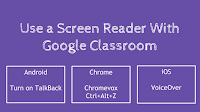
Earlier this week a follower of the Practical Ed Tech Facebook page asked if a screen reader could be used for Google Classroom. You can use a screen reader with Google Classroom. If you use a Chromebook, you can use Chromevox with Google Classroom. Users of the Android app for Google Classroom can use TalkBack. […]
A New Google Forms Feedback Feature You and Your Students Will Like

Earlier this week Google released a bunch of updates to Google Classroom and Google Forms. One of the updates to Google Forms is the option to give individualized feedback on each question that a student answers on a quiz given through Google Forms. In the video embedded below I provide a demonstration of how to […]
Practical Ed Tech Live Episode #13
On Tuesday afternoon I hosted another episode of Practical Ed Tech Live. As I do in every episode, I answered some questions that I had received in advance and some that were submitted live. The questions that were submitted in advance can be seen in this document. The video of the episode is embedded below.
Three Good Videos About Solar Eclipses

On August 21st a solar eclipse will cover a large portion of the United States. If you’re in an area that the eclipse will cover, you may want to have your students build solar eclipse viewing boxes. But before doing that, you may want to have your students review how eclipses happen. The following three […]
Solar System and Storyboards – Free Lesson Plans

Disclosure: Storyboard That is an advertiser on FreeTech4Teachers.com Storyboard That offers a robust platform on which students and teachers can create comics and storyboards. Even those who don’t fancy themselves as artists can make great comics by utilizing Storyboard That’s galleries of thousands of pre-made characters, scenes, and objects. In addition to offering a great […]
Learn Anything (Almost) Through These Interactive Mind Maps
Learn Anything is a neat website that is essentially a giant mind map. Enter a topic into the search box on Learn Anything and a mind map of related topics will appear. Each node of the mind map that appears is hyperlinked to either another mind map, to a video, or to text-based resources for […]
The Month in Review – The Most Popular Posts

Good evening from Maine where the sun has set on the month of July. Mason and I sat out on the deck enjoying the last rays of sunshine then came inside to write this review of the month. This was a busy month as I spoke at the Upstate Technology Conference in South Carolina then […]
The Week in Review – The Most Popular Posts

Good evening from Maine where we enjoyed a beautiful summer day. These are the kind of summer days that you want to bottle and save to re-use on dreary day in January. We took advantage of the beautiful weather by going for a hike with our dogs. Wherever you are this weekend, I hope that […]
Down for Everyone? Or Just You?
Down For Everyone Or Just Me? will tell you if a site that you’re trying to visit is down or not. To use the site just enter the name of a site into the search tool on Down For Everyone Or Just Me? and you will quickly get a yes or no answer. Applications for Education The next […]
A Virtual Amusement Park About Molecules
The NanoSpace Molecularium is a nice web resource produced by Rensselaer Polytechnic Institute. The purpose of the site is to provide elementary school and middle school students with an introduction to the properties of atoms and molecules. The NanoSpace Molecularium is a virtual amusement park that students can click through to find videos, games, and […]
Historical Patterns Animated
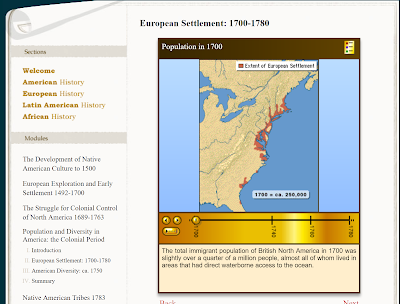
Some of my favorite social studies lesson plans included having students use maps to analyze data and identify patterns in history. Over the years I’ve done this with paper maps and digital maps. One neat digital map source is Mapping History which is produced by the University of Oregon that features animated maps illustrating problems, […]
View and Print in 3D More Than 200 Objects from The British Museum
The British Museum collection on Sketchfab contains 252 3D models of artifacts in The British Museum’s collections. You can view these models in 3D in your web browser or in a virtual reality viewer. (To view the models in your browser your browser needs to support WebGL, you can test your browser here). If you […]
Warning! The Default Order of Icons in G Suite Launcher is Changing
Today, Google announced an upcoming change to the default display of apps in the Google app launcher. That’s the little menu that appears in the upper, right corner of your screen when you’re logged into your G Suite account and using a G Suite product. Google stated that the change was made to improve the […]
Blocking and Filtering in Gmail
This afternoon a friend sent me a text message asking about methods for blocking and or filtering messages in Gmail. Like requests of this nature, it was easier to show the method than to explain it in writing. So I recorded the following video about how to block senders in Gmail. The following video explains […]
The Week in Review – New Headquarters
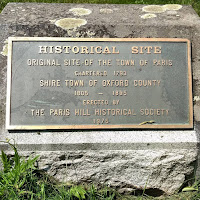
Good evening from the new Free Technology for Teachers world headquarters in Paris, Maine. Today, we moved into a home in the Paris Hill historic district. It’s most notable resident was Hannibal Hamlin who was Abraham Lincoln’s first Vice-President. As a lover of history, I’m excited to dig into more of the local history in […]
Students Can Now Guide Themselves In Google Expeditions
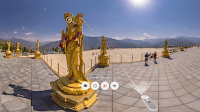
On Wednesday Google released an update to Google Expeditions that allows students and others to guide themselves on Google Expeditions. Expeditions are Google’s Virtual Reality experiences that can be viewed through the Expeditions app on phones placed in Google Cardboard Viewers. The new “solo” mode in Expeditions (currently only for Android) lets students view Google’s […]
9 Features of ClassDojo’s Digital Portfolio Platform – Coming Soon
About this time last year ClassDojo introduced a digital portfolio platform that they call Student Stories. Since its initial launch ClassDojo has steadily added new features to Student Stories. Today, ClassDojo announced nine features that will be available for the start of the new school year. 1. User names and passwords are no longer required […]
The Five Most Popular Ed Tech Tutorial Videos of 2017 So Far
Every week I publish a couple of tutorial videos on my YouTube channel. As we’re now more than half way through the year, I thought it would be good to take a look back the the most viewed ed tech tutorial videos that I have produced this year. 1. A Tour of the New Google […]
The Week in Review – Fun and Learning at UTC
Good evening from Maine where I’m wrapping up a busy week that included hosting four webinars and two days of presenting at the Upstate Technology Conference in Greenville, South Carolina. UTC was a great event. It was a pleasure to meet so many new people including YouTube sensation Tom Richey and to reconnect with old friends. If […]
The Periodic Table in Pictures and Words
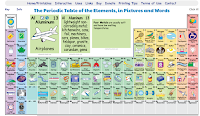
The Periodic Table of Elements, in Pictures and Words is an interactive site that shows students how each element is used or is present in familiar products. When students click on an element in the interactive display an image of a familiar product or object appears along with a description of the element and its […]
More Than 40 Examples of Classroom & School Blogs

Earlier this week at the Upstate Technology Conference in South Carolina I gave a couple of presentations about using blogs and social media in school. One of the best ways to learn about using blogs in school is to see how others are doing it. That’s why a few years ago I put together a […]
Try Book Creator In Chrome to Create Multimedia Books
Book Creator is a one of the most popular iPad apps in schools. It’s a fantastic app for creating multimedia stories. Now that platform is available in a web version too. The Book Creator web version is currently in beta and open for teachers to use. Book Creator’s web version supports creating multimedia books containing […]
Anchor Offers the Easiest Way to Publish Podcasts

Anchor is a free audio publishing service that I started using last winter. I was drawn to Anchor by its ease of use. Recording on Anchor is simple of matter of just holding down the record button on your phone then releasing it when you’re done talking. When I started using Anchor it only let […]
Try YouTube Live To Reach More Students
Back in May I shared how Tom Richey was using YouTube Live to host AP World History review sessions for students. That’s one way to use YouTube Live to help your students. Another way to use YouTube Live is to broadcast and record lessons from your classroom. As I explained and demonstrated yesterday at the […]
5 New Google Forms Features
Earlier today Google announced the release of five new features for Google Forms users. Four of the five new features are significant for most users. The first update to Google Forms to note is a new response format option. A new “checkbox grid” response format lets you create questions that require multiple responses. For example, […]
TagCrowd Offers Three Ways to Create Word Clouds

TagCrowd offers three ways to create word clouds. You can create a word cloud by copying and pasting text into TagCrowd, you can upload a plain text file, or you can copy and paste a web address into TagCrowd. After using one of those three methods you can specify how many words you want to […]
A Guide to Creating Explanatory Animated GIFs

In yesterday’s episode of Practical Ed Tech Live I answered this question: Is there anything that pieces the snapshots back together in a single frame? So you see the same object in one picture at different positions? My suggestion was to create an animated GIF by following the guide that Common Craft published a couple […]
The Week In Review – The Most Popular Posts

Good morning from Maine where the sun is shining and I’m ready for a bike ride with some old friends that I haven’t seen in about twelve years. Even if I wasn’t riding with friends, it would still be a great day to get outside for fun exercise. In my life there is an amazing […]
Practical Ed Tech Live – Episode #11
This afternoon my daughter and I recorded the eleventh episode of my almost weekly series, Practical Ed Tech Live. In every episode I answer a handful of the questions that I’ve received from readers. The recording of the episode is embedded below. The list of questions and my recommended resources can be found in this […]
More Than 8,500 People Get Their Ed Tech Tips This Way

My virtual mentor, Chris Brogan, says that watching and listening is the new reading. He’s been saying this for a while which is why I’ve made an effort to publish a few new videos every week. Chris appears to be right because every week more people subscribe to my YouTube channel. As of Wednesday, more […]
Students Can Discover Careers Through Next Vista for Learning

As many readers of this blog already know, Next Vista for Learning is one of my favorite video sharing sites for students and teachers. Videos hosted on Next Vista are created by teachers and students for the purpose of sharing good news and good lessons with other teachers and students. The careers section of Next Vista is one that […]
Live Nature Webcams In Google Earth
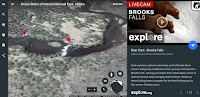
When the new version of Google Earth was released in April, it signaled the beginning of more things to come for Google Earth on Chromebooks. Since then Google has steadily added new features to Google Earth for Chromebook users. The latest update brings a new Voyage that features live nature webcams from Explore.org. The Explore.org […]
How to Use ClassTag to Streamline Communication With Parents
ClassTag is a free service that lets you send email, push, and SMS/text announcements to parents. Additionally, ClassTag offers free tools for scheduling conferences, events, and for coordinating parent volunteers. In the video embedded below I provide an overview of how to use ClassTag.
How to Use Unio to Deliver Lessons to Students’ Screens
Unio is a free platform for creating lessons and delivering them directly to your students’ laptop screens. It’s designed to let you project a lesson and quizzes onto your students’ screens and have them follow along with you. You can include quiz questions at various points throughout your lessons. In the video embedded below I […]
How to Add Images to Google Slides

On Friday I received an email from a reader who was asking about how to add images to Google Slides. I made the following video to provide an overview of the methods that you can use to add images to Google Slides.
Unio – A Free Virtual Whiteboard for Broadcasting Lessons

Unio by Harness is a free virtual whiteboard system that you can use to broadcast illustrations and demonstrations to your students’ laptops. I learned about Unio from Danny Nicholson and had to give it a try myself. To get started with Unio you first create a subject heading then create a lesson. The lesson creation […]
The Week in Review – The Most Popular Posts

Good morning from Maine. Happy Canada Day to all of my friends north of the border. I’ve had many great days working with teachers in Canada and I hope that I get to visit again soon. This week I was at the ISTE conference for a few days. It was a busy, fun, and informative […]
A Calendar of G Suite Updates
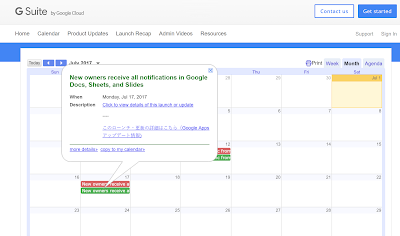
As I’ve said many times over the years, it can be a challenge to keep up with all of the updates that Google makes to G Suite throughout the year. Fortunately, What’s New in G Suite has a calendar of updates. The calendar includes updates for the rapid release track and the scheduled release track […]
The Month in Review – The Most Popular Posts
It’s the end of the month and as I always do, I’ve put together a list of the most popular posts of the last 30 days. Take a look at the list and see if there is anything neat that you missed this month. The Practical Ed Tech Chromebook Camp starts in three weeks. There […]
Practical Ed Tech Live – Episode 10 – ISTE Recap + Q&A
Just a few minutes ago I wrapped-up the tenth episode of Practical Ed Tech Live. Most of the time was spent on my ISTE recap, but I did answer a couple of reader questions at the end. Next week I will cover more questions. The video of the episode is embedded below. You can get […]
Great Chromebook & G Suite PD on Both Coasts

Summer is here and it’s a great time to learn new skills and brush-up on old ones. If your school is moving to Chromebooks and or G Suite for Education, I have two great professional development opportunities to share with you. Folks on the west coast should look into Beyond Tech Ed’s two day training […]
iMendi Quick Vocabulary Review in Eight Languages
iMendi is a simple site for reviewing key vocabulary words and phrases in eight languages. To use the site simply select a language and start flipping flashcard questions. You get two tries at the answering correctly on each card before iMendi gives you the correct answer. If you want to focus on a specific set […]
Front Row Offers Differentiated Resources for Social Studies Instruction

Front Row has developed a great reputation over the last couple of years for the differentiated math and ELA resources that it offers to teachers and students. This week at ISTE 17 I sat down with the CEO of Front Row to take a look at the new social studies resources that Front Row is […]
A Comparison of Historic Journeys
I’m writing this as I zoom through the air at 500+ miles per hour to get home after ISTE 17. Just 100 years ago this trip would have been on a train for days. And 100 years before that the journey would have be counted in weeks and months. That kind of comparison is what […]
eduClipper Was Acquired by Participate – What That Means for Teachers

The popular social bookmarking and digital portfolio tool eduClipper has been acquired by Participate. Fortunately, teachers and students who currently use eduClipper won’t notice any changes. Participate’s commitment to maintaining eduClipper’s free service for teachers was reiterated to me many times in the conversation that I have with eduClipper’s founder Adam Bellow and Participate’s CEO […]
Quickly Print a Storyboard Template from Google Slides
Earlier this week I watched a webinar that was hosted by Lee LeFever from Common Craft. You probably know Lee and his wife Sachi’s work from videos like Google Docs in Plain English and Wikis in Plain English. In the webinar Lee explained the process that he and Sachi use to create their videos. One […]
The Week in Review – The ISTE Prelude

Good afternoon from San Antonio, Texas where I have just checked-in at the ISTE 2017 conference. The conference doesn’t officially begin until tomorrow, but there is already plenty of activity around the convention center. When I checked-in I was asked, “what are you looking for at the conference?” My answer was, “things that empower students […]
A Good App and A Good Site for Learning About Endangered Animals

WWF Together is a beautiful iPad app and Android app that features interactive stories about endangered animals around the world. Each of the interactive stories includes beautiful images and videos, facts about the animals and their habitats, and the threats to each of the animals. Some of the animals currently featured in the app are pandas, marine […]
Get Inspired By These Videos
This is a guest post from Rushton Hurley. Rushton is the founder of Next Vista for Learning and the author of Making Your School Something Special. I love an inspiring video. While I think it’s inspiring that there are over two thousand short videos created by and for teachers and students everywhere on NextVista.org, we also have a […]
The Not at ISTE 2017 Survey

The annual ISTE conference starts on this coming Sunday. I’ll once again be attending with a media credential. While I already have a list of interviews that I’ll be conducting, I am also looking for input from those of you who aren’t able to attend the biggest ed tech conference of the year in North […]
Mapping Local Art – A Google Maps and Earth Activity

Winslow Homer [Public domain] via Wikimedia Commons. Whenever I conduct workshops on Google Maps and Google Earth I always point out that there are uses for those tools beyond the realm of geography and history. A recent, popular, example of this is found in the Google Arts & Culture Institute’s Street View imagery of museums. While the Google […]
Convert Physical Sticky Notes Into Digital Notes
Post-it Plus is a free iPad app that you can use to turn your physical sticky notes into digital notes. With this free app installed on your iPad or iPhone you can snap a picture of a collection of physical sticky notes and have them quickly digitized. Once your notes are digitized you can re-arrange them, […]
How to Print Google Forms
Google Forms can be provide you with a good way to create a quiz for your students to complete online. It’s also a great tool for conducting surveys and or registrations for school club activities. Unfortunately, if not all of your students have access to the web then you will need to print copies of […]
Collaborate With Students to Create Quiz Games
Triventy is a free quiz game platform that earlier today I introduced to a great group of teachers in New Hampshire. The concept behind Triventy will feel familiar to anyone who has used Kahoot or Quizizz. Triventy differentiates itself from Kahoot and Quizziz by allowing you to accept question suggestions from students. In the video embedded […]
Three Good Ways to Create Stop Motion Videos – Tutorials
Last week I published a blog post about creating stop motion videos on Chromebooks. That post led to some emails from readers who were wondering about other options for creating stop motion videos. Here are three tutorials on three free tools that you and your students can use to create stop motion videos. JellyCam is a […]
More Than 100,000 Interesting Historical Images to Download for Free
A Cow Grazing Adriaen van de Velde Image Source: J. Paul Getty Museum The Getty Museum’s Open Content Program offers more than 114,000 images that you can download and re-use for free. You can download and re-use the images as long as you give proper attribution for the source of the image (see my image caption for […]
Create Mind Maps in Google Drawings
In a webinar that I hosted last week I was discussing using mind maps to generate ideas for blog posts. Someone in the webinar asked for a demonstration so I opened Google Drawings and quickly put together a mind map of blog post ideas. In the video embedded below I demonstrate how to use the […]
Crello – A Good Option for Creating Graphics

Crello is a free platform that bears a striking resemblance to Canva. Like Canva, Crello offers a variety of free design templates that you can customize with stock imagery and clip art or with images of your own that you upload to your Crello account. All of your designs can be downloaded as PDF, JPG, […]
Formative 2.0 is Coming Soon – Save Your Data Soon

Formative is one of my favorite free tools for conducting interactive formative assessments. I’ve used it to create image-based quizzes and diagram-based quizzes. You can also use it to create interactive assessments based on documents that you upload to the site. Last week Formative announced via email that Formative 2.0 is coming soon. The new […]
12 Sites and Apps for Learning to Code

Last week on Twitter I mentioned that Logo was my introduction to computers and programming. Today we have many more ways to introduce students to programming and coding. Here are some good resources that you can use to introduce students to programming and coding. When the conversation amongst educators turns to programming, Scratch is often […]
Soundtrap Now Offers MIDI Export

Soundtrap is a great tool for students to use to create music online. Soundtrap offers a wide variety of virtual instruments that students can use to create music on Chromebooks, Mac and Windows computers, and iOS and Android tablets. Soundtrap also lets kids record music they play with real instruments. The best part is that […]
The Week in Review – The Recombobulation Area

An appropriate sign after TSA in Milwaukee. Good morning from Maine where I’m enjoying a nice cup of coffee while my dog sleeps next to me on the couch. It’s a nice way to start a summer day. Put another way, drinking coffee at a leisurely pace feels like I’ve entered a recombobulation area. That’s […]
Snap – A Great Way for Students to Try Programming

Earlier this week I Tweeted that anyone who is going to the ISTE conference in San Antonio needs to put Gary Stager’s presentation titled Logo at 50: Children, Computers and Powerful Ideas on his or her calendar. Understanding the development of Logo is key to understanding how many of the programming apps we have in […]
Three Places to Find Public Domain Video Clips

On Wednesday I published suggestions for places to find public domain images. Then yesterday I received an email from a reader who was wondering about public domain video options. These are the three resources that I suggested to her. The Internet Archive is the first place that comes to mind when I am asked for […]
How to Move from Google Drive to OneDrive

Earlier this week I shared information about moving your data from G Suite account to another. But what if you’re leaving a school district that uses G Suite to join one that is uses Microsoft’s cloud products? In that case you will want to move your Google Drive files into OneDrive. In the following video […]
How to Create Stop Motion Videos on a Chromebook
Last night I published an article about the Stop Motion Animator Chrome app. To clarify some of the nuances of using that app, in particular the handling of .webm files, I created the following short video demonstration. Come to the Practical Ed Tech Chromebook Camp to learn more about making videos on Chromebooks.
Three Good Places to Find Public Domain Images
My earlier post about Common Craft’s new video prompted a few people to ask me for recommendations for places to find public domain images and videos. Here are the three places that I go to when I need public domain images. Pixabay hosts high quality public domain images. You can search on Pixabay by using keywords […]
How to Create a Word Cloud In Google Docs
Last week during Practical Ed Tech Live I answered a request for a suggestion for a tool to create word clouds. One of the tools that I suggested was the Word Cloud Add-on for Google Docs. In the video embedded below I demonstrate how to quickly create a word cloud in Google Documents.
Soapbox – A New Tool for Creating Screencast Videos on Chromebooks

Soapbox is a new tool from Wistia that makes it easy to create great screencast videos on a Chromebook or any computer that is using the Chrome web browser. With Soapbox installed in the Chrome web browser you can quickly record your screen and your webcam at the same time. Soapbox is a little different […]
Quickly Generate an Outline in Google Documents
Google Documents contains lots of handy features that often go overlooked. One of those features is the outline tool. The outline tool will quickly create an outline of your document. The outline is based on headers that you write in your document. The outline appears in the right-hand sidebar of Google Docs and lets you […]
Leaving One G Suite District for Another? – Take Your Data With You

Over the last few weeks I received a bunch of questions from readers who are leaving one school district that uses G Suite (formerly known as Google Apps) and going to another. The questions, all phrased slightly differently, have essentially asked how to save and or move data from one G Suite account to another. […]
Diigo vs. Google Keep – A Comparison of Bookmarking Tools
During Practical Ed Tech Live last Thursday afternoon I answered a request for a comparison of Diigo and Google Keep as alternatives to Delicious. The video of that explanation was a little muffled by some background noise so I decided to write out my explanation of the key differences between Diigo and Google Keep. Social Sharing […]
5 Google Docs Formatting Tips
Some of the first questions that new Google Docs users ask are usually centered around formatting options in Google Docs. The stress of the transition from Word or Pages to Google Docs is eased once some of the basics are addressed. In the following videos I provide demonstrations of five Google Docs formatting options. How […]
Create Simple Animations With ParaPara Animation
Parapara Animation is a free animation creation tool developed and hosted by Mozilla. The tool is easy to use and it does not require registration in order to use it. In the video embedded below I demonstrate how to create an animation with ParaPara Animation. Applications for Education I first learned about ParaPara Animation when Kevin Hodgson […]
The Week in Review – The Most Popular Posts
Good morning from Maine where it is starting to feel like summer. Some of us were starting to go a little nutty with the constant rain and cold. The sunny, warm weather has me thinking forward to July when I’ll host the Practical Ed Tech Summer Camps. There are some seats available for both the […]
An Overview of Google’s Public Data Explorer
Google’s Public Data Explorer draws on data sets from the World Bank, the US CDC, the US Bureau of Labor Statistics, and other sources of public data. In all there are eighty data sets. The Public Data Explorer makes it possible to quickly create visual representations and visual comparisons of the data sets. Each visualization you create has a […]
Free Webinar – Behind the Scenes at Common Craft
Common Craft burst onto the explainer video scene way back in 2007 with RSS in Plain English. That video demonstrated a new way for students and professionals to create effective and engaging explanatory videos. In the ten years since RSS in Plain English hit the web, many teachers, students, and creative professionals have created their […]
4 Updates to ClassDojo’s Student Stories

Last fall ClassDojo introduced a new digital portfolio tool that they call Student Stories. Initially, it was only available on iPads then it expanded to users of all types of computers and tablets. Student Stories puts students in charge of assembling their portfolios. Their portfolios can include digital work as well as physical work that […]
Easier Data Interpretation and Visualization in Google Sheets
Interpreting data from a spreadsheet can feel a bit overwhelming to a lot of students. That’s why I’m excited about Google’s latest update to Google Sheets. Last week Google added a new feature to make data visualization and interpretation easier than ever. Now when you open the Explore feature in Google Sheets you can simply […]
A Convenient New Way to Search for Educational Videos

ClassHook is a free service that can help you find video clips to support your lessons. The clips that you’ll find in ClassHook come from well-known television shows and movies. You can find video clips on ClassHook by selecting a topic and browsing through the collection. ClassHook also has a search tool that allows you to […]
How to Quickly Download Google Drive Files
This is the time of year when some of us may be leaving one school district to head to another. If the one that you’re leaving uses G Suite, you probably will want to download the files that are important to you before you lose access to your school-based account. Fortunately, it is easy to […]
A Clever Use of Google Keep for Grading in Google Docs
Earlier this year Google Keep became a core service of G Suite for Education. That update brought with it an improved integration of Google Keep into Google Docs. Eric Curts who writes the blog Control Alt Achieve has a great idea for using Google Keep to give students feedback in Google Documents. Watch his video, […]
If You’re Still Using Delicious, Stop and Try Something Else

Delicious (Del.icio.us), once the darling of the Web 2.0 bookmarking community, has been sold again. This marks the fifth time that the service has been sold. This time it looks like this is really the end for Delicious. The service was acquired by Pinboard who earlier this week announced that on June 15th Delicious would […]
The G Suite Newsletter – What’s New In G Suite

There are times when it seems that keeping up with the updates in G Suite can be a full-time job in itself. Fortunately, at then end of every month Google publishes a newsletter that highlights the updates made in the previous month. You can find this month’s G Suite Newsletter here. Highlights from the May […]
How to Invite Students to Google Classroom & How to Join a Google Classroom

The addition of Gmail users to the Google Classroom platform has made it possible for almost anyone to create and join courses in Google Classroom. This has also caused some confusion for people who previously used Google Classroom with a G Suite for Education account. The confusion arises when a person tries to join a […]
The Week in Review – The Most Popular Posts
Good morning from rainy Maine. I’m not complaining too much about the rain today because I’m inside spending today working on developing and editing materials for the workshops and webinars that I’m leading this summer. One of those webinars, From Blog to Job, is starting tomorrow night at 7pm EDT. In my typical pattern of […]
4 Virtual Reality Videos About Antarctica

Virtual reality is giving many of us the opportunity to see places that we may never visit in a level of detail that could never be experienced through print or even 2D video. For example, thanks to The New York Times VR app (available for iOS and Android) we can now experience parts of Antarctica […]
Practical Ed Tech Live – Episode 7
Earlier today I hosted the seventh episode of Practical Ed Tech Live. In today’s episode I answered five questions from readers and put out a call for help with one question. The video of today’s episode of Practical Ed Tech Live is embedded below. The list of questions answered in the episode can be seen […]
12 Lessons About Inventions That Kind of Changed the World
TED-Ed has a series of twelve video lessons called Moments of Vision. The videos in the series teach short lessons about inventions that may or may not have changed the world. For example, the invention of the stethoscope did change health care. The invention of the Popsicle, however, just makes summer days a little more […]
Try Kami for Annotating PDFs

This afternoon during Practical Ed Tech Live I answered a request for a tool that can be used to annotate PDFs. One of the suggestions that I made was to try Kami. Kami is a tool that you can use to draw, type, and highlight on PDFs. You can import PDFs into Kami from your […]
Grade Items in G Suite Side-by-Side With Otus Rubrics
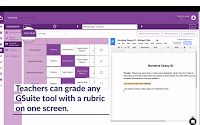
Otus is a fantastic learning management system that is steadily growing in popularity in large part because of its easy of use and flexibility. Proof of that flexibility can be found in a forthcoming update that will let you view, comment, and grade any G Suite item (Docs, Slides, Sheets) on the same screen that […]
The Kid’s Guide To How the Internet Works

Our students have never known a world without the Internet. Before they use the Internet, it’s a good idea to teach them what the Internet is and how it works. The Kid’s Guide To How the Internet Works is a free ebook designed for early elementary school students. The book is not comprehensive, but could […]
Join Me Tomorrow for Practical Ed Tech Live

After taking last week off to deal with an injury and some pressing personal matters, I’m now ready to host another edition of Practical Ed Tech Live. Join me on my YouTube channel tomorrow at 3:30pm EDT. You can join me on my YouTube channel or on the Practical Ed Tech Facebook page. I’ll answer your questions live […]
May’s Most Popular Posts on Free Technology for Teachers

Good evening from Maine where we’re having our first thunderstorm of the year on the eve of June. Earlier today I hosted Teaching History With Technology and I’m looking forward to teaching more professional development classes throughout the summer. You can learn more about those course offerings on this Practical Ed Tech page. As I […]
Classtools Offers a Handy Source Analysis Tool for Students
Classtools.net offers dozens of neat tools for students and teachers. Over the years I have featured many of those tools in blog posts and videos. One Classtools tool that I haven’t previously featured is the Source Analyser. The Classtools Source Analyser provides students with a simple template that can help them analyze the resources that […]
Teaching With Trading Cards
Big Huge Labs and Read Write Think offers trading card templates that can be used by students is to create a set of trading cards about characters in a novel, to create a set of cards about people of historical significance, or to create cards about places that they’re studying in their geography lessons. In […]
History Project Vignettes
The History Project is a service that I like to describe as StoryCorps With Timelines. When the service launched last summer it was designed to help people record and share personal stories in a timeline format. Each event on a timeline can include multiple pictures, text, and audio that you either record in the service […]
Screencastify and Nimbus Screenshot Compared
I recently received an email from a reader seeking a comparison of Screencastify and Nimbus Screenshot. Back in March I published a comparison of both tools along with Capture Cast. Here’s a short recap of that comparison. My preference is for Nimbus Screenshot because its free plan offers more of what I need than Screencastify’s […]
Bitly vs. Goo.gl

I recently received an email from a long-time reader who wanted to know my opinion of using Bitly compared to Goo.gl for shortening and sharing URLs. I have a slight preference for Bitly, but I don’t think that you can go wrong by using either tool to shorten and share URLs. Here’s my quick comparison […]
Adapting by Using Voice Commands in Google Docs

As I mentioned in my post about how medicine works, I injured my right hand on Friday evening. There are stitches in my hand which make it hard to type or use a mouse. To adapt, I’m slowly using a mouse with my left hand and using my voice to type in Google Docs. So […]
Dream Seeds – A New eBook of Writing Prompts from Make Beliefs Comix
Plant Your Dream Seeds is a new eBook from Make Beliefs Comix. The book is a fillable PDF in which students can write their responses to the prompts within the free eBook. The prompts in Plant Your Dream Seeds are intended to get students thinking about their hopes and dreams for the future. The book […]
The Week in Review – The Most Popular Posts
Good morning from Maine where the sun is shining, the grass is finally green, and pollen is coating any car left outside overnight. I hope that it is equally nice wherever you are this weekend. As the weather turns decidedly toward summer many of us are thinking about professional development opportunities. I’m going to a […]
Two Ways to Add Audio to Google Slides
In yesterday’s Practical Ed Tech Live session I answered a question that I seem to be getting asked a lot lately. That question is, “do you know how to add audio to Google Slides.” You can add audio to Google Slides if you use YouTube or Google Drive to host videos that contain audio tracks. […]
Mindful Movements With ClassDojo
Since its launch last year ClassDojo’s Big Ideas series has steadily grown in size. This month ClassDojo added to the series with a new collection of videos and activities organized around the idea of mindfulness. The Mindfulness series is a set of videos and activities that were designed in partnership with Yale University’s Center for […]
How To Use Emojis In Google Keep

Earlier this week I shared that I had stumbled into adding emoticons/ emojis to my lists in Google Keep. A couple of people have asked how I did this. The answer is that you have to use the app on your Android phone or iPhone. I haven’t found an easy way to do it in […]
Write – A Minimalist Writing Platform
Write is a free writing platform with the simplest design of all of the minimalist writing platforms that have popped-up in the last couple of years. On Write you simply choose the length of time that you want to spend writing then start writing. Write Surge will show a countdown timer in the right hand corner […]
How to Change Your Google Profile Image
Many of us have multiple Google Accounts. It’s not uncommon at all to have one account for school in G Suite for Education and one account connected to your personal Gmail account. If you use the default “initial icon” for your Google Account profiles, it’s easy to forget which account you’re logged into at a […]
How to Create Gmail Filters
At one time or another we have all stared at our email inboxes and instantly felt like marking everything as read or deleting everything and starting over from scratch. It doesn’t have to be this way. By using filters in Gmail, including the G Suite for Education version of Gmail, you can apply some automatic […]
Three Alternatives to DropItToMe for File Collection

Yesterday I shared the unfortunate news that DropItToMe is shutting down on July 15th. DropItToMe provided users with an easy way to collect all manner of files in their Dropbox and or Google Drive accounts. The best part of DropItToMe is that people sharing files with you did not need to have a Google Drive […]
5 Google Calendar Tips for New Users
My life runs on Google Calendar. From keeping track of the classes I’m teaching to remembering when the babysitter is available, Google Calendar keeps me on track. If your school is transitioning to G Suite for Education, you need to get to know Google Calendar. Once you understand it, you’ll find that it runs your […]
Make Lists Fun With Emojis In Google Keep
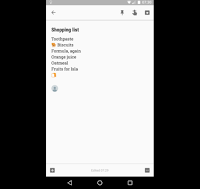
Last week’s most popular post was 7 Ways to Use Google Keep In Your Classroom. This morning I was using Google Keep on my phone to make a shared shopping list and I stumbled into the option to use emojis in my list. You can use the same emojis/ emoticons that you use in text […]
DocsTeach Adds New Analysis Activities for Students

DocsTeach is a great resource for teachers of U.S. History. DocsTeach, produced by the National Archives Foundation, provides teachers with a free platform on which they can create online history lessons based on images, documents, audio recording, video recordings, and maps. The lessons that teachers create can be shared with their students through a free […]
The Week in Review – Sunshine!
Good evening from Maine where we finally had a sunny day after what has felt like weeks of clouds and rain. As I shared on my Instagram account during the week, I still rode my bike and walked my dogs in the rain, but it’s always better do those things in the sunshine. Wherever you […]
How to Find Old Maps Online

In yesterday’s Practical Ed Tech Live episode I answered a question about where to find old maps to layer in Google Earth. One of the resources that I suggested was Old Maps Online. Old Maps Online is a map that you can browse and search to find historical maps to view online, to download, and […]
Vectr – Free Vector Graphics Design Software

Vectr is a free vector image design and editing tool that you can use online or download to use on your Mac, Windows, or Linux desktop. Vectr provides some pre-made elements and templates that you can use in designing your own graphics. You don’t have to use any pre-made elements as Vectr lets you design […]
Join Me Tomorrow for Practical Ed Tech Live

Join me tomorrow afternoon for another episode of Practical Ed Tech Live. I will answer your ed tech questions live on my YouTube channel and on Facebook. You can submit questions in advance by sending me an email (if you’re reading this in email, just hit reply) or through the Practical Ed Tech Facebook page. […]
Try Box for Sharing Collections of Files With Password Protection
Last week I started teaching three online courses. I’ll be teaching four in June and July. All of the courses feature live webinars accompanied by some handouts. Of course, not everyone can make it to all of the live webinars so I record them and upload them to private folders on Box.com. You might wonder […]
How to Create a Flowchart on Padlet
Late last month Padlet introduced a handful of new features. One of those features is the option to show connections between notes on a Padlet wall. Connector lines are now available to show the connections between notes. The connector lines can be used on Padlet walls that you create entirely by yourself and on Padlet […]
Cite It In – A Free Tool for Creating Reference Citations
Cite It In is another in a long list of tools that are designed to help students properly format research citations. Cite It In provides students with templates for creating inline and bibliography citations in APA, MLA, and Chicago style. Cite It In works the same way regardless of the citation style that students choose. […]
10 Ways to Use Google Earth in Your Classroom
A couple of weeks ago Google released the new web-based version of Google Earth (take a tour of it here). The older desktop version of Google Earth is still available for free as well. The advantage of the web-based version is that anyone with a Chromebook or laptop can use it. The disadvantage to it […]
7 Ways to Use Google Keep in Your Classroom
This week’s Practical Ed Tech Tip of the Week featured a demonstration of how to use Google Keep to annotate images. That is just one of many ways that you and your students can use Google Keep. G Suite for Education users, remember that Google Keep is now a core product in G Suite. 1. […]
The Week in Review – The Most Popular Posts
Good evening from Connecticut where we’re visiting my brother and my newest niece. We spent a good chunk of the afternoon attempting to get a picture of my daughter and my niece looking at the camera at the same time. We were unsuccessful in that effort, but we had fun trying. Wherever you are this […]
Two Free Apps for Capturing Immersive Imagery

In 5 Good Resources for Teaching and Learning About World War II I mentioned that I captured some photospheres at the WWII Museum in New Orleans. I created those photospheres for use in virtual reality viewers. The tools that I used for creating those photospheres were the Google Cardboard Camera app and the Google Street […]
How to Use Know Lounge to Host Online Tutoring Sessions
Know Lounge is a free service for hosting online tutoring sessions. A bunch of new options were added to Know Lounge this week so I made a new video to demonstrate how to use it. In addition what is demonstrated in the video above, Know Lounge now includes a quiz function. You can create a […]
Know Lounge Adds New Features for Teaching Online
Know Lounge is a free service for hosting online instructional sessions in the web browser on your computer or on your iPad. I initially reviewed the service in February and found it easy to use although a bit lacking of features. Today, Know Lounge announced the addition of new features that teachers will like. Know […]
Bust Writer’s Block With Slick Write
In my previous post I shared an overview of how Slick Write helps users analyze writing. There is more to Slick Write than just document analysis. It also offers a resource to help people bust through writer’s block. Slick Write’s Word Associator is a free tool that provides you with a list of words to […]
Slick Write Can Help Students Analyze Writing
Slick Write is a free service that students can use to help them analyze their own writing and or that of other writers. Slick Write identifies typical things like word counts, readability, and an estimated reading time for a document. Slick Write will also analyze use of adverbs and prepositional phrases throughout a document. Users […]
Practical Ed Tech Live – Tomorrow at 3:30pm EDT

Every week I receive a dozen or more emails from folks who have all kinds of questions about educational technology. Those that I think have broad appeal I include in my weekly Practical Ed Tech Live broadcasts. You can also ask questions during the live broadcasts and I’ll answer them on the spot. So send […]
A Timeline for Transition from Old Google Sites to New Google Sites
Last November the new version of Google Sites was made available to everyone who wants to use it. For many people that marked the beginning of the end of the classic version of Google Sites. In fact, earlier today someone asked me when the old version would be going away. By pure coincidence, not an […]
How to Create a Google Classroom With a Gmail Account
Allowing anyone who has a Gmail address to create a Google Classroom was one of the most popular product updates that Google released last month. I’ve fielded a quite a few questions from people who are having trouble creating a Google Classroom with their Gmail addresses. To address those questions I created the following video […]
Check123 – A Video Encyclopedia
Check123 is a website that aims to help teachers and students find educational videos. The “123” aspect of the name Check123 refers to the length of the videos on the site. All of the videos are either one, two, or three minutes long. You can refine your search results according to length of video, subject, […]
The Month in Review – April’s Most Popular Posts

Good evening from Maine where it’s nice to be home after a few days on the road. We enjoyed New Orleans, but this northerner is happy to be back in the cool, crisp weather of spring in Maine. Earlier this week I literally watched the ice go out. As I do at the end of […]
5 Good Resources for Teaching and Learning About World War II

This morning I went to the World War II museum in New Orleans. It is a fantastic museum. The museum does a masterful job of mixing artifacts and oral histories into the greater context of World War II. And for folks like me who are fascinated by aircraft the Boeing center is a great place […]
The Week in Review – The Most Popular Posts
Good evening from New Orleans where my daughter and I have been spending time exploring while mom is at a conference here. This is a completely new-to-me travel experience as we’re up early and wandering the city before almost anything is open. This morning we were the first in line to buy tickets for the […]
Two Free Speech-to-Text Tools
This morning on Practical Ed Tech Live I answered a request for a free speech-to-text tool. There were two that I suggested. One was Dictation.io and the other was Dictanote. On Dictation.io you can simply click “start dictation” then start having your voice transcribed into a text document. No registration is required in order to […]
Create Your Own Google Classroom – G Suite Not Required
Last month Google began allowing anyone who has a Gmail address to join Google Classroom classrooms. This week that option was extended to allow anyone who has a Gmail address to create his or her own Google Classroom online classroom. Teachers who are already using Google Classroom within a G Suite for Education account already […]
Penguins and 3D Printers

We went to the Audubon Aquarium of the Americas today and saw endangered African penguins. Seeing the penguins immediately reminded me of the story of Purps the Penguin. Purps is a penguin at the Mystic Aquarium who was helped by middle school students who designed and printed a walking boot for Purps when she was […]
Practical Ed Tech Live – Tomorrow Morning With a Special Guest

Tomorrow morning at 9:30 EDT I am hosting another edition of Practical Ed Tech Live in which I will answer your questions about all things ed tech. This week’s episode will be coming to you live from the waterfront in New Orleans with a special guest. That guest is my daughter Isla Quinn. Why we’re […]
Live Video of Owls, Ospreys, and More
Explore.org offers the largest collection of live nature webcams on the web. In the gallery of live webcams you will find video feeds featuring owls in their nests, ospreys in their nests, and bald eagles in nests, and video feeds featuring puffins. As it is spring in the northern hemisphere, the bird videos feeds are […]
Try This Fun, Free AR App for Outdoor Lessons
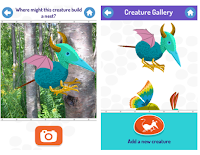
Spring is here in the northern hemisphere and those of us in northern climates are ready to get back to playing outside without wearing seven layers of clothing. This is the time of the school year when my students always ask about having class outside. If you’re an elementary school teacher who is ready to […]
Edublogs Publishes a Report on the State of Educational Blogging

Edublogs, a popular student blogging service, recently published the findings of their annual survey to gather feedback from teachers, students, and school administrators about their use of educational blogs. This year 688 people completed the survey, down from 777 last year, but up from the 587 two years ago. Sue Waters wrote a detailed report […]
Free, Live Online Review for AP Government Exam

On May 2nd two of my favorite history teachers, Keith Hughes and Tom Richey, are hosting an online review session for students who are taking the AP Government exam. The free, live session will be held at 8pm EDT on May 2nd. You and you’re students can join the session here. Watch Keith’s promo video […]
Getting Going With G Suite – An Online Course

Next Tuesday at 7pm Eastern Time I am starting a new section of my popular online course Getting Going With G Suite. Once again this course will offer a graduate credit option. This course offers everything you need to know to take advantage of the great things that G Suite offers to teachers and students. […]
ViewedIt – Quick and Easy Screencasting
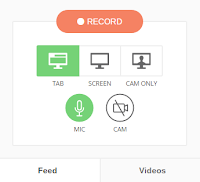
ViewedIt is a free Chrome extension that makes it quick and easy to create and share screencast videos. With the extension installed you can record your entire screen or just one window tab. ViewedIt will let you record yourself with your webcam too. The best part of ViewedIt is that you can track who watches […]
10 Math Tutorial YouTube Channels Not Named Khan Academy

One of the most popular posts of all time on this blog featured math tutorial YouTube channels for high school and college students. That post was originally created as a response to an email from a reader who was seeking suggestions for math videos that were not on Khan Academy. This evening I took some […]
The Week in Review – The Most Popular Posts
Good morning from rainy Maine. The rain doesn’t stop us from playing outside, but it’s not quite as fun as playing in the sun. I am hopeful that all of our April showers will soon be replaced by May flowers. Speaking of things happening in May, next month I’m kicking off my summer schedule of […]
Three Simple Platforms for Publishing Writing

I recently finished making a couple of videos that teach people how to create self-hosted WordPress blogs. Using a self-hosted WordPress blog is the way to go if your goal is to create a robust platform to showcase your professional work. But creating a blog like that could be overkill for those who just want […]
5 Good Ways for Students to Create Digital Showcases of Their Work

As I look at dreary weather outside my window it doesn’t feel like the end of the school year is near, but it is getting near for many people. The end of the school year is when many of us start to think about summative activities for our students to do to show what they […]
Three Tools That Help Students Analyze What They Write

Probably every high school teacher since the dawn of time has asked his or her students to have someone else proofread their essays before turning them in for a grade. Unfortunately, students don’t always comply with that request. And even when they do get someone to proofread, some items might go undetected. That’s why an […]
SeeSaw Now Directly Accepts Google Drive Files

SeeSaw is a great tool for creating digital portfolios with your students. SeeSaw lets students create digital portfolios that include pictures, documents, presentations, and videos. Your students can even use SeeSaw to record a video of themselves talking about an artifact in their portfolios. This week SeeSaw made it easy for Google Drive users to […]
Create Sesame Street Fan Fiction on WriteReader
WriteReader recently announced a partnership with Sesame Street that essentially lets students use Sesame Street artwork in their own multimedia stories. As I wrote on Monday, it’s essentially fan fiction for elementary school students. Take a look at the following video to see how your students can create their own multimedia Sesame Street stories by […]
How to Create Your Own Placemarks in the New Google Earth
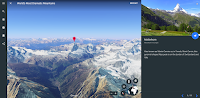
A new version of Google Earth was released yesterday. In my initial review of it I was excited that it now works in your web browser while also being disappointed by the lack of creation tools that it contains. Fortunately, you can still put your own multimedia placemarks on Google Earth by importing a KML […]
Find Inspiration for Video Projects While Judging a Video Contest

This is a guest post from Rushton Hurley. Rushton is the founder of Next Vista for Learning and the author of Making Your School Something Special. Every year, Next Vista for Learning challenges students at schools around the world to create videos telling about the efforts of those who work to make life better for others. Could you […]
Practical Ed Tech Live Recording
Yesterday afternoon I hosted another edition of Practical Ed Tech Live. The Q&A session was streamed live on the Practical Ed Tech Facebook page and on my YouTube channel. If you missed it, you can watch the recording as embedded below. The text of the questions that I answered can be seen here. As always, […]
A Tour of the New Google Earth – Google Earth in Your Browser
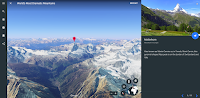
This morning Google released a completely new version of Google Earth. The new version is designed to be used in the Chrome web browser or in a new Google Earth Android app (iOS version coming eventually). I spent about an hour trying out the new web version of Google Earth. Then I recorded the video […]
Dotstorming Adds Helpful New Features
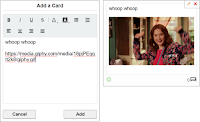
Dotstorming is a good tool for hosting online brainstorming sessions and or general gathering of ideas from an audience. I’ve featured it in some of my workshops over the last couple of years because it is quick and easy to get a lot of people using it at once. On Dotstorming you can have people […]
Speak to Go – Explore the World With Your Voice in Virtual Reality

Speak to Go is a new Google WebVR experiment. Speak to Go lets you explore the world in virtual reality by just speaking the name of a place. Speak into Speak to Go and you’ll be shown Street View imagery of that place. For example, I spoke the word “Maine” and I was quickly taken […]
Desmos Now Offers an Online Geometry Tool
Desmos, the company known for its online graphing calculator, recently released a new online geometry tool. Desmos Geometry is designed to help students understand geometry concepts through the use of drawing and diagram manipulation tools. Your students can use Desmos Geometry or you can use to create demonstrations. Desmos has created a page of resources […]
Number Rack & Geoboard – Good Apps for Elementary School Math

Geoboard is a free app on which students stretch virtual rubber bands over pegboards to create lines and shapes to learn about perimeter, area, and angles. The app is available as as an iPad app and as a Chrome app. It can also be used directly in any updated web browser. The browser-based version can be […]
Words of the World – Learn the Origin of Words
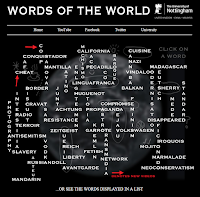
Words of the World is another excellent set of videos from the same people that brought us the popular Periodic Table of Videos. Words of the World is a collection of videos featuring historians and linguists explaining the origins of and history of the use of words in the English language. The videos attempt to put the […]
WriteReader and Sesame Street Partner to Help Kids Create Multimedia Stories

WriteReader, a fantastic multimedia writing platform, has just announced a partnership with Sesame Street. This partnership brings Sesame Street characters into WriteReader’s bank of images for students to use in their own stories. Now when students create a story in WriteReader they can choose one or all of twenty Sesame Street characters to place into […]
More Than 400 Science Animations

Learners TV, like many similar sites on the Internet, offers an index of math and science video lessons. What makes Learners TV a little different is that it also has an index of more than 400 science concept animations. The science animations on Learners TV are organized into three categories; biology, physics, and chemistry. Please not that […]
The Week In Review – The Most Popular Posts
Good evening from Connecticut where I’m visiting family for Easter weekend. It was a big day for me and my daughter as it was our first long trip alone to drive down here. And other than one side-of-the-road emergency diaper change, it was a smooth trip. Check my Instagram tomorrow for a cute picture of […]
Plum’s Creaturizer – A Neat AR App to Get Kids Exploring Outdoors
Creaturizer from PBS Kids is a free iOS and Android app that lets students create fun cartoon creatures then place them into outdoor settings through the use of augmented reality. In the app students create cartoon creatures by swiping and tapping on the features they want their creatures to have (students can have multiple creature […]
See California’s Redwoods in Google Street View
In an earlier post I shared the Google Expeditions virtual tours of national parks. Shortly after publishing that post I discovered Google’s latest additions to their Street View collections. The latest addition features Big Basin Redwoods State Park in California. This imagery lets viewers virtually experience some of the size and scale of California’s redwood […]
7 Good Resources for Teaching and Learning About Earth Day

Each of the last two mornings I’ve been inundated with spammy press releases pitching all manner of websites and products related to Earth Day. The upside of seeing all of those press releases is that it got me to look for some of the better resources for teaching and learning about Earth Day. Here are […]
Duolingo Tinycards – Create and Study Flashcards

Duolingo is a free service that is best known for helping students learn a new language. That’s not all Duolingo can be used for. Students can use Duolingo’s Tinycards service to study just about any topic. Tinycards are essentially multimedia flashcards with a few quiz questions interspersed between them. The idea being that students will […]
How to Use Incognito Mode In Google Chrome – And Why You Might Use It

In many of my webinars I will use Google Chrome’s incognito mode to demonstrate how a page like a Formative quiz or a Padlet wall will look to students. I do this so that I don’t have to sign-out of my teacher view only to have to sign-in again a few minutes later when I […]
Peaks and Valleys – An Interactive Story Map

Peaks and Valleys is an interactive story map produced on the ESRI platform. As you scroll through the story map the highest peaks and lowest valleys on each continent are revealed in 3D renderings. As you scroll through the 3D imagery a sidebar pops-up. That sidebar contains a photograph of the peak or valley and […]
An Interactive Mural of Birds

This afternoon while walking my dog, Max, I saw the first ducks of spring paddling around a small opening in the ice on a local pond. This reminded me of a neat resource from the Cornell Lab of Ornithology. The Wall of Birds is an interactive mural of bird drawings. Clicking on a drawing will […]
The Week in Review – The Most Popular Posts
Good morning from gray and rainy Maine. It appears that we’re into the “April showers” portion of the “April showers bring May flowers” adage. On the upside, this crummy weather has made it feel a little easier to stay inside and work. I have some new projects in the works that I think you’re going […]
Three Ways to Create Jeopardy-style Games
On Friday I shared a video about how to create and play Jeopardy-style game on the Factile platform. There are other good options for creating and playing Jeopardy review games in your classroom. On eQuizShow you can build and display your quiz completely online. To build your quiz just enter a title, an administrative password, […]
How to Create PDFs of Padlet Walls
Padlet has always had an option for saving the contents of the walls that you make with students. The trouble with doing that has always been that the formatting was kind of wacky when you printed contents of the wall. Recently, that changed when Padlet introduced new options for formatting PDF versions of your Padlet […]
How to Create Appointment Slots in Google Calendar
Whether you’re looking for a way to let students schedule office hours with you or you’re trying to streamline scheduling meetings with parents, Google Calendar provides a convenient solution in the form of appointment slots. In the following video I demonstrate how to create appointment slots in Google Calendar. This coming Tuesday I will be […]
Q&A from Practical Ed Tech Live
Earlier today I hosted the second installment of Practical Ed Tech Live. Just like last week I answered the questions that were submitted to me during the previous week. I’m also open to answering questions submitted on the fly. Embedded below you will see the recording of the session followed by text of the questions […]
5 Considerations in BYOD Schools

BYOD (Bring Your Own Device) environments are becoming increasingly more common in schools. For teachers and students BYOD can be a good thing as it allows students to work with a computer, tablet, or phone with which they are familiar. On the other hand, BYOD can be frustrating to teachers and students if school leadership […]
12 Tools for Creating Videos on Chromebooks – A PDF Handout
Making videos is one of my favorite digital media projects to do with students and teachers. Chromebook users aren’t able to access iMovie, Final Cut, and some of the full-fledged video production tools that you’ll find for desktops. But that doesn’t mean there aren’t some good alternative options available. In the handout embedded below I […]
Practical Ed Tech Live – This Thursday at 4pm EDT
Last Thursday I hosted the first Practical Ed Tech Live session simultaneously on Facebook and YouTube. During the 25 minute session I answered questions that were submitted live and some questions that had been submitted in advance. I’m going to do the same thing again this Thursday at 4pm EDT. You can join Practical Ed […]
My Secret Method for Developing Blog Post Topics
Yesterday, on Anchor.fm I answered the question that I’m probably asked more than any other about blogging, that is “how do you come up with so many blog posts?” One of the things that I do to develop blog post topics is to have mind mapping sessions on a regular basis. For every blog post […]
How to Download Google Slides as Images

In the course of designing and building a great slide presentation, you may find that you have some slides that make great stand-alone graphics for things like posters, flyers, and social media posts. There is an easy way to download those slides as JPEG and PNG images. That process is demonstrated in my video below. […]
How to Create an Audio Slideshow in YouTube
This morning I received the following question in an email: You shared how to add sound to Google Slides. Is there a way to add music as background throughout a slide presentation? I have a teacher who is having her students create a slideshow about the Great Depression and would like music to play as […]
The Week in Review – The Most Popular Posts

Good morning from Maine where it is snowing. No, that’s not an April Fool’s joke. It really is snowing. The weather forecast calls for ten inches of snow. There’s nothing to do but put on snowshoes and take the dogs for a walk. Which is what I’ll do right after publishing the list of this […]
7 Google Product Updates You Might Have Missed in March
It can be hard to keep up with all of the changes and updates that Google makes to the products that have become an integral part of many teachers’ lives. Some of the changes are minor and insignificant to the average end-user while others are significant to a larger portion of end-users. Here are some […]
33 Lessons on Critical Thinking

From analyzing a persuasive essay to dissecting research findings to determining the cause of an outcome in a science lab, having sharp critical thinking skills serves students well. Wireless Philosophy has a series of 33 video lessons about critical thinking. The most recent lesson explains the difference between causation and correlation. Take a look at […]
The Month in Review – Spring Is Here (Kind of)
The calendar tells me that it is spring here in Maine, but the weather tells me otherwise. We’re expecting ten more inches of snow to fall overnight tonight. But that hasn’t kept me from enjoying the outdoors as I did on Wednesday when I took a walk around Portland Head Light. Portland Head Light is […]
How to Use SoundCloud to Record and Comment

During Thursday’s Practical Ed Tech Live session I answered a question about recording and sharing audio. The person asking was looking for a way for students to record conversations in French and then share those recordings with their teachers. One of my recommendations was to try SoundCloud for recording and commenting on the recordings. In […]
5 Good Resources for National Poetry Month
April is Poetry Month. Whether you’re trying to help students understand and interpret the meaning of poems or you’re trying to help them write their own poems, the following five resources are worth exploring. (By the way, I always wonder who gets to declare the something is “national X month?” That might be a good, […]
How to Create an Interactive Diagram-based Quiz on Formative

With the NCAA basketball tournament Final Four games happening this weekend I thought this would be a good time to share an easy way to create a diagram or chart-based quiz in Formative. As is illustrated in the video below, I used Google Drawings to create my diagram. I downloaded that diagram as a PNG […]
Practical Ed Tech Live – Recording

Yesterday afternoon I hosted FB Live and YouTube Live sessions simultaneously. During those sessions I answered questions from readers and viewers. If you missed it, the recording is now embedded below. I’m planning to do another live Q&A session next Thursday at 4pm Eastern Time. Please send your questions to me. The questions that I […]
Google Calendar Now Optimized for iPads- Finally

My life seems to be run by Google Calendar and Google Keep these days. I use it to schedule and keep track of appointments, to keep track of how many hours the babysitter worked in a week, and to remind of the things I need to do everyday to reach my goals. The one complaint […]
Video Tips With Isla
Folks who follow my YouTube channel may have noticed that I’ve started using the live video option within YouTube’s Android app. This morning I used YouTube live to record a little video tip with my daughter, Isla. The tip is to look at the camera instead of the screen when you’re recording. In the video […]
Draft – A Distraction-free Collaborative Writing Tool
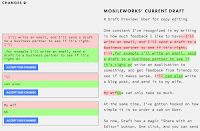
Draft is a free, collaborative writing platform that provides a distraction-free environment. When you write in Draft you won’t see anything but the text in front of you. Draft is stripped of options for messing about with font colors or inserting pictures. Anyone who has an email address can participate in editing a document in […]
Teach Your Monster to Read Minigames Overview
Last month the folks behind the popular Teach Your Monster to Read virtual world for literacy development introduced a set of minigames. The minigames are short activities designed to help students improve the speed and accuracy with which they recognize letters. In the video embedded below I provide a short overview of the Teach Your […]
How to Add Spoken Audio to Google Slides
The Practical Ed Tech Tip of the Week that I published yesterday was about adding music to Google Slides. In the twelve hours since that tip was published a bunch of people have asked about adding spoken words to slides. The process is a little more involved than just adding music, but it’s the same basic process. […]
How to Create Short Answer Activities in Socrative
Socrative is one of the original and best platforms for creating quiz games to be played in your classroom on Chromebooks, laptops, and mobile devices. One of the best aspects of Socrative is that unlike Kahoot, Socrative lets you create games in which students have to type answers instead of just picking a multiple choice […]
How Formatically Helps Students Format Essays in MLA Style
A couple of weeks ago I shared a new tool designed by college students to help other students properly format essays in MLA format. That tool is called Formatically. I’ve had a few people send me questions about how it works. It essentially gives students a template in Word format that they can then use […]
The Week in Review – The Most Popular Posts

Good morning from Maine where it is a great day for a walk in the woods. On a walk earlier this week the signs of spring were all around us as we saw frozen streams starting to melt and more birds than we’ve seen in months including a Great Horned Owl. Here’s a little video […]
Kupiter – Asteroids Meets Review Game
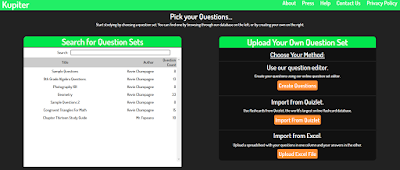
Readers of a certain age may be reminded of the Atari game called Asteroids when they look at a new review game called Kupiter. Kupiter is a game in which students answer questions by moving and shooting a laser at letters in order to spell the correct answers to quiz questions. Points are awarded for […]
Create and Track ACT & SAT Prep Activities in PrepFactory
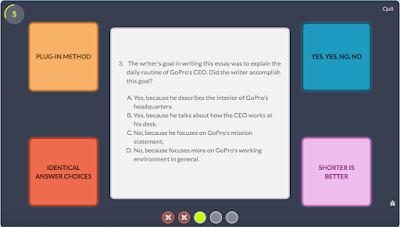
PrepFactory offers students a great selection of free SAT and ACT preparation activities. PrepFactory focuses on helping students develop good test-taking strategies while also not boring them with dozens of continuous rote exercises. For example, the Pattern Matcher game in PrepFactory has students look at questions and choose the best answering strategy rather than just […]
3 Online Alternatives to Audacity
Earlier today I received this question on Twitter: @rmbyrne hi!! is there a free sound editor similar to audacity but online? To add music, effects still seems to require software. THANKS:)!! — Sonia Guilana (@sguilana) March 24, 2017 My suggestions were to try SoundTrap, BandLab, or Soundation. Soundtrap is a fantastic tool for creating music online. […]
Students Evaluating Student Work
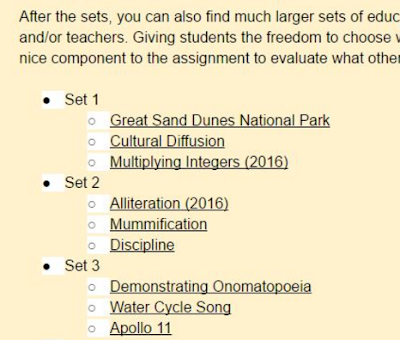
This is a guest post from my friend Rushton Hurley. Rushton is the founder of Next Vista for Learning and the author of Making Your School Something Special. At the recent #CUE17 conference, I ran a workshop on getting a digital video project going. While a good chunk of the session was devoted to exploring […]
Three Audio Slideshow Projects for Teaching Basic Video Production
Tools like Stupeflix, Animoto, and Shadow Puppet Edu make it easy for students to quickly create videos. I often use these tools when introducing video production projects to teachers or students who have never attempted make videos in their classrooms. Here are three types of assignments that you can build around audio slideshow video tools. Biographical/ Autobiographical Stories Have […]
What Makes a Poem?

April is Poetry Month. As you start to plan poetry lessons, consider that many students will first wonder, “what makes a poem?” A new TED-Ed lesson addresses that question. In watching What Makes a Poem? students can learn the origins of poetry, the characteristics traditionally associated with poems, and the format of a haiku. The […]
Free Webinar – Storyboard That in Your Classroom

On April 4th Storyboard That is hosting two free webinars. Both webinars will cover what you need to know to create storyboards and have your students create storyboards in your classroom. Some of the many ways that you can use storyboards in your classroom include illustrating short stories, summarizing books, and illustrating procedures. Click here […]
Madmagz – Collaboratively Create Online Magazines

Madmagz is a neat platform for collaboratively creating online magazines. Madmagz provides you with a magazine template that lets you use images and text that you can edit alone or with invited collaborators. Unlike some other collaborative writing platforms, the original creator of the magazine has to approve or verify submissions from collaborators. When I […]
Hone Geography Skills With These Fun Games
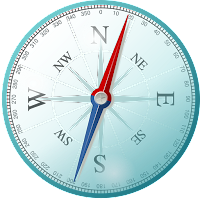
Yesterday, I received an email from Kahoot that featured six games they are promoting along with National Geographic. The games are intended to help students brush-up on their knowledge of U.S. and world geography. You can find those games here in the public gallery in Kahoot. I played a couple of the games and found […]
A Couple of Short Lessons About Changing Seasons
Today is the first day of spring in the Northern Hemisphere. Although the five foot tall snowbanks around my house make that hard to believe. Why do we have seasons? What causes the changes in weather patterns throughout the seasons? The answers to those questions and more are found in the following SciShow Kids video […]
The Week in Review – The Most Popular Posts

Good evening from Maine where today was a great day for a walk in the woods. Wherever you are this weekend, I hope that you also have time for fun and relaxation. Here are this week’s most popular posts: 1. 5 Ways to Show YouTube Videos Without Related Content 2. Google Team Drives Now Available […]
Yes, You Can Restrict Messages in G Suite

Earlier this week I received an email from a reader who was wondering if it was possible to activate Gmail in G Suite for Education while also restricting who students can or cannot send messages to. The answer to that question was, “yes, you can.” The G Suite Administrator help pages outline how a domain […]
Put a Planetarium In Your Web Browser
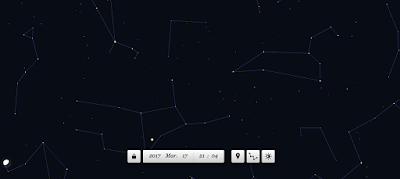
Planetarium by Neave Interactive is a website on which you can specify your current location and it will show you a map of the night sky based upon your location and the date. You can also use Planetarium without specifying your location and instead explore the night sky from any place on Earth. For Google Chrome […]
Listen and Read – Nonfiction Read-along Activities
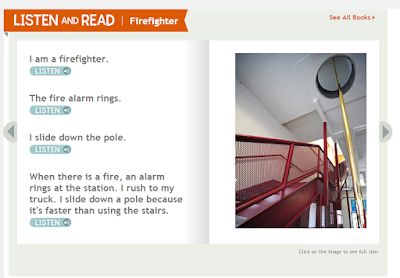
Listen and Read is a set of 15 nonfiction read-along stories. The stories feature pictures and short passages of text that students can read on their own or have read to them by each story’s narrator. The collection of stories is divided into three categories: Community Club which would be better described as “careers,” animals, and […]
Formatically Helps Students Properly Format Essays
Formatically is a free service that helps students properly format their papers in MLA style. Students can use Formatically without creating an account on the site. To get started students simply need to fill in requested information on the Formatically MLA template. Once the template is completed students will have a new document that they […]
How to Create a Webpage in Adobe Spark
Adobe Spark has received a lot of attention in the last year for the great video creation tool that it contains. But it also contains an excellent tool for creating simple webpages. Within Adobe Spark you can create webpages that contain images, text, and videos. Those pages can then be published as stand-alone sites or […]
How to Create Webpages In Canva
Canva is known for its great graphic design tools. You’ve always been able to download your Canva graphics and upload them to your website. A few months ago Canva introduced the option to publish your graphics as webpages and or embed them into existing webpages. As I wrote earlier this week, using the publishing option […]
Thunkable – Design and Publish Your Own Apps

Thunkable is a free platform for designing, testing, and publishing your own Android apps (support for iOS apps is coming soon). Through Thunkable you can create your apps even if you don’t know how to write code. That is possible because Thunkable uses a drag-and-drop design framework. That framework, based on the MIT App Inventor, […]
Pixlr Mobile – Easy Image Editing & Collage Creation

Last week I published a post about Pixlr’s suite of online image editing tools. That post prompted a few questions from readers seeking iOS and Android apps for image editing. My first reply to those questions was to take a look at Pixlr Mobile for Android and iOS. Pixlr Mobile lets you edit your images […]
Create Screencast Videos on Chromebooks – Three Good Options
One of the best ways to show your students or colleagues how to use a new web tool is to give them a short video to watch. The benefit of creating and sharing a screencast is that your students or colleagues can watch your tutorial as many times as they need to. If you’re a […]
The Week In Review – The Most Popular Posts on Free Technology for Teachers
This week’s week in review comes to you from the new Byrne Instructional Media, LLC office in Yarmouth, Maine. For a number of reasons, I have moved out of a home office and into a workspace at Think Tank Coworking in Yarmouth, Maine. I was initially hesitant to make the move because I thought I […]
10 Apps & Sites for Promoting Healthy Eating and Fitness

In all of my Best of the Web presentations I try to present resources for a wide variety of classroom settings and subject areas. Health and physical education resources are always included because of my personal interest in the field as well as its importance in giving students lifelong skills. Here are ten of my […]
The Wayback Machine – Take a Look at the Evolution of the Web

The Internet Archive’s Wayback Machine is one of the resources that I have included in my presentation about search strategies and fake news. I include it because it is a tool that can be used to see how a website or a specific webpage has changed over time. As is demonstrated in my video embedded […]
Trace the Evolution of Phones – A Search Challenge for Students
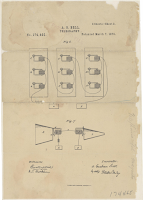
A couple of days ago Alexander Graham Bell’s drawing for his telephone patents was the featured document in the Today’s Document feed from the National Archives. Take a look at that drawing and you might start wondering, like I did, about how many changes and improvements to that design have been made since 1876. The […]
Create Comic Strips in Google Slides
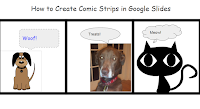
Yesterday I was asked for a recommendation for a completely free way for students to create comic strips online. Two options immediately came to mind. The first was Make Beliefs Comix. The second was to use Google Slides to create comic strips. In the following video I demonstrate how to create comic strips in Google […]
Duolingo Tinycards – Quick Review Activities
Tinycards is a free service from Duolingo that provides quick review activities in your web browser or on your iPad. Tinycards are essentially multimedia flashcards with a few quiz questions interspersed between them. The idea being that students will flip through a few digital flashcards then answer a question or two to test their recall […]
Storymap JS – Tell Stories With Maps

The New York Times has a new feature called Harriet Tubman’s Path to Freedom. The feature is a presented in scrolling map format. The map is combined with a timeline format that shows the sequence of and locations of significant moments of Tubman’s work in freeing herself and helping other slaves escape. Harriet Tubman’s Path […]
The Week In Review – The Most Popular Posts
Good evening from Maine where I am home after another great trip to North Carolina for the NCTIES conference. Thank you to everyone who came to my workshops and presentations. A special thank you to those who supported me with nice messages about my presentations, came to multiple presentations, and or asked for selfies with […]
Two Good Sources of Online Grammar Games

Road to Grammar is a free resource featuring quizzes, games, and lessons for English language learners. Visitors to Road to Grammar will find grammar quizzes. Most of the quizzes provide students with instant feedback. Part of the feedback that students receive on the quizzes they take includes explanations why an answer is correct or incorrect. Before taking the […]
How to Create Strong Passwords

When was the last time you changed your email password, your Facebook password, or your online banking password? Hopefully, you’re not using the same password for all of your accounts. If it has been a while since you changed your passwords, think about doing so as part of digital spring cleaning. The videos below provide […]
Draft – Focused, Collaborative Writing
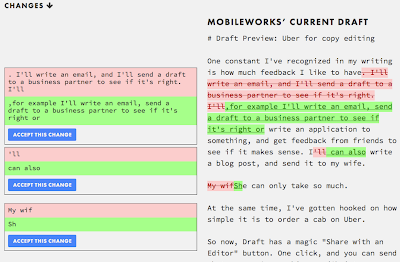
Draft is a collaborative writing tool that makes you focus on writing and revising by giving users a simple interface. In Draft you won’t find options for inserting images or messing around with font types. In Draft you just write. When you’re ready to get feedback about your writing, you can invite someone to read […]
Best of the Web 2017

This afternoon at the NCTIES conference I gave my popular best of the web presentation to a crowded ballroom full of enthusiastic teachers. The slides from the presentation are embedded below. Come to the Practical Ed Tech Summer Camp to learn how to use these tools in your classroom.
How to Insert Google Keep Notes Into Google Docs
A couple of days ago Google announced that Google Keep is becoming a core product of G Suite. With that announcement came a new integration of Google Keep into Google Docs. You can now insert your Google Keep notes and bookmarks into your Google Documents. In the video embedded below I demonstrate how to insert […]
Planning Your Video Project – A Guide for Students

Earlier today I published Rushton Hurley’s blog post about using video to capture your current students’ knowledge to be shared with your future students. Rushton included a sample video from a student explaining and illustrating onomatopoeia. While the final video is short, creating a good video requires planning. Over the years I’ve refined video planning […]
Collecting Students’ Insights

This is a guest post from Rushton Hurley. He is the founder of Next Vista for Learning and the author of Making Your School Something Special. What if once or twice every year your students made short videos that could help everyone in class prepare for their exams? What if these videos became a collection […]
February’s Most Popular Posts on Free Technology for Teachers
Good evening from North Carolina where I’m getting ready for the NCTIES 17 conference. I look forward to this conference every year. There are so many engaged educators learning and sharing with each other. In some ways it feels like a huge EdCamp with structure (some of us like structure). If you’re going to be […]
Google Keep Is Now Part of G Suite’s Core Services

Google Keep is my favorite tool for bookmarking, taking notes, and setting reminders. I use it on my laptop, Chromebook, my phone, and my iPad. For a couple of years it has been my go-to recommendation for anyone looking for a bookmarking tool, a reminder app, or a note-taking app. But the one drawback to […]
Teach Your Monster to Read Minigames
Teach Your Monster to Read is a fun online environment in which students play games that are designed to help them improve the speed and accuracy with which they recognize letters, sounds, and words. Students play the games as friendly monster avatars that they are helping learn to read. This week, Teach Your Monster to […]
Google’s Guides to G Suite Accessibility Options
Google offers two G Suite accessibility guides. There is a guide for administrators and there is a guide for users. The G Suite user guide to accessibility is designed for end users. The user guide is divided into sixteen sections. In the first section you will find recommendations for the best screen readers to use while using […]
RefME is Becoming Cite This For Me – Changes to Free Plan Coming

RefME is a great service for organizing your research and creating bibliographies out of your collections of online and offline resources. I’ve been a supporter of the service since I first tried it a few years ago. It appears that I’m not the only one who likes RefME because it was recently acquired by Chegg. […]
The Week in Review – Back from Vacation

Good morning from Maine where I am back to work after my annual ice-fishing vacation on Moosehead Lake in Rockwood, Maine. While it wasn’t the best fishing we’ve ever had, we still had a great time unplugging and relaxing. This year I was even captured some great footage of bald eagles circling over our heads. […]
All About American Bison

There is a chilling scene in Dances With Wolves in which Kevin Costner’s character and the Lakota Indians come over a hill to see hundreds of bison carcasses left to rot on the plains. I have, on occasion, shown that scene to students. It’s a good illustration of what Americans did to the bison herds […]
Quill Connect Helps Students Understand Sentence Structure
Quill Connect is a new feature on the Quill writing lesson platform. Quill Connect presents to students a collection of short sentences that they then have to combine to create a new sentence with the same meaning. Quill Connect also gives students run-on sentences that they need to correct. Students receive immediate feedback upon completion […]
Two More ClassTools Templates for Showing Content Connections
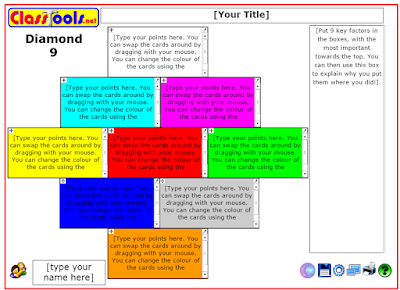
Last week I shared the Hexagon Learning Template offered by ClassTools.net. That template is great for helping students make connections between topics in a subject area. The Hexagon template is not the only one of that style that you’ll find on ClassTools.net. The Diamond 9 template and the Jigsaw template will also help students make […]
TinyTap Handbook – Tutorials for Making Interactive iPad Activities
TinyTap is a great tool for creating interactive, educational activities that your students can play on their iPads, on their Android tablets, or on their laptops. I have recommended TinyTap to at least five people in the last week. If you’re looking for a way to create iPad games, TinyTap is the first tool that […]
Pattern Matcher Helps Students Prepare for ACT and SAT
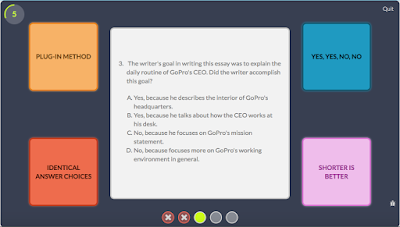
Pattern Matcher is a feature of PrepFactory’s free ACT and SAT preparation service. Pattern Matcher is a game that students can play after they have completed the eight interactive strategy lessons in PrepFactory. The game is designed to help students recognize the types of questions that they will see on the ACT or SAT. After […]
VocApp – Multimedia Flashcards on iOS and Android
Last week I shared a few tools that students can create digital flashcards. Two of those tools offer the option for including audio in flashcards. Another option is to use the VocApp app for iOS and Android. To create flashcards on VocApp you need to create an account and sign-in. Once you’re signed-in you can click “create […]
Memrise – Learn New Languages

Memrise is a service through which you can learn vocabulary for a new-to-you language, study science flashcards, review math problems, or review content from any of the hundreds of online course offerings on Memrise. Review on Memrise happens in a manner that is a blend of flashcard flipping and quiz question answering. After signing into your Memrise account […]
How Search Works – An Illustrated Explanation

Google search is a part of our students’ daily lives (most of them have never lived in world without Google), but often they don’t know how the search results displayed before them got there. How Search Works is an animated graphic that reveals the basics of how websites are sorted, ranked, and presented to you in your […]
This Creepily Named Site Reminds Us To Check Facebook Privacy Settings
Stalkscan is the creepy name of a website that lets people enter the URL of a Facebook profile and view all of the public information for that profile. The site is a good reminder to check your Facebook privacy settings regularly. You can can always view your own profile as another person by going to […]
Three Ways for Students to Create Digital Flashcards

Take a look down the hallways of your school before the next big test that you’re giving to your students and you will see students flipping through flashcards. Those might be paper flashcards or, increasingly, those flashcards are digital. If you or your students are looking for ways to create digital flashcards, take a look […]
Quickly Create Bingo Boards In Google Sheets
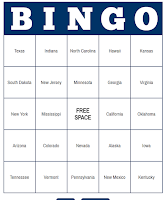
Flippity provides teachers with easy-to-use Google Sheets templates. A bingo board generator is the latest template added to Flippity’s catalog of offerings. The bingo board generator lets you quickly create sets of unique bingo boards that you can print or have your students use online during a game of bingo in your classroom. You can […]
Tools for Creating, Hosting, and Printing Infographics
About a week ago I was asked if I could write a post about tools for making infographics with students. A well constructed infographic can convey a lot of information in a compact, visually-pleasing manner. The process of creating a good infographic requires students to analyze and succinctly summarize data and facts that they’ve gathered […]
Lantern – Search Thousands of Media History Documents
The Media History Digital Library is a massive archive of books and magazines about the history film, television, and radio. The Lantern is the name of the search engine that lets you search through more than 2,000,000 pages of scanned copies of the books and magazines in the MHDL. In those books and magazines you will find reviews […]
Radio Garden – An Interactive Map of Radio Stations Around the World
Radio Garden is an interactive map that showcases radio stations around the world. Go to Radio Garden and the site will try to locate the radio station nearest to your current location. Then you can click around the map to find and listen to the live streams of other radio stations around the world. Through […]
How to Search for Creative Commons Images
screenshot of CC search site Last week, through Larry Ferlazzo, I learned about a new Creative Commons image search engine. The search engine is a part of the Creative Commons website. One of the best aspects of the search engine is that the results generated include a quick way to copy the correct image attribution […]
View Animals and Their Ranges Through WWF Apps

The World Wildlife Fund (WWF) offers a neat app and corresponding website for learning about animals around the world. The WWF Together app (available for iPad and some Android devices) features interactive stories about endangered animals around the world. Each of the interactive stories includes beautiful images and videos, facts about the animals and their […]
Practical Ed Tech Handbook – 2017 Edition

In 2015 and 2016 I published a 30 page PDF that I called the Practical Ed Tech Handbook. Those have been accessed more than 100,000 times. Today, I revised the Practical Ed Tech Handbook for 2017. Within the pages of the 30 page document you will find short reviews of my favorite tools for creating […]
The Snowy Week in Review – The Most Popular Posts

Good morning from snowy Maine where we’re getting ready for the third snowstorm of the week. “Getting ready” for a snowstorm for me means making sure the snowshoes and skis are ready to go. Whether you’re preparing for a snowstorm, basking in warm sunshine, or somewhere in between, I hope that you have a fun […]
Dotstorming Adds New Features and Limits Free Plan
Dotstorming is a good tool for gathering ideas from a group and then having the group members vote on those ideas. I have introduced Dotstorming to hundreds of teachers in workshops over the last two years. As recently as earlier this week I had teachers commenting on how much they liked using Dotstorming with their […]
How to Insert Videos Into Google Slides Without Using YouTube
Yesterday, Google finally made it possible to insert videos into Google Slides without the need to host your videos on YouTube. You can now simply upload a video to Google Drive then insert it into any of your Google Slides presentations. In the video embedded below I demonstrate how to do that. Applications for Education […]
Now You Can Insert Videos from Google Drive Into Google Slides

Today, Google announced that you can now insert videos from Google Drive into your Google Slides. This means that you are no longer limited to using videos that are hosted on YouTube. You can upload any video that you own into your Google Drive account then insert it into your Google Slides presentation. You can […]
Two Ways to Design and Print Valentine’s Day Cards
One of the elementary school memories that most of us share is writing little Valentine’s Day notes for all of our classmates. Back then we had sheets of cards that all looked the same. Today, students can design their own cards to print and sign, Storyboard That offers templates for designing and printing Valentine’s Day […]
Winning Words – Fun Word Games for Kids
Parts of this post originally appeared on one of my other blogs, iPadApps4School.com. Winning Words is the developer of seven free word games for students to play on their iPads. All of the games use the same style as the classic Memory card game. For example, in Antonym Match students have to flip over one […]
7 Places to Find Free Music & Sound Effects for Multimedia Projects

Creating your own music and or sound effects to use in videos or podcasts is one way to avoid violating someone’s copyright rights. Another option is to look for music and sound effects that are either in the public domain or have been labeled with a Creative Commons license. The following seven places offer music […]
5 Google Keep Tutorials for Teachers and Students
This afternoon at the CSLA 2017 conference I was asked about Google Keep. Specifically, I was asked why I preferred using Google Keep to the tasks list option Gmail. In short, Google Keep provides more utility for me compared to using the text-based options for tasks in Gmail. For example, Google Keep lets me add […]
4 Audio Editing Tools for Chromebooks – A Comparison Chart
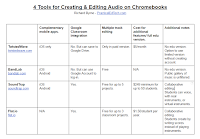
Yesterday’s post about Twisted Wave sparked quite a few comments on Facebook, Twitter, and in my email. People wrote to ask about and or suggest other audio editing tools to use on Chromebooks. So I decided to create the following chart to compare four tools for creating and editing audio file on Chromebooks. You can […]
Twisted Wave – Your Chromebook Alternative to GarageBand
Yesterday, I was asked on Twitter for an alternative to GarageBand that will work on a Chromebook. Twisted Wave was the first tool to come to mind. Twisted Wave is a browser-based audio recording and editing tool that functions in a manner similar to GarageBand. Through TwistedWave you can create and edit spoken audio recordings […]
7 Blogging Tools for Teachers Compared and Ranked – Updated for 2017
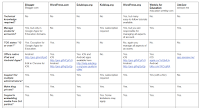
One of last year’s most popular posts featured my chart comparing seven popular blogging tools for teachers and students. Given the recent update to Edublogs I thought it was time to update my chart and rankings of blogging tools for teachers and students. You can view the chart here as a Google Doc or as […]
Creating and Telling Stories With Maps

For as long as I can remember I have loved to look at maps. I distinctly remember looking at the maps in my third grade social studies book and wondering what people in the middle of the Soviet Union were like. And as I got older I would look at maps of northern Canada and […]
Know Lounge – Host Online Tutoring Sessions for Free
Know Lounge is a complementary service to the Know Recorder app that I reviewed yesterday. Know Lounge lets you create an online room in which you can host tutoring sessions and record videos. In the video embedded below I demonstrate how to use Know Lounge as teacher. Applications for Education Know Lounge could be a […]
Know Recorder – Create Whiteboard Videos on iPads and Android Tablets
Know Recorder is a free iPad app and free Android app for creating whiteboard-style instructional videos. With Know Recorder installed on your iPad or Android device you can draw and talk while the app records everything that you do and say. Your video can have multiple pages which is a nice feature when you want […]
Edublogs Now Offers Pro Features for Free!

Edublogs is a blogging service designed for classrooms. For the last four or five years many of the services that they offered were only available to people who subscribed to the “Pro” version of Edublogs at a cost of $39.95/year. Most of those “Pro” features will be available for free beginning today. The Edublogs Pro […]
Change the Dialect to Change Your Search Results

One of the points that I always make in my Search Strategies webinar is the importance of thinking about how other people describe the topic you’re researching. Here are two examples of how that has had an effect on my travel planning. Going to Australia A couple of years ago I gave the opening keynote […]
How to Use Hemingway to Analyze Your Writing
This morning I received an email from someone who was requesting a little help getting started with Hemingwayapp.com. Hemingwayapp.com is a free tool for analyzing your own writing. In the video embedded below I demonstrate how to use Hemingwayapp.com
The Best of Free Technology for Teachers in January

Sunset over Casco Bay. Good evening from Maine where the sun is setting on the first month of 2017. It has been a busy month here at the Byrne Instructional Media, LLC World Headquarters. Besides the usual blogging activities that you see here, I hosted a series of Wednesday afternoon webinars, taught a course, spoke […]
Access All Google Drive Templates From One Place

Using Google Documents, Sheets, Slides, and Forms templates can save you time when you need to create something that many other teachers also need. For example, rather than creating a certificate from scratch, you might use and modify the template that someone else used. For the last couple of years when you went to the […]
How Not To…
This is a guest post from Ruston Hurley, the founder of Next Vista for Learning and the author of Making Your School Something Special. It can be work getting students (and ourselves, truth be told) to remember what we should do. Getting our charges to make a video explaining what to do can be helpful, […]
WriteReader Presents the Most Popular Topics Amongst Student Authors

WriteReader is a great multimedia writing tool for elementary school students and their teachers. On WriteReader students can create multimedia ebooks independently or with the assistance of their teachers. Teachers can log-in and see what their students have written. Teachers can make suggestions and corrections to what their students have written in WriteReader. Teachers’ suggestions […]
Three Themes to Brainstorm About for Your Classroom Blog

Maintaining any kind of regular posting schedule on a blog requires some planning. To that end, one of the things that I do on a regular basis is have a brainstorming session in which I develop themes to write about and then topics within those themes. You can do this for your classroom blog by […]
Make Your Own Virtual Reality Headset
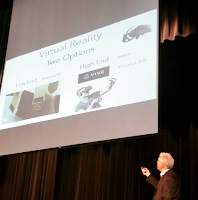
On Saturday afternoon I saw Hall Davidson give the closing keynote for the Fort Worth ISD Technology Conference. In his presentation he spoke extensively about the possibilities for use of virtual reality, augmented reality, and artificial intelligence in the classroom. One of the things that he mentioned was that you don’t need to spend a […]
Three Reasons to Maintain a Photo Gallery With Your Students

We are all taking so many more pictures today than we did fifteen to twenty years ago. Thanks to cloud storage we can save and share thousands of images from our phones. No one knows this better than our students who will never understand the agonizing waits we used to endure after dropping off rolls […]
Three Options for Adding Q&A to Your Slide Presentations
Building questions into your slides is a great way to get your audience to think about your message and to interact with your message. You can do this by putting a question on your slide and then directing people to a TodaysMeet room or another similar chat service. The problem with that method is that […]
The Week in Review – The Texas Edition

When it Texas, wear cowboy boots. Good evening from Fort Worth, Texas where I am relaxing after a great day at the Fort Worth ISD Technology Conference. I had the honor of giving the opening keynote and the privilege to see some other great presenters including Hall Davidson and Maggie Elliott. The conference had a […]
Three Alternatives to Google Classroom

Last week I received an email from a reader who was looking for an alternative to Google Classroom. This is not an uncommon request. A couple of times a week I get similar questions from folks who don’t have access to Google Classroom. Here are my three recommendations for a free alternative to Google Classroom. […]
5 Good Elementary School Activities from the Smithsonian
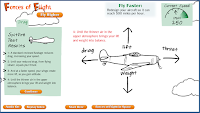
The Smithsonian offers wonderful online resources for students of all ages. The Smithsonian’s Learning Lab lets teachers create collections of resources. But you don’t have to use the Learning Lab to use many of the activities available through the various Smithsonian channels. Here are five good online activities available through the Smithsonian. These are activities […]
Three Things to Brainstorm Before You Search

One of the things that I ask students to do before they begin any research activity is to take some time to brainstorm. They might groan about having to do this instead of immediately typing or speaking search phrases, but it is good habit for students to develop. Here are three things students should brainstorm […]
A Great Example of Using Google Maps in Science
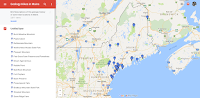
At almost every conference that I attend I offer a session about Google Maps and Google Earth. Most of the people that come to those sessions are social studies teachers. That is because there is a natural connection between maps and topics in social studies. But there are plenty of other subject areas and topics […]
The Climate Time Machine

Crafting my previous post about 40 years of snow data reminded me of a neat climate change demonstration for kids. NASA’s Climate Time Machine is one of many activities that students can complete on NASA’s Climate Kids website. The Climate Time Machine is essentially an interactive timeline that lets students see the changes in the […]
New Google Docs & Sheets Features for Mobile Users

If you frequently use Google Docs and Sheets on your phone or tablet, you may be happy the next time you update the Docs and Sheets apps. As announced this morning, Google Docs for Android will now let you drag and drop to edit images, insert headers and footers, and drag and drop text. The […]
Text2VoiceOver – Type to Create Video Voice Over Files
Text2VoiceOver is a service that will let you type the words that you want to hear spoken over a video. You can use Text2VoiceOver to create a voice over for a video that you have found on YouTube. Text2VoiceOver can also be used to create a voice over for a video that you have stored […]
Use Google Maps to Tell a Story Within a Story
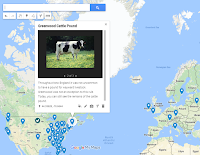
Google’s My Maps platform lets anyone who has a Google Account create their own multimedia maps. One of my favorite features within the My Maps platform is the option to create a slideshow of images and videos within a placemark. By using that feature you can tell a story within a story. In My Maps […]
How to Record Video Notes With MoocNote
MoocNote is a free tool for taking notes while watching a YouTube or Vimeo video. All of your notes are timestamped and all of your notes can be shared with other MoocNote users. In the short video embedded below I demonstrate how to take notes while watching videos through MoocNote. Applications for Education MoocNote can […]
Six Tools for Collaborative Brainstorming – A Comparison Chart
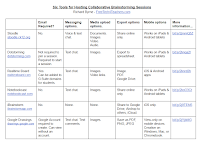
Sitting down to map out your thoughts can be a great way to get yourself organized before embarking on a big writing project. It’s also something that I do before I begin creating slides for any of my keynote presentations. While it is great to start the mind mapping process on your own, it is […]
Everything CK-12 – Open Resources and More
The CK-12 Foundation provides teachers and students with some excellent resources including Flexbooks, study guides, interactive math and science simulations, and even an online whiteboard platform. This Wednesday CK-12 is hosting a free webinar about all of the open resources that they offer. In the webinar you will learn how to locate, save, and share […]
Slick Write Helps You Analyze Your Writing
Slick Write is a free tool that helps you analyze your writing or that of others. To use Slick Write you can write new text in the provided text editor or copy and paste chunks of existing text into Slick Write’s text editor. Either way Slick Write will provide you with an analysis of your […]
This Handy Extension Helps You Get Back on Task
It can be easy to say to yourself, “I’ll just take a quick look at Facebook” and then look up at the clock to realize you’ve wasted twenty minutes sharing memes for or against a political stance. Dayboard is a Chrome extension that can help you avoid falling into the trap of opening a new […]
Use Historical Images to Spark Discussions

One of my favorite ways to spark students’ interest in a history lesson is to have them look for interesting historical images. I’ve found that interesting images can prompt good conversations which in turn lead to good questions for my students to research the answers to. One of the ways that I’ve carried out those […]
Try Lapse It for Creating Timelapse Videos

Lapse It is mobile app (available for iOS and Android) that makes it easy to create short time lapse videos. The app comes in two versions, free and pro. The free version is adequate for most uses, but the pro version offers additional editing effects and a much higher output resolution. To create a time […]
CommonLit Added a Guided Reading Mode for Students
CommonLit is a free service that offers a large collection of fiction and nonfiction texts paired to reading questions. You can create a classroom on CommonLit in which you can monitor your students’ progress through the texts that you assign to them. Recently, CommonLit added a new feature that they call Guided Reading Mode. When […]
The Week in Review – The Most Popular Posts

Good morning from Maine where the sun is trying to poke through the clouds. As I do every week, I have created a list of the most popular posts of the week. I think it is fitting that in the week in which the last man to walk on the moon, Eugene Cernan, passed away, […]
Take a Virtual Tour of Petra In Google Cardboard or In Street View
Last year Google added a virtual tour of Petra to its collection of landmarks that you can see in-depth in Google Maps Street View. This week that tour was updated for viewing in Google Cardboard VR headsets. Much of the imagery used in the tour was captured by a Street View Trekker camera. Take a […]
Three Ways to Create Stop-motion Videos

Creating stop-motion and time-lapse videos can be a good way for students to tell a story that they have developed. Stop-motion and time-lapse videos can also be helpful when teachers are trying to help students see how a lengthy process like osmosis works. The following free tools make it relatively easy to create stop-motion and […]
Using Storyboards to Analyze Shakespeare
Creating a storyboard can be a good way to organize a story and plan a video project. As Rebecca Ray shares in the slides below, creating storyboards can also be a good way to deconstruct and analyze a story. Share my-lesson-webinar-on-shakespeare from Richard Byrne The recording of Rebecca Ray’s presentation is embedded below. Disclosure: Storyboard […]
Mentimeter Adds a New Way for Audiences to Respond to Your Slides
Mentimeter is a audience response tool that I’ve been using off and on for a few years now. Mentimeter’s core product lets you create polls and quizzes for your audience to respond to during your presentations. Your audience members can respond from their phones, tablets, or laptops. The latest feature added to Mentimeter is called […]
PrepFactory Offers a New Option for Helping Students Prepare for the SAT
The next SAT testing date is a just a few days away. PrepFactory has free tools that can help you help your students review test-taking strategies. PrepFactory provides students with strategy tips before each section of review exercises. The strategy tips are available to students in video and text formats. Then throughout the review exercises […]
MoocNote Offers a Chrome Extension for Taking Notes on Videos
MoocNote is a good tool for adding time-stamped notes to the videos that you watch. You can also use it to create time-stamped questions for others to answer while watching a shared video. MoocNote works with videos from YouTube as well as videos that you import from Google Drive or Dropbox. The latest update to […]
EDpuzzle – Readers’ Favorite App

At the end of December I asked you to submit your nominations for favorite educational apps. The nomination form was divided into three sections. Those sections were iOS, Android, and Web/Chrome apps. In all three sections EDpuzzle was nominated more than any other app. If you are not familiar with EDPuzzle is a neat tool […]
A Short Guide to Using Adobe Spark in School
I have received a lot of questions about Adobe Spark since I published my latest post about creating videos on Chromebooks. Many of the most common questions about Adobe Spark are answered in the free Adobe Spark Edu Guide (link opens a PDF). In the guide you will find answers to questions about data privacy, using […]
SeeSaw Now Supports Text Labeling – 15 Lesson Plans for Using Labels
SeeSaw, a great digital portfolio platform, recently added a new text label feature. The labeling tool in SeeSaw lets your students add text labels to any picture or diagram that they have stored in their portfolios. There are eight pre-made labels that students can apply to their pictures and drawings within SeeSaw. Students can also […]
The Week in Review – Wacky Weather and Popular Posts
Good afternoon from the Free Technology for Teachers world headquarters in frozen Woodstock, Maine. It was a crazy weather week here as we went from sub-zero to 45F to sub-zero again in three days. The wacky weather provided a great excuse for me to take my daughter on her first visit to Cabela’s. She was […]
Toontastic 3D – Create 3D Cartoon Videos on iOS, Chrome, and Android

On Thursday Google released a new version of the popular animation creation app, Toontastic. The new version is called Toontastic 3D and it is available to download on the Android, iOS, and Chrome platforms. I installed on an Android phone and found it to be easy to use to create animated videos. To make a […]
Tips for Setting Up AP History DBQ Essays

Tom Richey has a great YouTube channel for history students and teachers. In addition to lessons on a wide variety of topics in U.S. and World History, he also offers videos on strategies for studying and writing. One of his recent strategy videos is Setting Up Your AP History DBQ. Setting Up Your AP History […]
Learn English With Next Vista for Learning – Or Help Others Learn
This is a guest post from Rushton Hurley, the founder of the non-profit Next Vista for Learning. Are you trying to learn another language? It can be hard to find good videos that are available for free to help, particularly if you’re trying to learn English, as businesses know there is a huge opportunity with […]
How to Use Pixiclip to Create Instructional Videos
Pixiclip is a free tool for creating simple instructional videos. I featured it in the Practical Ed Tech newsletter a couple of weeks ago and a handful of people replied to me with questions about it. To answer those questions I recorded the video that is embedded below. A few things to note about Pixiclip […]
Pass the Past – A Review App for History Students

Pass the Past is a free iPad app designed to help students review U.S. and World History. The app was designed for students preparing for Virginia’s Standards of Learning exams, but it can be used by any student reviewing for a test on U.S. or World history. Pass the Past offers a large selection of […]
Two Tools That Help Students Analyze Writing
On Twitter Clint asked me for a recommendation for a tool that his students can use to analyze writing. Two tools immediately came to mind. Those tools are Hemingway App and Analyze My Writing. To use Hemingway, found at Hemingwayapp.com, just paste some text into the Hemingway editor and it will provide you with a […]
Text to Speech in Chrome
Earlier today Charles on Twitter asked me for a recommendation for a Chrome extension that offer text to speech capabilities. The first thing that came to my mind was Announcify. With Announcify installed in your browser any time you’re viewing a webpage you can simply click on the Announcify icon in your browser and have […]
Use Google Keep to Help You Reach Your Goals

How are you doing on your New Year’s resolutions? How about your students? If one of your resolutions is a daily habit like reading more often or exercising regularly, Google Keep can help you reach your goal. Within Google Keep there is an option to set daily reminders for yourself. I have three of them […]
9 Ways to Create Videos on Chromebooks
A few weeks ago I wrote a post in which I shared eight good tools for creating videos on Chromebooks. The danger with making lists like that one is that I’m bound to forget something. In this case, I forgot to mention My Simpleshow which I started using last summer. (Disclosure: My Simpleshow started advertising on […]
Two Ways to Create Book Trailers on Chromebooks – Video Demonstration

A book trailer is a short video designed to entice someone else to read a book that you enjoyed. Having your students create book trailer videos is a nice alternative to the typical book report assignment. I’ve previously shared an outline of the elements needed to create a book trailer video. Earlier this week someone […]
How to Manage Google Chrome Extensions
Have you ever looked at your Chrome browser and noticed an extension that you haven’t used in months? If so, it might be time to disable and or remove that extension. Not only will doing that slightly improve the performance of your browser, it can lower your security risks.The fewer unused third-party extensions that you […]
The Week in Review

Good evening and Happy New Year from Maine. I’m celebrating the New Year by taking some cold medicine and going to bed early. I took some time off this week and immediately caught a miserable. cold. So miserable that I didn’t even go skiing after we had a massive 22″ snowfall on Thursday night. Hopefully, […]
Practical Ed Tech Handbook – Best of 2016
As I usually do during this week, I’m taking some time off to relax, ski, and work on some long-term projects for the next year. This week I will be re-publishing the most popular posts of 2016. The Practical Ed Tech Handbook isn’t just a list of my favorite resources. I’ve included ideas for using these […]
Great Ideas for Using Scratch in Elementary Math – Best of 2016
As I usually do during this week, I’m taking some time off to relax, ski, and work on some long-term projects for the next year. This week I will be re-publishing the most popular posts of 2016. Last month I received an email from Jeffery Gordon in which he shared with me an online binary […]
Control What’s Projected With Chromecast or Extended Display – Best of 2016

As I usually do during this week, I’m taking some time off to relax, ski, and work on some long-term projects for the next year. This week I will be re-publishing the most popular posts of 2016. Whether it is to quickly search for a video, find a bookmark on Pinterest, or dig-up a file […]
How to Create Online Collaborative Whiteboards – Best of 2016
As I usually do during this week, I’m taking some time off to relax, ski, and work on some long-term projects for the next year. This week I will be re-publishing the most popular posts of 2016. Stoodle is a free online collaborative whiteboard tool hosted by CK12. On Stoodle you can create a whiteboard […]
15 Tools for Teaching History With Technology – Best of 2016
As I usually do during this week, I’m taking some time off to relax, ski, and work on some long-term projects for the next year. This week I will be re-publishing the most popular posts of 2016. One of the things that teachers often ask me for is a set of tools to get them […]
Google Cast for Education – Best of 2016
As I usually do during this week, I’m taking some time off to relax, ski, and work on some long-term projects for the next year. This week I will be re-publishing the most popular posts of 2016. This morning at the ISTE 2016 conference Google announced some great new features for teachers. One feature that […]
The Best Ways to Use Padlet – Best of 2016

As I usually do during this week, I’m taking some time off to relax, ski, and work on some long-term projects for the next year. This week I will be re-publishing the most popular posts of 2016. This afternoon at the ISTE 2016 conference I had a nice meeting with Melanie Broder from Padlet. She […]
10 Ways to Use Adobe Spark in School – Best of 2016
As I usually do during this week, I’m taking some time off to relax, ski, and work on some long-term projects for the next year. This week I will be re-publishing the most popular posts of 2016. On Tuesday morning I published a video about how to use Adobe’s new creative suite called Adobe Spark. […]
Great Tools for Creating Screencasts – Best of 2016
As I usually do during this week, I’m taking some time off to relax, ski, and work on some long-term projects for the next year. This week I will be re-publishing the most popular posts of 2016. Over the last few weeks I have shared my favorite tools for creating screencast videos on Chromebooks, on […]
Three Tools Students Can Use to Add Annotations to Videos – Best of 2016
As I usually do during this week, I’m taking some time off to relax, ski, and work on some long-term projects for the next year. This week I will be re-publishing the most popular posts of 2016. When we talk about flipped lessons it often involves a lot of heavy lifting on a teacher’s part. […]
Blogging Platforms for Teachers Compared and Ranked – Best of 2016
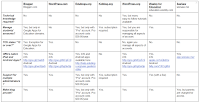
As I usually do during this week, I’m taking some time off to relax, ski, and work on some long-term projects for the next year. This week I will be re-publishing the most popular posts of 2016. By the way, if you want to learn more about using blogs in school, join Blogs & Social […]
Click to Spin – Best of 2016
As I usually do during this week, I’m taking some time off to relax, ski, and work on some long-term projects for the next year. This week I will be re-publishing the most popular posts of 2016. Random Name Picker is free tool from Russel Tarr at Classtools.net. The Random Name Picker lets you input […]
5 Tips for New Chromebook Users – Best of 2016
As I usually do during this week, I’m taking some time off to relax, ski, and work on some long-term projects for the next year. This week I will be re-publishing the most popular posts of 2016. The new year isn’t far away now. For some teachers that could mean it’s time to start getting […]
Explore Maps of Historical Sites in Every U.S. State
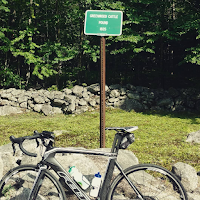
The Traveling Salesman Problem is a website developed by William Cook at the University of Waterloo. The site features interactive maps that chart the short distance between a series of places. One of those maps is of all of the places in the United States National Register of Historic Places, all 49,603 of them.You can […]
Free World and U.S. Map Puzzles for iPads & Android Tablets

Digital Gene offers a variety of educational apps for iPads and for Android tablets. Two of the Digital Gene apps that could be useful for elementary school geography review are Enjoy Learning World Map Puzzle and Enjoy Learning U.S. Map Puzzle. Both of these free iPad apps have the same basic types of puzzle activities. […]
Math Vocabulary Cards in English and Spanish
One of the challenges that some students face in learning math is just understanding the vocabulary used in mathematics. Math Vocabulary Cards can help students overcome that challenge. Math Vocabulary Cards is a free iPad app designed for elementary school students. The app offers exactly what its name implies, a series of flashcards of mathematics […]
Nominate Your Favorite Ed Tech Tools of the Year
At this time of the year you will find lots of “app of the year” type of blog posts on the web. The problem with those posts is that they’re usually based on one person’s subjective criteria. This year I’d like to ask you to help me identify the best educational apps and websites of […]
8 Ways to Create Videos on Chromebooks
A couple of days ago Tony Vincent Tweeted my list of tools for creating videos on Chromebooks. That list was last updated in November. Tony’s Tweet prompted me to update the list again. The notable differences between this list and the last one is that I’ve removed Wideo because that service no longer offers any […]
How to Insert Video Clips Into Adobe Spark Projects
Last week Adobe Spark added a new option to their video editing program. You can now insert video clips into your projects. Previously you could only use images, text, and audio in the videos that you created in Adobe Spark. The new option lets you upload video clips from your computer or iPad then trim […]
How to Use Canva’s Newest Sharing Features
Last week Canva added three new ways to share your designs. You can now publish your designs as simple webpages, collaborate on designs with other users, and embed your designs into blog posts. In the video embedded below I demonstrate how to use the new features. Applications for Education As I mentioned in the video, […]
Three Ways to Create Year-in-Review Videos

It is the time of year when just about every media company is publishing a year-in-review video. Those year-in-review videos will cover everything from the top news stories of the year to celebrity gossip stories to memorials for famous people who died in 2016. Asking students to create year-in-review videos can be a good way […]
The Week in Review – The Most Popular Posts

Good morning from Maine where the snow is falling and my dogs and I couldn’t be happier about it! This is the second snowstorm that we’ve had in less than a week. As you can see in the picture to the left, Mason loves the snow. Max likes it too although his short hair doesn’t […]
How to Record a Webcam Video on Your Chromebook

Recording a video with the webcam on your Chromebook can be accomplished through the use of a free Chrome app called CaptureCast. CaptureCast, produced by Cattura Video, allows you to record the screen on your Chromebook as well as input from your webcam. To record a video with the webcam on your Chromebook open CaptureCast […]
Canva Adds New Awesome New Features!

Last week I shared a video tutorial about how to create greeting cards with Canva’s excellent templates and design tools. That’s an example of just one of the many things that students can design in Canva. This week Canva released more design and publishing features. Canva now offers dynamic chart editing. In other words you […]
Three Ways to Create Multimedia Year-in-Review Timelines

The year is almost over and for many of us this is a time to look back at the year. Creating a year-in-review is a great way to celebrate our successes and learn from our failures. Creating a multimedia timeline is one way that your students can structure a year-in-review. They can make personal year-in-review […]
Let PrepFactory Help You Teach SAT & ACT Strategies

As more schools and states require all high school students to take either the ACT or SAT, you may find yourself having to teach SAT or ACT test-taking strategies. In fact, I had to do this in my homeroom when Maine required that all students take the SAT. Trying to work SAT or ACT test-taking […]
OpenEd Adds Thousands of New Science Resources

OpenEd offers a massive library of free educational games, videos, practice assessments, and tutorials. This week they expanded their catalog by adding more than 1,000 new resources aligned to Next Generation Science Standards. These resources come from notable content producers including SciShow, CrashCourse, and Minute Physics all of which have been featured many times on […]
A Fun App for Learning to Add Fractions
This post originally appeared on one of my other blogs, iPadApps4School.com. Fraction Mash is a free iPad app that provides a fun way for students to learn about fractions. The app lets students insert two pictures then divide those pictures into grids, columns, pie slices, triangles, or rows. Once their pictures have been divided students […]
Three Alternatives to Wiki Summarizer
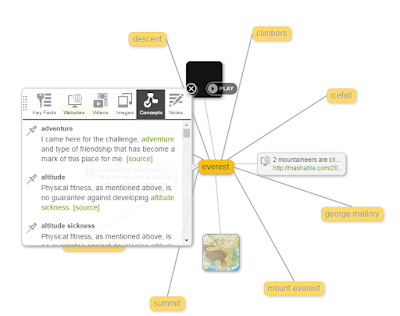
This afternoon I received an email from a reader who wondered what happened to Wiki Summarize. I don’t know other than it is no longer online. It was a nice tool that helped students see long Wikipedia entries in chunks. It also included a web of related terms to help students see how topics were […]
193 Short Timelapse Videos of Our Changing World
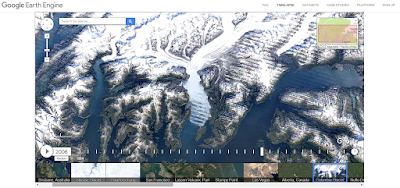
On Tuesday Google announced the publication of new Google Earth timelapse imagery. The new imagery shows the how the physical geography of the Earth has changed over the last 32 years. You can see this imagery on the Google Earth Engine website or you can view it as a series of 193 short videos on […]
How to Use a Whiteboard in Google+ Hangouts
On Friday I shared three tools that you and your students can use to host online tutoring sessions. One of my suggestions was to try using Google+ Hangouts with a whiteboard app called Web Whiteboard. Web Whiteboard makes it easy to include a whiteboard in your Google+ Hangout. In the video embedded below I demonstrate […]
How to Use Wolfram Alpha Inside Google Docs

Wolfram Alpha is a search engine that is probably best known for helping students solve mathematics problems. But there is more to Wolfram Alpha than just computational data. Wolfram Alpha can help students quickly locate information about famous people in history, locate socioeconomic data, find science data, and even help students find information about music […]
The Week in Review – The Nebraska Edition

Good evening from Scottsbluff, Nebraska where I am visiting my good friends Beth and Kris Still. Some followers of this blog may recall that Beth was the person who organized the NECC Newbie project back in 2009. We had never met before that project, but in the years since we’ve become great friends. Here are […]
Student Stories – ClassDojo Portfolios on Chromebooks, Desktops, and Mobile Devices
A few months ago ClassDojo introduced a new portfolio feature called Student Stories. At the time of its launch Student Stories was only available to use on mobile devices. This morning, ClassDojo announced that Student Stories can now be created on Chromebooks, MacBooks, and Windows computers. Basically, if it has a camera, your students can […]
The Month in Review – October’s Most Popular Posts

Good evening from Maine where I’m getting ready to fly to the Georgia Educational Technology Conference tomorrow. I’ll be speaking there on Wednesday and Thursday. If you’re going too, please say hello. Next week I’ll be speaking at an event near my hometown in Connecticut. At the end of every month I post a list […]
A Thorough Video Overview of the French Revolution
In my previous post I shared the new TED-Ed lesson about the French Revolution. That video lesson is fine as an introduction in a middle school classroom. For a much more in-depth video lesson on the French Revolution students should turn to Tom Richey. Tom offers a thirteen part series on the French Revolution. The […]
Projeqt – Create Dynamic Presentations

Projeqt is a presentation tool in which you can mix content from the web with your own content to create visual stories about your favorite things. Using Projeqt you can create a visual story by linking together images, videos, and text. The content you link together can be material that you upload or material that you […]
5 Tools Students Can Use to Create Music Online

Online music creation tools can be used by students to make music to use in projects like podcasts and videos. Students can also use online music creation tools to experiment with rhythms and sounds to learn how music is made. The following free tools can be used for either of those purposes. Soundtrap is a […]
Three Good Tools for Collaboratively Creating Multimedia Books

Collaborating to create multimedia books can be a good way to get students excited about writing stories. Students can collaborate with each other and or with you. Through the process of sharing ideas and revisions students’ work improves. Writing a multimedia ebook can also be a nice way for students to illustrate and or further […]
Nearly 19,000 People Get Their Ed Tech Tips This Way

The reason that I read more often than any other for people unsubscribing from Free Technology for Teachers is “too many updates.” That’s why over the last two years I’ve offered two other ways to find my ed tech tips and news in a less frequently updated fashion. Those options are the Practical Ed Tech […]
Create Location-based Reminders in Google Keep Notes
Google Keep has been my favorite bookmarking and reminder tool ever since Evernote made their free plan worthless earlier this year. I use it on a daily basis to bookmark interesting links and to write notes to myself. One of the neat features of Google Keep is that you can set reminder alarms for your […]
Great Google Drive Add-ons for Teachers – An Updated Handout
Last year I published a free PDF handout that highlights great Add-ons for Google Docs, Forms, and Sheets. The handout also included a few of my favorite Chrome extensions. A year passed and it was time to update that handout for the 2016-17 school year. The updated version of that handout is now available to […]
A Good Place to Find Free Sound Effects for Multimedia Projects
Whether it is for a podcast, a video, a slide presentation, or some other multimedia project, there will be times when your students need to download sound effects. SoundBible is a good place for students to find all kinds of free sound effects recordings. Students can download files as MP3 or WAV files. And best […]
Two Helpful Tips for Navigating PDFs
One of the search tips that I often remind students about is, “search within your search results.” In other words, open up a webpage, a PDF, or a Word file and search within it before dismissing it as not relevant to your search. There are two simple ways that students can quickly search and navigate […]
Improved Voice Typing in Google Docs – A List of Commands

Yesterday, Google released a bunch of updates to G Suite for Education. One of those updates was an expansion of the voice typing commands available in Google Documents. The voice typing commands in Google Documents now includes options for highlighting text, inserting links, adding comments, and creating and editing tables in your documents. Visit Google’s complete […]
5 out of 5 of These Resources Can Help You Teach Fractions Lessons

In an earlier post I highlighted the Thinking Blocks tools included in Math Playground. Thinking Blocks offers a good way to introduce your students to fractions. Here are some other good resources for teaching fractions. Who Wants Pizza? is a fun online activity for learning about fractions. Who Wants Pizza was developed by Cynthia Lanius at Rice University. The activity […]
Math Playground – Hundreds of Math Games & Instructional Videos
Math Playground is a great website containing hundreds of mathematics games appropriate for K-8 students. I first reviewed the site back in 2008. Whenever I have returned to it since then, more games and other helpful features have been added to it. Math Playground offers a huge variety of math games for students. You can […]
ToonyTool – Quickly Create Single Frame Comics

ToonyTool is a free website for quickly creating single frame comics. To get started with ToonyTool simply go to site and either upload a background picture or choose one of their background picture options. Then you can choose comic characters to appear in your comic. Once your characters are chosen, select speech bubbles and add […]
A Good Site for Free ACT Prep

On Saturday thousands of high school students will sit down to take the ACT exam. If your students are going to be taking the test, they could benefit from using PrepFactory to review before Saturday’s exam. PrepFactory offers free ACT and SAT review activities. When students sign into PrepFactory they are asked to identify which […]
Magic Gopher – A Math Game

Magic Gopher is a fun little game in which students select a two digit number, add the digits together, subtract the new number from the original, then look up a symbol associated with the final number. The Magic Gopher the correctly “guesses” the final number symbol. Of course it’s not actually magic, but young students will […]
How to Create Twitter Moments

A few weeks ago Twitter started to allow anyone to create what Twitter calls Moments. Moments are collections of Tweets organized around a hashtag, an event, or a theme. When you create a Moment you can share it on Twitter account for others to see the Tweets that you’ve included in the Moment. In the […]
Credo Reference – Research Starters for Students

Credo Reference is a good reference site for students that I recently learned about from David Kapuler. Credo Reference provides students with reference articles from more than 4,000 reference books. In that regard Credo Reference is a search engine for encyclopedia entries. There are a few features of Credo Reference that teachers will appreciates. First, […]
The Week in Review – Last-Minute Projects

Good morning from Maine where we have frost on the ground outside of the Free Technology for Teachers world headquarters (AKA my house). The frost is a visual reminder that I have some outdoor projects that I need to finish before the snow flies. As soon as those chores are done I’m going for a […]
Kudoboard – Create Digital Group Greetings

Kudoboard is a platform designed to help you create and send digital greetings from a group of people. Kudoboard will remind some people of Padlet in that you’re provided with a blank canvas on which you place digital sticky notes. Kudoboard lets you include pictures and videos in your notes. Just like Padlet you can […]
CS First – Lesson Plans for Teaching Computer Science

CS First is an initiative from Google to promote computer science classes and clubs in schools. CS First features computer science lesson plans based on nine themes. Within each theme you will find up to ten hours of activities to conduct with your students. The themes in CS First are storytelling, friends, fashion & design, […]
5 Ways Students Can Find Free Images

Google’s recent introduction of the “Explore” tool in Google Slides retained the option for students to find images for their slides, but removed the option to filter the images according to usage rights. There are other ways to find free images to legally use in slides, videos, and other multimedia projects. In the following video […]
Four Social Studies Lessons You Can Update With Comics
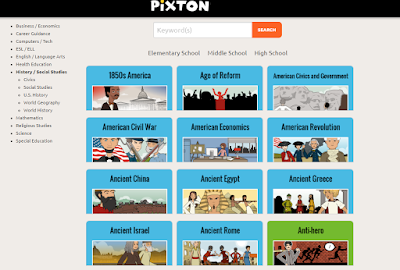
Through the course of a school year I field a lot of questions that go something like this, “I need to use technology in my classroom, but I’m not sure where to start. Can you help me?” Integrating online tools into your classroom doesn’t have to mean throwing out everything you’ve done in the past. […]
A Nice Way to Share Bundles of Links With Your Students

Sqworl is a free bookmarking tool for teachers and students. In Sqworl you can create groups or bundles of bookmarks to share with your students and or colleagues. It provides a convenient way for you or your students to share collections of resources created while researching or browsing the web. As is demonstrated in my […]
A Thanksgiving Lesson for the Whole Family

Last year StoryCorps launched a new initiative that they called The Great Thanksgiving Listen. The purpose of the project was to get students to interview family members during Thanksgiving weekend. The first year went well as more than 50,000 recordings were made. The project is back for 2016. The Great Thanksgiving Listen is an initiative intended […]
Planning on Paper – The Material, Not the App

One of the things that I mention in my keynote Leading Students In a Hyper-connected World is the need for teaching students to have some time disconnected from the Internet and mobile networks. A couple of years ago I heard Chris Brogan sum this up nicely by saying “paper doesn’t have a new browser window.” In […]
The Week in Review – Feels Like Fall

Good morning from Maine where it looks and feels like fall. This week we were blessed with great weather to enjoy the outdoors. This was a busy week of online instruction. On Monday and Tuesday nights I started new professional development courses. This week I also provided webinar instruction for two schools during the day. […]
How to Create Google Alerts
In one of yesterday’s posts I mentioned using Google Alerts to track a topic on the web. A few hours after I published that post I was asked for clarification about how to create a Google Alert. In the following video I demonstrate how to create a Google Alert.
Use Feedly & Google Keep to Keep Track of Your Favorite Blogs
A few months ago Evernote made changes to their free plan that essentially made it worthless. At that time I completely switched all of my bookmarking and mobile note-taking activities to Google Keep. It has been a few months now and I can honestly say that I don’t miss Evernote one bit. The primary way […]
Add Page Numbers to Your Google Docs Table of Contents
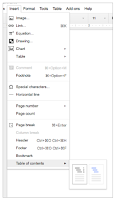
When you compose a long document in Google Documents it’s helpful to add page numbers as you go. That’s been possible in Google Docs for quite a while. It has also been possible to create a table of contents in your Google Documents for quite a while. But until today you couldn’t use page numbers […]
5 Formative Assessment Tools You Can Embed Into Your Website or Blog
Earlier this week I had a chat with a teacher about the role of formative assessments in his classroom. As most of my conversations about education do, our chat eventually drifted into the various formative assessment tools that we’ve tried over the years. One thing that I’ve always tried to do when selecting formative assessment […]
Use Storyboards to Create Halloween Lessons & Cards
Now that we’re into October you might be thinking about Halloween-themed lessons for your students. Storyboard That offers a series of activities about Halloween. In the series you will find guides to using storyboards to teach Halloween safety and ideas for using storyboards as Halloween story starters. If the Halloween story starters or safety guides aren’t for you, you […]
7 Highlights of the Practical Ed Tech Handbook – Get Your Free Copy
Last week I published an updated version of The Practical Ed Tech Handbook. It has been downloaded more than 1,500 times in the last four days. Combined with the previous version The Practical Ed Tech Handbook has been downloaded more than 30,000 times. I hope that many of you who have downloaded it have also […]
Sushi, Gmail, and Kahoot

At the end of every month I like to take a look at the search terms visitors frequently use on Free Technology for Teachers. It gives me a sense of what people are interested in learning about. That information helps me brainstorm new blog posts for the next month. The three most commonly searched terms in […]
Wizer – Create & Share Interactive Writing & Drawing Assignments

Wizer is a great, free service that bills itself as a tool for creating “blended worksheets.” While that is a fine a description I think it doesn’t tell the whole story of what can be done through Wizer. Recently, Wizer added a new feature for creating interactive assignments. You can now ask students to draw responses […]
The Week in Review – A Costume Wedding

Good morning from Maine where I’m getting ready for my friend Josh’s wedding later today. Since Josh and his fiance are fun-loving people and it’s October, they’ve turned their wedding into a costume party. It should be fun for everyone. As I do every weekend, I’ve put together a list of the most popular posts […]
How to Use the New Explore Function in Google Slides
Earlier this week Google introduced a new feature to Google Slides, Docs, and Sheets that they are calling “Explore.” The Explore function in Google Slides can help you find a better layout for each slide in your presentation, help you find previous work that you’ve done about the topic of your presentation, and help you […]
A Short Overview of PrepFactory for Middle School
Last week I shared the news about PrepFactory updating its offerings to include language arts and math practice exercises for middle school students. The new exercises include written and video tutorials that students can consult before, during, or after a round of practice exercises. In the short video embedded below I provide an overview of […]
GameOn World – A Great, Multiplayer Geography Game

GameOn World is a new, multiplayer geography game developed by a high school teacher and his student in Portland, Maine. The game is similar in structure to that of Kahoot. In GameOn World the teacher selects a game category (cities, places, and timeline are three of the nine categories) and starts the game. The students […]
Practical Ed Tech Handbook – Updated for 2016-17
Last year I published a 30 page document that I called The Practical Ed Tech Handbook. This week I spent some time revising that document and updating it the 2016-17 school year. The Practical Ed Tech Handbook isn’t just a list of my favorite resources. I’ve included ideas for using these resources and in many cases […]
5 More Overlooked Google Slides Features Students Should Know
One of last month’s most popular posts featured five frequently overlooked Google Slides features. Last week I featured a video about making comics in Google Slides. There are still more features of Google Slides that students and teachers frequently overlook. Those features include customizing charts, importing slides from previous presentations, creating a personal dictionary, and […]
TurboNote Adds New Features for Syncing Notes to Videos
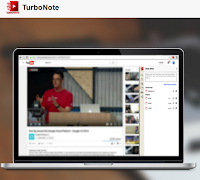
TurboNote is a great Chrome extension that lets you take time-stamped notes while watching videos on YouTube, Vimeo, Facebook, and many other video sharing sites. I was immediately impressed by TurboNote when I reviewed it last month. This week TurboNote released two great updates. Those updates feature transcript search and synced viewing. In the updated […]
How to Use Google Scholar to Track Product Developments

Last week I wrote about how students can use Google Scholar to track product developments and innovations over time. In the video embedded below I provide more details on how students can use Google Scholar and Google Patents to trace the history of a product’s development. We’ll cover topics like this one and many more […]
A Brief History of the Cuban Missile Crisis
No unit of study about the Cold War is complete without including the Cuban Missile Crisis. The latest TED-Ed lesson provides students with a five minute overview of the moments of the Cuban Missile Crisis. The History of the Cuban Missile Crisis explains why the Soviet Union wanted to place nuclear weapons in Cuba, the […]
The Evolution of Presidential Campaign Commercials

As the campaign for the White House continues to heat up, tonight’s debate should make that clear, it might be a good idea to take a look back at how campaigns have evolved over the last sixty years. The Living Room Candidate is a great website shows visitors how political campaigns have evolved. The Living […]
The Week in Review
Good morning from Maine where it certainly feels like fall. This week my daughter turned one month old. The time is flying. As you can see in the picture to the left, she’s already helping me in my office. She already has her own email address, just like her big dog brothers do. You can […]
MindMup Adds New Options to Their Mind Mapping Tool for Google Drive

MindMup is one of my favorite online mind mapping tools. MindMup works in your browser and it can be integrated into your Google Drive account where you can then collaborate with other users. In the spring MindMup added an option for vertical structuring of mind maps and for creating hierarchies in your mind maps. This […]
Great Review Games for the Classroom That Isn’t 1:1

A comment that I frequently hear during or after my workshop on backchannels and informal assessment goes something like this, “I would love to do these things, but not all of my students have computers to use.” Fortunately, there are some great review games that can be played in classrooms that only have a handful […]
Short Lessons on the Autumnal Equinox

The autumnal equinox occurs today in the northern hemisphere. If you’re looking for some resources for teaching about the equinox and the change of seasons, I have a small collection of resources for you. On National Geographic’s Education page there is a hands-on lesson that is worth noting. This hands-on activity is designed to help students understand the […]
PrepFactory Introduces Great, New Practice Activities for Middle School Students

PrepFactory is a popular service that for years has offered great, self-paced SAT and ACT preparation activities. For the new school year PrepFactory has expanded to offer self-paced math and language arts lessons for middle school students. The self-paced lessons and activities in the new middle school section in PrepFactory reflect the recent changes to […]
Trace Product Developments Through Google Scholar Patent Search

Last week I was on Facebook chatting with an old friend about an older friend of ours who passed away almost a decade ago now. His name was Steve Gibbs and he owned a successful business that manufactured archery products. Steve’s company sponsored me when I was attempting to make the 2000 U.S. Olympic Archery […]
How to Insert Columns Into Google Docs

Yesterday, Google announced a change to the way in which search works in Google Drive. Buried at the bottom of that announcement was a note about column formatting in Google Docs. For years the only way to create columns in Google Docs has been to insert a table. That finally changed yesterday with the addition […]
How to Create Comic Strips in Google Slides
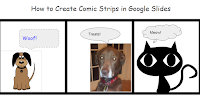
Earlier today I published a post listing a handful of tools that students can use to create comic strips. Google Slides is one tool that wasn’t in that list. With a little creativity your students can create comic strips in Google Slides. Google Slides contains all of the tools that students need in order to […]
4 Browser-based Tools for Creating Comic Strips
Lately, I’ve published quite a bit about Pixton and Storyboard That. Both of those services provide good platforms for creating comic strips. Those aren’t the only tools that you can use to create comic strips with your students. Here are some other browser-based tools that your students can use to create comic strips. Make Beliefs […]
How to Create, Share, and Print Thematic Maps
Google’s My Maps and Google Earth tools can provide a great way to create thematic maps. Unfortunately, those tools are quite limited if your students don’t have Google Accounts to use at school. National Geographic’s Mapmaker Interactive is a free map creation tool that doesn’t require students to have any kind of registered account in order to […]
Five Good Digital Exit Ticket Tools

One of the strategies that I use when creating lesson plans is to reflect on the previous lesson. Part of that reflection includes feedback from students. This can be done by simply asking students to raise their hands in response to a “did you get it?” type of question, but I like to have better […]
5 Common Classroom Blog Mistakes
A classroom blog can be a powerful tool for improving communication with parents, for building a sense of community amongst your students, and for creating a record of what you and your students have learned throughout a school year. But you can only reap these benefits of classroom blogs if you maintain the blog and […]
The Week in Review – The Most Popular Posts

Good evening from Maine where it was a beautiful day for walking in the woods and along the water. Max and Mason were very happy to get outside for long walk on a new trail. We saw plenty of colorful foliage throughout our walk. It was a nice reminder to enjoy the change of seasons. […]
7 Good Tools for Creating Timelines
Timeline creation is a go-to project for many history teachers. When I made timelines as a student and in my first year or two of teaching, timelines were made on paper. Today, there are better ways to have students create timelines. In their web browsers and in stand-alone iPad and Android apps students can create […]
Try My Simpleshow for Creating Explanatory Videos
My Simpleshow is a free tool for creating Common Craft style explanatory videos. The best aspect of My Simpleshow is the emphasis that the developers have placed on storyline planing and development. As is demonstrated in my tutorial below, students have to write a script on My Simpleshow before they can begin to use the video editing tools. […]
Streamline Your Feedback Process in Google Docs
JoeZoo Express is a free Google Docs Add-on that could change the way that you grade students’ work in Google Documents. JoeZoo enables you to give feedback on students’ Google Documents by simply highlighting text then selecting feedback statements from a huge menu of options. For example, in my sample document I highlighted text then […]
How to Create Simple Comics on Pixton
On Monday I shared some thoughts about using Pixton to engage students in creative writing. Over the last couple of days some folks have asked me for a little more guidance on how to get started with Pixton. In the video embedded below I provide a demonstration of how to create a simple comic story […]
The World of 7 Billion – A Student Video Contest

The World of 7 Billion is an annual video contest designed to get students to think about issues related to population growth. The contest asks middle school and high school students to produce sixty second videos about how population growth impacts one of the following three issues; climate change, ocean health, or rapid urbanization. Students’ videos must […]
How to Refine Google Searches According to Date
Google’s search function has a lot of handy features that students often overlook while conducting research. One of those features is the option to refine search results according to a range of dates. As I explain in the video embedded below, refining a search according to date can be a good way to discover what […]
Telling Stories and Solving Problems With Storyboards
Last night I hosted a free webinar about using storyboards to tell stories, illustrate problems and solutions, and to summarize favorite books. The webinar was hosted by Storyboard That. The recording of the webinar is embedded below. Storyboard That also owns the popular Photos for Class and Quick Rubric websites. At the end of the […]
Symbolab – An Online Graphing Calculator and More
Symbolab is a service that launched four years ago. When I tried it then I described as a cross between Google and Wolfram Alpha. I described it that way because Symbolab would conduct a search for answers to math problems and also display the steps needed to complete the problem. Additionally, Symbolab provides links to blog […]
6 Things to Check When a Website or App Isn’t Working
This is the time of year when you might find yourself trying to use an app or website for the first time after a few month layoff due to school vacation. This is also the time when you might be trying a completely new-to-you app or site that you saw demonstrated during a PD session […]
Campaign Comics Templates for Kids

Make Beliefs Comix offers comic strip templates and writing prompts in up to seven languages. The templates and prompts can be completed online or you can print them out to give to your students. Recently, Make Beliefs Comix added templates centered around the 2016 U.S. Presidential election. These new comic templates include prompts for writing […]
The Week in Review – The Most Popular Posts

Good morning from Woodstock, Maine where as I look out from my deck I can see some leaves starting to turn red and orange. This is my favorite time of year. I plan to get outside this weekend to bike, walk with my dogs and my daughter, and maybe even go fishing. Wherever you are […]
5 Tools to Organize and Cite Research Sources

The ways in which we conduct research and organize research have changed significantly over the last couple of decades. When many of us were in middle school and high school our research options were limited to books and periodicals available through our local libraries. Our organization of our research was done mostly in notebooks or […]
How to Randomize Google Forms Response Options
Earlier this week I received an email from a reader who was looking for a way to have all of her students take the same quiz on their Chromebooks, but have the answer options appear in different orders for each student. Google Forms has a built-in mechanism to do that.When you create a quiz question […]
Google Books Ngram Viewer Overview
The Google Books Ngram Viewer is a search tool that displays when and how often a term appears in books indexed by Google Books. By using the Ngram Viewer you can discover when a term starts to appear in literature, how often a term appears, and when a term loses popularity in literature. In the […]
Improved Management of Google Drive File Uploads
One of the things that I like about Google Drive is that I can upload and store just about any file in my account. Additionally, I appreciate that I can have Word files automatically converted to Google Docs format. That feature is great when I’m working with someone who insists on using Word because they […]
How to Conduct a Reverse Image Search

Tineye is a free tool that helps you conduct reverse image searches. In a reverse image search you’re searching for the places where an image has been posted online. In the video embedded below I demonstrate how to conduct a reverse image search. Applications for Education Conducting a reverse can be a good way for […]
Add Audio to Images In SeeSaw Digital Portfolios
SeeSaw is a great platform for creating digital portfolios. Whether students use the free SeeSaw iPad app, the Android app, the Chrome app, or just the website they can add all kinds of media to their digital portfolios. SeeSaw supports uploading videos, documents, slideshows, and audio recordings. Students can also include hyperlinks in their digital […]
5 Dice – An App to Help Students Learn the Order of Operations

5 Dice is a nice iPad app that provides students with a place to practice and develop their understanding of the order of operations. The 5 Dice app presents students with a number that they have to write an equation for using all of the dice presented to them. When students think that they have created […]
A Good App to Help Students Pace Presentations
PaceRecorder is a simple Android app that records your voice and gives you instant feedback about the pace with which you are speaking. The feedback comes in the form of three simple symbols; a turtle, a rabbit, and a thumbs-up. If the turtle appears while you’re speaking it indicates that you’re relaxed or perhaps a […]
Otter & Sqworl – Two Helpful Tools for Teachers

Scurry Labs is a small company that develops helpful web applications for teachers. Two their best products for teachers are called Otter and Sqworl. Otter is a service that makes it easy to create simple webpages on which you can distribute information and collect assignments from students. Otter provides four widgets that you can add to […]
The Week in Review – The Most Popular Posts

Good afternoon from Connecticut where I’m getting ready for my youngest brother’s wedding. That’s him in the picture to the left. He’s a high school Language Arts teacher. Our paternal grandparents, our father, and one of our uncles were also teachers. I guess you can say that we went into the family business. A lot […]
Three Google Forms Add-ons To Help You Manage Parent Volunteers

Google Forms offers a great way to collection information from parents when you’re seeking parents to volunteer to chaperone a field trip, help out in your classroom, or bring in supplies for a classroom party. The problem that you might run into is having too many volunteers or too many people volunteer to do or […]
My Go-to Google Tools for Social Studies Classrooms

Over the years I’ve used a lot of Google tools in my social studies classes. Some of those tools, like Wonder Wheel and Notebook, no longer exist, but many still do. Here are my five go-to Google tools for social studies classrooms. How to videos accompany each tool featured below. You can learn more about […]
Students Can Collaboratively Create Timelines on HSTRY
HSTRY is a neat timeline creation tool that I’ve been a fan of since it launched a couple of years ago. One of the features that makes it different from other timeline tools is that you can build quiz questions into your timeline. This week HSTRY added another nice feature in the form of collaboration. […]
Three Tools That Help Students Take Notes While Watching Videos

Creating flipped lessons in which students answer questions about a video that you make them watch can be one way to check whether or not they watched a video. Another way is to have them simply record their own observations and or write their own questions while watching a video. The following three tools are […]
6 Tools That Can Help Students Keep Track of Tasks
Services like Cel.ly and Remind are great for sending reminders about important school and classroom events to parents and students. That said, students shouldn’t rely on teachers to remind them of their assignments. These are some of my favorite tools that students can use to keep track of their assignments and other school-related tasks. Google […]
Khan Academy Adds 21 Free iPad Apps to Their Offerings
In what looks like a clear move to try to reach the elementary school market, Khan Academy has acquired Duck Duck Moose. Duck Duck Moose is the developer of 21 popular iPad apps including ChatterPix, Draw and Tell, and Moose Math. Duck Duck Moose has also published eight Android apps. ChatterPix and Draw and Tell […]
Download Your Videos – Knowmia and ScreenChomp Close In Three Days
Earlier this summer TechSmith announced that they were closing some of their free apps that teachers loved. That list includes the whiteboard video creation apps ScreenChomp and Knowmia Teach. On August 31st those apps will stop working. If you have created videos in either of those apps, you’ll want to download them ASAP! Watch this […]
Padlet’s Remake Feature Lets You Use & Create Templates

Last week the folks at Padlet introduced their fourth update of the summer. In June they overhauled the user interface and published a best of education gallery. Earlier this month they added a new post attribution feature. And late last week they added a new template copying feature they’re calling “remake.” Padlet’s new remake feature […]
How to Use Simplenote to Take Notes
Simplenote is a free service for taking notes on just about any device. You can use it in your web browser, on an Android device, on a Kindle Fire, and on an iOS device. Simplenote also offers free desktop apps for Mac, Windows, and Linux. Simplenote is different from tools like Evernote and OneNote in that […]
Cite This For Me – Cite Websites In One Click

Cite This For Me is a free service designed to help students keep track of the resources that they use in their research work. Cite This For Me offers a free Chrome extension that lets students cite a webpage with just one click. The free extension will format citations in APA, MLA, Harvard, or Chicago […]
5 Handy Google Slides Features You Should Know – Here’s How to Use Them
This is the time of year when many teachers and students start to use Google Apps for Education for the first time. It’s also the time of year when people who have used Google Apps before discover that new features were added while they were on summer break. If that describes you and or your […]
4 Ways to Create Image-based Quizzes

Whether it is a graph for a math class, a diagram for a science class, or a map for a geography class there are plenty of times when an image provides a better question prompt than just words. Likewise, there are times when images provide better answer choices than words provide. Here are four free […]
5 Tools to Help Keep Your Students and Yourself Active & Healthy

The new school year always feels like a new calendar year to me as many students and teachers have “resolutions” for the new school year. If one of your resolutions for the new school year is to keep yourself or your students active and healthy, the following free resources are for you. GoNoodle is a free […]
Wonderville – Science and Technology Games for Kids

Wonderville is a great website for kids on which students can find games, videos, comics, and hands-on activities for learning about science and technology. The gallery of activities, games, videos, and comics is divided into three categories; fun science, awesome tech, and cool jobs. A couple of the Wonderville games that I like are Reaction Action and Medieval Levers. […]
11 Google Apps Updates You Might Have Missed This Summer – PDF
Over the summer Google released a bunch of updates to teachers’ and students’ favorite Google Apps. If you took a little break from your school Google Account over the summer and have just started to look at it again, you might notice that there are some new features available to you. I put together a […]
How to Create a Map and Timeline Mashup

myHistro is a free multimedia timeline creation tool. When you create a timeline on myHistro each event that you add can be simultaneously displayed on a map on the same screen. Every event that you add to your myHistro timelines can include pictures and videos. On myHistro you can build a personal timeline or build […]
A Google Apps Guidebook Published by Students
My friend Kern Kelley and his students at Nokomis High School in Newport, Maine have spent most of this year putting together The Google Apps Guidebook. Kern and his students, collectively referred to as the Tech Sherpas, created the book for teachers who are new to using Google Apps for Education. The guidebook takes teachers […]
Mac Users Can Now Quickly Move From Evernote to OneNote
If you’re one of the many people considering leaving Evernote after the latest round of “updates” made its free plan almost worthless, Microsoft has something for you. OneNote is a free tool that works on every platform. Microsoft has offered an Evernote to OneNote transition tool for Windows users for a while. Late last week […]
5 Google Apps Updates You Might Have Missed This Week
This week Google released a bunch of updates to many of their tools that are popular with teachers. Here’s a short overview of those updates. 1. Google Classroom now supports sharing with parents. You can now invite parents and guardians to subscribe to a daily or weekly summary of activities in your Google Classroom classes. […]
Science Bob Helps Students Start Science Fair Projects
Science Bob is a good resource for elementary school and middle school students in search of ideas for science fair projects. Science Bob has dozens of suggestions for science fair projects. Beyond the suggestions, Science Bob offers tips on how to build the projects and additional support resources. In the experiments section of Science Bob teachers and students will find printable directions […]
Two Graphing Tools for Google Docs
The question that I often hear from mathematics teachers about Google Documents is, “are there any features for me?” The answer is, “yes, but they don’t always jump out at you.” Google Docs does have a built-in equation editor that you can access from the insert drop-down menu. To create graphs in Google Docs you’ll want […]
Wild Music – Songs and Sounds of Wildlife
Wild Music is a fun and educational website on which students can learn about sounds commonly heard in nature. On Wild Music students can listen to the sounds of nature and explore what creates those sounds. Some of the activities students will find include a game of animal audio memory in which students hear sounds […]
Six Good Places to Find Free Music and Sound Effects

In my post earlier today about tools for creating book trailer videos I mentioned a couple of sources of free sound effects and music. Picking the right music or sound effects can have a drastic influence on how we react to a scene in a video. Here are some places that you and your students […]
The Four Things Students Need to Create Good Book Trailers

Creating book trailer videos is a great alternative to a traditional written book report assignment. In a book trailer video students highlight their favorite elements of a story and try to entice viewers to read the book themselves. Much like a movie trailer that tries to get viewers to watch the full movie, a book […]
The Threat of Invasive Species

When you drive into my home state of Maine two of the first signs you’ll notice are a sign to watch for moose and a sign banning the importation of firewood. The reason for the moose crossing sign is fairly self-explanatory. The reason for the ban on importing firewood may not be so obvious. Importing […]
Six Audio Recording Tools That Work In Your Web Browser
As I have mentioned over the last couple of days, last week someone rightly pointed out to me that the Practical Ed Tech Tips playlist on my YouTube channel was getting a bit too long (it has more than 200 videos in it). To rectify that problem I’ve created some smaller playlists consisting of videos that I’ve published on […]
16 Student Feedback Tools Tutorials
As I mentioned yesterday, last week someone rightly pointed out to me that the Practical Ed Tech Tips playlist on my YouTube channel was getting a bit too long (it has more than 200 videos in it). To rectify that problem I’ve created some smaller playlists consisting of videos that I’ve published on various topics within my YouTube channel. […]
The Week in Review – The Most Popular Posts

Good morning from Maine where despite some rain it’s a nice weekend. Looking over the valley from my house I can start to see some leaves starting to fade and change colors. This is a sure sign that school will soon start here. In many other places, the new school year has already started. I […]
15 Videos About Making Videos
Earlier this week someone rightly pointed out to me that the Practical Ed Tech Tips playlist on my YouTube channel was getting a bit too long (it has more than 200 videos in it). To rectify that problem I’ve created some smaller playlists consisting of videos that I’ve published on various topics within my YouTube […]
FreshGrade Offers Free Webinars About Digital Portfolios
FreshGrade is a digital portfolio platform that has quickly risen in popularity over the last eighteen months. The learning slideshow feature in FreshGrade is one of the many features that has helped it become popular amongst teachers and students. FreshGrade is offering a series of free webinars to help teachers learn more about creating and […]
10 Good Tools for Creating Digital Portfolios – A PDF Handout

As the new school year gets started you may find yourself thinking about how you and your students can keep track of the great work that they do throughout the school year. Creating and managing digital portfolios is one way to create a showcase of your students’ good work. In the document embedded below I […]
Simplenote – A Simple Tool for Organizing Notes

Over the weekend I received an email from a reader who was looking for an alternative to Evernote that she could use to take notes during parent-teacher conferences. I’ve had a lot of questions along the same lines since Evernote changed their plans to essentially make their free plan almost worthless. In this case the […]
Student Stories – Student-led Portfolios on ClassDojo
Over the last few years ClassDojo has become known as a platform for keeping track of your students’ habits and behaviors. Originally, it appealed to teachers of elementary school students but over time teachers of older students started to use to keep track of things like constructive participation in classroom discussions. Last summer ClassDojo introduced […]
The Physics of Olympic Sports
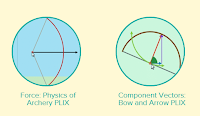
The 2016 Olympics got underway over the weekend. I was thrilled to see the U.S. men win a second consecutive silver medal in archery on Saturday afternoon. Speaking of archery, CK-12 has a great set of physics simulations about archery and eleven other Olympic sports. The simulations are available to view in your web browser […]
How to Create Your Own Custom Search Engine
This morning someone sent me an email asking how I had created the search on my alternatives to YouTube page. The answer is that I used Google’s custom search engine tool to specify pages that I wanted indexed in my search engine. In the video embedded below I demonstrate how to create a search engine. […]
Develop Mobile Language Lessons With QR Voice
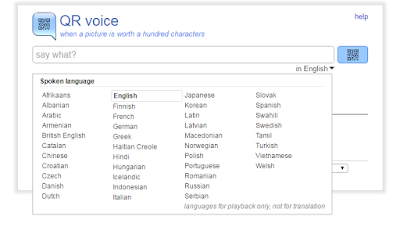
QR Voice is a free tool that allows you to create QR codes that when scanned will play a short audio message. To create your message and QR code you can record a voice message by clicking the microphone icon on QR Voice or you can type in your message. Either way you’re limited to 100 […]
Exploring Marine Science in Google Earth

Google Earth is a great tool for exploring many aspects of geography. One of the features of Google Earth that seems to be frequently overlooked is the ocean imagery. Using Google Earth tours can be a good way for students to learn about marine life and habitats. The following organizations host excellent Google Earth files […]
PrepFactory – Free SAT & ACT Prep Activities

As autumn approaches many high school students in the United States will turn their attention to college applications and the SAT or ACT exams. Some students’ parents will spend lots of money on test prep materials and or tutors. But students don’t have to spend money to access excellent SAT and ACT preparation materials. PrepFactory […]
Just Beam It – Quickly Share Large Files

Just Beam It is a free service for quickly sharing files up to 2GB in size. To transfer a file to someone else just drag a file from your desktop to Just Beam It in your browser. After dragging and dropping your file Just Beam It will generate a link to it that you can […]
Free Guides to Windows 10 Accessibility and Deployment in Schools
A few weeks ago Microsoft released more than 200 free ebooks. Those ebooks cover everything from Windows 10 accessibility settings to keyboard shortcuts to school-wide deployment of Windows 10 (links open PDFs). The list of free ebooks isn’t limited to just Windows 10. As you browse the list you will find free guides to OneNote, Outlook, […]
How to Move from Zaption to EDpuzzle In Three Steps (Zaption is closing)
A couple of weeks ago when I shared the news that Zaption is closing I also shared some suggestions for alternatives to using Zaption. One of those suggestions was to try EDpuzzle. The folks at EDpuzzle saw that post and created a video for followers of this blog who would like to switch from Zaption […]
Evernote’s Free Plan Is Almost Worthless – Here Are Two Good Alternatives
At the end of June Evernote announced some significant changes to their subscription plans including the free service that they had offered for years. Last night I received a reminder email from Evernote prodding me to buy up to one of their premium plans. I deleted the email because I switched away from Evernote and […]
The Week in Review – The Most Popular Posts

Good evening from Maine where I’m relaxing after a fun day of bicycle riding followed by a nice little concert in Freeport. This week I wrapped up my online course Teaching History With Technology. As always I enjoyed teaching the course and I learned a few things that I’ll be implementing when I teach the […]
How Does a Canyon Become Grand? – And Other Lessons on the Shaping of North America

Earlier this month TED-Ed published a new lesson about how the physical geography of North America has changed over time. The lesson, titled How North America Got Its Shape, includes brief explanations of the roles of shifting tectonic plates, erosion, and volcanic activity in shaping North America. The lesson includes the Grand Canyon as an […]
My SimpleShow Offers a Good Way to Create Explanatory Videos

My Simpleshow is a free tool for creating Common Craft style explanatory videos. The best aspect of My Simpleshow is the emphasis that the developers have placed on storyline planing and development. My Simpleshow requires you to write a script for your video before you can start adding illustrations and sounds to it. In My […]
Running Reality – Mapping the Rise and Fall of Nations
Running Reality is an ambitious project that is attempting to build an interactive map and timeline of the rise and fall of nations throughout history. Currently, you can visit Running Reality and choose a date or range of dates on the timeline to see a map of nations around the world at that time. Alternatively, […]
Create Animated Videos & More With Animatron

Animatron is a nice tool for creating animated videos and images. I learned about it from Larry Ferlazzo a couple of weeks ago and I finally got some time to try it this morning. The concept behind Animatron is similar to that of Wideo and Powtoon. You drag and drop characters on a background scene […]
Running Android Apps on Your Chromebook
Chromebooks and the Chrome OS are constantly improving and offering more features to more students and teachers. An example of this is found when you consider that earlier this summer Google started supporting the use of some Android apps on some Chromebooks. Initially, the list of supported Chromebooks was small. That list has steadily grown […]
The Week in Review – The Most Popular Posts
Good morning from Maine where I’m enjoying some coffee on my deck to start the day. This week I hosted the Practical Ed Tech Chromebook Camp in Portland, Maine. 35 of use had a nice couple of days of learning from each other. Some people attended for the second and third time. I’m already starting […]
Why the Metric System Matters – And How It Confounds Americans

Why the Metric System Matters is the title of the latest TED-Ed lesson. The lesson explains how measurement systems evolved through history including the historical event that hastened the adoption of the metric system throughout most of the world. The lesson also explains why the United States doesn’t use the metric system. As is noted […]
My Favorite Search Strategies – Updated
This morning during the Practical Ed Tech Chromebook Camp I shared some of my favorite strategies and ideas for helping students improve their online research skills. The slides that I used today were an updated version of slides that I have previously shared here on Free Technology for Teachers. The latest version is of the […]
ImageCodr Helps You Create Correct Image Citations

Creative Commons licensing makes many photos available for re-use that we otherwise could not use. The trouble is properly citing Creative Commons licensed works can sometimes be a confusing, multistep process. ImageCodr aims to make that process easier. ImageCodr generates properly formatted Creative Commons attributions for images that you find on Flickr. Once you’ve found […]
Teach Your Monster to Read

Another question that appeared on the Free Technology for Teachers Facebook page over the weekend read, Hello Richard, I love your blog and thanks for sharing . Do you know a good free site for preschoolers to practise phonics? My suggestion for that reader was to take a look at Teach Your Monster to Read. Teach […]
Getting Started With Kaizena – Voice Commenting on Google Docs
Over the weekend a reader posted the following message on the Free Technology for Teachers Facebook page, Hey Richard, would you be able to recommend a free site for audio feedack to students? I want to record my feedback on essays and have kids listen. Don’t know where to start. Is it an audio file […]
How to Track Changes to Google Sites
This afternoon during the Practical Ed Tech Chromebook Camp Beth Still and I shared some ways to use Google Sites with students. One of the features that I showed was using page level permissions (this video shows you how to enable those) to have students manage individual pages within a site. That raised the question […]
Digital Dialects – Games for Learning a New Language
Digital Dialects offers a nice selection of educational games and activities for learning more than 50 different languages. Most of the games are designed to learn and practice the basics of each of the languages listed on the Digital Dialects homepage. Another good website for learning and practicing language basics is Literacy Center.net. Literacy Center offers games for learning […]
A Compare & Contrast Essay Map for Young Students
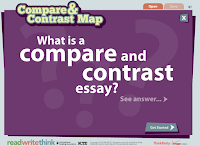
Read Write Think’s Compare & Contrast Map is a template for creating a comparative essay. Using the template students are guided through writing three styles of comparison essays. To get started students identify two things that they wish to compare and or contrast. Then they choose if they want to write a “whole to whole” essay, […]
Character Scrapbook – A Template for Reflecting on Stories
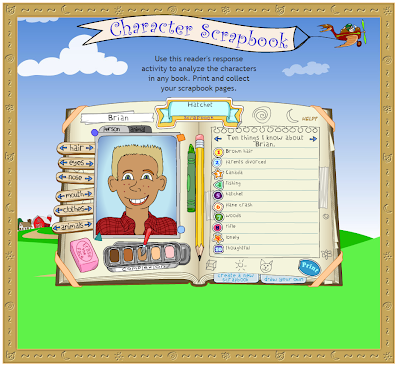
Scholastic’s Character Scrapbook provides a nice template that elementary school students can use to write about and reflect on the characters in their favorite stories. The template is quite simple to use. Students enter the name of a story and the name of their favorite character on the first page. On the next pages students […]
Collect, Customize, and Share Resources from Smithsonian Learning Labs
Late last year I wrote a post about The Smithsonian Learning Lab which is a fantastic tool for organizing the thousands of digital resources available through the various Smithsonian museums. The Smithsonian Learning Lab allows teachers to create and search for documents, images, videos, interactive animations, and lesson plans. In June the Smithsonian put forth a revamped version […]
Mission Mapquest – Create a Map Game That Can Be Played on iPads

Mission MapQuest is a great map game creation tool developed by friend Russel Tarr for his ClassTools.net website. The concept behind Mission Mapquest is rather straight-forward one. On Mission Mapquest you create a series of clues that your students need to follow to identify places around the world. You can add as few or as many clues to your MapQuest […]
GeoQuiz – A Talking Map Quiz
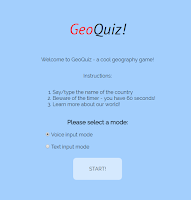
There is certainly not a shortage of map quiz on games on the Internet. GeoGuessr and Spacehopper have been two of my favorites for a long time. Now I have another to add to my list of favorites. That addition comes in the form of GeoQuiz. GeoQuiz is a map game that shows you a […]
Evernote Shrinks Free Plan – Here’s What I’m Using Now

For a long time I have used Evernote as my primary tool for personal bookmarks. That’s about to change because today Evernote announced that their free plan will soon only allow you to use Evernote on two devices. As I use three devices or more in the course of a typical week, the new Evernote […]
Digital Storytelling With the Latest Version of Buncee Edu Mobile
Buncee is a nice tool that makes it easy for young students to craft digital stories. Recently, Buncee updated their iOS app to optimize for iPad and iPhone displays. The latest version of Buncee’s iOS app brings the best content creation tools of the Buncee Edu web app to the iOS environment. Buncee Edu provides […]
Google Cast for Education Gets Your Students on the Same Page
This morning at the ISTE 2016 conference Google announced some great new features for teachers. One feature that immediately jumped out at me is the new Google Cast for Education Chrome app. The Google Cast for Education Chrome app enables teachers and students share their screens over wireless networks. The app integrates with Google Classroom to […]
The Best Ways to Use Padlet – Examples from Teachers

This afternoon at the ISTE 2016 conference I had a nice meeting with Melanie Broder from Padlet. She told me about some of the things that Padlet is working on developing during the rest of the year. One of things is a community for educators. That community should help teachers find creative uses of Padlet […]
Three Good Apps for Creating Videos on Android Devices

Creating videos is one of my favorite activities to do with students. I never get tired of seeing what students create and I never tire of their enthusiasm for the creative process. I’m a big fan of letting students choose the video creation tool that they like best rather than prescribing that they all have […]
Stop Motion Studio Offers a Great Way to Make Videos

Stop Motion Studio is a great app for creating stop motion videos. The app is available for iOS, Android, Windows, and Mac operating systems. The basic (free) version of Stop Motion Studio lets you take as many pictures as you like and string them together in a sequence that plays back at a frame-per-second rate […]
My Three Favorite Video Creation iPad Apps for Elementary School
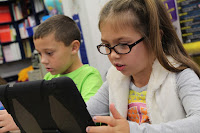
Over the last month I have spoken at conferences all over the United States. Creating videos with students is was the topic of one of my most popular break-out sessions during that time. In that session I try to offer resources and ideas for teachers of all grade levels. I also try to provide resources […]
5 Ways to Quickly Get Your Students On the Same Webpage

Getting all of your students on the same webpage at once is one of the small and annoying challenges of using websites and web tools in your classroom. Fortunately, there are some simple solutions to this challenge. The solution that you pick will be partially based upon the type of devices that your students use […]
How to Create a Book Trailer Video
Creating a book trailer video can be a great alternative to writing a book report. To create a good book trailer video students will have to make a list of highlights of a book and arrange them into proper sequence. Students should also include commentary on why they liked a book and why someone else […]
Three Geography Games Based on Google Maps and Google Earth
One of the things that I emphasize to students before they embark on any kind of research or problem-solving task is to take a good long look at the information that they already have before them. To that end, I’ll often request that they construct a list of what they know about a topic or […]
Three Ways for Students to Compare the Sizes of Countries and States
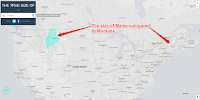
My students here in Maine always think of our state as being a big place and it is relative to the rest of New England. Compared to our friends in the west, Maine is a small place. Similarly, they sometimes have trouble understanding the size of the lower 48 states compared to Canada. The following […]
300+ Ed Tech Tools Tutorials
Over the last couple of years I’ve made an effort to publish at least one new tutorial video every week. Most of those videos end up being featured in the Practical Ed Tech Tip of the Week, but they all end up on my YouTube channel. I now have more than 300 ed tech tools […]
Helpful Gmail Settings for Students & Teachers – Best of 2015-16 School Year

All of this week I am on the road working with teachers in Texas, Kansas, and Arizona. Rather than scrambling to write blog posts at the end of each day, I’m taking this time to feature some of the most popular posts and new tools of the 2015-2016 school year. The Google for Work YouTube […]
A Guide to Google Books for Students & Teachers – Best of 2015-16 School Year
All of this week I am on the road working with teachers in Texas, Kansas, and Arizona. Rather than scrambling to write blog posts at the end of each day, I’m taking this time to feature some of the most popular posts and new tools of the 2015-2016 school year. Google Books is one of […]
10 Things Students Can Do With Google Keep – Best of 2015-16 School Year

All of this week I am on the road working with teachers in Texas, Kansas, and Arizona. Rather than scrambling to write blog posts at the end of each day, I’m taking this time to feature some of the most popular posts and new tools of the 2015-2016 school year. At the end of October […]
Good Tools for Learning to Type – Best of 2015-16 School Year

All of this week I am on the road working with teachers in Texas, Kansas, and Arizona. Rather than scrambling to write blog posts at the end of each day, I’m taking this time to feature some of the most popular posts and new tools of the 2015-2016 school year. Last week I wrote a […]
An Illustrated Mathematics Glossary – Best of 2015-16 School Year
All of this week I am on the road working with teachers in Texas, Kansas, and Arizona. Rather than scrambling to write blog posts at the end of each day, I’m taking this time to feature some of the most popular posts and new tools of the 2015-2016 school year. Math is Fun is a […]
An Easy Way to Quickly Create Vocabulary Lists from Documents – Best of 2015-16 School Year
All of this week I am on the road working with teachers in Texas, Kansas, and Arizona. Rather than scrambling to write blog posts at the end of each day, I’m taking this time to feature some of the most popular posts and new tools of the 2015-2016 school year. Last winter I was contacted […]
How to Password Protect Blog Posts
On Monday night I received an email from a reader who was looking for a way to have his students blog and share pictures without making the posts completely public. There are two ways that I suggest doing this. In Blogger you can restrict access to a blog by selecting the private option and specifying […]
The Three Most Common Searches on Free Technology for Teachers

Every month I take a look at the most popular posts of the month. At the same time I look at the search terms that visitors enter most often on Free Technology for Teachers. This month the three most frequently searched terms were “random name selector,” “kahoot,” and “photos for class.” Below I have assembled […]
A Large Collection of Free eTextbooks for High School & College Students

Bookboon is a service that offers free etextbooks to high school and college students. The textbook section of Bookboon offers more than 500 digital textbooks. On Bookboon there are etextbooks available in ten core subject areas with additional subtopics with each subject area. The bulk of the etextbooks are focused on economics, engineering, and IT. You can browse […]
A Fun Tool for Making Word Clouds in Fun Shapes
Although their popularity seems to have fallen a bit since their peak a few years ago, word cloud generators still provide students with a nice way to visualize the most frequently used words in a passage of text. Wordle is probably the best known tool for making word clouds, but there are plenty of others […]
10 Sites and Apps for Vocabulary and Spelling Practice

Last night I watched the conclusion of the Scripps National Spelling Bee. A recap of the finals is available on the Associated Press YouTube channel. Like many others who watched the finals, I have to admit that there were some new-to-me words in the final rounds. That reminded me that I have a bunch of sites […]
How to Use Flippity and Flickr to Create Sets of Image-based Writing Prompts
Flippity is a great service that offers a handful of templates for creating flashcards, random name selectors, Jeopardy games, and progress trackers in Google Sheets. This morning I was thinking about ways to create writing prompt generators when I realized that Flippity’s flashcard template could be used to create sets of image-based and text-based writing […]
10 Ways to Use Adobe Spark in School
On Tuesday morning I published a video about how to use Adobe’s new creative suite called Adobe Spark. That video was focused on how to use the three parts of Adobe Spark; post, page, and video. If you haven’t seen the video, it is embedded below. Now that we know how the tools work, let’s […]
Stackup – Create & Track Reading Goals in Chrome
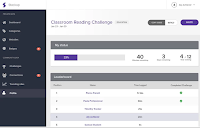
Stackup is a free service that aims to help you give students credit for time spent reading quality articles online. On Stackup you can create reading challenges for your students. A challenge could be something like “read current events for 60 minutes this week.” After creating the challenge you invite students to join it. Students […]
How to Create Images, Videos, and Web Pages With Adobe Spark
Adobe Spark is a new suite of free tools for creating images, videos, and simple web pages. The blog-o-sphere was all abuzz about Adobe Spark late last week so I gave it a try too. Adobe Spark can be used in your web browser or you can download the Adobe Spark video, image, and web […]
12 Tools for Creating End-of-Year Review Activities
This is the time of year that we think about activities that we can do to help students review the school year. At this time of the year I frequently receive requests for suggestions for tools to create review activities. The tools presented in the slides below can be used to create online games, iPad […]
Interactive Maps of Travel Through the Roman Empire

If you teach any lessons about the Roman Empire, take a look at ORBIS from Stanford University. ORBIS is Stanford University’s Geospatial Network Model of the Roman Empire. On ORBIS students can calculate the distance and travel times between 751 settlements in the Roman Empire. The calculations happen according to the modes of travel that […]
How to Insert & Modify Charts in Google Slides
On Wednesday afternoon Google announced the release of a new feature in Google Slides. The new feature is the option to insert charts and graphs from Google Sheets. You can insert pre-existing charts from your Google Sheets or you can create a new chart or graph from scratch in your Google Slides. In the video […]
Access LitCharts on Your iPhone or Android Phone

Last week I published a blog post about LitCharts. Shortly after that post went live my friend Denise texted me to say how much she loves the LitCharts iPhone app. Until then I wasn’t aware that LitCharts offered an iOS app. It turns out that LitCharts is also available as a free Android app. The […]
Hopscotch – Learn Coding Basics on Your iPad or iPhone
Hopscotch is a free iOS app that introduces students to programming logic. The app originally launched as an iPad-only app. Last week the developers released an iPhone-friendly version of the free app. In Hopscotch students put command boxes into order to make cartoon avatars move and draw lines. Students can program one or all of […]
The Week in Review – The Overseers
Good evening from Maine where I am home after a couple of days in Pennsylvania for PSLA 2016. It was an honor to give the keynote at the conference full of enthusiastic teacher-librarians. On Thursday evening I gave the opening keynote. Before I took the stage there was a short ceremony to install the new […]
Add Voice Notes to Pictures in Google Keep

This morning I was frustrated trying to get the new annotations feature in Evernote for Android to work correctly so I went back to using Google Keep to annotate my pictures on my Android phone. As I was annotating a picture I noticed that I could add a voice comment to the same note that […]
LitCharts Offers Guides to Popular & Classic Literature

LitCharts is a relatively new service that provides teachers and students with guides and summaries of classic and popular literature. The service currently offers more than 300 titles. LitCharts guides can be viewed online or you can download the guides as PDFs. To download a PDF you do have to enter your email address. The […]
CK-12 Brainflex is Back for 2016 – Keep Math Skills Sharp This Summer
Last year the CK-12 Foundation introduced the CK-12 Brainflex Summer Challenge. The challenge is a free program that students can use to keep their math and science skills sharp through the summer while also learning some new knowledge and gaining new skills. Students register for the program then track their skills review through the CK-12 Brainflex […]
An Overview of PrepFactory – Free SAT & ACT Prep

PrepFactory is a free service that offers excellent SAT and ACT preparation activities. The site offers free guides to SAT and ACT strategy along with a plenty of review activities to help students sharpen their skills and knowledge before taking the ACT or SAT. In the video embedded below I provide an overview of a […]
Stackup – Create & Track Reading Goals for You and Your Students

Stackup is a new service that aims to help you give students credit for time spent reading quality articles online. On Stackup you can create reading challenges for your students. A challenge could be something like “read international news for 60 minutes this week.” After creating the challenge you invite students to join it. Students […]
Live AP Exam Review Hangouts on Air

The AP exams for US History, European History, and Government are coming up this month. Teachers and YouTube sensations Keith Hughes and Tom Richey are hosting a series of Google+ Hangouts on Air for students who would like some review help before the exams. Every night this week they are hosting a different hangout for […]
The Week in Review – The Most Popular Posts

Good morning from the temporary Byrne Instructional Media, LLC headquarters at O’Hare International Airport. I’m currently waiting for my flight home after a great afternoon yesterday with people who came to the networking event hosted by Otus. Thank you to everyone that came out to hear me speak. Getting to meet passionate educators all over […]
Preparing Students to Learn & Work Independently – Slides
On Friday afternoon I gave a presentation to a great group of educators from the greater Chicago area. Twice as many people registered as came to the event so I’m guessing there are some folks who would like to see the slides from my talk. Those slides are embedded below.
Haiku Deck Releases a New iPhone App for Creating Presentations

This morning Haiku Deck, a popular presentation creation tool, released a new iPhone app. This new app brings the features of the Haiku Deck iPad app and web app to the iPhone. The Haiku Deck apps allow anyone to create beautiful slide presentations. One of the core features of Haiku Deck that has made is […]
GeoGebra Exam Mode Lets You Choose Which Tools Your Students Can Use During Tests

GeoGebra, a free mathematics modeling tool, seems to be continuously improving and in the process becoming more and more popular with teachers. Thanks to Guillermo at Math and Multimedia, last weekend I learned about GeoGebra’s exam mode. GeoGebra’s exam mode allows you to specify which GeoGebra tools can and cannot be used during an exam. […]
Quizzy Offers a Quick Way to Create Online Quizzes

Quizzy is a free service that enables you to quickly make and publish online quizzes. To get started simply register for a Quizzy account then title your quiz and start writing multiple choice questions. When you have finished writing your questions you can publish your quiz publicly or keep it private. Quizzes that you mark […]
The Week in Review – 50 Million Page Views

Good afternoon from sunny Woodstock, Maine where my dogs and I have just returned from a great morning of walking in the woods. The end of winter and beginning of spring is referred to as “mud season” around here and my boys made sure to find all the mud that they could walk and roll […]
StoryTop Story Maker – Create Simple Image Based Stories
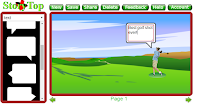
StoryTop is a good web-based tool for creating digital stories and comics. StoryTop features an easy-to-use drag and drop tool for creating your story. To use Story Top simply select your background, characters, and text bubbles from the menu and drag them into your story box. After selecting the basic story elements you can then add additional elements like plants, […]
3 Tools for Creating Comics on iPads
This morning I received an email from a reader who was looking for suggestions for tools that her students can use to create comics on their iPads. I recommended some paid and free apps to her. The free tools that I recommend are featured below. Make Beliefs Comix is a free multilingual comic strip creation […]
Buncee Buddies Connects Classrooms for Earth Day
Earth Day is a little less than a month away. This year Buncee wants to see what you and your students are doing to recognize Earth Day. Buncee Buddies is a free service that connects classrooms to Skype and or share messages through Buncee cards. Buncee Buddies: Earth Day 2016 aims to connect classrooms around the […]
MoveIt – A Chrome Extension to Keep You Active
MoveIt is a free Chrome extension that aims to help you avoid sitting in front of your computer for too long. At intervals of your choosing MoveIt will prompt you to get up and complete a short exercise. You can set the intervals to be as frequent as every five minutes or as infrequent as […]
Gauging Your Distraction – A Game to Show Students the Dangers of Texting While Driving
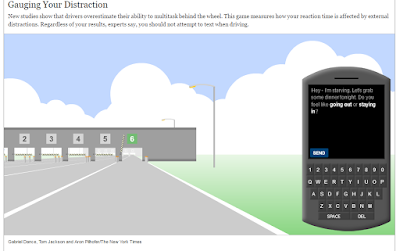
Update November 2020: This game was Flash-based. Flash is a standard that will be deprecated in December 2020. The game is no longer available. The New York Times has a nice interactive game that every teen driver or aspiring driver should play at least once. Gauging Your Distraction requires players to try to read and reply to three […]
A Nice Set of Animated Science Lessons for Children

The Children’s University of Manchester has great collections of animated lessons covering seven science subjects for students of early elementary/ primary school age. The lessons cover The Body and Medicine, Energy and Environment, Earth and Beyond, Teeth and Eating, Micro-organisms, The Brain, and Exercise. For each science subject covered by The Children’s University of Manchester […]
5 Great Writing Activities from Read Write Think

Over the years Read Write Think has published dozens of excellent templates and tools for elementary school language arts lessons. Five of my favorite Read Write Think activities are featured below. Read Write Think offers a good interactive guide that can help students craft a good persuasive essay. The Persuasion Map asks students to start with a […]
Three Ways to Save Ink & Paper When You Print

Take a look around a network printer in most schools and you’ll find a pile of discarded paper. That discarded paper is often the result of someone printing way more than they needed to. For example, I once caught a student printing all 33 pages of an article when all he really wanted was about […]
Three Ways to Share Your Screen and Lend Tech Help

From time to time you may find yourself in need of a quick way to share your screen remotely. Sharing your screen with students can be a good way to walk them through an application or give them a virtual presentation. Likewise, screen sharing can be useful for professional development in which you’re introducing colleagues […]
Three Google Drive Features That Impress New Users
I’m currently working with a school that is making the transition to Google Apps (click here for information on bringing me to your school). Last week we started to explore the many features of Google Drive. Within the group there were many first-time users of Google Drive. Like other groups they were amazed by some of […]
Coming Soon! Expiration Dates for Shared Google Drive Files
One of the challenges of sharing Google Drive files is keeping track of who has access to your files. In some cases you might only want someone to have access to the file for a limited time. In those cases you’ll have to remember to go back and change your sharing settings. This week the […]
Add Videos to Your Dotstorming Collaborative Brainstorming Sessions
Dotstorming is a cool tool for hosting collaborative brainstorming sessions. The neat thing about Dotstorming is that you can have everyone contribute their ideas on an online corkboard then vote for their favorite ideas. When Dotstorming launched you could only add text and picture notes. In the last week an option to include video notes […]
5 Tips to Improve Critical Thinking Skills – A TED-Ed Lesson

5 Tips to Improve Your Critical Thinking is the latest TED-Ed lesson. The introduction to the lesson is a bit long for my liking but once you get past that the tips are solid. The lesson presents critical thinking as a process of five steps. The last step is the one that students will probably […]
Digitize Your Whiteboard and Paper Notes With OneDrive

From Evernote to Google Drive to CamScanner there are plenty of mobile apps that you can use to snap a picture of a whiteboard or paper note and have that turned into a PDF. Now Microsoft is trying to get into the same game with the latest beta version of OneDrive for Android. In the […]
Best Job Ever – Short Stories About Outdoor Jobs #bestjobever

National Geographic’s YouTube channel has a relatively new playlist called #bestjobever. The playlist features short stories about people who have interesting jobs that are primarily in the outdoors. These are primarily jobs incorporating some kind of conservation and or awareness missions. The playlist is embedded below. The first video in the series is about photographing […]
Three Google Slides Features New Users Often Ask About
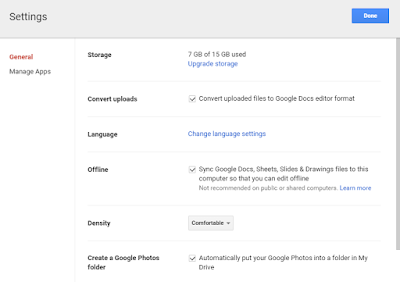
Last week I published a post answering three questions that new Google Docs users frequently ask. That post turned out to be quite popular so I’m following up this week with the answers to three questions that new Google Slides users frequently ask. Here are three questions that I frequently hear from new Google Slides […]
Lucidpress Adds New Video, Font, and Download Options for Creating Multimedia Documents

Lucidpress is a great tool for collaboratively creating multimedia documents. In the past I have described it as offering the best of Apple’s Pages combined with the best of Google Documents. Through Lucidpress you and your students can collaboratively create documents that incorporate videos and images. This morning I received an email from Lucidpress announcing […]
PrepFactory Helps Students Prepare for the SAT & ACT

PrepFactory is a free service that offers excellent SAT and ACT preparation activities. The site offers free guides to SAT and ACT strategy along with a plenty of review activities to help students sharpen their skills and knowledge before taking the ACT or SAT. PrepFactory recently launched a new design. The new design heavily emphasizes […]
New Playback Options Added to Haiku Deck

Haiku Deck is my favorite alternative to using PowerPoint or Google Slides to create presentations. Haiku Deck’s themes, templates, and integrated Creative Commons image search tool have made it a popular tool in schools. This week Haiku Deck added some more features that teachers and students will probably appreciate. Now in Haiku Deck you can […]
Three Helpful Google Docs Updates Released This Week
This week the Google Docs team released three updates. All three updates have potential to be useful in school settings. First, Google Docs in your web browser and in the Android app now has a document outlining tool. The outline tool will recognize headers within your documents and create an outline based upon those headers […]
What’s Due Adds What’s Seen to Help You Help Students Complete Assignments
WhatsDue is a free service (available for Android and iOS) that enables teachers to create and send due date reminders to their students. Students receive the reminders as push notifications on their iOS and or Android devices. When I’ve demonstrated WhatsDue over the last year I’ve noticed that teachers appreciate that WhatsDue is a simple […]
Three Tools Students Can Use to Add Annotations to Videos

When we talk about flipped lessons it often involves a lot of heavy lifting on a teacher’s part. From finding a video to adding questions to the video, it is a time-consuming process and in the end we’re still not always sure if the students actually watched the video or they just guessed at the […]
10 Apps, Sites, and Lessons for Promoting Health and Fitness

In all of my Best of the Web presentations I try to present resources for a wide variety of classroom settings and subject areas. Health and physical education resources are always included because of my personal interest in the field as well as its importance in giving students lifelong skills. Here are ten of my […]
Three Mobile Apps That Can Help Students Search
Students might forget their lunches, their gym shoes, and their homework assignments when they leave their houses in the morning, but they never forget their mobile phones. We can help students put those mobile devices to good use through the use of mobile search apps. Google Goggles is a free Android app that lets students […]
More Resources for Teaching and Learning About Flight #STEM

On Sunday I wrote a post about an interactive timeline of the developments made by the Wright brothers and Glenn Curtiss. Here are some more resources for teaching and learning about developments in aerospace. America by Air online exhibit is a series of thirteen online activities that take students through the history of commercial aviation in […]
My Favorite Internet Search Tips for Teachers & Students

Whether you teach students who are ten years old or forty years old there will be times when they turn to you and say, “I can’t find anything about this” while they are researching. In most cases the problem isn’t that the Internet doesn’t hold any information for them. Rather, the problem is that students […]
Comparing Textbooks to Wikipedia – A Student & Teacher Lesson

Last week during NCTIES I shared an activity that I have done with students and teachers to help them identify the similarities and differences between information presented in their textbooks and information presented in Wikipedia articles on the same topics. An outline of the activity is available here. The activity is one that I developed […]
Check Out the New Google Docs & Slides Templates
This week Google added some new templates to the Google Docs, Slides, and Sheets template galleries. The most notable of these templates for students and teachers are the new book report template and the new science project template. The templates can be found and modified in your web browser or in the Google Docs, Slides, […]
CamFind – Conduct Research With the Help of Augmented Reality

In my last presentation at the NCTIES 2016 conference I shared some mobile apps and ideas for using them with ELA and social studies classes (slides are available here). CamFind is one of my favorite apps in the presentation. CamFind is a free iOS and Android app that enables you to take a picture of […]
Great Tools for Creating Backchannels & Informal Assessments
Yesterday at the NCTIES 2016 conference I hosted a three hour workshop on creating and using backchannels and informal assessments in the classroom. The tools that we used are featured in the slides below. Videos and the group’s discussion posts are available on this Practical Ed Tech page.
Best of the Web – Spring 2016

This afternoon at the NCTIES 2016 conference I had the privilege to once again give my Best of the Web presentation to a packed room (conservative guess of 350 people). The presentation features short overviews of my favorite new and or updated ed tech resources of the last year. Almost all of today’s presentation featured […]
How to Use Google’s My Maps in Your Classroom
This morning at the NCTIES 2016 conference I facilitated a short workshop on using Google Maps and Google Earth in the classroom. Both tools are so robust that it is hard to cover everything you can or could do with them in just 90 minutes. To support the workshop I have a bunch of additional […]
Quickly Dictate Notes in Multiple Languages on Dictation.io

Dictation.io is a good tool to add to yesterday’s list of free tools for dictating notes. On Dictation.io you can simply click “start dictation” then start having your voice transcribed into a text document. No registration is required in order to use Dictation.io. More than two dozen languages are support on Dictation.io. The video embedded […]
How to Make Copies of Google Docs That Aren’t Directly Shared With You
On a fairly regular basis I share charts and other digital hand-outs that I have created in Google Documents. For example, I recently shared this chart comparing student blogging tools and this chart comparing multimedia timeline creation tools. When I share those charts I publish them as Google Documents marked as “view only.” If you […]
The Month in Review – February’s Most Popular Posts

Good evening from Maine where while the month of February is coming to a close I am getting ready for my favorite March event, the NCTIES conference. As I do at the end of every month, I have compiled a list of the most popular posts of the month. The list is based on the […]
Three Free Tools Students Can Use to Dictate Notes

Food speech recognition software can be very pricey, but it doesn’t have to be. If you’re looking for some free speech to text options for your students consider trying the following three options. Mic Note is a free Chrome and Android app that allows you to create voice recordings, text notes, and image-based notes on […]
Two Last Minute Lessons on Leap Year

Today is February 29th. My friend Rod’s son is turning sixteen or four depending upon how you look at it. Why? Because there won’t be another February 29 for four years. If you have students wondering why February 29th occurs only once every four years, share the following short videos. The first video addresses the […]
The Week in Review – The Most Popular Posts of the Week

Good evening from the Free Technology for Teachers World Headquarters in Woodstock, Maine. This week Max and I had two visitors to my office. My friend Sam’s dog named Humbird has stayed with us all week. Yesterday and today we’ve also hosted my friend Jess’ puppy named Fionn. Max has been a good dog host […]
Improved Voice Commands and More New Google Apps Features Released This Week
A few months ago Google adding voice typing as a native feature in Google Docs. This week they improved the voice typing feature by adding a slew of new commands. You can now use voice commands to do things like add and edit tables, select and highlight text, and format text. A complete list of […]
Padlet Adds Helpful New Attachment Previews
Padlet is a fantastic tool that I have used and recommended countless times over the years. My tutorial video about it is the most viewed video in my YouTube channel. This week Padlet introduced some improvements that might not jump out at you right away, but will be helpful to you in the long run. […]
Organize Research While Creating Slides on Buncee
For years I’ve used the slideshow creation process as a means of organizing my thoughts. I teach the same idea to students. The process of sequencing slides and elements within slides can help students organize the ideas that they will later write about in a research paper or persuasive article. Buncee is one of the […]
Collaboratively Create Reminders & Task Lists on Pinside

Pinside is a free online sticky note service. Pinside can be used to create boards of notes for yourself or boards to share with others. You can create a mix of private and shared notes within one account. Sticky notes on shared Pinside boards are designed for creating to-do lists. As each item on the […]
The Week in Review – Thinking About Summer on the Coldest Day of Winter
Skiing across Moosehead Lake. Good morning from Maine where the snow flurries are reminding us that winter is still here. Last Sunday we had the coldest day of the year at -17F! It was on that day that I announced that there will be two Practical Ed Tech Summer Camps this year. There will be […]
The Clear Alternative to Evernote Clearly

Clearly was a popular Chrome extension that allowed you to view and save web pages without all of the sidebar and header content that appears on most websites. Evernote ended support for Clearly earlier this year. I’ve had a few people ask me for alternative options. The easiest alternative is to use the Evernote web […]
Quizlet’s Practice Mode Now Works on Mobile Devices
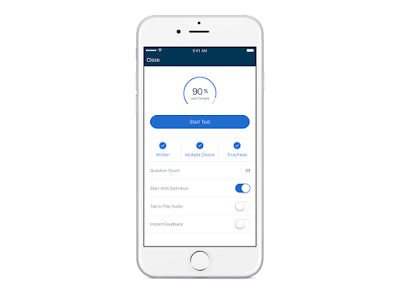
The popular flashcard and test-prep service, Quizlet, has added a much-requested feature to their mobile app. You’ve long been able to review flashcards on Quizlet’s mobile apps. Now you can take practice tests on the Quizlet mobile app. According to Quizlet’s corporate blog, the practice test mode is available now on iOS and will be […]
Photos for Class + Canva = Fun Animal Stories

Photos for Class is a great tool for locating Creative Commons licensed images that your students can use in all kinds of projects. The great thing about Photos for Class is that when students download an image from the site all of the attribution information that they need is included in the image’s footer. This […]
Complete This Free Course and Become a Power Google Searcher

Power Searching With Google is a MOOC that Google initially offered nearly four years ago. The course is facilitated by Dr. Daniel Russell whose work I’ve featured many times over the years. The latest version of Power Searching With Google opens today and runs for two weeks. I went through Power Searching With Google the […]
Two Good Tools for Building Online Discussions Around Videos

Watching videos then answering questions about them is the basic premise of a lot of flipped classroom lessons. To take that idea to higher level, invite students to ask questions and or and notations to videos that you have shared with them. Vialogues and VideoNot.es are excellent tools for building online discussions around shared videos. […]
The Week in Review – A Week in Texas
A Padlet of stories. Good afternoon from Austin, Texas where I’m waiting for a flight home after a great week here in Texas. This week I had the privilege to speak at TCEA and at Texas A&M. The highlight of the week for me was speaking to and working with undergrads at Texas A&M who […]
More Than 4000 People Get Their Ed Tech Tips This Way
Over the last 20 months I’ve made a concerted effort to consistently update my YouTube channel with at least one new tutorial video every week. This morning while uploading my video about making screenshots with Evernote I noticed that there are now more than 4,000 people subscribed to my YouTube channel. If you would like […]
How to Clip & Share Sections of Google Books

Earlier this week at the TCEA conference in Austin, Texas I ran a short workshop about Google Books. One of the things that we did in that session was clip and share sections of free Google ebooks. In the video embedded below I demonstrate how to clip and share sections of free Google ebooks. Applications […]
How to Create Annotated Screenshots With Evernote Web Clipper

The Evernote Web Clipper is a handy tool for teachers and students. I use it every day to bookmark websites. I also use it for creating annotated screenshots. Students can use it to clear distractions from web pages that they are reading. In the video embedded below I demonstrate how to do those three handy […]
Mic Note – Create Time-stamped Multimedia Notes
Mic Note is a free Chrome app that allows you to create voice recordings, text notes, and image-based notes on one concise notebook page. The notes that you record with your voice can be time-stamped by clicking on your Mic Note note page while you’re recording. You can also take notes without recording any audio. […]
How to Create a Collaborative KWL Chart Online

Earlier this week at TCEA I gave a presentation on mind maps, timelines, and collaborative brainstorming tools. One of the tools that I featured in that session was Realtime Board. Realtime Board is a great tool for creating and sharing mind maps, KWL charts, and diagrams. In the video embedded below I provide an overview […]
Three Examples of Students Creating Real-World Products to Solve Problems That Mattered to Them

In many of my presentations I try to make the point that “real world” problems are whatever problems that matter to students. That problem could be figuring out how to get into college, how to earn some money, or how to better prepare for an exam that feels important to them. In my presentation Leading […]
Annotation Studio – Annotate Shared Documents With Text, Video, and Images

Annotation Studio is a free document editing tool that I learned about a few weeks ago on Larry Ferlazzo’s blog. This afternoon I finally gave it a try. The best way to describe what Annotation Studio offers is to think of it as Google Docs commenting if Google Docs supported videos and pictures in comments. […]
7 Tools for Hosting Online Brainstorming Sessions

After yesterday’s post about Limnu there were a couple of similar tools suggested on the Free Technology for Teachers Facebook page. I also received a couple of requests for suggestions for other similar tools. Here are some of the other tools that you and your students can use to host online brainstorming sessions. Simple Surface is […]
Limnu – Create Collaborative Online Whiteboards

Limnu is a service that enables you to quickly create collaborative online whiteboards. On your Limnu boards you can draw, type, insert images, and chat with collaborators. Every whiteboard that you create on Limnu can be saved as an image to review later. Limnu’s free service allows you to edit your whiteboards for up to […]
Three Free iOS Apps for Test Prep

Last week my post about the test prep app Gojimo was one of the most popular posts of the week. This morning someone emailed me looking for a simple app in which students could create their own review materials. The following three apps let students create their own review flashcards that include explanations for questions. […]
The Week in Review – The BETT Edition

Good evening from London where I’m waiting for my flight home after a nice couple of days at the BETT Show. I spent some time meeting with developers of some neat applications (more about those in future posts) and just walking around to see what was new and interesting. Once again the best part of […]
The Week, Month, and Year In Review
Good morning from Maine where the sun is shining over a crisp winter morning. It finally feels like winter here. I have a special edition of the week-in-review to share before I head out for a few runs on the local ski mountain. This week I took some time off to visit family and friends […]
10 Things Students Can Do With Google Keep

As I do every year, I am taking this week to relax, recharge, and ski with friends. While I’m away I will be re-running the most popular posts of the year. This was one of the most popular posts in November, 2015. At the end of October Google added a drawing option to Google Keep. […]
How to Gain Access to Thousands of Free eBooks for Kids

As I do every year, I am taking this week to relax, recharge, and ski with friends. While I’m away I will be re-running the most popular posts of the year. This was one of the most popular posts in October, 2015. Zing is a service offering thousands of free fiction and non-fiction ebooks to […]